


Adobe Acrobat Pricing in 2026 | Why I Regret Buying It
Adobe Acrobat’s pricing seems too expensive, yet you feel like you have no other option. That is how I felt a couple of years ago.
After testing 30+ PDF editors, I realized that Adobe Acrobat is simply overpriced.
In this article, I’ll break down Adobe Acrobat’s pricing plans, explain the hidden costs, how much you will actually pay, and help you decide which plan is worth your money, or whether you should choose a cheaper alternative.
5 Things to Know Before Buying Adobe Acrobat
Adobe Acrobat Pricing Plans: A Quick Look
Adobe Acrobat’s pricing plans | Best for | Annual commitment | Month-to-month | My recommendation |
|---|---|---|---|---|
Adobe Acrobat Reader | Reading, filling, and signing PDFs | Free | Free | ✅ Choose if you don’t need editing |
Adobe Acrobat Standard for Individuals | Text & image editing, conversions, and page management | $179.88/year | $24.99/mo | ✅ Good if you only need the essential features |
Adobe Acrobat Pro for Individuals | OCR, redaction, document comparison, and advanced PDF workflows | $239.88/year | $29.99/mo | ⭐ Best Adobe plan for advanced users |
Acrobat Studio – Individual | Summarizing PDFs and asking questions about documents | $299.88/year | $34.99/mo | ⚠️ Only if you regularly use AI otherwise it’s too pricey |
Adobe Acrobat Standard for Teams | Same features as for the inviduals plus team administration | $203.88/user/year | Not available | ⚠️ Best for basic team needs, but you may need to upgrade |
Adobe Acrobat Pro for Teams | Advanced editing with centralized administration | $287.88/user/year | Not available | ✅ Best for businesses using Adobe |
Acrobat Studio – Teams | Legal, finance, and other document-heavy teams that use AI to analyze and summarize large volumes of PDFs | $359.88/user/year | Not available | ⚠️ Only worth it for team members who regularly use AI features; assign Standard or Pro to everyone else. |
Adobe Acrobat Reader (Free plan): What You Get
💡 Key takeaway from our testing: Adobe Acrobat Reader is a decent free plan compared to some business-focused PDF editors that only offer free trials. However, once you actually do something with the PDF file (editing, organizing, or converting), you’ll have to upgrade.
The free version of Acrobat is also available on desktop and mobile apps. With Adobe Acrobat Reader, you get these:
- Opening, navigating, and reading PDFs
- Printing and sharing PDF documents
- Leaving comments and annotations in your PDFs
- Filling and signing documents
In other words, you can’t edit, convert, merge, or organize PDFs. Also, if you’re looking for more advanced tools like OCR and redaction, you won’t find them here.
Adobe Acrobat Standard: Basic Features at a Premium Price
💡 Key takeaway from our testing: At $179.88/year, Adobe Acrobat Standard is difficult to justify when several cheaper PDF editors include advanced features like OCR, redaction, and AI tools for less. After testing more than 30 solutions, I found PDF editors that offer more functionality for significantly less money.
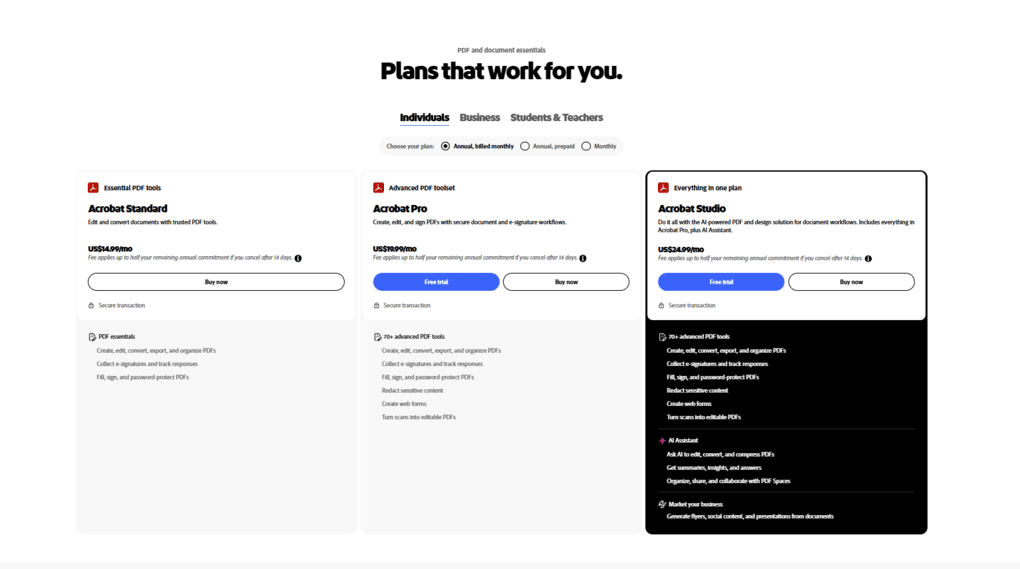
Adobe Acrobat Standard includes some essential features, but it still doesn’t provide access to features many users need daily.
It’s $179.88/year for individuals, and $203.88/user/year for teams, and covers the following:
- Editing text and images inside your PDFs
- Converting PDFs into Word, Excel, PowerPoint, etc.
- In addition to signing documents, you can request and track signatures
- Using password protection for your files
- Accessing 100 GB of cloud storage
Businesses also have access to license management and tech support.
You can cancel within 14 days of your initial purchase and receive a full refund. After that, cancellation fees may apply depending on your subscription.
However, Adobe Acrobat Standard still lacks several advanced features, including:
- OCR: Converting scanned PDFs into searchable and editable documents.
- Redaction: Removing sensitive information from PDFs.
- PDF comparison: Comparing two document versions to identify changes.
- AI-powered tools: Summarizing documents and asking questions about PDF content.
Adobe Acrobat Pro: Worth It for Advanced PDF Editing?
💡 Key takeaway from our testing: Acrobat Pro is a much more complete PDF editor than Standard, but I still struggle to justify its price. During our testing, we experienced slow performance with larger files (sometimes even crashes). At $239.88/year, it’s also difficult to recommend when several cheaper PDF editors include advanced editing, OCR, and AI features in their paid plans.
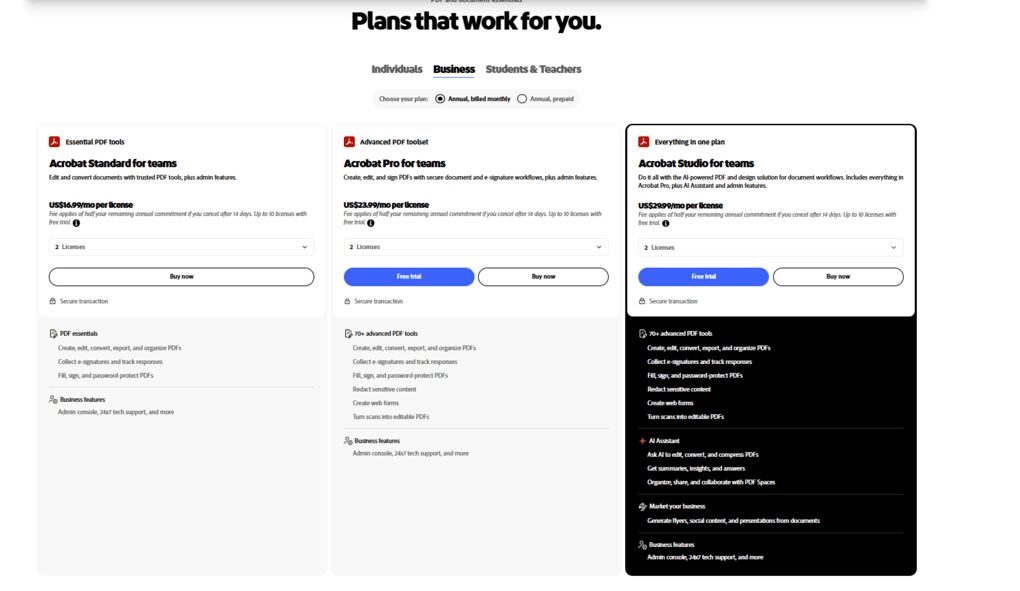
Adobe Acrobat Pro includes everything in Standard, plus OCR, PDF redaction, and additional features to manage more complex PDF workflows. Like Adobe Acrobat Standard, Pro comes with a 14-day refund window. If you cancel after that, you may face cancellation fees depending on your subscription.
It costs $239.88/year for individuals and $287.88/user/year for teams, and includes:
- Converting scanned PDFs into searchable and editable documents.
- Permanently removing sensitive text and images from PDFs.
- Comparing two document versions to identify changes.
- Creating fillable PDF forms and handling more complex document workflows.
- Using certificate-based encryption and additional document protection options.
Businesses also get centralized license management and administrative controls.
You can also mix the licenses to match your team members’ needs. For example, you can assign Adobe Acrobat Pro to power users working a lot with PDFs (legal, finance, and payroll teams) and Acrobat Standard to other team members to optimize costs.
In terms of features, Adobe Acrobat Pro still has some limitations, including:
- AI-powered tools: Advanced AI features may require Acrobat Studio or an additional subscription.
💰 Cheaper alternatives exist: After testing more than 30 PDF editors, I found several Adobe Acrobat alternatives that cost 1.3–4.8× less than Pro, while performing better in my editing and OCR tests.
If you want to see how Adobe Acrobat performed during our testing, check out our review, where we break down why we lean toward other alternatives (not just because of pricing).
Adobe Acrobat Studio: Is Acrobat AI assistant worth $299.88/year?
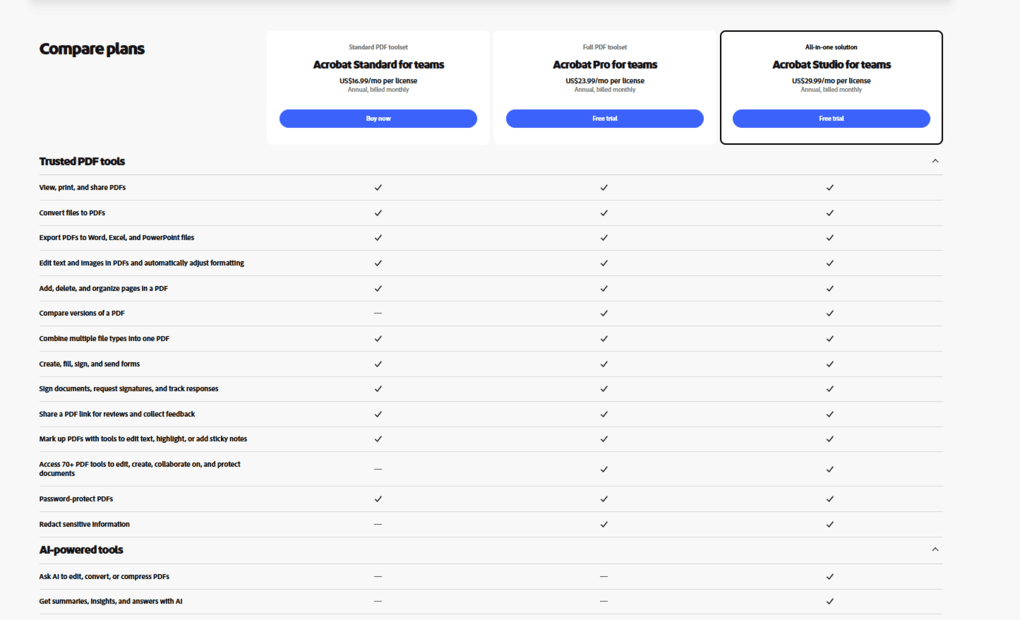
💡 Key takeaway from my testing: The additional $60/year over Pro makes more sense if you regularly work with multiple lengthy documents and can take advantage of PDF Spaces. For businesses, I’d recommend assigning Studio only to employees who frequently use AI, while keeping everyone else on Standard or Pro.
If you need advanced PDF management features and an AI assistant for Acrobat, your only choice is Adobe Acrobat Studio.
This plan covers everything from Adobe Acrobat Pro, and you access these:
- Acrobat AI Assistant: Chat with PDFs and other supported documents, summarize lengthy files, extract key insights, and ask questions about their content.
- PDF Spaces: Combine multiple documents, links, and notes into shared workspaces where you can organize information and use AI to analyze it.
- Adobe Express Premium: Access templates, design assets, and creative tools to turn document content into presentations and other visual materials.
- Cloud and mobile access: Use Acrobat across desktop, web, and mobile devices, including OCR-powered document scanning.
- 100 GB of cloud storage: Store and access documents across your devices.
Adobe Acrobat Discounts
Adobe Acrobat offers special discounts for students and teachers, with savings of up to 72% during the first year.
Eligible students and teachers can choose from three discounted plans:
- Acrobat Express: $29.99/year for the first year, then $99.99/year. Includes basic PDF tools, AI Assistant, and Adobe Express Premium.
- Acrobat Studio: $69.99/year for the first year, then $139.99/year. Includes 70+ advanced PDF tools, AI Assistant, and Adobe Express Premium.
- Creative Cloud Pro: $239.88/year for the first year, then $479.88/year. Includes Acrobat Pro and 20+ creative apps, such as Photoshop, Illustrator, and Premiere Pro.
⚠️ Keep in mind: Always read the fine print. These discounts only apply to the first year. Your subscription automatically renews at the higher regular rate unless you cancel. Annual plans may also have early cancellation fees after the first 14 days.
What Adobe Acrobat Actually Costs Per Team
The per-user pricing adds up faster than most teams expect:
Team size | Standard (annual) | Pro (annual) | Acrobat Studio (annual) |
|---|---|---|---|
5 users | $1,019 | $1,439 | $1,799 |
10 users | $2,038 | $2,878 | $3,598 |
25 users | $5,097 | $7,197 | $8,997 |
50 users | $10,194 | $14,394 | $17,994 |
Prices reflect annual subscriptions for Adobe Acrobat Teams, excluding taxes and potential volume discounts.
For example, a 10-person team using Acrobat Pro pays $2,878/year, while upgrading everyone to Acrobat Studio costs $3,598/year.
⚖️ My recommendation: Don’t automatically purchase the same plan for everyone. A 10-person team with 2 Studio users, 3 Pro users, and 5 Standard users would pay $2,599/year, saving almost $1,000 compared to assigning Studio to everyone.
After testing more than 30 PDF editors, I’d also recommend comparing Adobe’s pricing with cheaper alternatives before committing your entire team.
Hidden Costs to Know About
Another thing I don’t like about Adobe Acrobat’s pricing is its cancellation policy. The monthly price may look reasonable at first, but a few things are worth knowing before you subscribe.
- Early cancellation fees: Adobe offers an annual plan billed monthly, which is different from a month-to-month subscription. If you cancel after the first 14 days but before your annual commitment ends, you may have to pay 50% of your remaining contract balance.
- Cancellation terms in the fine print: In 2024, the FTC sued Adobe, alleging the company made its cancellation fees hard to find and didn’t clearly explain them at checkout.
What Adobe officially confirms
Subscription type | Cancellation within 14 days | Cancellation after 14 days |
|---|---|---|
Month-to-month | Full refund | No early termination fee; current payment non-refundable |
Annual, billed monthly | Full refund | 50% of remaining contract balance |
Annual, prepaid | Full refund | No refund for the unused subscription period |
⚖️ My recommendation: Before subscribing, double-check whether you’re choosing a month-to-month plan or an annual commitment billed monthly. The latter is cheaper per month, but canceling early can make it much more expensive than you initially expected.
Which Adobe Acrobat Plan Should You Pick
You are | Pick | Why |
|---|---|---|
Occasional PDF user | Reader (Free) | Enough for reading, annotating, filling, and signing PDFs |
Solo user who needs basic editing | Standard ($179.88/year) | Covers essential editing and conversions |
Professional working with PDFs daily | Pro ($239.88/year) | Includes OCR, redaction, document comparison, and advanced editing |
Professional handling large volumes of documents | Studio ($299.88/year) | Adds AI summaries, document analysis, and PDF Spaces |
Small business with basic PDF needs | Standard – Teams ($203.88/user/year) | Essential PDF tools with centralized license management |
Business with advanced PDF workflows | Pro – Teams ($287.88/user/year) | Advanced editing, OCR, redaction, and team administration |
Legal, finance, or research team using AI daily | Studio – Teams ($359.88/user/year) | AI-powered document analysis and shared PDF Spaces |
Budget-conscious individual or team | Adobe alternative | Several cheaper PDF editors offer comparable advanced features |
5 Better-Value Alternatives to Adobe Acrobat
I invested over 200 hours in this project and tested more than 30 PDF editors to discover the best Adobe Acrobat alternatives.
And I have good news! I found some PDF editing software that is better and cheaper than Adobe. Here, you can find my top picks:
Nitro PDF Pro
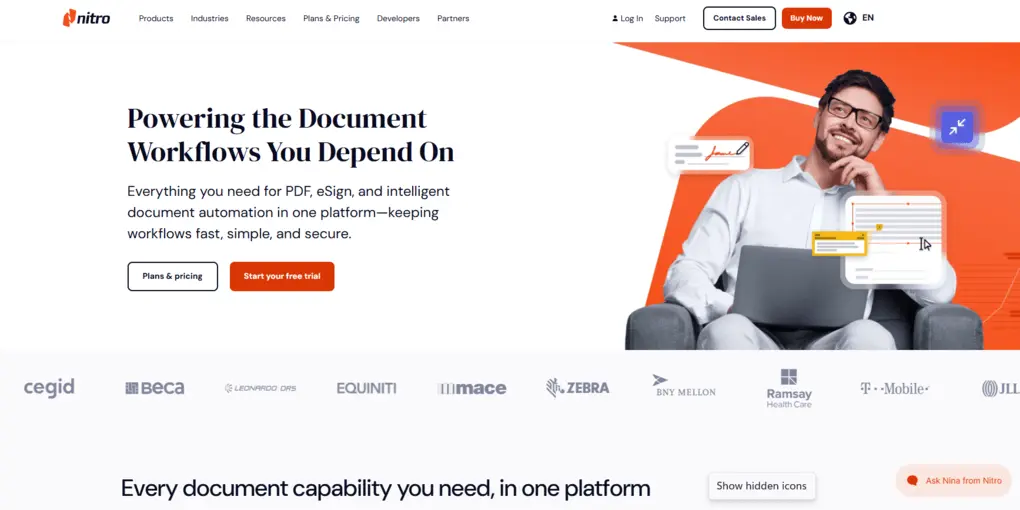
Nitro PDF combines advanced PDF editing, OCR, forms, and powerful security features into one intuitive platform. Compared to Adobe Acrobat, it offers a similarly comprehensive feature set at better value for professionals and businesses.
- Best for: Businesses who need a complete PDF workflow solution
- Not ideal for: Individuals with basic PDF needs or organizations where end users actively rely on multiple Adobe products
- Pricing starts at: Free trial + paid from $180/year (~1.33x cheaper than Adobe Acrobat Pro)
🔎Read my full review: Nitro PDF Review: My findings after testing +30 PDF editors
EaseUS PDF Editor
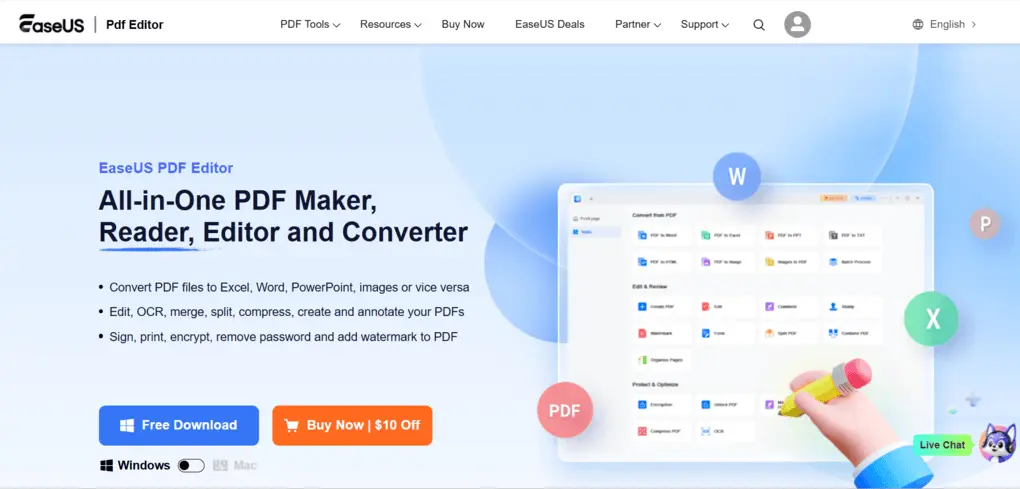
EaseUS PDF Editor offers one of the best balances of features, usability, and pricing among the PDF editors I tested. It works on Windows and Mac and combines solid editing with accurate OCR.
While I missed the built-in AI features, it is an excellent alternative to Adobe Acrobat for everyday use.
- Best for: Individuals who need a budget-friendly PDF editor with an extensive feature set
- Not ideal for: Large organizations
- Pricing starts at: $49.95/year + free plan available (~4.8x cheaper than Adobe Acrobat Pro)
🔎Read my full review: EaseUS PDF Editor Review 2026 | My Unfiltered Opinion
If you think you may need the advanced features, use the above link for signup and enter the code THEBUSINESSDIVE20 to receive 20% OFF if you fall in love with EaseUS PDF later.
Tenorshare PDNob
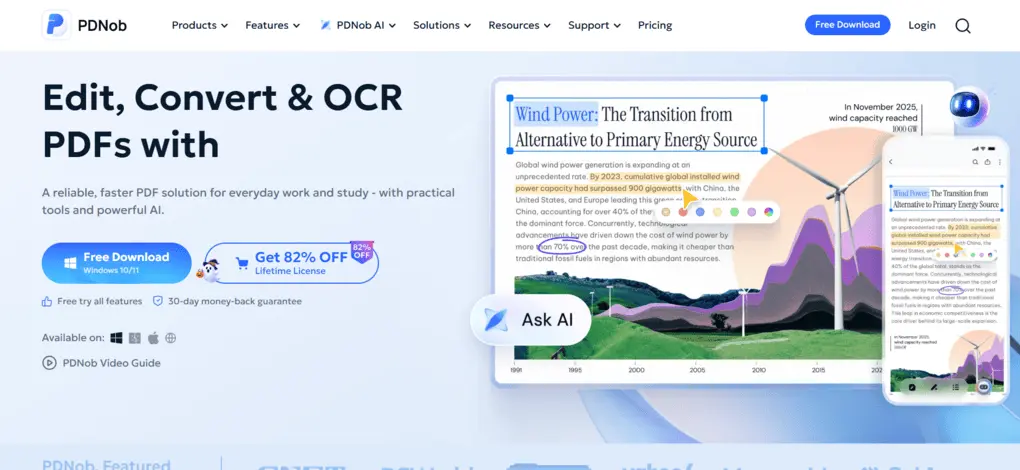
PDNob combines accurate OCR, AI-powered document tools, and simple PDF editing in a beginner-friendly interface for Windows, Mac, and IOS.
It is a strong alternative to Adobe Acrobat for users who want a budget-friendly PDF editor with solid features, though the lack of an Android version may limit some users.
- Best for: Professionals handling OCR-heavy PDF workflows
- Not ideal for: Users who need to edit a PDF on Android
- Pricing starts at: $49.99/year + free plan available (~4.8x cheaper than Adobe Acrobat Pro)
🔎Read my full review: Tenorshare PDNob Review 2026 | My Unfiltered Opinion
Use the above link and the discount code TS-TBD-20 to get 20% OFF from the paid plans.
PDFgear
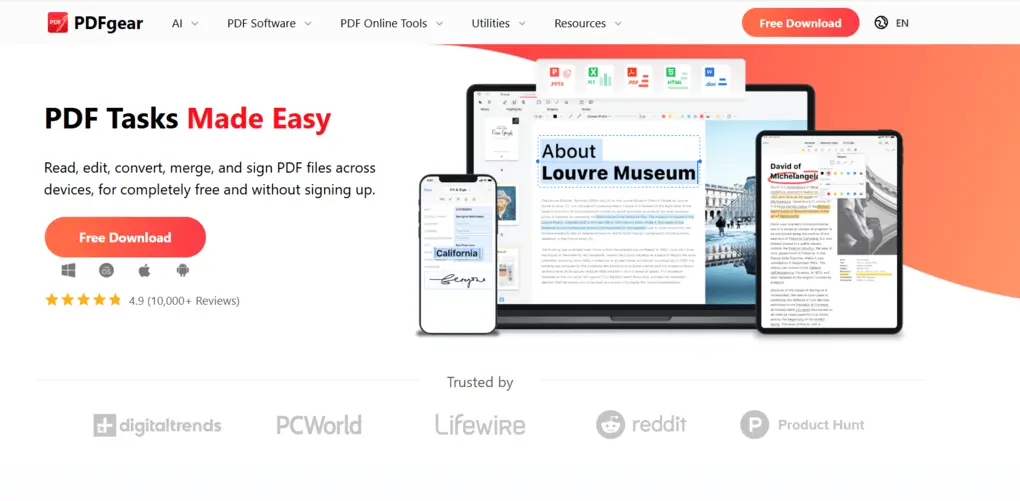
PDFgear is a free PDF editor that offers editing, OCR, annotation, conversion, and AI-powered tools. It is one of the best free alternatives to Adobe Acrobat for personal use, but it lacks some advanced PDF editing tools, and there is an ongoing privacy debate.
- Best for: If you need a completely free Adobe Acrobat alternative
- Not ideal for: Users seeking advanced editing features & maximum privacy
- Pricing: 100% free
🔎Read my full review: My Honest PDFgear Review 2026 | What They Don’t Tell You
Smallpdf
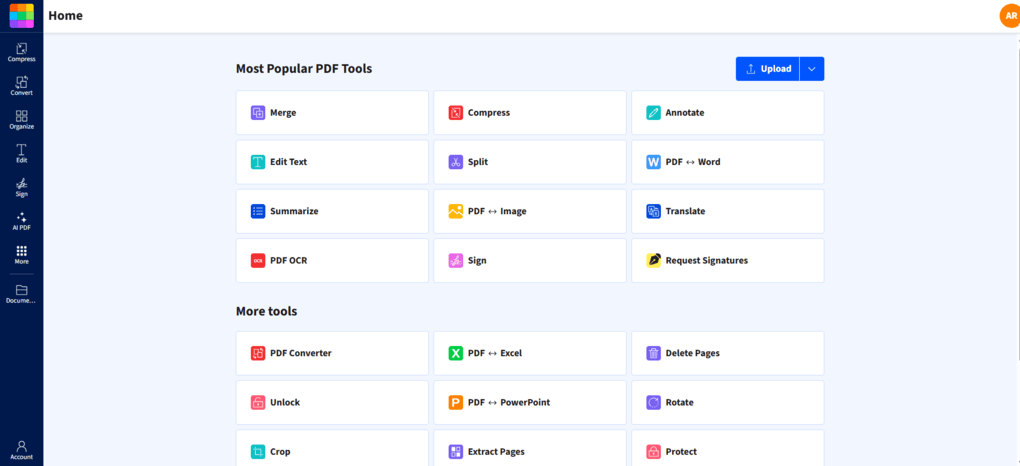
Smallpdf combines browser-based PDF editing, powerful AI tools, and Google Workspace integrations in one intuitive platform. It is a solid alternative to Adobe Acrobat for users who want a lightweight PDF solution.
However, if you need advanced PDF reading or annotation features, desktop-focused PDF editors may be a better fit.
- Best for: Teams & individuals who need a versatile online PDF editor
- Not ideal for: Users who need a desktop PDF editor
- Pricing starts at: Free plan+ paid from $120/year(~1.99x cheaper than Adobe Acrobat Pro)
🔎Read my full review: Smallpdf Review 2026 | The Top Lightweight PDF Tool
Related articles:
- 8 Best PDF Editors For Windows in 2026 | +2 Years Testing
- Adobe Acrobat Vs Foxit: I Tried Both and Found The BEST (2026)
- 6 Best OCR Software For 2026 | 30+ Personally Tested Tools
- The 6 Best PDF Readers For 2026 (Only FREE Options)
Summary: Adobe Acrobat’s Pricing
Is Adobe Acrobat a good PDF editor? Yes. Is it worth the price? In most cases, I don’t think so.
After testing Adobe Acrobat alongside more than 30 PDF editors, I found that it offers a comprehensive set of features, especially in the Pro plan. And don’t forget about the ecosystem behind Adobe Acrobat.
Nevertheless, I wasn’t impressed with its performance on larger PDFs, and its pricing is hard to justify when several competitors offer similar features for significantly less.
If you’re already using Adobe’s ecosystem, Acrobat Pro is probably your best option. Otherwise, I’d recommend checking out Adobe Acrobat alternatives before committing to an expensive annual subscription.
Frequently asked questions
Can you buy Adobe Acrobat permanently?
Adobe Acrobat’s current subscription plans don’t offer a traditional perpetual license. Acrobat Pro 2020 was Adobe’s last traditional lifetime perpetual license, but Adobe has discontinued selling.
Why is Acrobat so expensive?
Adobe Acrobat is one of the most established PDF editors, with a comprehensive feature set and a strong presence among businesses. For many organizations, it has become the go-to solution for working with PDFs.
I think Adobe’s pricing reflects not only its extensive feature set but also its established reputation and market position.
Is Adobe Acrobat still free?
Adobe Acrobat offers a free version for reading and signing documents. Nevertheless, it has limited PDF editing tools.
Is it worth paying for Adobe Acrobat?
Personally, I think Adobe Acrobat is not worth it. After my Adobe Acrobat review, I discovered that there are better and cheaper alternatives, and its pricing structure is not justified.
Is Adobe Document Cloud secure?
Adobe Document Cloud includes security features such as encryption, access controls, and document protection. However, no cloud service is completely risk-free, so I’d recommend reviewing Adobe’s security documentation before uploading sensitive business documents.
Disclosure: I only recommend products I would use myself, and all opinions expressed here are our own. This post may contain affiliate links that, at no additional cost to you, may earn a small commission. Read the full privacy policy here.

Hey there! I am Aron, the founder of Thebusinessdive. I have been testing productivity apps for almost three years now. I reach 25.000 -50.000 people monthly with the mission to help you find the perfect productivity apps. Subscribe to my YouTube channel, newsletter, and social media to hear more about the best productivity tools. Let’s dive in!
I’ve been using PDF Element for years for my consulting business and I love it. I’ll never go back to Acrobat. Great article.
Adobe Acrobat costs $240–$290 per year. It’s slow, subscription-only, and 2–3× pricier than rivals like PDFelement ($80) or Foxit ($160). Unless you’re tied to Adobe, skip it.
Hey Xin,
Totally agree, thanks for the comment! It surely helps our readers.
The title “Adobe Acrobat Pricing In 2025 | Why I Regret Buying It” really grabbed my attention. It’s not often you see a review that straight-up admits regret about a purchase, especially for a widely-used tool like Adobe Acrobat. This definitely makes me curious about the author’s experience and what specifically led to their dissatisfaction with Acrobat’s pricing in 2025. I’m looking forward to reading the full review to understand the factors that might impact future buyers’ decisions regarding Adobe’s PDF solutions
Great article! This really helped me understand the topic better. http://natehandgesture.org/