decor
decor
decor
Best Granola alternatives
|

Best Granola Alternatives 2026 | My Top 6 After Testing 25+ Tools

Granola is a lightweight AI note-taker that transcribes and summarizes meetings without using bots. It’s fast, simple, and distraction-free… but you probably already know that if you’re reading this.

Here, I have collected the best Granola alternatives for different use cases. And my top picks are:

  • Fellow: Best for teams
  • Bluedot: Best for simplicity
  • Krisp: Best for high-quality audio

Scroll down to see the other granola alternatives, and why these three are my top picks after testing 25+ AI note-takers over the past couple of years.

Let’s dive in!

Which are the best Granola alternatives in 2026?

App

Best for

Not ideal for

Best Granola alternative for teams

Teams needing structure & collaboration

Simple or free-only users

Best Granola alternative for simplicity

Individuals & small teams wanting simplicity

Advanced workflows or offline use

Best Granola alternative for audio quality

Users needing clear audio in meetings

Free plan users or advanced workflow needs

Best Granola alternative for Chrome users

Chrome users wanting real-time captions

All-in-one tools or recording needs

Best Granola alternative for AI summaries

Users needing structured summaries

Heavy free plan users

Best Granola alternative for free plan

Users wanting a strong free tool

Advanced features without upgrading

How did I select the best Granola alternatives?

To keep this list practical, I focused on tools that cover Granola’s core use case, but also offer clear advantages depending on what you need.

Here are the main criteria I used:

  • Transcription accuracy: The tool needs to reliably capture conversations with minimal errors. I prioritized apps that deliver fast transcripts with speaker recognition, timestamps, and consistent accuracy across different meeting conditions.
  • AI summaries & action items: Granola keeps summaries simple, so I focused on tools that go further, either by structuring summaries better or turning them into actionable insights like decisions, follow-ups, and next steps.
  • Ease of use: Granola’s biggest strength is simplicity, so every alternative had to be quick to set up and easy to use daily.
  • Extra features (recording, workflows, insights): I looked for tools that go beyond basic note-taking, including recording, AI chat, integrations, workflows, and conversation insights that actually improve how you handle meetings.
  • Pricing & free plan: Some tools look great on paper but limit key features behind paywalls. I considered whether each option provides real long-term value, especially if you’re not ready to upgrade immediately.

Without further ado, let’s see which apps made the list.

My list of the best Granola alternatives in 2026

Here are the best Granola alternatives in 2026:

Best Granola Alternative #1 | Fellow

best granola alternatives fellow

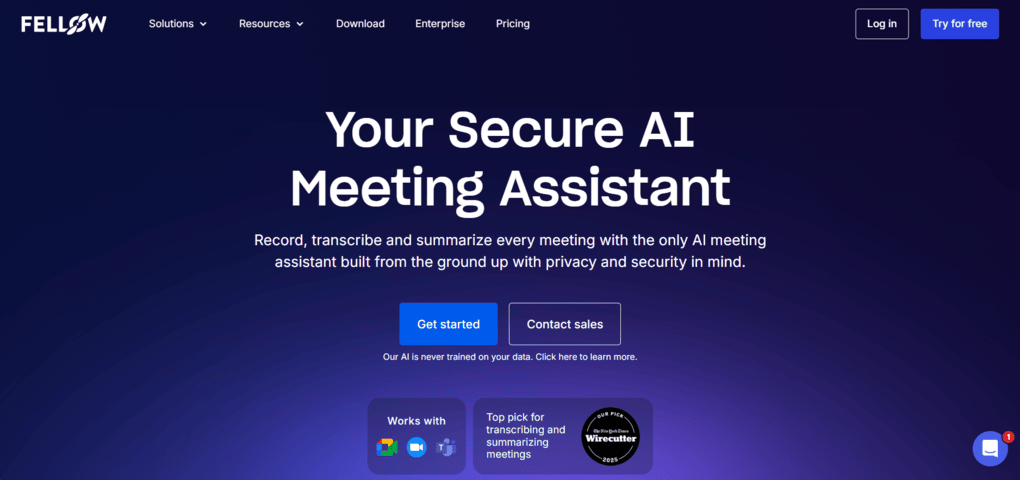
Fellow is an AI meeting assistant designed to automate note-taking, recording, and post-meeting workflows across entire organizations. It works with tools like Zoom, Google Meet, and Microsoft Teams, and goes beyond simple transcription by helping you prepare, run, and analyze meetings in one place.

Compared to simpler tools like Bluedot or Tactiq, Fellow focuses more on structured workflows and team-wide collaboration rather than just capturing notes.

fellow key feature

Accurate transcription (95%+ accuracy): Fellow delivers highly accurate transcriptions that capture not just words, but context and nuances from conversations. In most cases, the transcripts are ready within a few minutes after the meeting ends. However, like with any tool, audio quality still plays a role in the final accuracy.

Bot & bot-less recording: You can choose between bot-based recording or a bot-less option that runs in the background. The bot-less feature is great for more natural meetings or when privacy is a concern. At the same time, the bot option ensures transparency by joining as a visible participant, capturing video, audio, and screenshares. No matter which option you choose, Fellow follows the same strict security, compliance, and retention policies – which is why IT leaders tend to choose Fellow when deploying a notetaker org-wide.

AI meeting summaries: Fellow automatically generates summaries with key takeaways, decisions, and action items. Instead of going through full transcripts, you can just skim through the summaries. I liked that they are concise but still capture the most important points.

Meeting agendas & AI note templates: Fellow helps you prepare meetings in advance with structured agendas and templates. The AI can also suggest talking points and generate pre-meeting briefs based on previous discussions. After the meeting, you can create custom AI meeting minutes templates or use pre-built ones for different meeting types.

Ask Fellow (AI assistant): The Ask Fellow feature lets you query past meetings and extract insights instantly from one or multiple meetings at the same time. You can ask questions like what decisions were made or what needs follow-up. Furthermore, it can help generate follow-up emails based on meeting content with one click.

Integrations: Fellow integrates with CRMs (Salesforce, HubSpot), project management tools, knowledge management tools, automation software (Zapier, n8n, Make), and LLMs. For LLM-based workflows, the Fellow MCP (Model Context Protocol) Server is a critical differentiator, enabling AI models like ChatGPT and Claude to query meeting data directly, effectively transforming Fellow into a centralized organizational memory hub. This deep integration ensures that meeting insights don’t just exist as transcripts but flow automatically into Slack channels, Confluence pages, and specialized task managers, making it the primary “intelligence layer” for many modern workplaces.

Fellow pricing

Fellow offers four plans. The Free plan includes access to AI recording, recaps and transcriptions. Additionally, it provides access to features such as collaborative meeting notes, meeting agendas, meeting timers, and integrations with Zoom, Slack, Microsoft Teams, and Google Meet. The Free plan is perfect for those who want to try Fellow before purchasing it.

The Team plan was developed for small teams and starts at 3 users. It includes all the features in the Free plan with higher limits, and offers meeting automation tools and additional integrations with Notion or project management tools.

The Business plan starts with 3 users and provides unlimited recordings, transcription minutes, organization-wide meeting templates, sales AI recap templates, and more integrations. The Enterprise plan offers advanced control, security, and AI meeting support. With this plan, you can create customized rules for recording and have more recordings and transcription minutes.

My experience with Fellow

Fellow stands out for its transcription accuracy and the depth of its features. The transcripts were consistently reliable, and the AI summaries saved me a significant amount of time after each meeting.

What really made a difference, though, were the pre-meeting and collaboration features. The agendas, templates, and AI-generated briefs helped me stay prepared even during back-to-back calls, which is something most tools simply don’t address well.

At the same time, Fellow feels more like a full AI meeting agent than a lightweight note-taker. While that’s a big advantage for teams, it can feel slightly overwhelming if you just want something simple and quick.

Full review: Fellow App Review: My Thoughs After +12 Months (2026)

Let’s summarize the pros and cons I found since using Fellow for my own meetings in the past 1 year:

Pros of Fellow
  • The AI transcription and summary are accurate and reliable. Of course, the audio quality matters; however, it can track precisely what was discussed during an online meeting.
  • It offers bot and bot-less transcription & recording
  • It provides numerous productivity tools besides the essential features
  • A budget-friendly option for teams
  • Enterprise-grade security
  • The AI summaries are super helpful and include all the relevant points
Cons of Fellow
  • It would be great if the free plan included more features
  • You need to install the Fellow desktop app in order to use botless recording

Fellow is a strong choice for teams that want to centralize their entire meeting workflow. If you’re working in a remote or hybrid environment and need better collaboration, structured agendas, and clear follow-ups, it fits naturally into your process.

Also, because of its security and compliance features, it is a solid choice for finance (private equity, wealth management), healthtech, and legal teams.

On the other hand, Fellow is not ideal if you’re looking for a free AI note-taker, since the free version is capped at 5 AI meeting notes and recordings.

Compared to Granola, which focuses on simplicity and individual use, Fellow is built for structured, team-wide collaboration, with advanced security features and recording policies that are often preferred by IT and security teams.

Some online reviews have also noted that Granola’s API is not as customizable as Fellow’s, which makes Fellow a better alternative for teams who want to build custom workflows using their meeting data.

If Granola feels too limited for your workflow, Fellow stands out with its advanced features, deeper integrations, and strong collaboration capabilities designed specifically for teams.

fellow app logo

See Fellow overview

An AI Note-Taker For Teams & Professionals

Best Granola Alternative #2 | Bluedot

best granola alternatives bluedot

Bluedot is a bot-free AI note-taking app that works with Google Meet, Zoom, Slack, and Microsoft Teams. It’s designed to be simple, fast to set up, and easy to use, while still offering accurate transcriptions, structured meeting notes, and collaboration features.

Compared to tools like Fellow or MeetGeek, Bluedot is much more lightweight and easier to set up, but it also comes with fewer advanced features.

Bluedot key features

Bot-free transcription: Bluedot lets you capture meetings instantly without using a bot. You can start recording directly from the Chrome extension with a single click, making the setup incredibly fast. The transcriptions are generally accurate and clean, as the tool removes filler words like “uhm” automatically. It also supports 100+ languages and includes speaker identification.

Meeting recording (video & audio): Unlike many bot-free tools, Bluedot also offers full video and audio recording. After each meeting, you get recordings alongside transcripts and notes in one place. You can also import external recordings for transcription and summarization. This makes it more flexible than most simple note-takers.

Well-structured meeting notes: Bluedot automatically generates structured notes with summaries, action items, and timestamps. The notes are easy to read and can be edited manually if needed. You can also switch between templates, and the notes will instantly adapt to the selected structure.

AI chat & follow-ups: The AI chat allows you to ask questions about specific meetings or even across multiple calls. It responds quickly and includes timestamps for context. One standout feature is AI-generated follow-up emails based on your meeting content. This makes post-meeting workflows much faster and more efficient.

Screen recording: Bluedot includes a built-in screen recorder with webcam overlay, similar to Loom. You can record your screen, annotate videos, and share them with your team. This is a unique feature that most AI note-takers don’t offer. It makes Bluedot useful not just for meetings, but also for async communication.

Integrations & collaboration: Bluedot integrates with tools like Slack, Notion, HubSpot, and Zapier. You can automatically push meeting data into your CRM or productivity tools. It also supports shared libraries, comments, and easy link sharing.

bluedot pricing

Using its Free plan, Bluedot lets you record and transcribe up to five meetings with a maximum of 1 hour per recording. You also have access to the Slack and Notion integrations.

If you buy the Basic plan for $14 per month with annual billing, it unlocks unlimited recordings and storage. If you need longer recordings and custom meeting templates, the Pro plan could be ideal for $20 per month per user.

If you need the HubSpot and Salesforce integration, you have to go with the Business plan. It is $32 monthly with annual billing and includes these integrations, plus unlimited import options.

Larger organizations can opt for Enterprise pricing, which includes features like SSO, custom retention policies, and advanced admin controls.

My experience with bluedot

After testing 25+ AI note-takers, Bluedot stood out as one of the easiest tools to use. The setup took just a few minutes, and it started working immediately without any complicated configuration.

The overall experience was very clean and straightforward. The meeting notes were well structured, and features like AI follow-up emails and screen recording added extra value.

That said, the simplicity comes with some trade-offs. The free plan is quite limited, and since Bluedot relies on cloud processing, it’s not ideal if you prefer local-only solutions.

Full review: My Honest Bluedot Review After Testing 25+ AI Note-Takers

Now, let’s break down Bluedot’s strengths and limitations.

Pros of Bluedot
  • Unlike many other bot-free AI note-takers, Bluedot offers video recording
  • It is super easy to set up
  • The AI follow-up email generation is valuable after your calls
  • Bluedot has a user-friendly interface
  • This AI note-taker offers screen recording features as well, which is quite unique
  • Well-structured meeting notes with timestamps
Cons of Bluedot
  • Limited free plan
  • Bluedot needs the cloud to create meeting notes

Bluedot is especially useful for individuals, freelancers, or small teams who don’t need complex workflows but still want reliable meeting notes, recordings, and quick follow-ups. If you value ease of use over advanced features, Bluedot is a strong choice.

On the other hand, it’s not ideal if you’re looking for a powerful, all-in-one meeting management system. Compared to tools like Fellow, it lacks deeper collaboration, analytics, and organizational features. It’s also not the best option if you rely heavily on a free plan or need offline processing.

Compared to Granola, which is also focused on simplicity, Bluedot offers a similar lightweight experience but with more functionality. You still get a clean interface, but with added features like video recording, AI chat, and integrations.

bluedot logo

See Bluedot overview

A bot-free AI note-taker with easy setup​

Best Granola Alternative #3 | Krisp

best granola alternatives krisp

Krisp is a voice AI platform that combines AI note-taking with real-time noise cancellation and accent conversion. It works across major meeting platforms like Zoom, Google Meet, and Microsoft Teams, and is designed to improve both the quality of your calls and the way you capture them.

Unlike tools like Bluedot or Tactiq that focus purely on note-taking, Krisp puts a strong emphasis on improving call quality with features like noise cancellation and accent conversion.

krisp key features

AI transcription & meeting notes: Krisp delivers highly accurate transcriptions (around 96%) with speaker identification and timestamps. The transcripts are generated quickly and can be edited directly inside the app. It also supports adding custom industry terms to improve accuracy. On top of that, it creates structured AI notes with key points and action items after each meeting.

Bot & bot-less recording: Krisp supports both bot-based and bot-free recording. You can record online meetings across all major platforms, as well as in-person conversations through its mobile app. After each call, you get access to recordings, transcripts, and summaries in one place. This makes it a versatile option for different meeting formats.

Noise cancellation: Krisp’s standout feature is its industry-leading noise cancellation. It removes background sounds like typing, chatter, and ambient noise in real time. It can even filter out other human voices and isolate the main speaker. This significantly improves both call clarity and transcription quality.

Accent conversion: Krisp includes real-time accent conversion, which helps make speech clearer in global meetings. It transforms strong accents into a more neutral version without changing the meaning. This is especially useful for international teams or customer-facing roles. It’s also a feature that very few competitors currently offer.

AI chat & collaboration: The AI chat allows you to ask questions about your meetings and quickly extract insights. It helps you find decisions, action items, and key moments without going through full transcripts. You can also share recordings, notes, and transcripts with your team for collaboration. However, the lack of folder organization can make managing many meetings slightly harder.

krisp pricing

Krisp does not have a free plan and only offers a 7-day trial, where you get full access to all paid features. So, if you are looking for a free AI meeting assistant, I am afraid Krisp will not be the one you are looking for.

The Core plan is $8 with yearly billing. It gives you unlimited audio and video recording, AI meeting notes and action items, AI chat, multilingual summaries, and in-person meeting support. For individual users or small teams, this feels like the sweet spot.

For larger teams, the Advanced plan ($30 per user/month, or $15 with yearly billing) layers on features like four hours per day of accent conversion, 30GB storage, SSO/SCIM, manager view, and advanced admin controls. This plan is clearly designed for companies that need structure, compliance, and collaboration at scale.

Finally, Enterprise plans come with advanced security options, private on-device transcription, dedicated account managers, and usage analytics.

During testing, Krisp delivered strong performance when it came to both transcription and meeting notes. Everything was generated quickly, and the summaries were easy to skim and actually useful for follow-ups.

What really stood out, though, were the audio features. The noise cancellation worked impressively well, especially in louder environments, and the accent conversion added an extra layer of clarity in conversations. This made a noticeable difference compared to typical AI note-takers.

Overall, Krisp is a balanced tool – simple enough to use, but with some powerful features that go beyond standard note-taking. The main downside is that there’s no free plan.

Full review: My Brutal Honest Krisp Review 2026 | Is It Worth It?

Now, take a look at the pros and cons of Krisp!

Pros of Krisp
  • Bot-free recording that works across most communication apps
  • 96% accurate transcriptions in 17 languages, with searchable AI notes and summaries
  • Action item extraction with speaker identification
  • Industry-leading, award-winning AI noise cancellation for noise-free and productive meetings
  • Accent AI that helps listeners understand accented speech in real time, and Accent Conversion that helps speakers adjust their accents for enhanced clarity
  • Simple setup and easy to use for non-tech users
  • Relatively affordable compared to other AI note-taking tools
Cons of Krisp
  • No free version
  • Noise cancellation is not available on mobile

Krisp is a great fit if audio quality is a priority in your meetings. It works especially well for remote workers, customer support teams, and sales calls where clarity and communication matter. If you often take calls in noisy environments or work with international teams, its noise cancellation and accent conversion can make a real difference.

However, Krisp is not ideal if you’re looking for a free AI note-taker or advanced meeting organization features. Compared to some alternatives, it lacks a deeper workspace structure (like folders), and its value is more tied to audio enhancements than full meeting management.

Compared to Granola, Krisp goes far beyond AI note-taking by actively improving the quality of your meetings. While Granola focuses on simplicity, Krisp enhances both how meetings sound and how they’re captured.

If you want cleaner calls, better transcripts, and more clarity in conversations, Krisp is the better choice.

The Best AI Note-Taker with Built-In Noise Cancellation_Krisp

See Krisp overview

AI Note Taker powered with Noise Cancellation and Accent AI

Best Granola Alternative #4 | Tactiq

best granola alternatives tactiq

Tactiq is a bot-free AI note-taker that focuses on real-time transcription and lightweight workflows directly inside your browser. It works with Zoom, Google Meet, and Microsoft Teams, and is designed for users who want live captions and quick summaries without adding a recording bot.

Compared to tools like Bluedot or Fathom, Tactiq is more focused on real-time transcription and browser-based workflows, rather than recordings or full meeting management.

tactiq key features

Real-time transcription (bot-free): Tactiq shows live captions during your meetings and saves them as transcripts afterward. These transcripts are searchable and can be revisited anytime for notes or summaries. It also supports uploading audio and video files for transcription. However, getting real-time transcription to work can sometimes require a bit of setup.

AI meeting notes (credit-based): Tactiq generates summaries, action items, and notes based on prompts, but this relies on a credit system. You can customize prompts to create your own meeting templates. This makes it more customizable than many tools, but also less straightforward. If you run out of credits, you’ll need to upgrade to continue using AI features.

Action items extraction: One of Tactiq’s strongest features is identifying and highlighting action items. It automatically detects tasks and assigns them to speakers. These are then organized into a task list for easy follow-up. This works reliably and saves time after meetings.

AI chat & workflows: Tactiq includes an AI chat that lets you ask questions about meetings in real time or afterward. It also offers AI workflows that can generate ready-to-send updates or summaries based on transcripts.

Integrations & conversation insights: Tactiq integrates with various productivity tools, helping you connect meeting data with your existing workflows. It also provides insights like talk ratio, speaking speed, and engagement metrics. This adds an extra layer of visibility into your meetings.

tactiq pricing

The Free plan gets you just 10 meetings per month and only 5 AI credits that you can use for summaries, notes, questions, and more. You can access the AI workflows as well with the free plan.

The Pro plan provides unlimited transcripts but still has a limit of 10 AI credits per month. It is $8 per month per user, and you have access to some additional features like pausing the automatic transcription or turning off transcription notification.

The Team plan is where you unlock unlimited AI credits and get priority customer support for $16.67. If you have more than 20 users, Tactiq offers its business plan for $29.16, and you gain access to some more advanced features. Also, it has an Enterprise plan for larger organizations with custom pricing.

my experience with tactiq

While testing Tactiq, I found the real-time transcription concept useful, especially for following conversations live. The AI workflows and integrations also stood out as strong features that can automate repetitive tasks after meetings.

However, the overall experience wasn’t always smooth. I ran into issues getting the transcription to work consistently, which was frustrating at times. Also, the credit-based system for AI notes feels limiting and adds friction compared to other tools.

Another downside is the lack of recording capabilities. While it keeps things lightweight, it also means you don’t have a full backup of your meetings, which can be a dealbreaker.

Pros of Tactiq
  • The real-time transcription feature is useful
  • The AI workflows help automate numerous processes related to your online meetings
  • It pulls out the action items from the smart summaries effectively
Cons of Tactiq
  • I encountered some difficulties in getting the transcription
  • It does not have a mobile app, which makes it less ideal for in-person meetings
  • You have limited AI credits even in the Pro Plan

Tactiq is a good choice if you mainly work in Chrome and want real-time captions during your meetings. I would recommend it to users who prefer lightweight tools and want to build simple AI workflows for recurring meeting tasks without relying on recordings.

On the other hand, Tactiq is not ideal if you want a reliable, all-in-one meeting assistant. The lack of recording, occasional transcription issues, and a credit-based system make it less suitable for users who want a seamless and fully automated experience.

Compared to Granola, Tactiq offers a similar lightweight and bot-free approach, but adds real-time transcription and customizable workflows. It’s better suited for users who want live captions and more control over how summaries are generated.

If you primarily work in your browser and want something simple but slightly more flexible than Granola, Tactiq is a solid alternative.

Explore our Apps directory

A curated directory of software tools we’ve independently reviewed, with links to full reviews, comparisons, and category guides.

Best Granola Alternative #5 | MeetGeek

best granola alternatives meetgeek

MeetGeek is an AI meeting assistant that automatically records, transcribes, and summarizes your meetings across Zoom, Google Meet, and Microsoft Teams.

It stands out for its highly structured summaries that break conversations into clear, actionable insights, making it a stronger choice than tools like Fathom or Bluedot if you need deeper analysis rather than just basic notes.

meetgeek key features

Accurate transcription (95%+ accuracy): MeetGeek automatically transcribes meetings and uploaded files with high accuracy. It uses speaker recognition and timestamps to clearly show who said what and when. The transcripts are easy to navigate and review afterward. Like most tools, audio quality still affects accuracy, but overall performance is strong.

Automatic recording (AI voice agents): MeetGeek uses AI voice agents that join your meetings and handle recording automatically. Once set up, it captures everything without manual input. You can later access recordings alongside transcripts and summaries.

AI meeting summaries (best-in-class): MeetGeek delivers some of the most structured AI summaries available. It breaks meetings into sections like key points, decisions, action items, and concerns. These summaries are easy to scan and can be shared instantly via email.

AI chat & meeting organization: The AI chat helps you quickly find information across past meetings without opening multiple transcripts. MeetGeek also allows you to organize meetings into folders (called sections), so it’s easier to manage different workflows. As your meeting history grows, this becomes very useful.

Conversation intelligence & integrations: MeetGeek provides detailed insights into your meetings, including participation levels, talk time, and engagement. It also integrates with thousands of tools like Slack, HubSpot, and Google Calendar. This helps you connect meeting data with your broader workflow.

meetgeek pricing

MeetGeek offers four pricing plans.

The Free plan includes 3 hours of transcription per month, 3 months of transcript storage, and 1 month of audio storage. While many AI note-taking apps offer unlimited transcription in the free version, MeetGeek compensates for the limited transcription minutes with numerous available features.

If using the free plan, you will access the AI summaries, meeting insights, folders, file uploads, and searching functions. So, in terms of features, MeetGeek has a quite generous free plan. When it comes to meeting insights, most of the AI note-taking apps offer this feature in paid plans.

The Pro plan is for professional and small teams that have more meetings. It includes all the features in the free plan, plus 20 hours of transcription per month, 1 year of transcript storage, and 6 months of video storage. Besides the features you can use in the free plan, you will get access to meeting templates, AI tools, and integrations.

The Business plan is ideal for teams and individual professionals who want to get the full MeetGeek experience. It offers unlimited transcription, unlimited transcript storage, and 12 months of video storage. With the business plan, you will access some team collaboration features, a personalized bot name, a custom dictionary, and meeting insights for the whole team.

MeetGeek also offers an Enterprise plan that includes some extras like branded emails, organization-wide settings, a dedicated account manager, and more.

After extensive testing, MeetGeek stood out mainly because of its summaries. The way it structured meetings into clear sections made it incredibly easy to scan key points without going through full transcripts.

The tool was also reliable in terms of transcription accuracy and overall performance. Once set up, the voice agents handled everything automatically, which made it a very hands-off experience.

That said, the free plan comes with limitations in transcription minutes and storage. While it offers many features, you may quickly hit those limits if you have frequent meetings.

Full review: MeetGeek Review: Is It The Best AI Note-Taker For You? (2026)

Pros of MeetGeek
  • The best, well-structured AI meeting summaries
  • Highly accurate transcriptions
  • Wide range of integrations
  • Affordable paid plans
  • Generous free plan with advanced features access
Cons of MeetGeek
  • Limited transcription minutes and storage capacity on Pro plan

MeetGeek is a great choice if your priority is getting clear, structured summaries from your meetings. It works especially well for individuals and small teams who want to quickly understand key decisions, action items, and outcomes without spending time reviewing full transcripts.

However, it’s not ideal if you need unlimited usage on a free plan. While the feature set is generous, the limits on transcription minutes and storage can become restrictive if you have a high volume of meetings.

Compared to Granola, MeetGeek takes summaries to another level. While Granola keeps things simple, MeetGeek focuses on structure and depth, breaking meetings into actionable insights you can actually use.

meetgeek logo

See MeetGeek overview

An AI Note-Taker With Structured Meeting Summaries

Best Granola Alternative #6 | Fathom

best granola alternatives fathom

Fathom is an AI meeting assistant that records, transcribes, and summarizes your meetings across Zoom, Google Meet, and Microsoft Teams. It’s especially known for its generous free plan, making it one of the most accessible tools in this space.

Compared to tools like MeetGeek or Fellow, Fathom is more focused on simplicity and accessibility.

fathom key features

Accurate transcription (85–90%): Fathom automatically transcribes your meetings with solid accuracy, depending on audio quality and accents. It includes speaker identification and timestamps, making it easy to follow conversations. You can also click on any part of the transcript to jump directly to that moment in the recording. Additionally, transcripts are editable, so you can quickly fix any inaccuracies.

Automatic recording: Fathom uses a bot that joins your meetings and records them automatically based on your preferences. You can choose which meetings it should join and customize its behavior. The recordings are high-quality and easy to share with your team.

AI summaries (simple & concise): Fathom generates short and straightforward meeting summaries that highlight key points. Compared to other tools, the summaries are less detailed but very easy to scan. This makes it a good option if you prefer quick overviews instead of deep analysis.

Ask Fathom & clips: The Ask Fathom feature allows you to interact with your meeting data and ask questions or generate follow-ups. You can also create short clips from meetings and share key moments with your team.

Integrations & collaboration: Fathom integrates with tools like Slack, HubSpot, Salesforce, and thousands more via Zapier. It also offers collaboration features like shared folders, comments, and mentions. This makes it easier to organize and share meeting knowledge across teams. However, some advanced features are limited to higher-tier plans.

fathom pricing

Fathom has a free plan and three paid subscription plans.

The free plan includes unlimited recordings, storage, and transcriptions. The free plan offers some integrations, and you can use some basic features like clips. Compared with other tools, Fathom’s free plan is outstanding thanks to the unlimited recordings, transcriptions, and storage capacity.

Ultimately, I recommend the free plan for those who do not want to use advanced features or unlimited Zapier integration.

The Premium plan is ideal for individuals who want to utilize more features. It has all the features in the free plan. However, you can use all the AI features with this plan.

The Team plan was designed for small teams. With this plan, you will access team collaboration features like folders, comments, mentions, and keyword alerts.

If you want powerful features like AI coaching and deal view, you have to pay for the Business plan. If you choose this plan, you will have unlimited integrations, advanced security controls, single sign-on integration, and custom data retention policies.

Overall, Fathom has a generous and outstanding free plan compared to other AI note-taking apps. The Premium Plan is also a good choice and offers much value for the money. The Team and Business plans have reasonable pricing and are ideal for small teams.

After using Fathom for a few months, I found it to be a very reliable and easy-to-use AI note-taker. The setup was simple, and once configured, it handled recordings and transcripts automatically without much input.

What stood out the most was the free plan. Compared to other tools, it offers unlimited recordings, transcriptions, and storage, which is rare in this space.

That said, the summaries are more basic compared to tools like MeetGeek, and some advanced features like templates are locked behind higher-tier plans. Still, for a free tool, the value is hard to beat.

Full review: My Honest Fathom Review After Using It For +3 Months (2026)

Let’s dive into the strengths and pain points I discovered during my Fathom review!

Pros of Fathom
  • A generous free plan
  • Very accurate transcriptions
  • Editable transcriptions
  • Many users reported top-notch customer service
  • Simple, user-friendly interface
Cons of Fathom
  • Meeting templates are only accessible with high-tier plans
  • Can only transcribe online meetings, unlike many other AI meeting assistants
  • No mobile app

Fathom is an excellent choice if you want a powerful AI note-taker without paying upfront. It’s especially suitable for individuals and small teams who need reliable transcription and recording without worrying about usage limits.

However, it’s not the best option if you’re looking for advanced summaries or full feature access without upgrading. Some features are restricted to higher-tier plans, and the summaries may feel too simple compared to more advanced tools.

Compared to Granola, Fathom offers significantly more value in its free version. While Granola focuses on simplicity, Fathom gives you recording, transcription, and summaries without strict limitations.

If you want a free tool that still feels complete and usable long-term, Fathom is the clear winner.

Fathom logo

See Fathom overview

A Simple AI Note-Taker With Extensive Free Plan

Summary: Best Granola alternatives in 2026

We’ve reached the end of the guide. If you’ve read everything, here’s a quick recap, and if not, this is your TL;DR:

If you need a full meeting workflow for teams, Fellow is the strongest option. For a simple and easy-to-use experience, Bluedot is the closest match. Krisp stands out if audio quality matters, while Tactiq is a solid choice for Chrome-based workflows. If your priority is structured summaries, MeetGeek is the best pick, and Fathom offers the most value with its free plan.

I hope I was able to find the best alternatives to Granola in 2026. As always, I will keep updating this list to ensure it reflects reality.

Looking for similar tools?

Visit our AI note-takers library to explore other apps we’ve reviewed in this space and how they compare.

Why you can trust our reviews

At thebusinessdive.com, our team tests, reviews, and compares hundreds of productivity apps every year — from project management tools to note-taking apps. We dive deep into real-world use cases to help you find the right tools that actually improve your workflow, not just add noise.

Our mission? No fluff, no shortcuts—just honest, hands-on insights from productivity pros.

Discover how we stay transparent, read our review methodology, and let us know about any tools we missed.

Frequently asked questions

What are the best Granola alternatives for AI meeting notes?

The best Granola alternatives depend on what you need beyond basic note taking. Tools like Fellow and MeetGeek offer more advanced meeting summaries, while Bluedot and Tactiq focus on simplicity and real time transcription. If you need recording and follow ups, options like Fathom or Krisp are better suited for handling meetings end-to-end.

Is Granola a good AI powered meeting assistant?

Granola is a solid AI powered meeting assistant if your main goal is simple meeting notes without using meeting bots. It works well for capturing conversations and key points, but it lacks features like video recording, deeper project management workflows, and advanced follow ups. That’s why many users eventually explore alternatives.

Do Granola alternatives support recording and transcription?

Yes, most Granola alternatives offer both meeting transcription and video recording. Tools like Fathom and Bluedot automatically record meetings, while others like Tactiq focus more on real time transcription. Many of them also include speaker identification, speaker differentiation, and AI-generated meeting summaries for better context.

Can I use these tools with Google Meet or Microsoft Teams?

Most AI note-taking tools work seamlessly with platforms like Google Meet and Microsoft Teams. They can join meetings automatically or run in the background, capture key moments, and generate notes from past meetings. Some tools also sync with your calendar and help you organize follow ups after each client call.

Are there free AI note-taking tools like Granola?

Yes, several Granola alternatives offer a free plan, but the limitations vary. For example, Fathom provides unlimited recordings, while tools like Tactiq or Bluedot limit usage through credits or meeting caps. If you need more control, security, or custom pricing for teams, you may need to upgrade to paid plans depending on your workflow.

Disclosure: I only recommend products I would use myself, and all opinions expressed here are our own. This post may contain affiliate links through which, at no additional cost to you, I may earn a small commission. Read the full privacy policy here.

Leave a Reply

Your email address will not be published. Required fields are marked *