


Best Time Doctor Alternatives 2026 | My Honest Picks After Testing
Time Doctor is one of the most well-known time-tracking tools on the market, especially when it comes to workforce analytics and employee monitoring.
But it’s not for everyone.
For some teams, it can be too intrusive, while others may simply not need that level of monitoring and are looking for something more flexible, simpler, or better suited for client work.
After testing multiple time tracking tools, I have collected the best Time Doctor alternatives for different use cases. And my top picks are:
- Rize: Best for non-invasive team tracking
- Clockify: Best free alternative
- Toggl Track: Best for simple team-friendly tracking
In this guide, I’ll walk you through the best Time Doctor alternatives I personally tested, along with who they’re best for and where they fall short.
Let’s dive in!
How We Test Time Tracking Apps
We evaluate the time-tracking apps we have tested using a standardized testing framework we built based on 3+ years of experience with time-tracking apps.
Using this system, we can keep our scores objective and consistent, helping you compare time-tracking apps and make better, faster decisions.
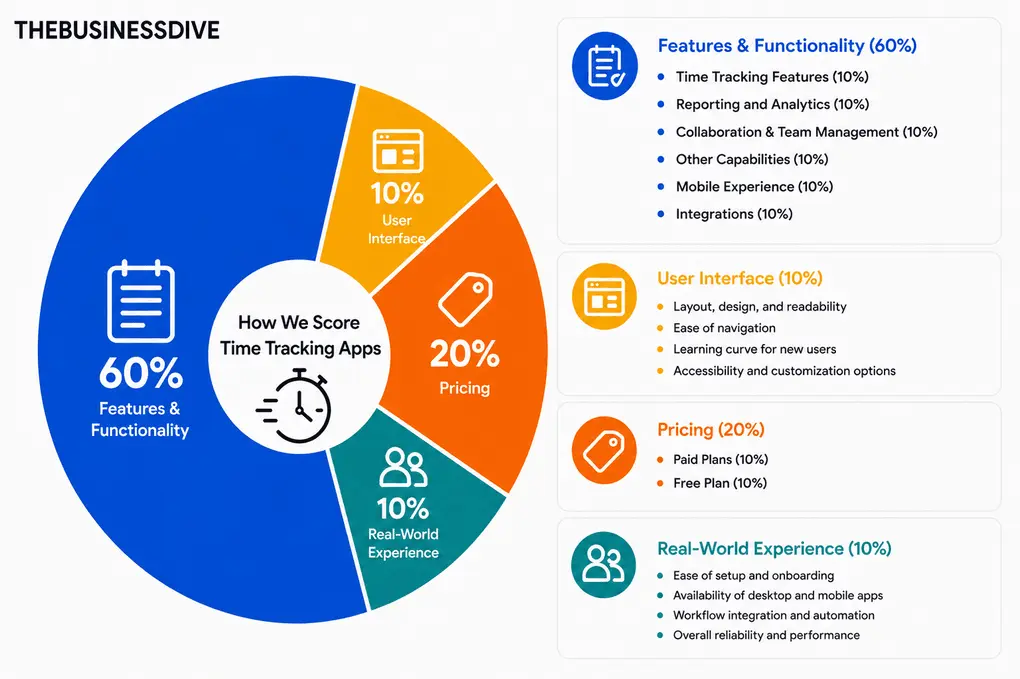
Our scoring breakdown after testing 10+ time tracking apps:
🛠️Features & functionality — 60%
🖥️ User interface — 10%
💰 Pricing — 20%
👥 Real-world experience — 10%
Want a detailed breakdown of how we test each category?
Learn exactly how we test tools → Review methodology
Which are the best Time Doctor alternatives in 2026?
|
App |
Best for |
Not ideal for |
|---|---|---|
 |
Teams, agencies, and remote teams wanting non-invasive time tracking and workload visibility |
Businesses needing strict employee monitoring and surveillance features |
 |
Teams, agencies, and small businesses needing a simple, flexible, and cost-effective tool |
Users wanting deep AI-driven productivity insights |
 |
Freelancers, remote teams, and agencies wanting a simple tool |
Businesses requiring employee monitoring |
 |
Remote teams, field workers, and businesses needing detailed tracking |
Users wanting a simple or non-intrusive time tracking tool |
 |
Users needing invoicing, budgeting, and financial tracking features |
Teams needing automatic time tracking |
 |
Freelancers, consultants, and solo professionals wanting a simple tool |
Teams, internal workflows, or businesses needing advanced tracking |
 |
Office-based, remote, and hybrid teams wanting visibility into productivity |
Businesses needing invoicing or client management |
How did I select the best Time Doctor alternatives?
I didn’t just look at feature lists. I tested each tool in real-world scenarios to see how it actually performs.
Here are the main criteria I used:
Without further ado, let’s see which apps made the list!
My list of the best Time Doctor alternatives in 2026
Here are the best Time Doctor alternatives in 2026:
Best Time Doctor alternative #1 | Rize
Best Time Doctor alternative for non-invasive team tracking
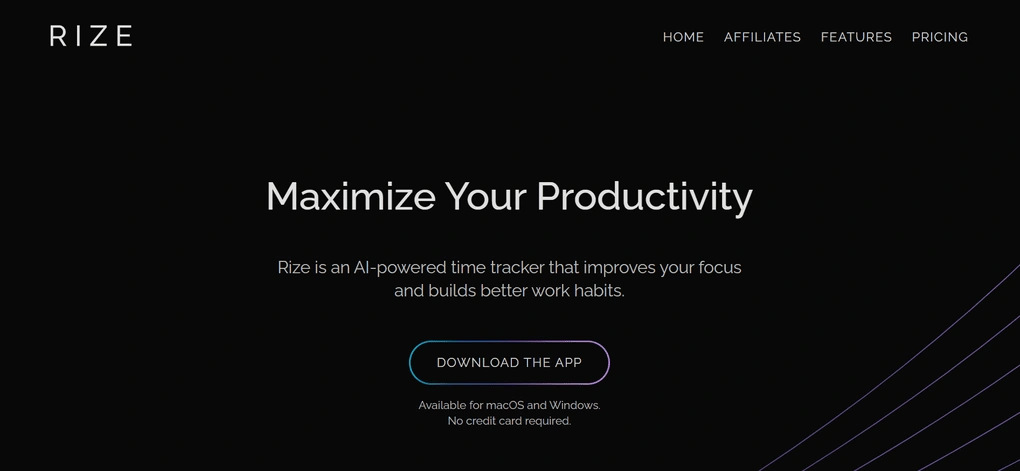
Rize is an AI-powered time tracking tool designed for teams, agencies, and professionals who want better visibility into how work gets done without relying on invasive employee monitoring.
Unlike Time Doctor, which focuses heavily on screenshots and workforce surveillance, Rize takes a lighter and more modern approach. It automatically tracks work in the background, helping teams understand time allocation, workloads, and work patterns while still maintaining employee autonomy and trust.
Key features
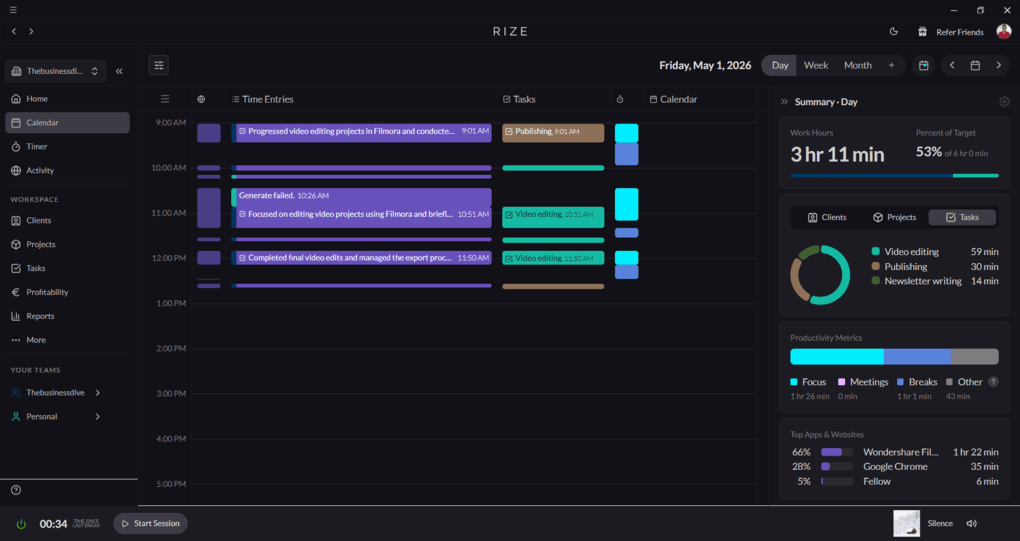
Automatic time tracking tool: Rize automatically tracks the time you spend on your computer as soon as you start your device. It captures your focused window and categorizes activities into different types of work. You can turn tracking on or off at any time and also add or edit activities manually. The tool requires minimal interaction once set up.
Customizable categories: Rize categorizes your activities automatically based on the apps and websites you use. You can review and adjust categories or create custom ones for specific workflows. It also allows you to define rules for future categorization.
AI notifications: Rize sends notifications based on work patterns, such as reminders to take breaks or alerts when someone reaches a certain number of working hours. These notifications help teams and individuals manage workload and avoid overworking. The system adapts over time based on usage patterns.
Reports: Rize generates daily, weekly, and monthly reports with detailed breakdowns of time usage across projects and tasks. Reports include productivity metrics, workload insights, and visibility into how work time is distributed. Data is delivered via email along with additional details in attached files.
Tasks and projects: You can create projects, tasks, and assign them to specific clients. Each project can include details like budget hours, keywords, and categories. Rize uses this data to automatically match activities with the correct project.
Work patterns & productivity insights: Rize provides insights into work patterns and long-term productivity trends. Teams can review focus time, workload distribution, and how time is spent across projects. The data helps identify where time goes and gives better visibility into overall team workflows.
Pricing
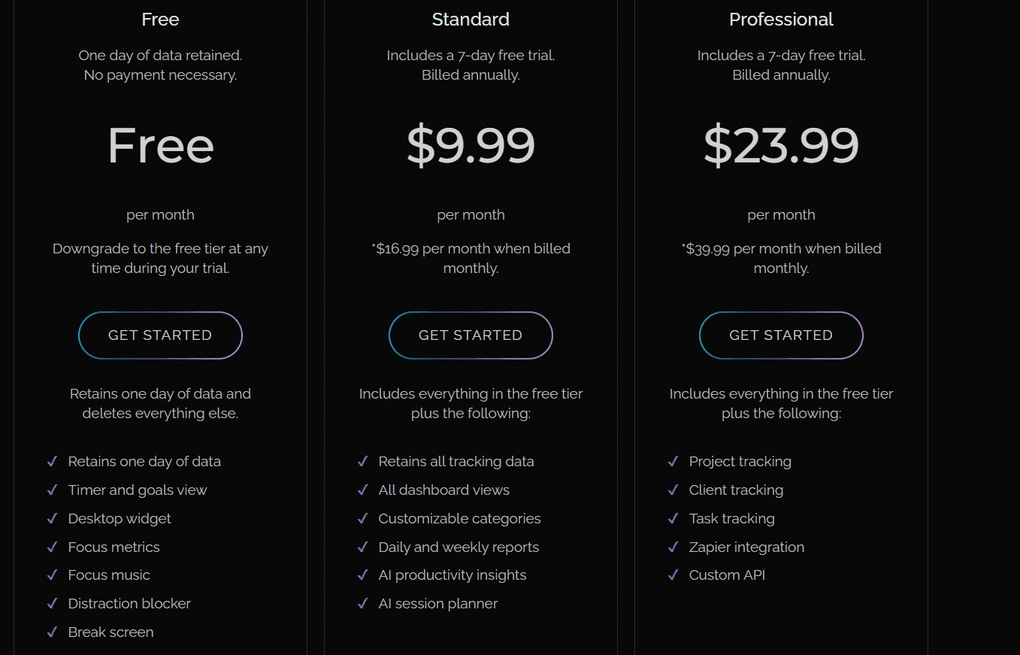
- Free plan available
- Paid plans start at $9.99/user/month
My experience with Rize
After long-term testing, Rize stands out as one of the most impactful time tracking tools for teams and agencies. The automatic tracking worked reliably, and the insights were actually useful, not just data for the sake of it.
What makes the biggest difference is the overall approach. Instead of being focused on monitoring employees, Rize helps teams understand workloads, time allocation, and work patterns in a less intrusive way.
That said, it’s not perfect. The lack of a mobile or web app can be limiting, especially for teams that don’t work primarily on desktop.
🔎 Read my full review: My Honest Rize Review After Using It For +12 Months (2026)
Short on time? Here’s a quick overview of Rize
Pros and cons of Rize
Pros of Rize
Cons of Rize
Best for / Not ideal for
Rize is best for teams, agencies, and professionals who want automatic time tracking and better visibility into work patterns without relying on invasive employee monitoring.
It’s not ideal for businesses that need heavy workforce surveillance, GPS tracking, or strict productivity scoring systems.
Why is it the best Time Doctor alternative for non-invasive team tracking?
Rize is one of the best Time Doctor alternatives for teams that still want clear visibility into projects, workloads, and billable hours, but without heavy employee monitoring.
It offers many of the same benefits as Time Doctor when it comes to tracking work and understanding how time is spent across the team. But instead of relying on screenshots and invasive surveillance features, Rize takes a lighter approach focused on automatic tracking and team visibility.
That balance is what makes it stand out, especially for agencies and remote teams that want accurate tracking without micromanagement.
Best Time Doctor alternative #2 | Clockify
Best free Time Doctor alternative
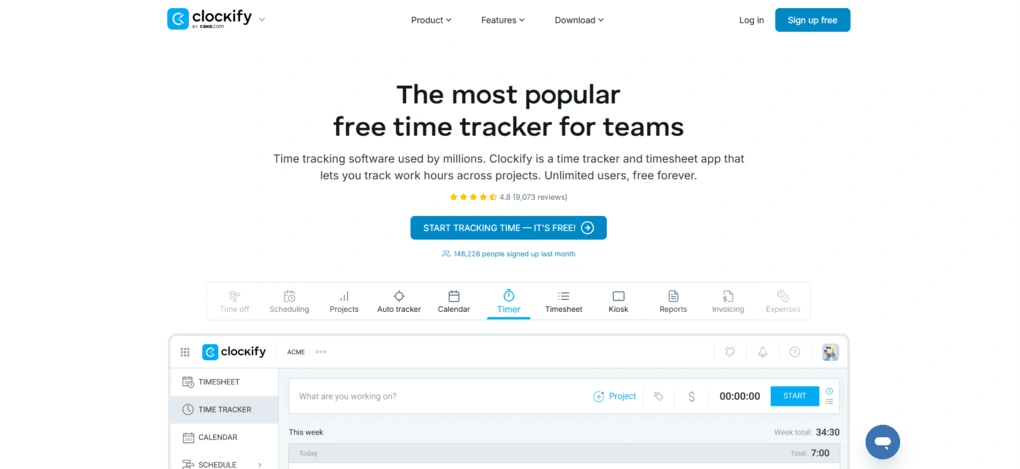
Clockify is one of the most popular time tracking tools, used by millions of users worldwide. It offers a simple but versatile approach to tracking time, with features like timesheets, reporting, invoicing, and project tracking, all available across desktop, web, and mobile apps.
Compared to Time Doctor, Clockify focuses much less on employee monitoring and much more on flexible, transparent time tracking for teams and individuals.
Key features
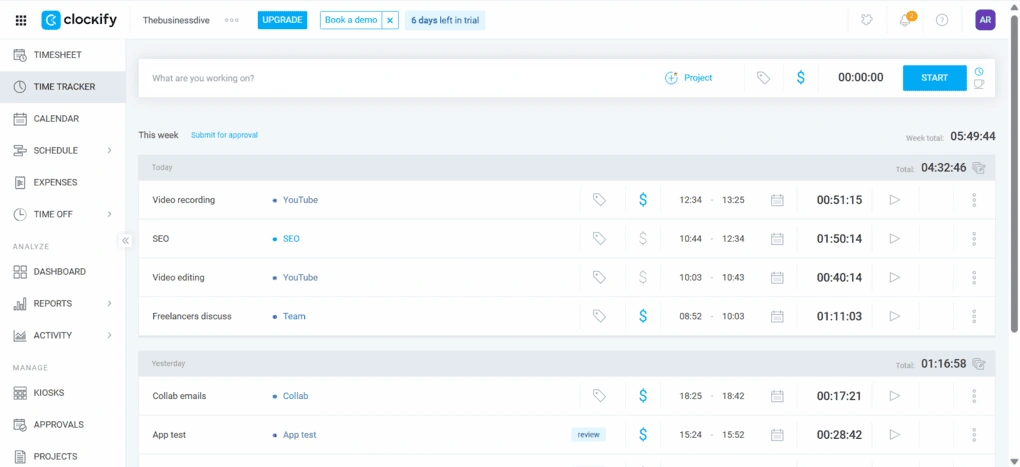
Timer: Clockify lets you track time using a simple one-click timer. When starting a task, you can assign it to a project, add tags, and mark it as billable or non-billable. Each entry is saved automatically, so you can quickly continue working on previous tasks. You can switch between activities easily and keep all tracked time organized.
Auto tracker: The auto tracker runs through the desktop app and records apps and websites you use for more than 10 seconds. It tracks your activity in the background, so you don’t need to manually start and stop timers. You can review this data later and turn it into time entries.
Timesheet: Clockify’s timesheet allows you to log time manually across projects and tasks. You can add, edit, or delete entries, and filter them by date or team members. Templates help with recurring work, so you can reuse the same structure each week. Timesheets can also be submitted for approval.
Calendar: The calendar view shows your tracked time alongside scheduled tasks. You can drag and drop entries, compare planned and tracked time, and edit activities directly. It integrates with Google Calendar and Outlook, so all events appear in one place. Time-off requests can also be displayed in the calendar.
Project management: Clockify allows you to create projects and assign tasks, along with details like clients, billable rates, and team members. You can also create project templates to reuse settings for similar work. It does not include advanced features like visual boards or task dependencies. The structure remains simple and focused on time tracking.
Expense management: You can track expenses by creating custom categories and adding details like amount, date, and project. Each expense can include notes and file attachments. Once logged, expenses can be submitted for approval, similar to timesheets. The setup is simple and easy to follow.
Dashboard: The dashboard gives an overview of tracked time and activity across projects and team members. You can filter data by time range and choose to view projects or billability. Each user has a personal dashboard, while team dashboards show a broader breakdown.
Reporting: Clockify offers detailed reports with breakdowns by project, team, billable hours, and date. You can track metrics like earnings, costs, profit, and compare estimated and tracked time. Reports are visualized with charts and can be customized based on your needs.
Clients & invoices: You can create and manage clients directly in Clockify and assign them to projects. Based on tracked time, you can generate invoices with all necessary details. Invoices can be downloaded or sent directly from the platform.
GPS tracking: Clockify includes GPS tracking for mobile users, allowing you to see the locations of team members on a map. Employees can clock in via the mobile app while their location is recorded.
Pricing
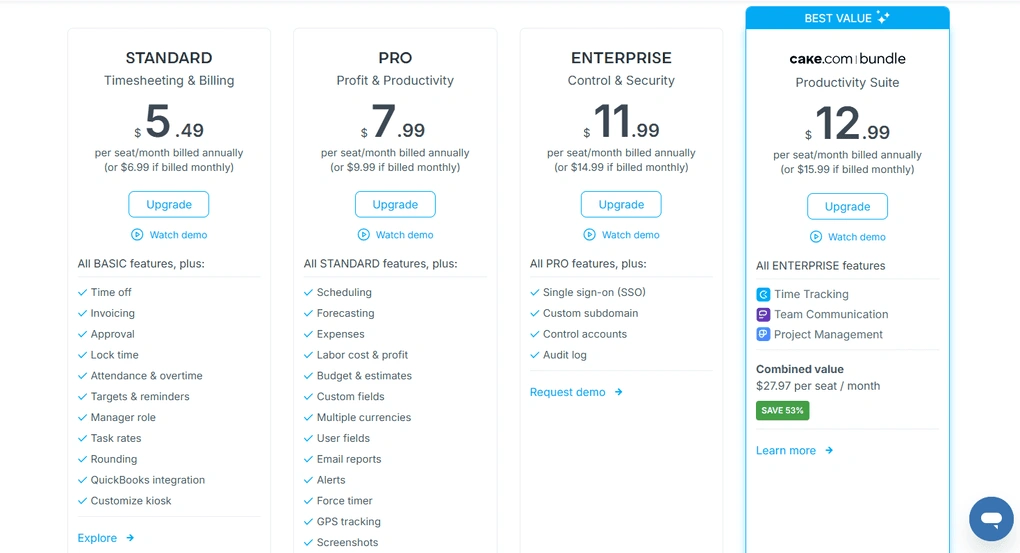
- Free plan available
- Paid plans start at $3.99/user/month
My experience with Clockify
Based on my experience, Clockify is a simple and reliable way to track time across projects and teams. The interface is straightforward, and the learning curve is minimal.
What stood out the most is how much you get in the free plan. For many users, especially small teams, you might not even need to upgrade.
That said, it’s not the most advanced tool when it comes to deep productivity insights. Also, the mobile app can be slow and occasionally buggy, which can be frustrating if you rely on it heavily.
🔎 Read my full review: My Brutally Unfiltered Clockify Review After 4 Weeks (2026)
Short on time? Here’s a quick overview of Clockify
Pros and cons of Clockify
Pros of Clockify
Cons of Clockify
Best for / Not ideal for
Clockify is best for teams, agencies, and small businesses that need a simple, flexible, and cost-effective way to track time and manage projects.
It’s not ideal for users looking for deep AI-driven productivity insights or advanced analytics like those offered by Time Doctor.
Why is it the best free Time Doctor alternative?
Clockify is a strong alternative to Time Doctor if you want a less intrusive and more affordable solution.
While Time Doctor focuses heavily on employee monitoring and doesn’t offer a free plan, Clockify provides a transparent, user-friendly tracking experience with a generous free version.
It’s especially a better fit for teams that value simplicity, flexibility, and trust over strict monitoring.
Best Time Doctor alternative #3 | Toggl Track
Best Time Doctor alternative for simple team-friendly tracking
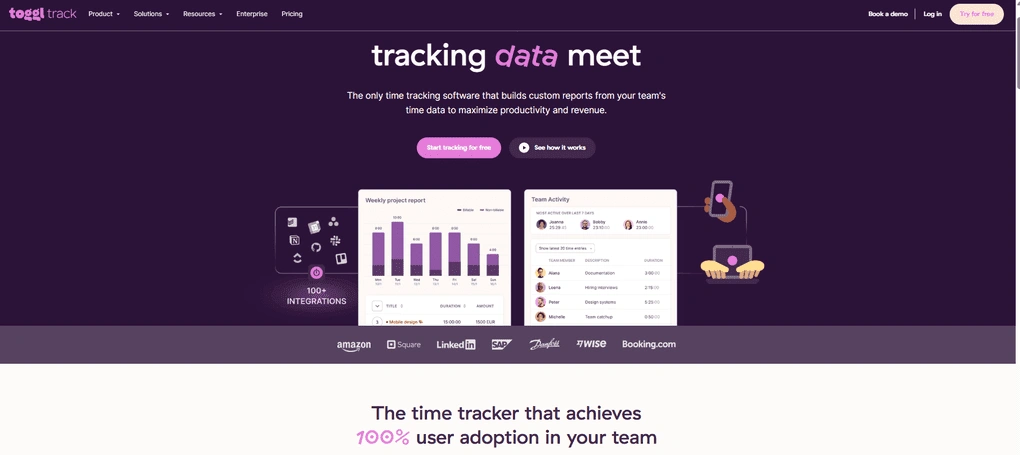
Toggl Track is a time tracking app designed for freelancers and teams that want a simple and flexible way to track work. It focuses on core features like time tracking, reporting, and invoicing, instead of heavy monitoring or workforce surveillance.
Compared to Time Doctor, Toggl Track takes a much lighter approach. It does not rely on screenshots or activity tracking, which makes it a better fit for teams that value trust and transparency over strict monitoring.
Key features
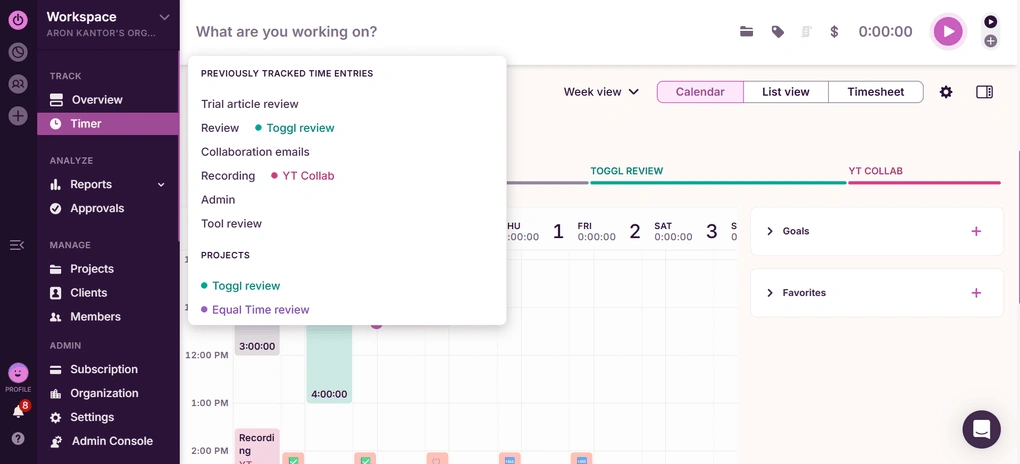
Automated time tracking: Toggl Track automatically tracks time through its desktop app by detecting the apps and websites you use. When you open a new window, it prompts you to start a time entry linked to a project. You can also choose which activities to track or share. The tool does not use screenshots or activity monitoring.
Timer: You can track time manually using a timer by adding a description, project, tags, and billable status. Once you start tracking, you can stop or switch tasks at any time. The timer is available across web, desktop, and mobile apps. It also supports offline tracking and includes a built-in Pomodoro timer.
Projects and clients: Toggl Track allows you to create projects and assign them to clients. You can track time spent across projects, team members, and tasks, and filter data based on different parameters. Each project includes insights into hours worked and team contributions. It also acts as a lightweight task management system.
Timesheet: The timesheet feature automatically collects tracked time and organizes it by projects and users. You can review entries, select team members, define approval workflows, and submit timesheets. Currently, timesheets are generated on a weekly basis. The process is straightforward and easy to manage.
Invoicing: Toggl Track includes an invoicing feature that generates invoices based on tracked billable hours. You can create invoices directly from the reporting section and include details like due dates, addresses, and purchase orders. All invoice data is tied to actual tracked time.
Reporting and analytics Toggl Track provides detailed reports with breakdowns by projects, clients, team members, and billable hours. You can filter data and access features like workload view and profitability analysis.
Pricing
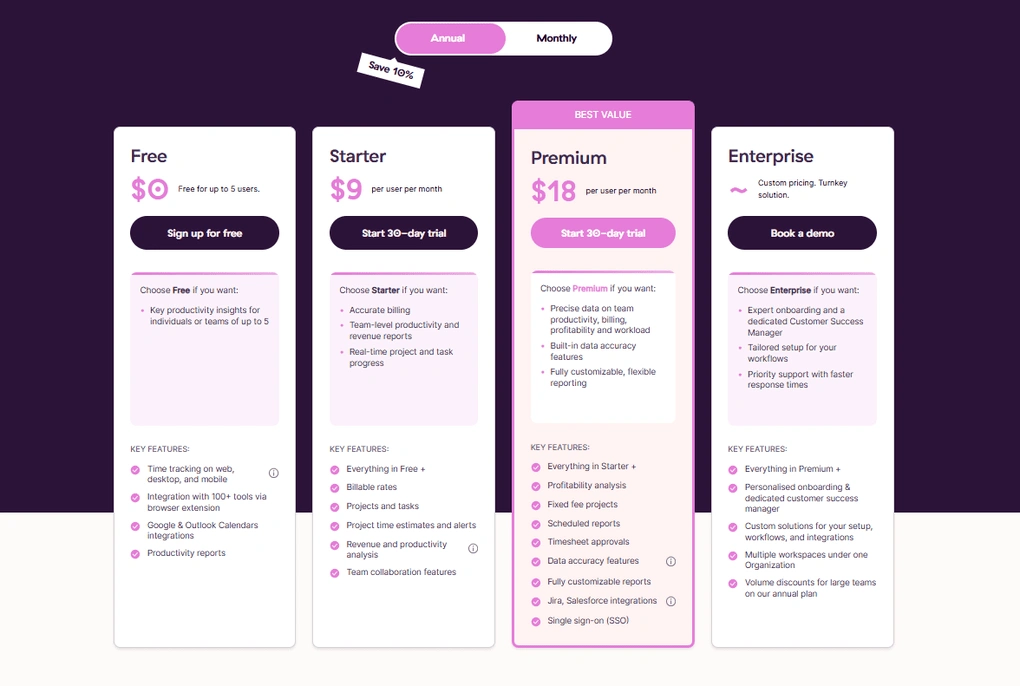
- Free plan available
- Paid plans start at $8/user/month
My experience with Toggl Track
I spent a lot of time with this time-tracking software during testing. I not only tested it, but also implemented it in my business to see how it affects my workflows.
And honestly, I was quite satisfied. This time tracking app is super simple to use, while providing all the features a small or medium-sized business might need.
Toggl Track avoids the “over-monitoring” that tools like Time Doctor can create. It focuses on tracking time, not tracking people.
Furthermore, it has a user-friendly interface, and the reporting and client billing tools are outstanding. Considering its features & pricing, Toggl Track is among the best time tracking apps for me.
🔎 Read my full Toggl Review 2026: My 4-Week Personal Experience
Short on time? Here’s a quick overview of Toggl Track
Pros and cons of Toggl Track
Pros of Toggl Track
Cons of Toggl Track
Best for / Not ideal for
Toggl Track is best for freelancers, remote teams, and agencies that want a simple and reliable way to track time and manage projects.
It’s not ideal for businesses that require employee monitoring, location tracking, or strict workforce control.
Why is it the best Time Doctor alternative for simple tracking?
Toggl Track is a strong alternative to Time Doctor if you want to avoid intrusive monitoring.
While Time Doctor focuses on screenshots, activity tracking, and detailed workforce surveillance, Toggl Track focuses on clean time tracking and reporting.
It gives you the data you need to understand your work without adding unnecessary tracking features.
If Time Doctor feels too invasive or complex, Toggl Track offers a much simpler and more balanced approach.
Best Time Doctor alternative #4 | Hubstaff
Best Time Doctor alternative for workforce management
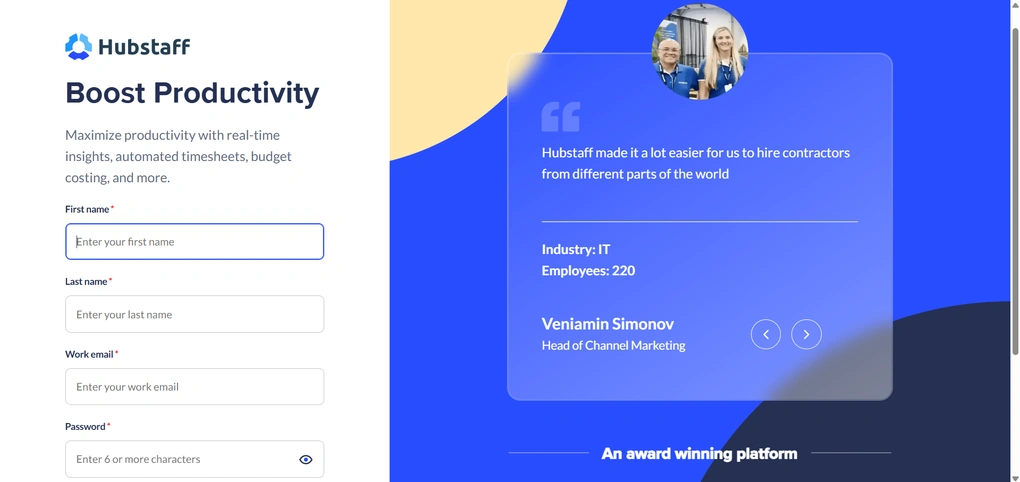
Hubstaff is a time tracking and workforce management platform designed for remote and field teams. It combines time tracking, employee monitoring, project management, and location tracking into one system.
Compared to Time Doctor, Hubstaff offers a similar level of tracking and reporting, but with more flexibility in how those features are configured. You get detailed insights and monitoring, but also more control over how intrusive the tool is.
Key features
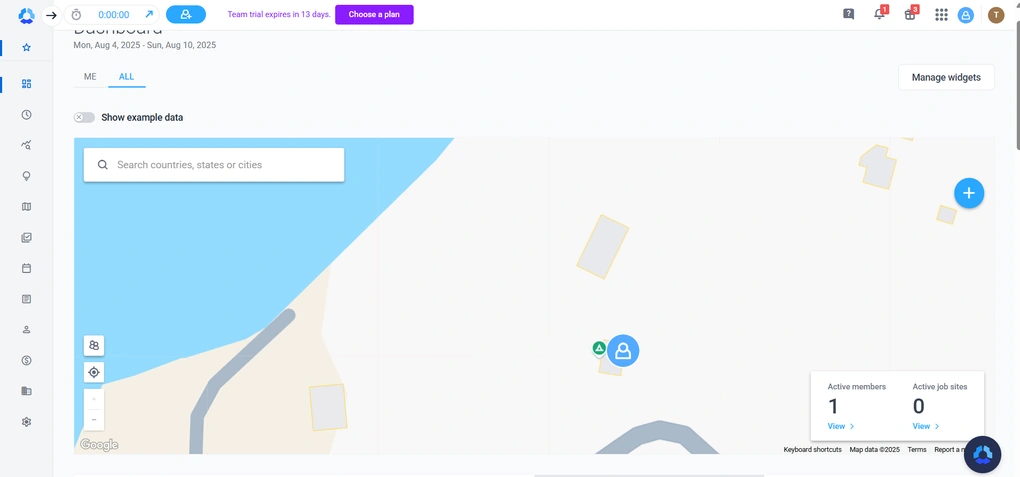
Dashboard: Hubstaff’s dashboard provides a detailed overview of team activity, including hours worked, activity levels, project progress, and recent screenshots. You can customize widgets to focus on specific metrics. It also includes features like location tracking, productivity insights, and task overviews. The layout is clear and easy to navigate.
Time tracking: Hubstaff offers time tracking across desktop, web, and mobile apps, with the desktop version providing the most functionality. You can track time per project or task, add notes, and switch between activities. It also supports manual entries and idle time detection. Automatic tracking can be enabled based on predefined rules.
Timesheets: Timesheets are detailed and easy to manage, with options to view data daily, weekly, or in calendar format. You can edit entries, add reasons for manual time, and export data as CSV or PDF. Approval workflows can also be enabled. Furthermore, time zone adjustments make it suitable for remote teams.
Actionable insights: Hubstaff provides insights through charts and visual reports that show productivity levels, work patterns, and team performance. You can filter data by team member, project, or date. It also includes app and URL tracking, along with alerts for suspicious activity.
Location tracking: Hubstaff includes GPS tracking and geofencing features. It can automatically start or stop tracking based on an employee’s location. You can view live and historical location data on a map.
Project management: Hubstaff offers project management through its Hubstaff Tasks tool, which includes Kanban boards, list views, and timelines. You can assign tasks, set deadlines, and automate workflows. It also supports project imports and budget tracking. The system covers most basic project management needs.
Calendar: The calendar feature allows you to schedule shifts, manage availability, and track absences. You can control visibility settings and decide whether schedules are shared or private. It also includes features like shift alerts and grace periods.
Reports: Hubstaff offers a wide range of reports covering time tracking, payments, budgets, and activity. You can filter reports by user, project, or date and export them in different formats. Reports can also be scheduled and sent automatically.
Silent app: The Silent App runs in the background and tracks time, activity, and app usage without user interaction. It can be deployed remotely and updated centrally by admins. It tracks all users on a device and supports continuous tracking. This feature gives organizations more control over monitoring and compliance.
Pricing
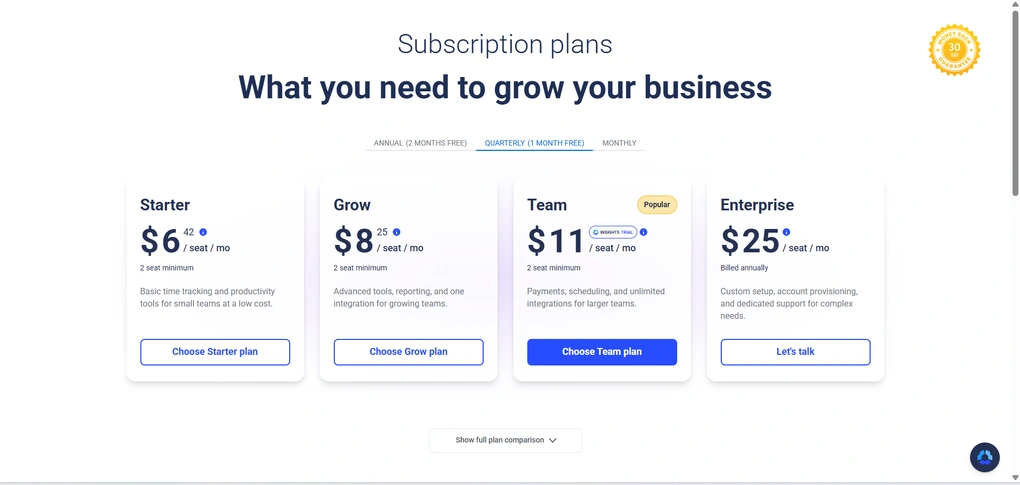
- Free plan available
- Paid plans start at $6.42user/month
My experience with Hubstaff
After testing Hubstaff, the biggest takeaway is how much control it gives to admins. You can adjust almost every aspect of tracking, from screenshots to activity monitoring and permissions.
Depending on how it’s configured, it can either act like a standard time tracker or a full employee monitoring system.
However, if monitoring features are enabled at full capacity, it can be quite intrusive.
🔎 Read my full Hubstaff Review 2026 | Keep It or Kick It?
Short on time? Here’s a quick overview of Hubstaff
Pros and cons of Hubstaff
Pros of Hubstaff
Cons of Hubstaff
Best for / Not ideal for
Hubstaff is best for remote teams, field workers, and businesses that need detailed tracking, location monitoring, and workforce management features.
It’s not ideal for users looking for a simple or non-intrusive time tracking tool, or those who want a strong free plan.
Why is it the best Time Doctor alternative for workforce management?
Hubstaff is one of the closest alternatives to Time Doctor in terms of functionality, but with more flexibility.
Both tools offer detailed tracking, monitoring, and reporting. However, Hubstaff gives you more control over how those features are used, which can make it feel less rigid.
If you need similar capabilities to Time Doctor but want more customization and better support for field teams, Hubstaff is a strong alternative.
Explore our Apps directory
A curated directory of software tools we’ve independently reviewed, with links to full reviews, comparisons, and category guides.
Best Time Doctor alternative #5 | Harvest
Best Time Doctor alternative for invoicing and client work
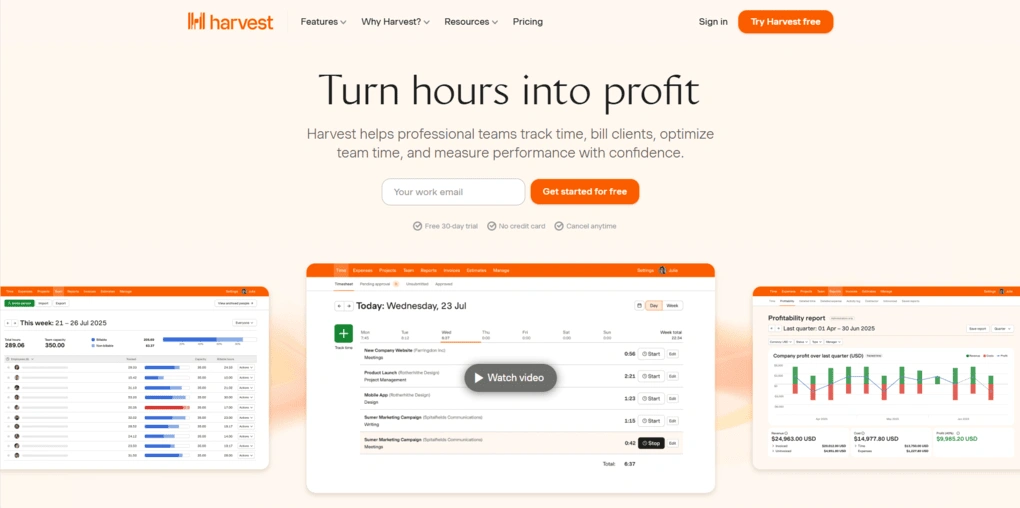
Harvest is a time tracking tool built around tracking billable hours, managing projects, and handling client invoicing. It focuses on simplicity and financial visibility rather than employee monitoring or productivity surveillance.
Key features
Time tracking: Harvest allows you to track time using a simple start/stop timer across web, desktop, and mobile apps. You can log both billable and non-billable hours and manage entries through timesheets. The interface is straightforward and easy to use. Automatic tracking is only available through integrations or browser extensions.
Invoicing features: Harvest includes built-in invoicing tools that pull data directly from tracked time and expenses. You can create invoices, choose clients, and decide whether to generate them from tracked work or manually. It supports recurring invoices and customizable fields like taxes and payment terms.
Reporting and analysis: Harvest provides detailed reports on time, expenses, and project profitability. You can generate reports quickly by selecting time periods, clients, and tasks. It includes categories like time reports, expense reports, and activity logs. However, some advanced reports are only available on higher-tier plans.
Project management: You can create projects, define budgets, assign tasks, and track progress over time. The interface allows you to filter data by time period, tasks, or team members. It also includes visibility controls for project data. The setup is simple and focused on tracking work rather than managing complex workflows.
Client management: Harvest lets you create and manage clients and assign them to projects. You can store details like contact information and currency. Once assigned, you can track billable hours and generate invoices for each client.
Expense tracking: You can log expenses by project, category, and date, and attach receipts to each entry. Expenses can be marked as billable or non-billable. Team members can also edit expenses, which adds flexibility but can lead to inconsistencies. This feature supports better financial tracking across projects.
Budget monitoring: Harvest allows you to track project budgets by comparing planned vs actual costs. You can view internal costs, billable hours, and remaining budget directly from the project view. Visual reports show how much of the budget has been used. This helps keep projects within financial limits.
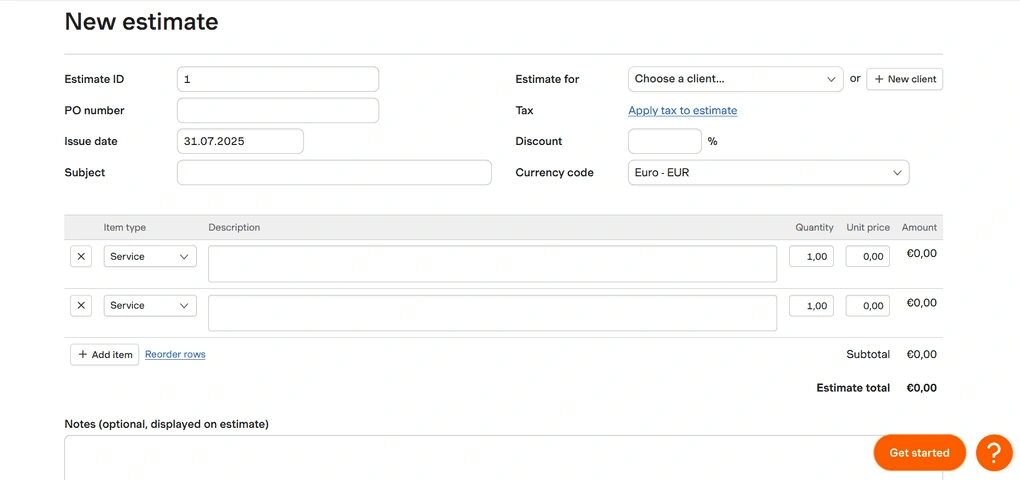
Project cost estimation: You can create project estimates that outline services, pricing, and details for clients. These estimates look similar to invoices and can be shared with clients before work begins. It helps set expectations and define scope.
Pricing
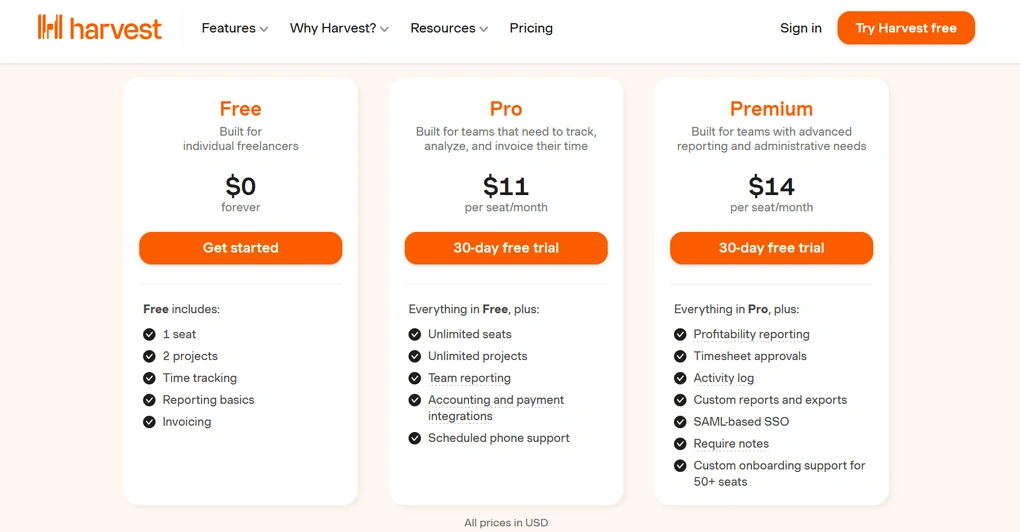
- Free plan available
- Paid plans start at $11/user/month
My experience with Harvest
Overall, I had a positive experience with Harvest, and I tried all the features. It is an easy-to-use time tracking app that you can utilize on multiple platforms. While its features are not perfect, the time tracking itself is very straightforward with this app.
In addition, the invoicing feature makes this time tracking app an ideal solution for client-facing teams who need a simple solution for invoicing and project budgeting.
One of the key features I missed during my Harvest review is the automatic time tracking. Harvest only allows this for specific apps that you can connect to Harvest.
🔎 Read my full Harvest Review 2026 | The Truth After Personally Testing It
Short on time? Here’s a quick overview of Harvest
Pros and cons of Harvest
Pros of Harvest
Cons of Harvest
Best for / Not ideal for
Harvest is best for freelancers, agencies, and businesses that need to track billable hours, manage clients, and create invoices.
It’s not ideal for teams that need automatic time tracking, workforce monitoring, or field tracking features.
Why is it the best Time Doctor alternative for invoicing and client work?
If your focus is billing and client work, Harvest is a strong alternative to Time Doctor. It removes monitoring features and replaces them with invoicing, budgeting, and financial tracking tools.
Best Time Doctor alternative #6 | MinuteShark
Best Time Doctor alternative for freelancers and solo professionals
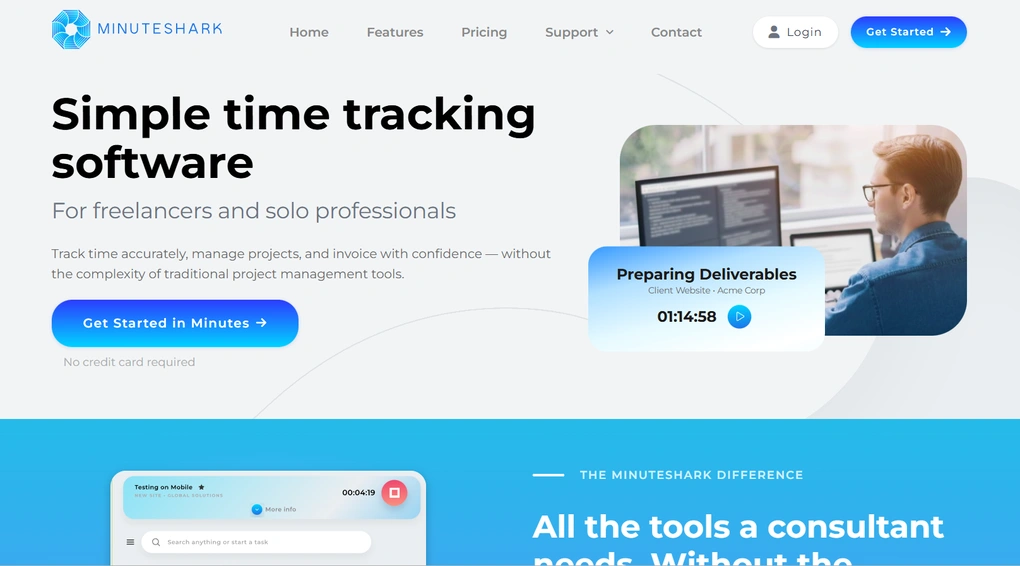
MinuteShark is a simple time tracking app built specifically for freelancers and consultants who need to track time, manage projects, and handle invoicing in one place.
Compared to Time Doctor, MinuteShark is designed for people who track their own time, not teams that need oversight or control.
Key features
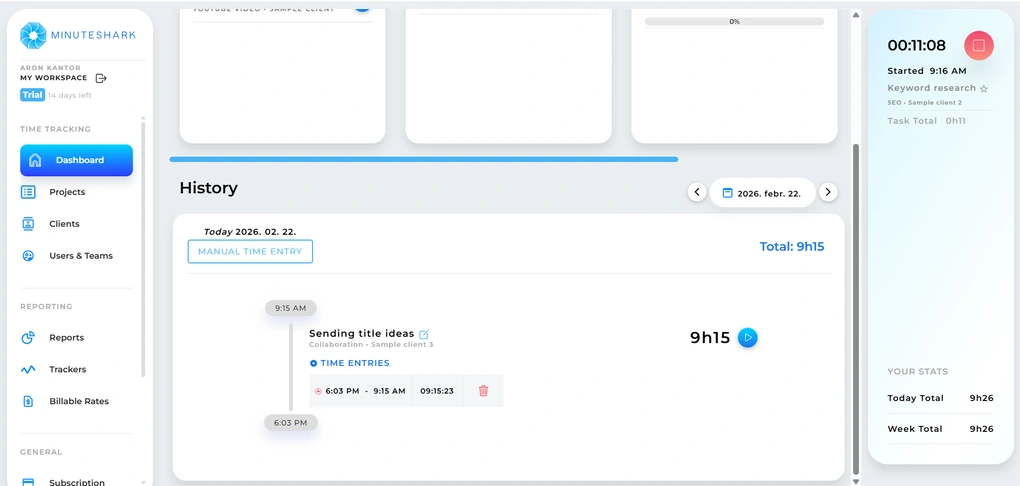
Dashboard: MinuteShark offers a dashboard where you can access tasks, notes, to-do lists, and recent activity. You can customize what appears, including starred tasks or a Pomodoro timer. It also allows you to quickly create clients, projects, and tasks. Furthermore, a built-in search helps you find tasks faster.
Time tracking: To track time, you first select a client, project, and task, then start the timer. You can stop and start tracking with one click and switch between tasks from the project view. It also supports manual time entries if you forget to track work. Notifications can remind you about ongoing tasks.
Project and task management: MinuteShark allows you to create projects and break them down into tasks. You can assign them to clients and use tags for better organization. All projects are accessible from a central view where you can filter and manage them. The structure is simple and easy to set up.
Clients: You can create clients and attach them to projects. Each client can include additional details like contact information and tags. This setup ensures that tracked time is properly linked to the right client. It also keeps reporting and invoicing accurate.
Reports: MinuteShark provides reports based on tracked time across clients, projects, and tasks. You can filter reports by timeframe or user and export them. Reports also connect directly with invoicing, so billing reflects actual tracked work.
Invoices: You can create invoices based on tracked time and predefined billing rates. It allows you to set different rates for clients or teams. Invoices are connected to reports, so the billing process reflects real data.
Trackers: MinuteShark includes tracking tools for budgets, time estimates, and cost limits. You can set alerts for milestones like reaching a percentage of the budget or time. These alerts help monitor project progress.
Pricing
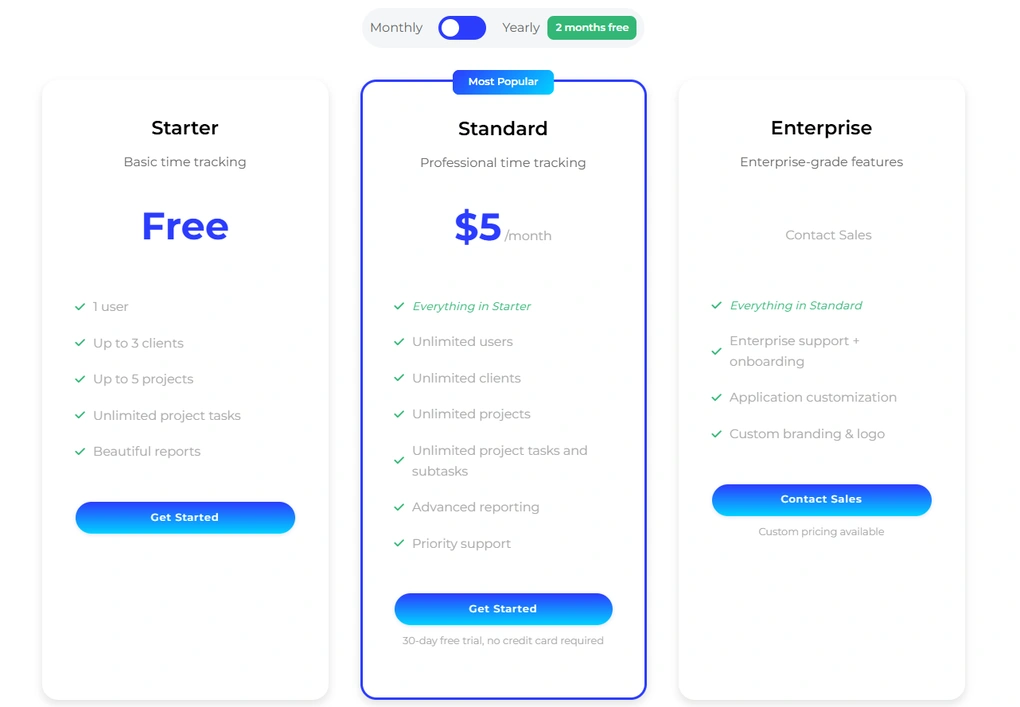
- Free plan available
- Paid plans start at $5/user/month
My experience with MinuteShark
MinuteShark is a simple time tracking app for freelancers and consultants. It has a short learning curve and is easy to set up your first projects, clients, and tasks.
I found the way it integrates the invoicing into reporting outstanding. It just feels very practical and intuitive.
Moreover, you can use MinuteShark on iOS and Android apps as well, so you can track your time spent on mobile devices.
While I mostly enjoyed using MinuteShark for time tracking, I also discovered some limitations. For example, I missed a desktop version for tracking time offline.
Furthermore, it would be great if I could have more options to customize the projects, like using colors or icons. In addition, MinuteShark currently lacks team collaboration features, making it ideal for individuals.
To summarize my experience, MinuteShark has great potential to become a top time tracking app for freelancers and professionals. While I enjoyed using it, and it offers an intuitive and simple time tracking experience, it still has room for improvement in terms of features.
🔎 Read my full review: My Honest MinuteShark Review (2026)
Short on time? Here’s a quick overview of MinuteShark
Pros and cons of MinuteShark
Pros of MinuteShark
Cons of MinuteShark
Best for / Not ideal for
MinuteShark is best for freelancers, consultants, and solo professionals who need a simple way to track time and manage client work.
It’s not ideal for teams, internal workflows, or businesses that need advanced tracking, analytics, or collaboration features.
Why is it the best Time Doctor alternative for freelancers and solo professionals?
MinuteShark works better than Time Doctor in one specific scenario: when you are the one being tracked.
Time Doctor is built around managing other people’s time, while MinuteShark is designed for individuals who need to keep their own work organized, track billable hours, and turn that into invoices.
There’s no monitoring layer, no activity tracking, and no extra complexity around team management. Everything is centered around clients, projects, and billable time.
Best Time Doctor alternative #7 | Insightful
Best Time Doctor alternative for productivity insights
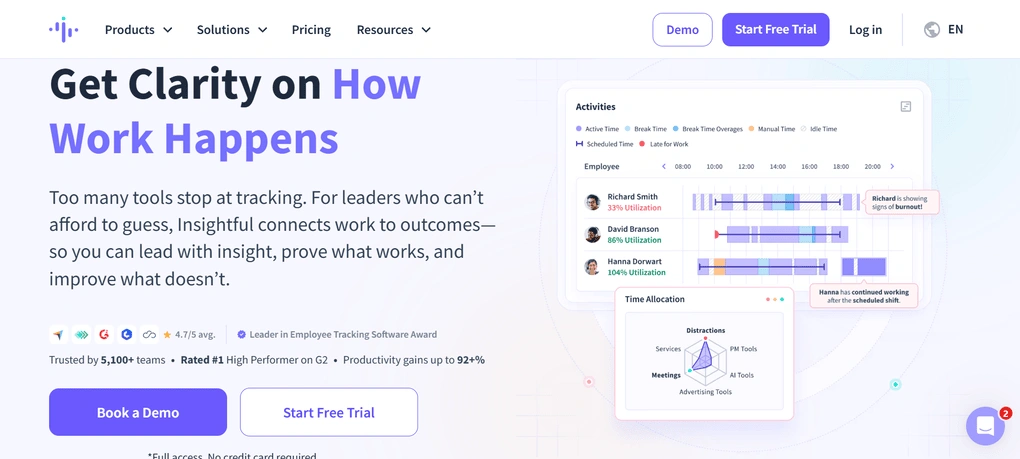
Insightful is a time tracking and employee monitoring tool designed for office, remote, and hybrid teams. It focuses on tracking work activity and turning it into clear productivity insights, rather than just collecting raw data.
Key features
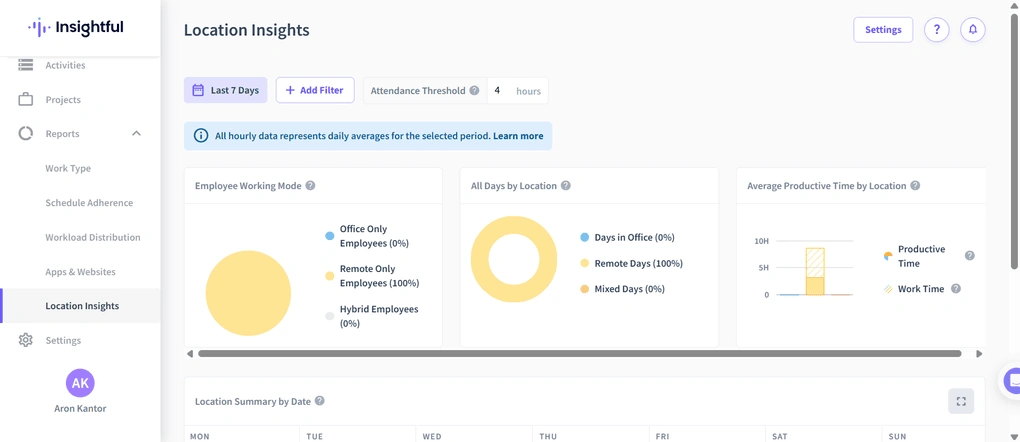
Time tracking software: Insightful tracks time through a desktop app where employees can clock in and assign their work to projects and tasks. The timer is simple to use and allows switching between tasks easily. The tracking process is smooth and requires minimal setup.
Employee monitoring: Insightful includes monitoring features like screenshots, app usage tracking, and activity levels. You can customize these settings per employee, including disabling screenshots or adjusting permissions. This gives more control over how monitoring is applied.
Productivity trends: This feature shows how time is spent across teams, including work hours, idle time, and utilization. You can compare periods, filter data, and identify patterns in performance. It highlights top performers and areas where productivity drops. The data is presented visually and is easy to interpret.
Real-time insights: Insightful provides a live view of employee activity, including active and inactive users. You can see what apps and websites are being used in real time. The feature can be adjusted to limit visibility if needed. It gives managers immediate insight into team activity.
Projects and tasks: You can create projects and tasks and assign them to team members. Each task can include details like priority, deadlines, and descriptions. Employees can track time directly against these tasks. The setup supports structured work tracking across teams.
Time and attendance: Insightful includes attendance tracking with visibility into work hours, schedules, and manual time entries. You can monitor how much time employees spend working and when they are active. It also connects with timesheets and activity logs, providing a full picture of employee availability.
Activity tracking: The activity tracking feature provides a timeline of work hours, breaks, and usage data. You can see which apps and websites were used and how long they were active. It also includes logs for active and idle time. The data can be filtered by employee or team.
Reports: Insightful offers reports on productivity, work patterns, and time usage. You can filter reports by team, project, or time period and export them easily. Reports include insights into productive vs unproductive time, on an interface that is fast and easy to navigate.
Pricing
- No free plan available (only a 7-day trial)
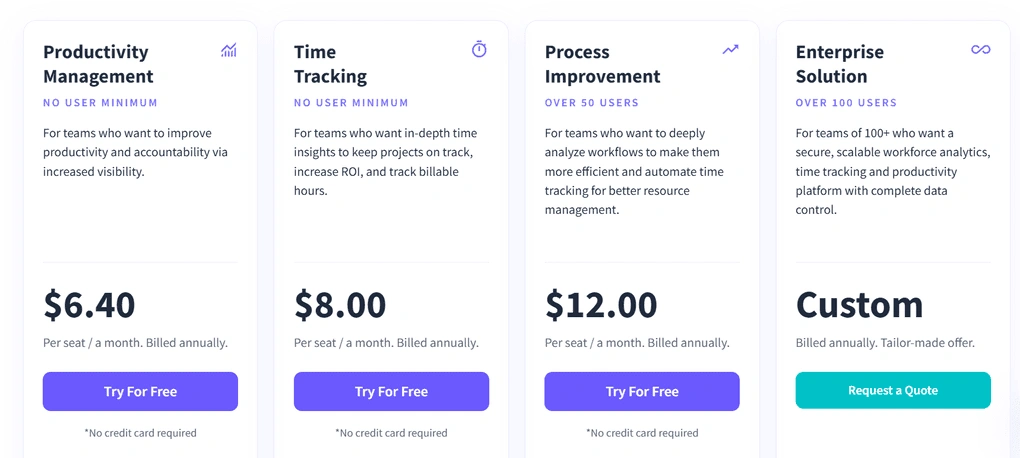
- Paid plans start at $6.40/user/month
My experience with Insightful
After testing Insightful, what stands out is how well it balances visibility and usability. It offers a wide range of monitoring and tracking features, but is not overwhelming.
The productivity trends and reporting features were especially useful. They provide a clear view of how time is spent across the team and help identify patterns.
At the same time, the lack of client management and mobile tracking limits its use cases. It is clearly built for office and remote teams rather than field work.
🔎 Read my full Insightful Review | My Honest Opinion (2026)
Short on time? Here’s a quick overview of Insightful
Pros and cons of Insightful
Pros of Insightful
Cons of Insightful
Best for / Not ideal for
Insightful is best for office-based, remote, and hybrid teams that want clear visibility into productivity.
It’s not ideal for businesses that need invoicing, client management, or tracking for field teams.
Why is it the best Time Doctor alternative for productivity insights?
While Time Doctor collects a lot of activity data and presents it through reports, Insightful organizes that data into trends, comparisons, and patterns that are easier to act on.
It is less about checking what someone did minute by minute and more about seeing how productive time is distributed across days, teams, and projects.
If your goal is to improve performance through insights rather than control through monitoring, Insightful is the better fit.
Summary: Best Time Doctor alternatives in 2026
To conclude, the best Time Doctor alternative for you really depends on how you work.
If you want to move away from monitoring, tools like Rize or Toggl Track offer a more flexible and less intrusive approach.
If you need something for client work and invoicing, Harvest or MinuteShark make more sense.
For teams that still need visibility but with more control, Hubstaff and Insightful are closer alternatives to Time Doctor.
And if budget is your main concern, Clockify remains one of the strongest free options available.
I hope I was able to find the best alternatives to Time Doctor in 2026. As always, I will keep updating this list to ensure it reflects reality.
Looking for similar tools?
Visit the link to explore other apps we’ve reviewed in this space and how they compare.
Why you can trust our reviews
At thebusinessdive.com, our team tests, reviews, and compares hundreds of productivity apps every year — from project management tools to note-taking apps. We dive deep into real-world use cases to help you find the right tools that actually improve your workflow, not just add noise.
Our mission? No fluff, no shortcuts—just honest, hands-on insights from productivity pros.
Discover how we stay transparent, read our review methodology, and let us know about any tools we missed.
Frequently asked questions
What are the best Time Doctor alternatives in 2026?
The best Time Doctor alternatives depend on how you want to track time and manage work. Tools like Toggl Track and Clockify focus on simple time tracking and offer a free plan, while Hubstaff and Insightful provide more advanced employee monitoring, workforce management, and detailed reports. If you need to track billable hours and ensure accurate billing, tools like Harvest or MinuteShark are a better fit for client work and project tracking.
Why do users look for alternatives to Time Doctor?
Many users look for an alternative to Time Doctor because its employee monitoring features like screenshots, keyboard and mouse activity tracking, and app and website usage can feel intrusive and negatively impact team culture. There are also complaints about pricing per user, no free plan, and a steeper learning curve, along with slow customer support. As a result, many teams prefer time tracking software that focuses more on productivity insights, workflow optimization, and non-invasive productivity monitoring.
Which Time Doctor alternative is best for remote teams?
The best Time Doctor alternatives for remote teams depend on whether you need employee monitoring or simple tracking tools. Hubstaff and Insightful are strong options for workforce management, attendance tracking, productivity monitoring, and GPS tracking, especially for remote workers and field teams. On the other hand, tools like Toggl Track are better for distributed teams and small teams that want to track time, manage projects, and focus on task management without heavy monitoring.
Are there any free Time Doctor alternatives?
Yes, there are several free time tracking tools that can replace Time Doctor. Clockify is one of the most popular time tracking tools with a free plan that includes unlimited users, projects, and time entries, making it a strong option for teams that want simple time tracking. Toggl Track also offers a free plan for small teams and supports automatic tracking, project tracking, and detailed reports, which makes it a practical choice for tracking work hours and billable hours.
What features should I look for in a Time Doctor alternative?
When choosing a Time Doctor alternative, you should look for key features like automatic time tracking, project management, task tracking, and detailed productivity reports. Other important features include employee monitoring options, GPS tracking for field teams, mobile app and desktop app support, and tools to track billable hours and manage time entries. The best time tracking solution should help you track time, understand time spent, and improve time tracking and productivity without adding unnecessary complexity.
Disclosure: I only recommend products I would use myself, and all opinions expressed here are our own. This post may contain affiliate links through which, at no additional cost to you, I may earn a small commission. Read the full privacy policy here.

Hey! I’m Jovana, a content writer who loves writing, researching, and testing new productivity apps. With a background in philosophy, I bring a thoughtful but no-bullshit approach to everything I do. Let’s connect on Linkedin!