


Pipedrive Review 2026: Tested Firsthand — Here’s the Truth
CRM tools are supposed to make sales easier, but in practice, many of them end up doing the opposite.
Pipedrive was built by salespeople, with a clear focus on pipelines and deal tracking, which is why it’s often seen as one of the better options for sales-focused teams.
In this Pipedrive review, I tested how it actually performs in day-to-day use, from adding contacts and managing leads to working with deals, automation, and reporting, to see if it really holds up.
Let’s dive in!
Verdict
Here’s the quick verdict if you don’t want to read the full review:
🎯 Best for: Sales-focused teams that need strong pipeline and deal management
🚫 Not ideal for: Businesses looking for an all-in-one CRM with advanced marketing tools
⭐ Biggest strength: Clean, intuitive pipeline management built around sales workflows
⚠️ Biggest weakness: Pricing can increase quickly with add-ons
⚖️ Verdict: A highly practical sales-focused CRM that makes deal tracking and follow-ups simple and organized, especially for teams already managing a steady flow of leads.
🏆 Score: 4.1 / 5
✅ Tested with our review & scoring methodology ✅ Real-world testing ✅ Unbiased evaluation
Pipedrive
Summary
Pipedrive is a sales-focused CRM built for managing deals and moving leads through a clear visual pipeline. It’s intuitive, practical for everyday sales workflows, and especially strong in deal tracking and follow-ups. While there’s no free plan and add-ons can increase the cost, it’s a solid choice for sales teams that want a simple, structured system to close deals more efficiently.
|
|
Very easy to use and quick to set up
|
|
|
Clean, intuitive interface with a strong visual pipeline
|
|
|
Great deal and pipeline management
|
|
|
Good automation for everyday sales tasks
|
|
|
Flexible filtering and reporting
|
|
|
Strong integrations
|
|
|
No free plan
|
|
|
Pricing can increase quickly with add-ons
|
How We Test CRM Apps
To keep our reviews and final scores fair and consistent, we evaluate every CRM app using a standardized testing framework based on real-world sales workflows and hands-on testing.
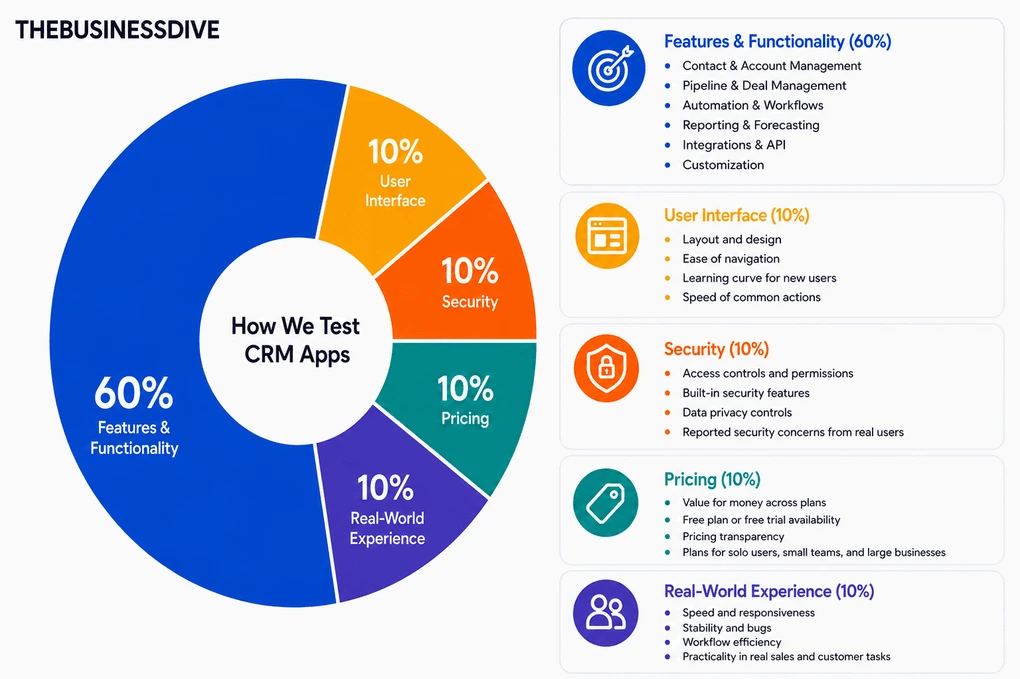
Our scoring breakdown after testing 10+ CRM apps:
🤖 Features & functionality — 60%
🖥️ User interface — 10%
💰 Pricing — 10%
🔐 Security — 10%
👥 Real-world experience — 10%
Want a detailed breakdown of how we test each category?
Learn exactly how we test tools → Review methodology
Short on time? Here’s a quick overview of Pipedrive
What is Pipedrive CRM?
Pipedrive was founded in 2010 in Tallinn, Estonia, by a group of salespeople who were frustrated with existing CRMs and wanted something simpler and more practical for day-to-day sales work.
Pipedrive is designed to manage leads once they enter the sales process. It’s a sales-focused CRM software and lead generation platform that helps teams track deals, conversations, and follow-ups through a clear, visual pipeline.
Compared to more all-in-one platforms like HubSpot, it stays focused on sales execution rather than combining marketing, customer support, and automation into a single system.
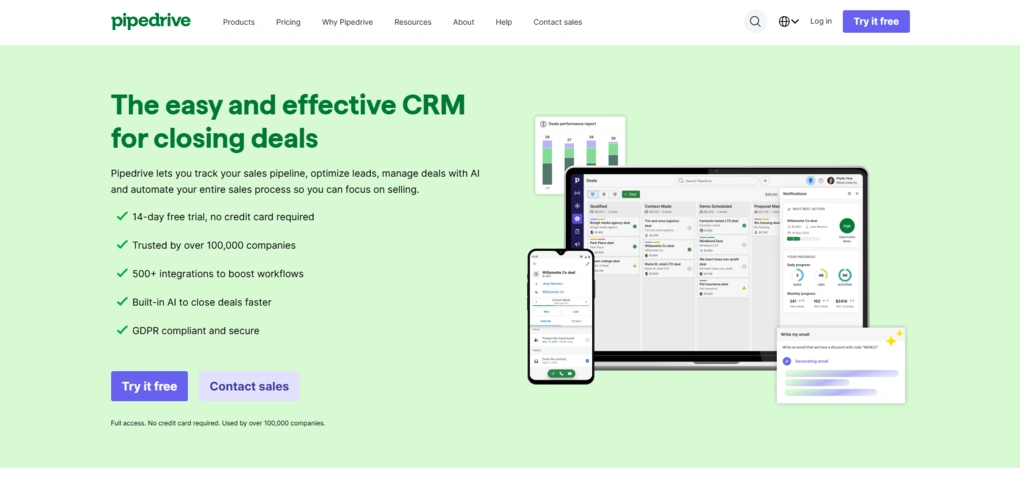
Today, it’s a global SaaS company headquartered in New York, with offices across Europe and the US and a team of 800+ people. The product is used by more than 100,000 companies worldwide, mostly small and medium sized businesses.
My impressions after using Pipedrive
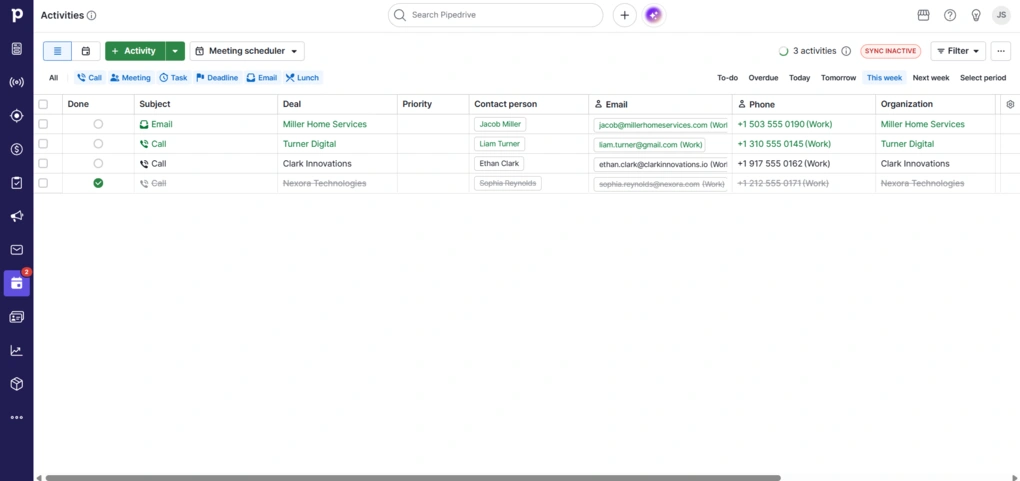
While using Pipedrive, I mostly focused on how it handles day-to-day deal tracking and follow-ups.
The visual pipeline felt very intuitive, and it was easy to see where each lead stood right away.
I also liked how much emphasis Pipedrive puts on activities, which helped keep follow-ups visible and organized. Overall, it’s a practical tool for sales teams that already have leads coming in and need a clear way to manage conversations and move deals forward.
Why did it get a 4.1 / 5?
Pipedrive earned high scores for usability, pipeline management, and overall day-to-day sales workflow. The visual pipeline is one of the cleanest and easiest to use I’ve tested, while features like activities, automation, and Pulse help keep follow-ups organized and visible.
It also scored well for its intuitive interface, reporting tools, and flexibility around managing deals and contacts.
The main downside is that costs can increase quickly once you start adding extra tools and features. It’s also much more sales-focused than broader all-in-one CRM platforms.
Who will benefit most from Pipedrive
Who may be better off with another CRM
What Pipedrive actually offers
To get a better sense of how Pipedrive works day to day, I tested its main features and sales workflow in practice.
Contact management
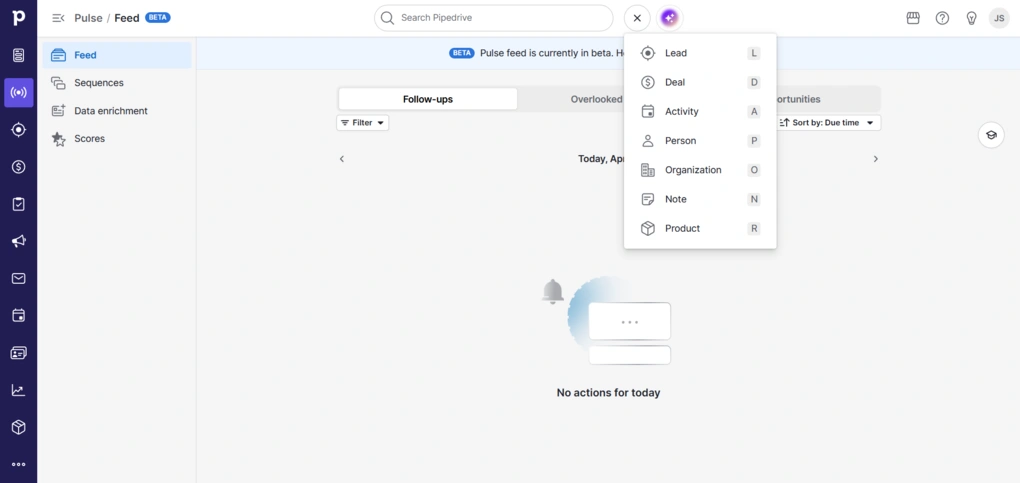
I started testing Pipedrive with contact management, since that’s the foundation of any CRM.
I was able to add contacts easily. There’s a “+” button fixed at the top of the interface that stays visible no matter where you are, and it works as a shortcut for everything. From there, you can add a person, organization, lead, deal, activity, note, or product in literally seconds.
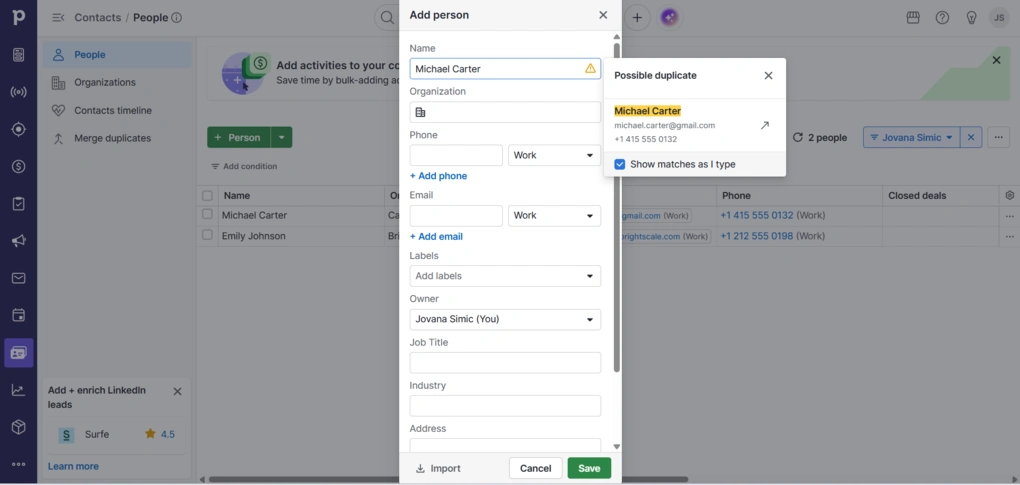
At the same time, there’s a dedicated Contacts tab where everything is laid out in a clear, table-style view. This is where it becomes easier to manage a larger database. Adding a contact takes only the basic fields, but you can create custom fields like labels, job titles, and other. Adding organizations follows the exact same logic.
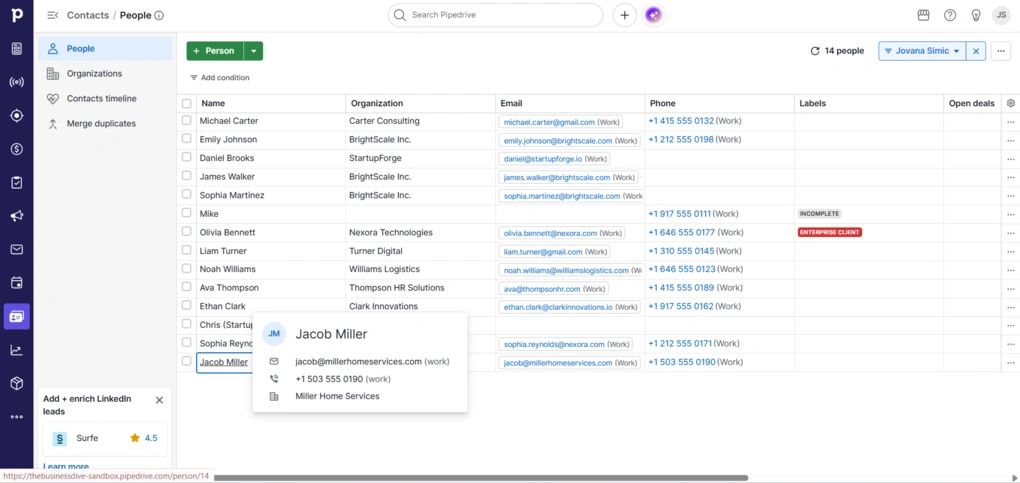
Filtering is flexible and becomes useful once the list grows. You can segment contacts based on different criteria and adjust what you see on screen. This kind of segmentation and filtering is a core part of how Pipedrive handles contact data overall.
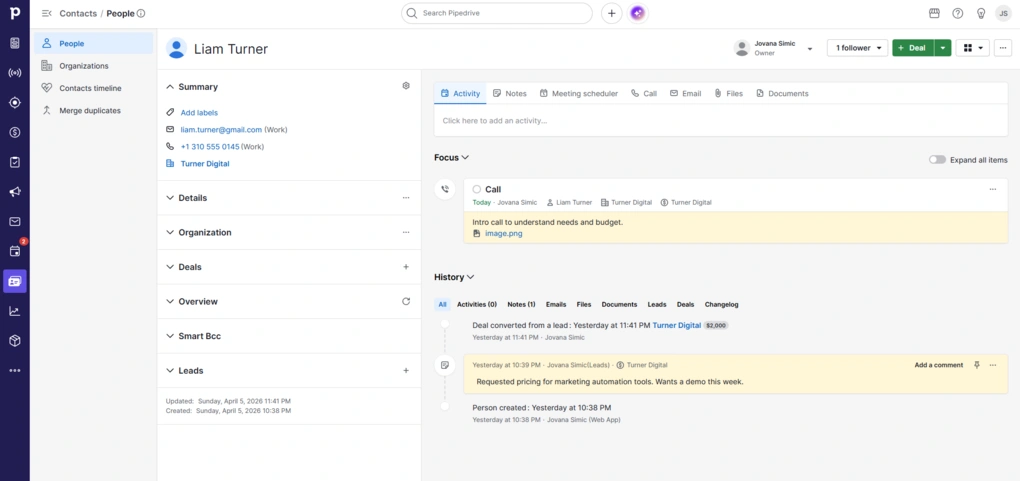
When you hover over a contact, you get a quick preview of key information. Clicking on an email lets you send a message right away, and clicking on a phone number gives you the option to call directly. Each contact also has a full timeline with activities, notes, emails, and deal updates, so you always have context in one place, which is a standard but important part of CRM contact tracking.
There’s also support for bulk actions, like sending emails to multiple contacts or adding activities to several people at once.
Lead management
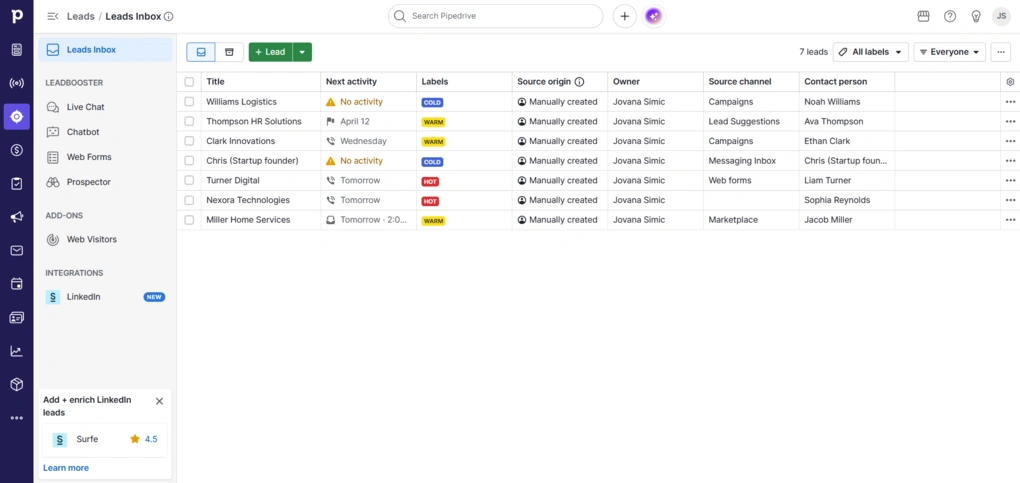
Leads in Pipedrive build naturally on top of contacts. From the contact view itself, you can create a lead directly.
Leads are organized in a separate Leads Inbox, which acts as a holding area before something becomes a deal. They don’t go into the pipeline right away, so you first need to convert them into deals. This keeps the pipeline focused on actual opportunities.
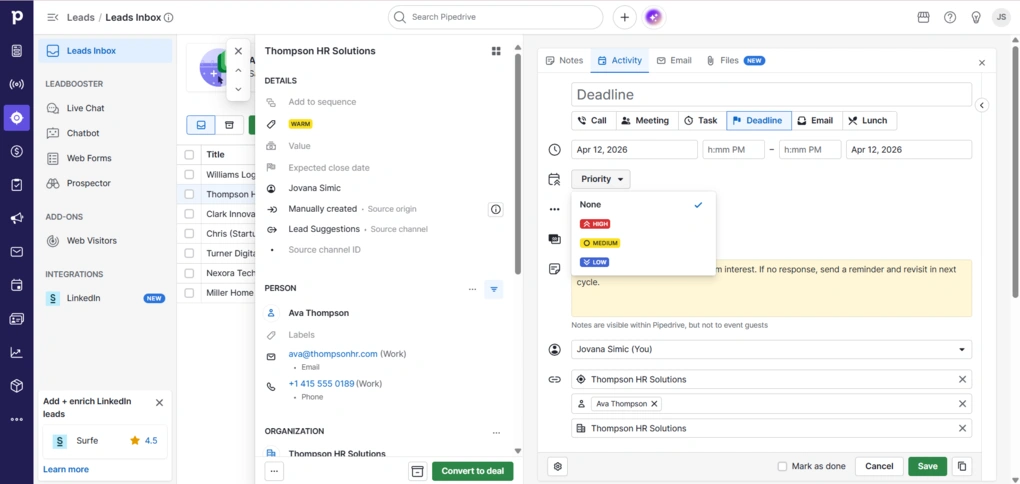
Adding a lead follows the same logic as contacts. You link it to a person and organization, assign a label, estimate its value, and set an expected close date.
There’s also space to define where the lead came from, which becomes useful later when you want to understand which channels actually bring results. You can just add basic info, or go deeper with details.
Deal management
Once a lead is qualified, converting it into a deal takes a few clicks. It moves straight into the pipeline and keeps all the existing data, so there’s no need to start from scratch.
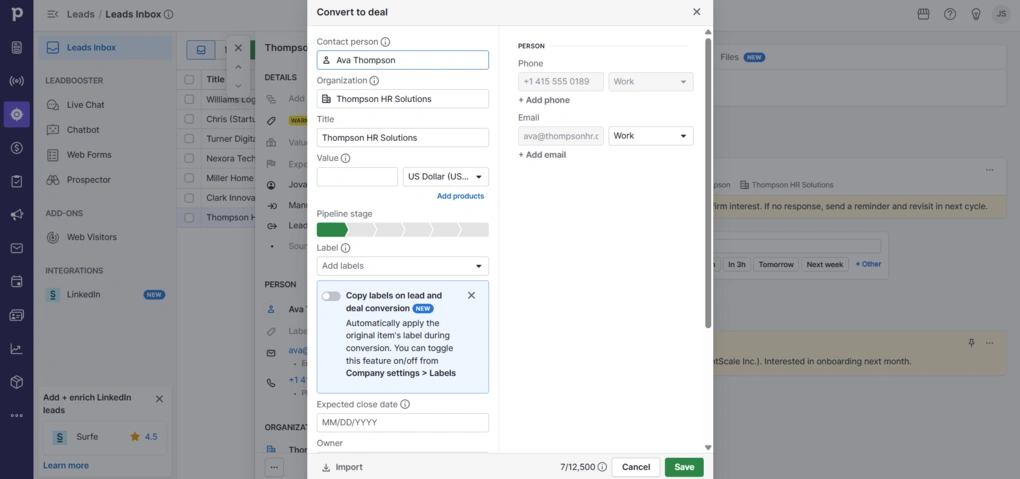
Deals are organized in a visual pipeline, where each stage represents a step in your sales process. You can move deals across stages with drag-and-drop as they progress.
Each deal is tied to a person and organization, and you can also attach activities, notes, emails, and even products. Everything related to that opportunity stays in one place.
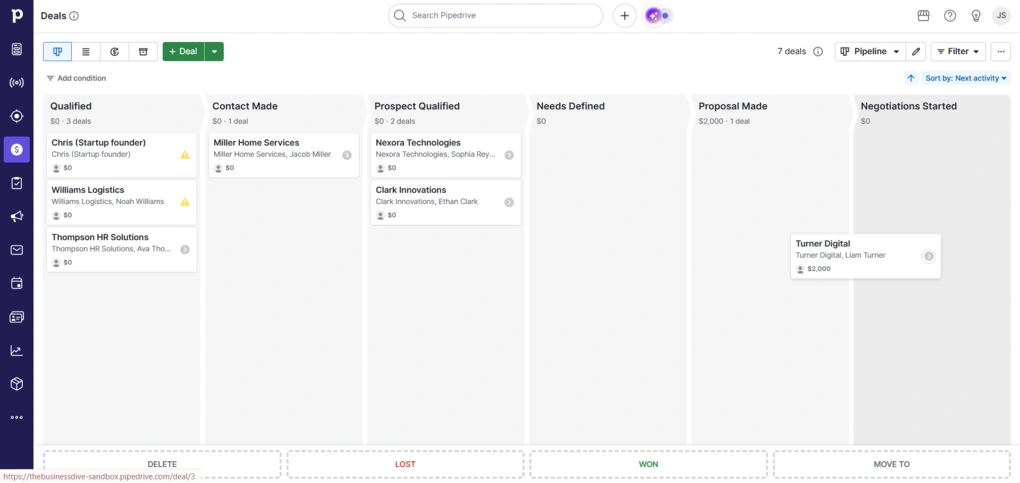
The pipeline itself is customizable, and you can adjust stages to match your own sales process. There’s also a clear focus on next steps. Deals are tied to activities, so it’s easy to see what needs attention and what can wait.
Pulse
Pipedrive recently introduced a feature called Pulse, which builds on top of deal management. It acts as a centralized feed that highlights follow-ups, overdue tasks, and new opportunities across deals that need your attention. These aren’t new data points, just a different way of looking at your existing deals.
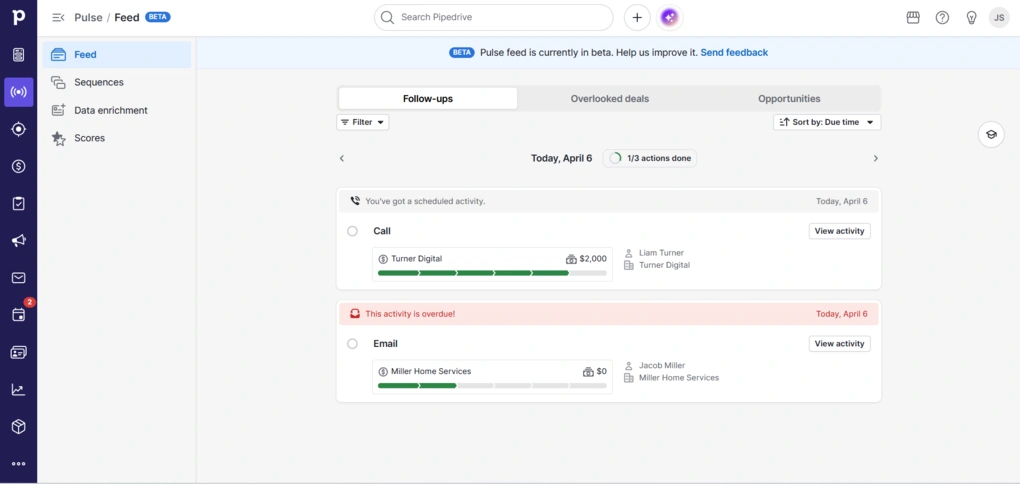
‘Follow-ups’ is where you see all active tasks and recent activity. This includes scheduled calls, emails, and also situations where a contact hasn’t replied in a while. It works like a focused to-do list tied directly to deals.
‘Overlooked deals’ highlights deals with no follow-up or overdue activities. It’s basically a safety net for inactive deals. Finally, ‘opportunities’ shows deals that exist but haven’t been touched yet.
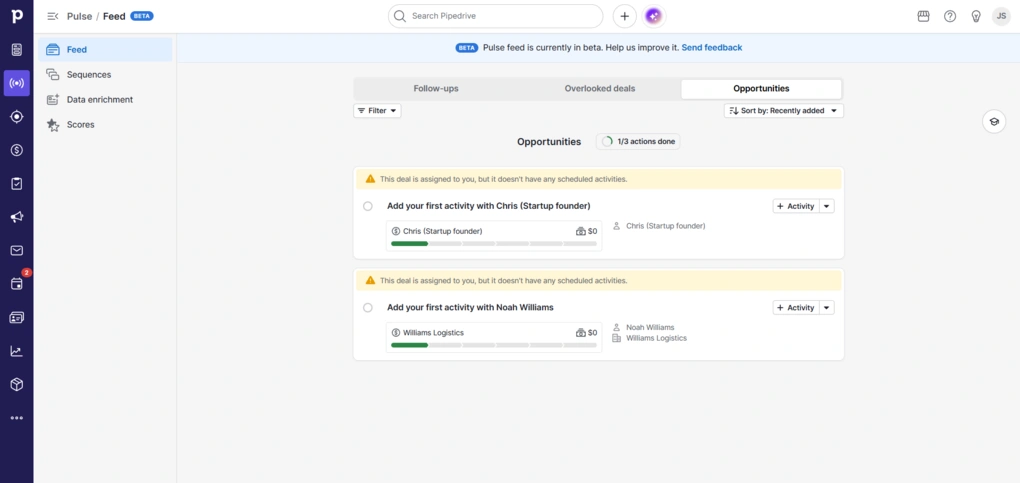
I really liked that you can act directly from here – you can add an activity, send an email, or open the deal. You also see enough context on each card to understand what’s going on without opening the full view.
Overall, Pulse doesn’t add new functionality. It just reorganizes your workflow into a single feed so you don’t have to check different parts of the CRM.
Products
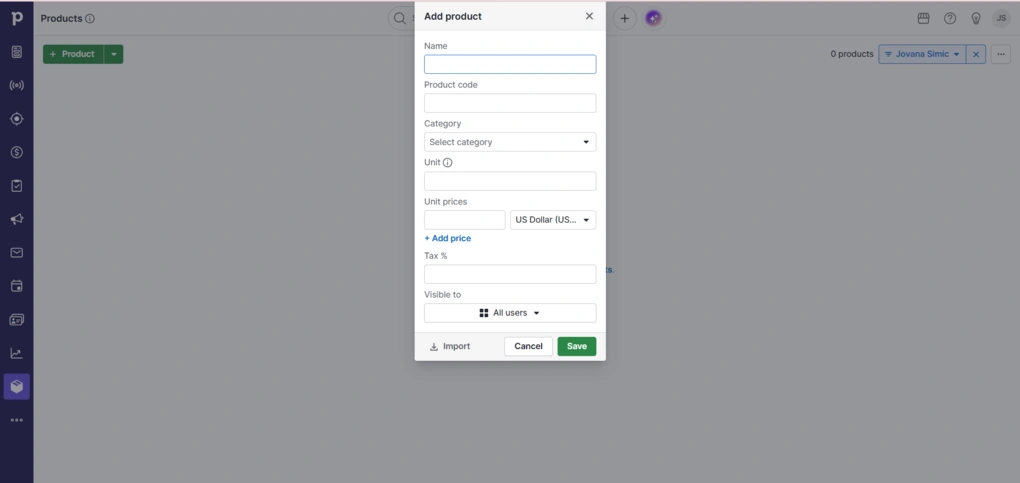
Pipedrive also has a Products feature, which is tied directly to deals. You can define what exactly you’re selling, whether that’s a subscription, service, or one-time package.
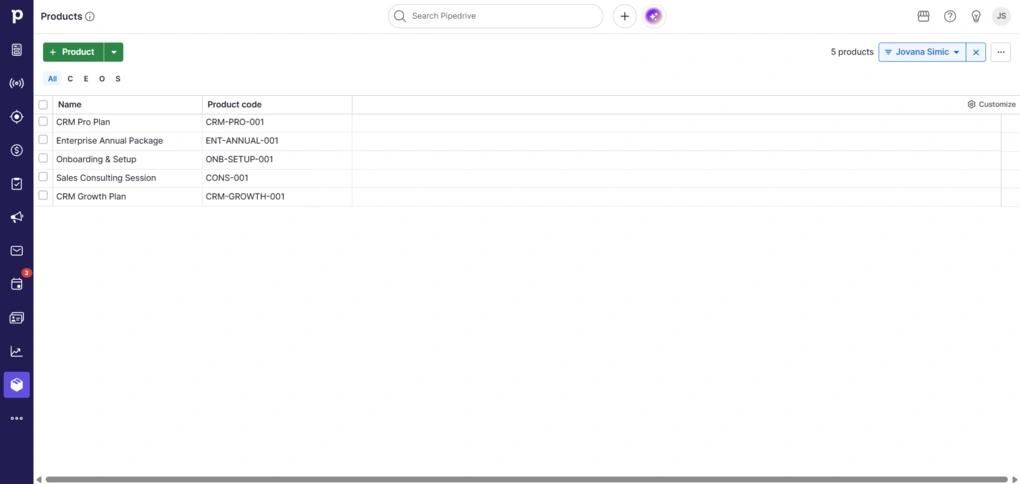
You can create products with a name, price, billing type, and additional details. Once that’s set up, products can be attached to deals, so instead of just estimating deal value, you’re working with actual items.
You can also add multiple products to a single deal, which is useful if you’re selling bundles or combined services.
Automation
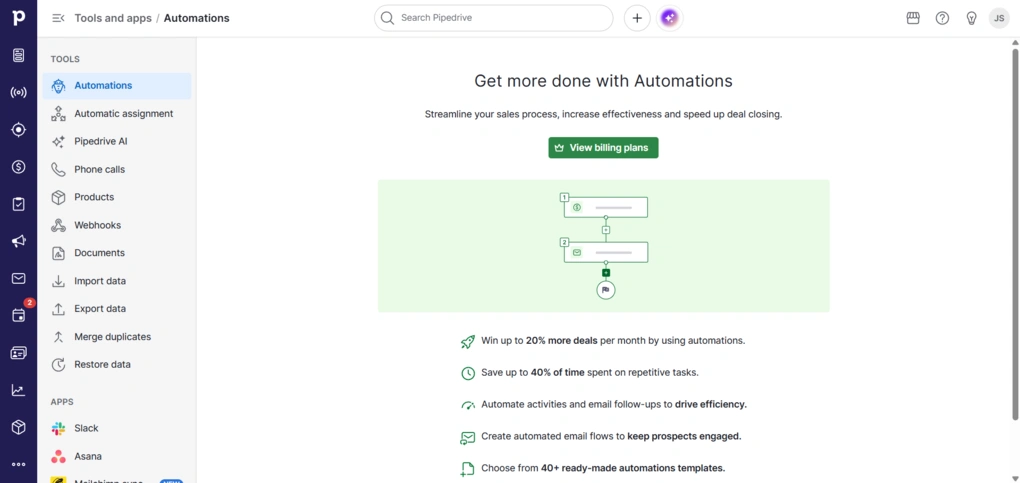
Automation in Pipedrive is built around simple “if this, then that” logic. For example, when a deal moves to a new stage, it can create a task, assign it to someone, or send a follow-up email. This way, you can reduce the chance of missing follow-ups or forgetting tasks, which is a common issue in manual workflows.
The setup process is visual and straightforward. There are also pre-built templates, so you don’t have to start from scratch.
Reporting & insights
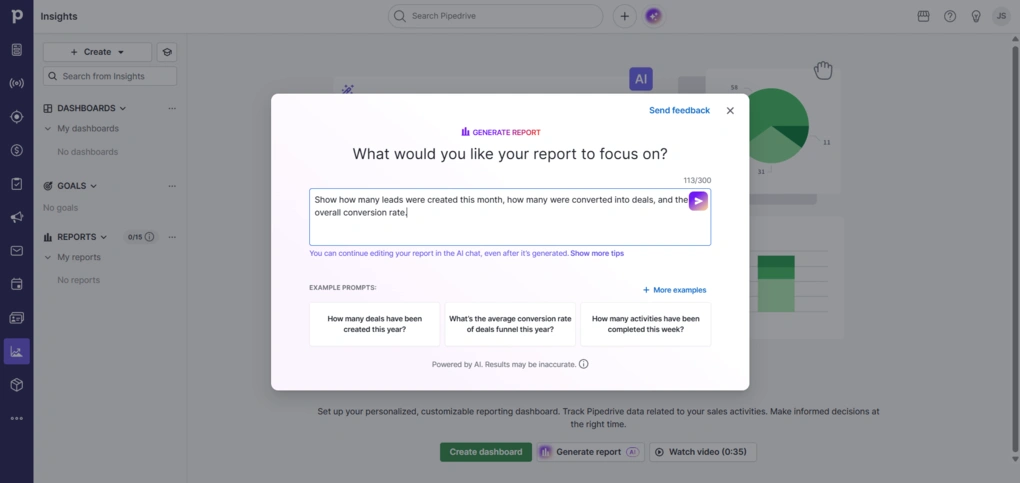
This section in Pipedrive is highly visual. Reports are shown as charts, tables, or simple graphs, not raw data. If you’re a visual type like me, I’m sure you’ll appreciate it.
You can track things like pipeline health, win rates, sales activity volume, or revenue, and break them down by time, user, stage, or pretty much any filter you apply.
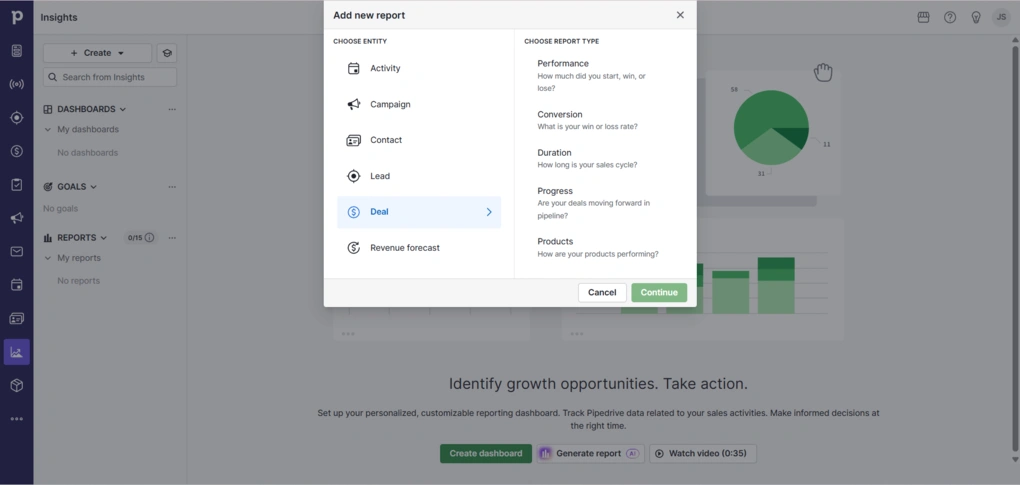
Creating a report is easy. You choose what you want to analyze first. That can be deals, activities, leads, or revenue. Then you pick the type of report, like performance, conversion, or duration. From there, everything is filter-based. You can narrow it down by date ranges, deal status, pipeline, or custom fields, and the chart updates instantly.
Furthermore, you can combine multiple reports into a single view.
There’s also a new AI report option. You can type what you want to see, like lead conversion over time, and it generates a report for you.
Pipedrive CRM integrations
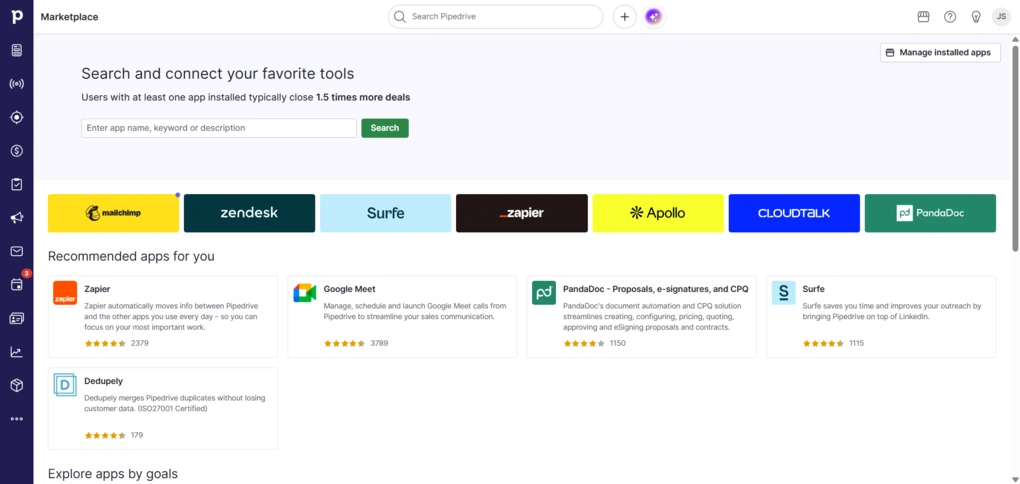
Pipedrive has a built-in Marketplace with 500+ ready-to-use integrations across categories like communication, marketing, lead generation, project management, and finance. These include popular tools like Slack, Trello, Asana, Zoom, and QuickBooks.
There’s also a native integration with Zapier, so Pipedrive lets you connect it with thousands of other apps and automate workflows.
If something isn’t available, Pipedrive also provides an open API, so you can build custom integrations.
Pipedrive CRM user interface

The interface in Pipedrive is clean and easy to navigate. There are a lot of features, but they’re well-connected.
I like that the whole experience is guided. There are built-in tips and a lot of short video tutorials that explain how things work, and they’re actually useful.
Overall, I didn’t have any real issues with the interface.
Breaking down Pipedrive pricing
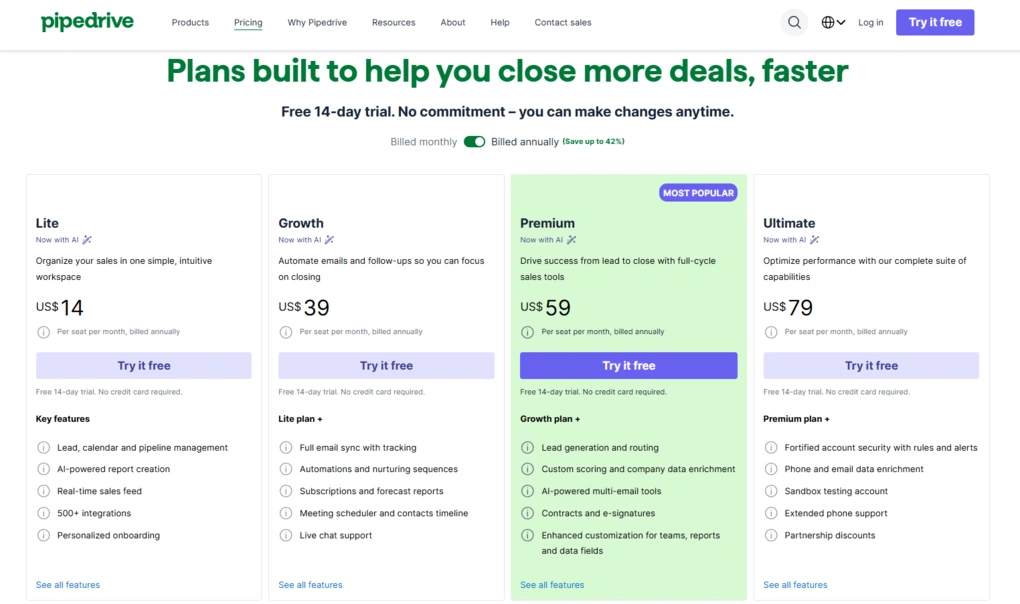
Pipedrive doesn’t offer a free plan, but there is a 14-day free trial to test all the features.
The entry-level Lite plan starts at $14 per user per month (billed annually). It covers the basics like contact and deal management, pipeline tracking, and simple reporting. It’s enough if you just need a clean, functional CRM.
The Growth plan, at $39/month per user, adds email sync, workflow automation, better reporting options, and live chat support. This is probably the plan most small teams would actually use day to day.
Premium, at $59/month per user, builds further with more advanced features like lead generation tools, deal scoring, e-signatures, and additional customization options. It’s more suited for teams that have a structured sales process and want more control.
The top tier, Ultimate at $79/month per user, focuses more on scaling. It includes advanced permissions, security features, and data enrichment, along with extended phone support. This one is clearly aimed at larger teams or companies with more complex setups.
On top of these paid plans, there are several add-ons. These include tools like LeadBooster for capturing leads (starting at $32.50/month), Web Visitors for tracking who’s browsing your site (from $41/month), Campaigns for email marketing (from $13.33/month), Smart Docs for managing proposals and contracts (from $32.50/month), and Projects for task and project tracking (from $6.67/month).
Pipedrive’s strengths and limitations
After spending time testing Pipedrive, these are the main advantages and drawbacks that stood out most.
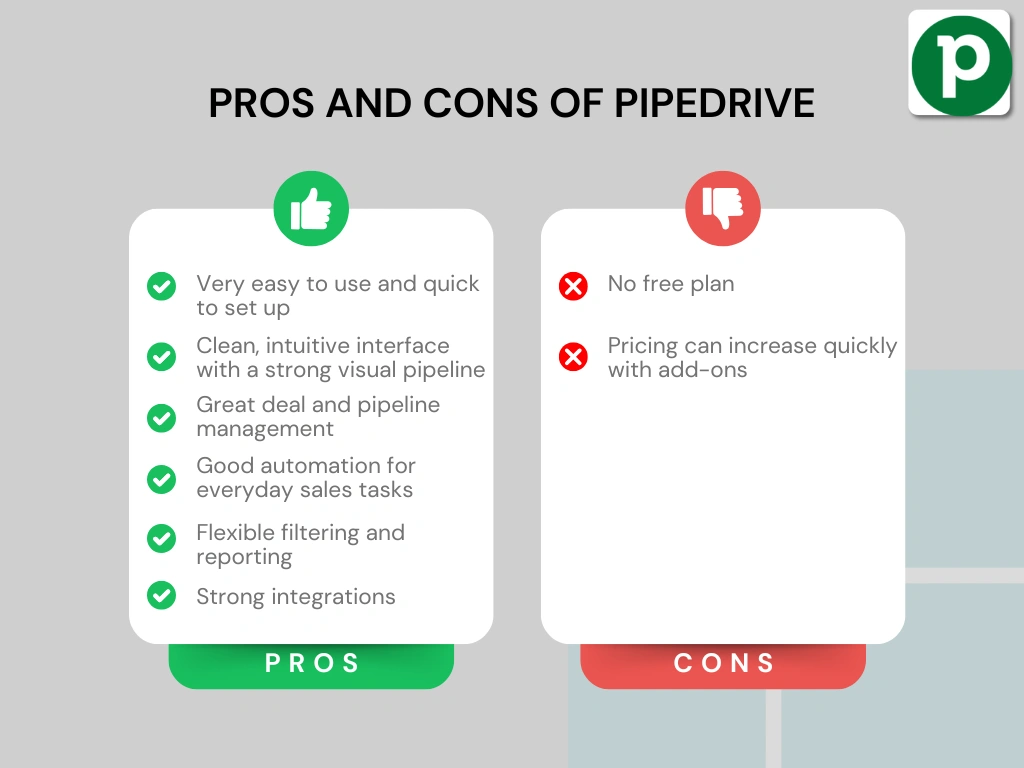
Pipedrive’s advantages
Pipedrive’s drawbacks
Who Would be a Good Fit for Pipedrive?
Instead of concentrating on lead capture or content-driven traffic, Pipedrive puts the emphasis on moving leads forward and closing deals. This makes it the right CRM software for sales teams that already have leads coming in and need a structured way to manage and convert them.
Who Would be a Bad Fit for Pipedrive?
If you’re looking for a broader business platform like HubSpot or even simpler all-in-one tools like Nutshell, Pipedrive will likely be a bad fit. It’s built around sales, so things like advanced marketing tools, customer support, or invoicing either require add-ons or external tools.
Pipedrive alternatives
If you’re still unsure whether this is the right CRM tool for you, we’ve got you! Here are some solid Pipedrive alternatives worth considering:
|
App |
Best for |
Description |
|---|---|---|
|
HubSpot |
Best for all-in-one CRM |
HubSpot is an all-in-one CRM that combines sales, marketing, and automation in one platform, with a strong free plan and solid core features. |
|
Nutshell |
Best for simple all-in-one CRM |
Nutshell is a well-rounded CRM that brings contact management, pipeline tracking, and communication tools into one place. |
|
Copper CRM |
Best for Google Workspace users |
Copper CRM is an easy-to-use CRM that works best for teams already using Google Workspace. |
|
Zoho CRM |
Best budget-friendly CRM |
A flexible CRM platform with a wide range of features, including automation, analytics, and customization options. Often used by businesses looking for a more affordable all-in-one solution. |
|
Salesforce |
Best for enterprise teams |
A highly customizable CRM designed for large organizations, offering advanced automation, reporting, and integration capabilities across complex business processes. |
|
Monday CRM |
Best for visual workflows |
A visual CRM built on a flexible workspace, allowing teams to manage pipelines, tasks, and processes in a highly customizable way. |
Compare Pipedrive vs alternatives



Pipedrive VS HubSpot
Wrap up: Pipedrive Review 2026
After this Pipedrive review, I can see why it’s often considered one of the best customer relationship management tools for sales pipelines.
I hope I managed to give you a clear picture of how the tool works and what its main workflow looks like. There are additional features, but I focused on the ones that actually stand out and shape the day-to-day experience.
As always, I will update this Pipedrive review over time so you guys have up-to-date information about this CRM software.
Why you can trust our reviews
At thebusinessdive.com, our team tests, reviews, and compares hundreds of productivity apps every year — from project management tools to note-taking apps. We dive deep into real-world use cases to help you find the right tools that actually improve your workflow, not just add noise.
Our mission? No fluff, no shortcuts—just honest, hands-on insights from productivity pros.
Discover how we stay transparent, read our review methodology, and let us know about any tools we missed.
Explore our Apps directory
A curated directory of software tools we’ve independently reviewed, with links to full reviews, comparisons, and category guides.
Frequently asked questions
Is Pipedrive a good CRM for small businesses and sales teams?
Yes, this Pipedrive review shows that it’s a strong fit for small businesses and sales teams that need a sales focused CRM. It’s especially useful for sales reps who want a clear sales process, strong pipeline management, and an easy way to manage deals and manage leads.
The visual pipeline and drag and drop pipeline make it very user friendly, even without technical skills.
Does Pipedrive offer a free plan and how much does it cost?
Although it doesn’t have a free plan or free CRM option, Pipedrive offers a free trial. Pipedrive pricing starts with the Lite plan and increases across the Growth plan, Premium plan, and higher plans like the Ultimate plan, all billed per user (with optional annual billing).
The total Pipedrive cost can increase with add ons and paid add-ons like email marketing, Smart Docs, or lead generation tools.
Can Pipedrive replace other CRM tools and marketing tools?
Pipedrive works well as a crm software for deal management, contact management, and sales workflows, but it’s not a full replacement for all other CRM tools.
It has limited marketing features and marketing campaigns, so you’ll often need external tools or third party tools for things like advanced email marketing or nurturing leads. However, with workflow automation, custom fields, and integrations like Zapier, it can still fit well into a broader tech stack.
Disclosure: I only recommend products I would use myself, and all opinions expressed here are our own. This post may contain affiliate links through which, at no additional cost to you, I may earn a small commission. Read the full privacy policy here.

Hey there! I am Aron, the founder of Thebusinessdive. I have been testing productivity apps for almost three years now. I reach 25.000 -50.000 people monthly with the mission to help you find the perfect productivity apps. Subscribe to my YouTube channel, newsletter, and social media to hear more about the best productivity tools. Let’s dive in!