


Anytype Review: The Best Note-Taking App In 2026?
Honestly, Anytype is not an easy note-taking app. It is easy to get lost in its note-taking system and become frustrated.
So, my goal with this Anytype review is not only to give you a clear picture of its key features, pros, and cons, but also to share insights into how the app actually works.
Let’s dive in!
Verdict
Here’s the quick verdict if you don’t want to read the full review:
🎯 Best for: Individuals who want to build a knowledge base and visualize connections between notes
🚫 Not ideal for: Simple or lightweight note-taking needs
⭐ Biggest strength: Offline-first approach with strong data privacy and security
⚠️ Biggest weakness: Steep learning curve
⚖️ Verdict: A powerful offline-first note-taking app built around an object-based system. While it’s complex, it offers nearly limitless possibilities for building structured knowledge bases.
🏆 Score: 4 / 5
✅ Tested with our review & scoring methodology ✅ Real-world testing ✅ Unbiased evaluation
Anytype
Summary
Imagine Anytype as a combination of Notion and Obsidian. If you like these note apps, you probably will love Anytype. It adopted object-based note-taking, which essentially makes it easier to connect ideas and notes to each other. While some people love it, others find it too complex. It has a fantastic community behind this product, and it has a chance to become the best Notion alternative in the future.
|
|
High security standards
|
|
|
Many possibilities to organize your notes
|
|
|
Generous free plan
|
|
|
Overwhelming at first
|
|
|
Some features are still under development
|
How We Test Note-Taking Apps
To keep our reviews & final score for each note-taking app fair and transparent, we evaluate every tool using the same testing framework based on real-world usage, feature depth, and overall value.
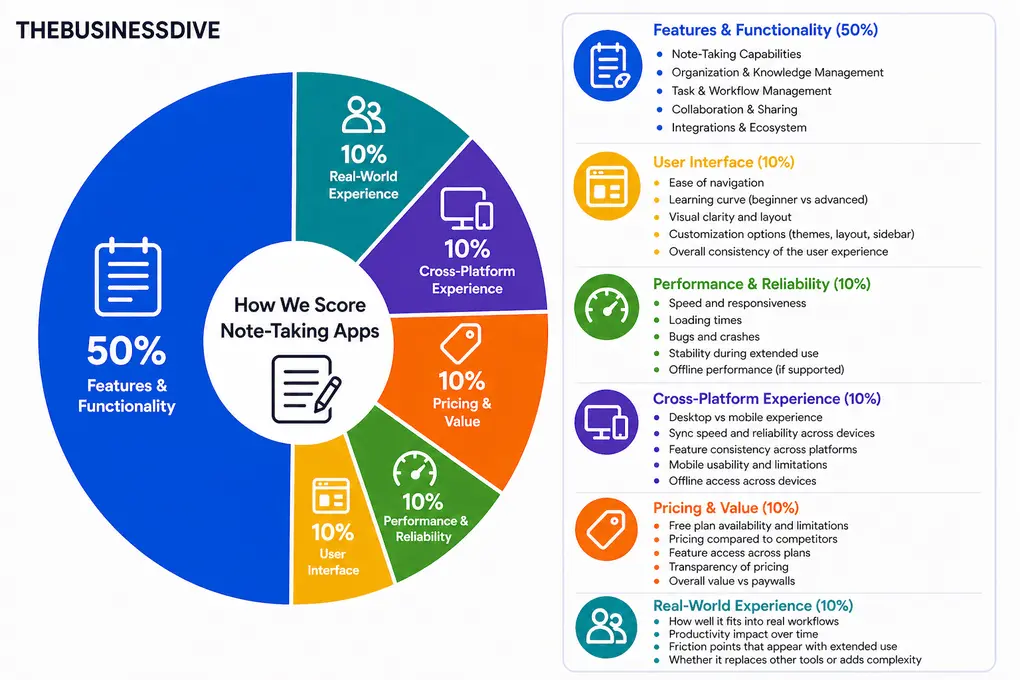
Our scoring breakdown after testing 10+ note-taking apps:
⚙️ Features & functionality — 50%
🖥️ User interface — 10%
⚡ Performance & reliability — 10%
📱 Cross-platform experience — 10%
💰 Pricing — 10%
👥 Real-world experience — 10%
Want a detailed breakdown of how we test each category?
Learn exactly how we test tools → Review methodology
Short on time? Here’s a quick overview of Anytype
What is Anytype?
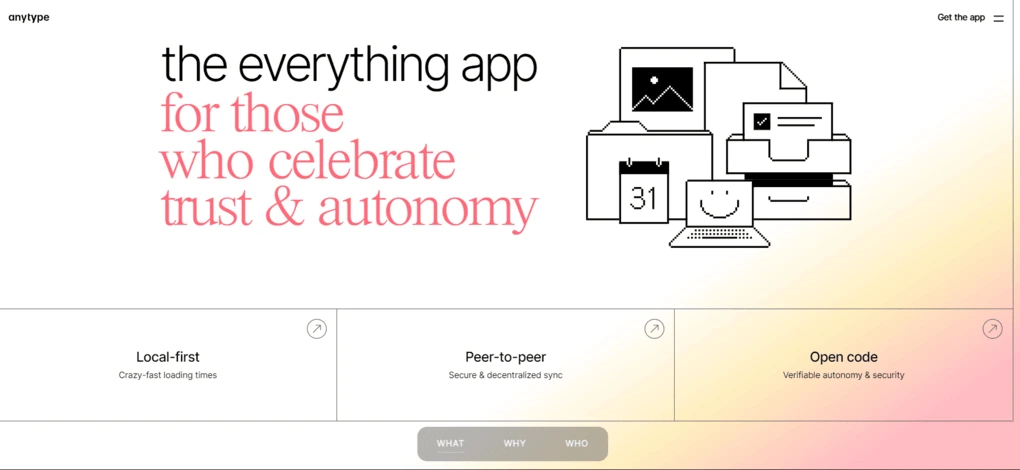
Imagine Anytype as a combination of Notion and Obsidian. If you like these note apps, you probably will love Anytype. It adopted object-based note-taking, which essentially makes it easier to connect ideas and notes to each other. But I will explain it in more detail later.
It is an offline first note-taking app that stores your data locally. After, Anytype uses a Peer-To-Peer file system that facilitates decentralized data storage across devices. So, you can access your notes from your mobile as well, without an internet connection. It works on both IOS and Android.
Anytype offers maximum data privacy. It has local, on-device encryption, and you are the only one with the key to the notes. So, there is no chance that anyone would access your data.
My take on Anytype after helping 20 thousand people to learn it
In the past two years, I have helped more than 20,000 people learn how to use Anytype. And yet, many people still search for answers on how to get started.
And it’s not an accident. Anytype is a very complex note-taking app that takes weeks to figure out how things work. This is why this app loses 90% of the new users, as they become frustrated after a few days and just simply give up.
However, for those who went through the learning process (and hopefully my YouTube video helped in this), Anytype offers almost limitless capabilities to structure notes and create your second brain.
You can connect your objects, create different spaces, and build up your entire knowledge management center.
And most importantly, you can do it for completely free. If you have already used Obsidian, the learning process will be easier, but it’s still a long road.
Anytype is the app that requires high effort, but gives you a high prize in the end.
Breaking down Anytype’s final score
Anytype is one of the most powerful note-taking and knowledge management apps, so it earns the maximum score here. It also nailed 5 out of 5 for pricing, performance, and cross-platform support.
While teams can also use Anytype, it has limited team collaboration features, and I can hardly imagine that an entire team could learn how to use this note-taking app. That said, Anytype received a lower score on this front.
In addition, it has limited integrations, so it is not the note-taking tool you can easily incorporate into your existing workflow.
Who will benefit most from Anytype
Who should look for alternatives to Anytype
How does Anytype works?
Anytype is not an easy app. So, I break down all the key terms here so you can get started with Anytype without frustration.
Vaults

After you download Anytype, you can create a new vault or enter one you already created. A vault is an encrypted box stored on your device, which includes your database. It allows you to send, receive, and store information with full privacy.
For every vault, there is a key that is auto-generated by AnyType. So, when you get this key, make sure you store it in a safe place that you can find in case when you download AnyType to a new device.
Space
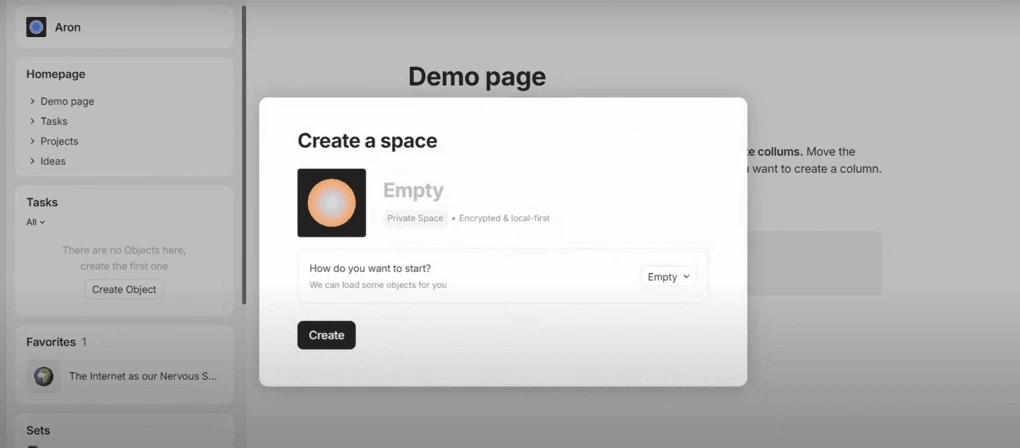
The Spaces you create or share will be stored in your vault. The space is the place where you find your notes and databases.
You can create separate Spaces, a maximum of 10. On the left side of the screen, you can access your Spaces or create new ones.
Object
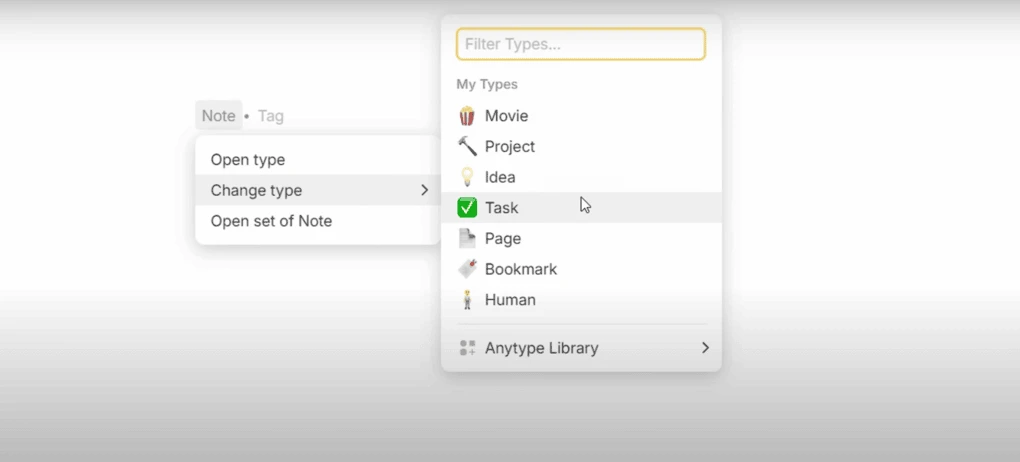
In the word of Anytype, everything you see and interact with is an object. Whether you add a page, image, text, file, or task, they are all objects in this note-taking app. Similarly to Notion, you can quickly add an object if you press the “slash” button.
Anytype uses types to categorize these objects. Just as in the physical world, types are useful to differentiate between objects.
For example, An apple is something totally different from a car, right? The apple’s functions and purposes are more similar to oranges rather than cars. For this reason, we can categorize apples oranges as fruit, and cars would fall into a different category.
By the same principle, in Anytype there are two important concepts to keep in mind: Every object has a type, which is defined when you create an object. Also, different types are used to define objects which fall into a different category.
Relations and links
Relations are key to organizing and connecting your objects and data in Anytype. The relations are used to define the characteristics of a certain object. For instance, when creating a task in Anytype, you can add relations such as Status: Done/Not Done or Priority.
You can add a relation to your Objects by pressing the “slash” button. You can also add relations to an object by clicking on the icon in the screen’s top right corner.
When it comes to the links, you can use them to create connections between your objects; both relations and links will be valuable when changing to the graph view.
Graphs

With the graph view, you can see the relations between each object. The graphs give you a bird’s eye to oversee how your objects are connected to each other. But what happens when you want to check only one type of object?
This is when you should use the sets.
Sets
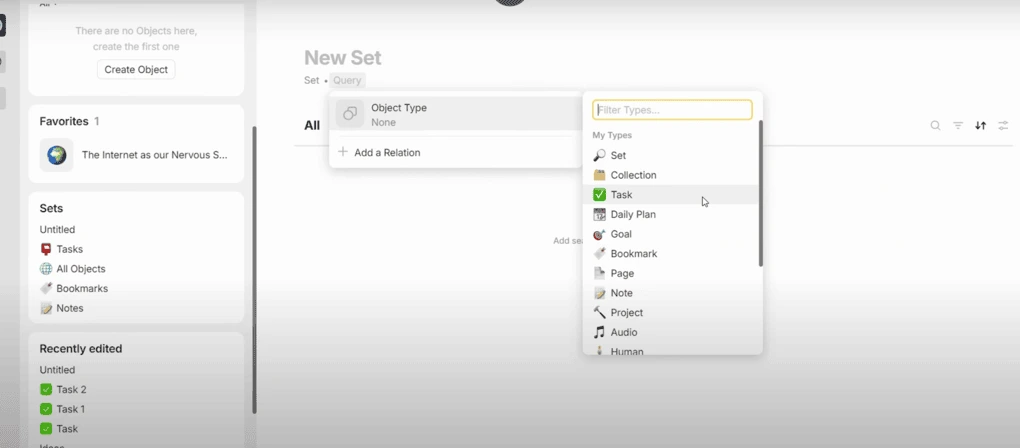
Sets are used to organize and filter your objects based on particular criteria. Imagine it like a filter on an Excel sheet.
Sets are useful for filtering an object type, for example, images or pages. Furthermore, you can use the sets to filter relations. Let me give you an example.
One easy way is to create a set based on type. For example, if you filter on tasks, it will display every task you have created in Anytype.
Collections
The collection is like a folder; you can put your stuff there, and it will not change. Compared to the sets, where the values of the objects will change over time, collections are more static. So, it will only change if you put there something.
You can create a collection by clicking on the add widget tab. Afterward, you must decide what objects you want to collect here.
Now, I hope you understand Anytype a little more. Let’s move on to Anytype’s key features!
Anytype’s features
During my Anytype review, I discovered these key features.
Object-based note-taking & templates
Anytype’s note-taking system is built upon objects. Whenever you add a new note, it will qualify as an object, and Anytype will use the template related to that specific object.
The templates are saved content structures for specific object types. So, if you want to add a new object, Anytype will always use the related template, which significantly speeds up the process.
Shared workspaces
The shared workspaces work great when it comes team collaboration. It allows you to work together in real-time with your team members.
The shared workspaces offer a place to build a project with your team.
Mindmaps
The mind mapping shows the big picture in type. Using the relations and links, Anytype can visualize the connections between your databases. It is among the most useful features for overviewing how your notes connect.
Widgets
Your sidebar includes customizable widgets that allow you to preview and navigate your objects. You can edit your widgets if you click on the “Edit widgets” button at the bottom of your sidebar. When you click on it, Anytype will show you the options to add or remove widgets from your sidebar.
With the widgets, you can quickly access and manage your favorite objects.
Anytype’s pricing
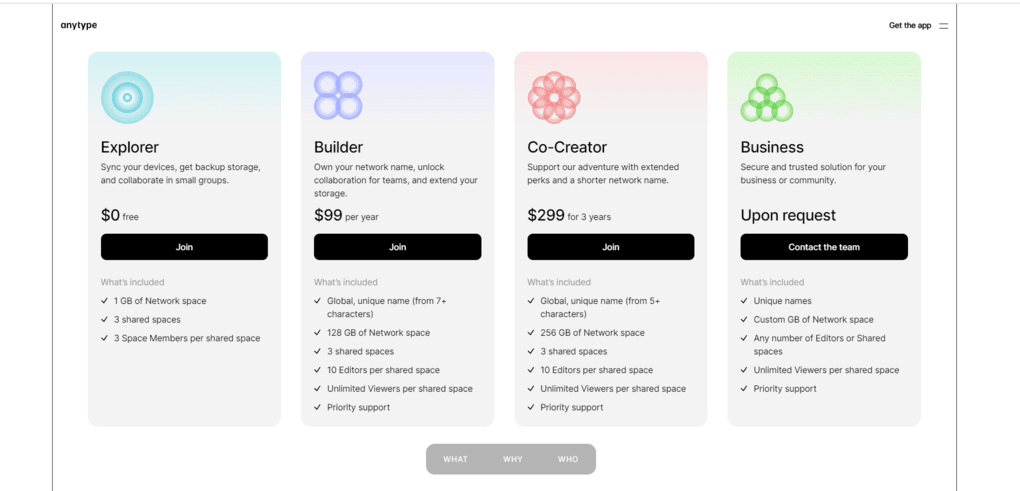
Anytpe offers four plans.
The free plan includes 1 GB of network space, 3 shared spaces, and 3 space members per shared space. Using the free plan, you can sync your devices, get backup storage, and even collaborate in small groups. During my Anytype review, I also used the free plan, and I think it is ideal for your personal notes.
The builder plan provides a unique name for you: 128 GB of network space, 3 shared spaces, 10 Editors per shared space, unlimited viewers per shared space, and priority support. This plan works great for small teams.
The co-creator plan is quite similar to the builder plan. However, this plan offers 256 GB of network space, and a shorter unique name. This plan is ideal for teams.
Lastly, Anytype offers business plans upon request, where you have the option to determine the size of the network space, number of editors, or shared spaces, and gives unlimited Viewers per shared space. This plan could be fit for bigger teams.
Explore our Apps directory
A curated directory of software tools we’ve independently reviewed, with links to full reviews, comparisons, and category guides.
Anytype’s user interface
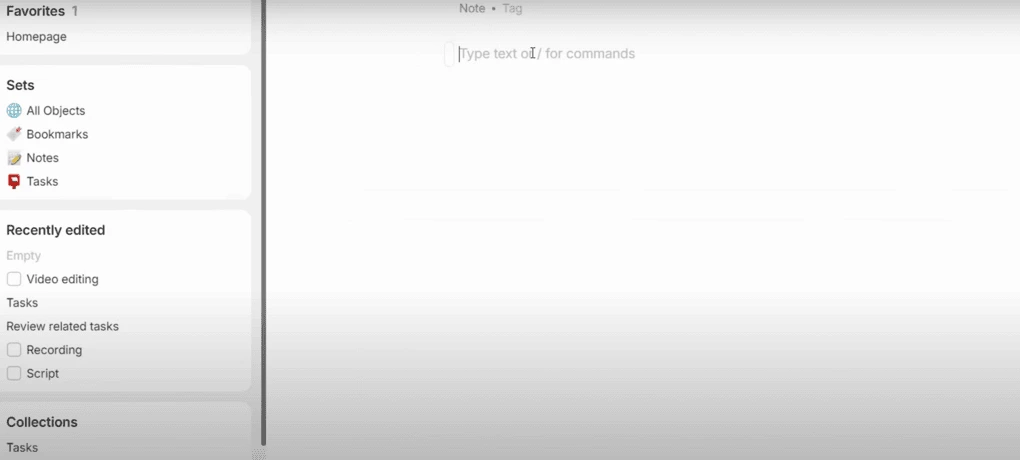
While the way Anytype works might seem complex, it has a simple and intuitive user interface. On the left side, you can access everything you need, from spaces, widgets, libraries, and bins. Anytype’s user interface is optimized for mobile users as well.
Anytype’s pros and cons
During my Anytype review, I discovered these pros and cons.
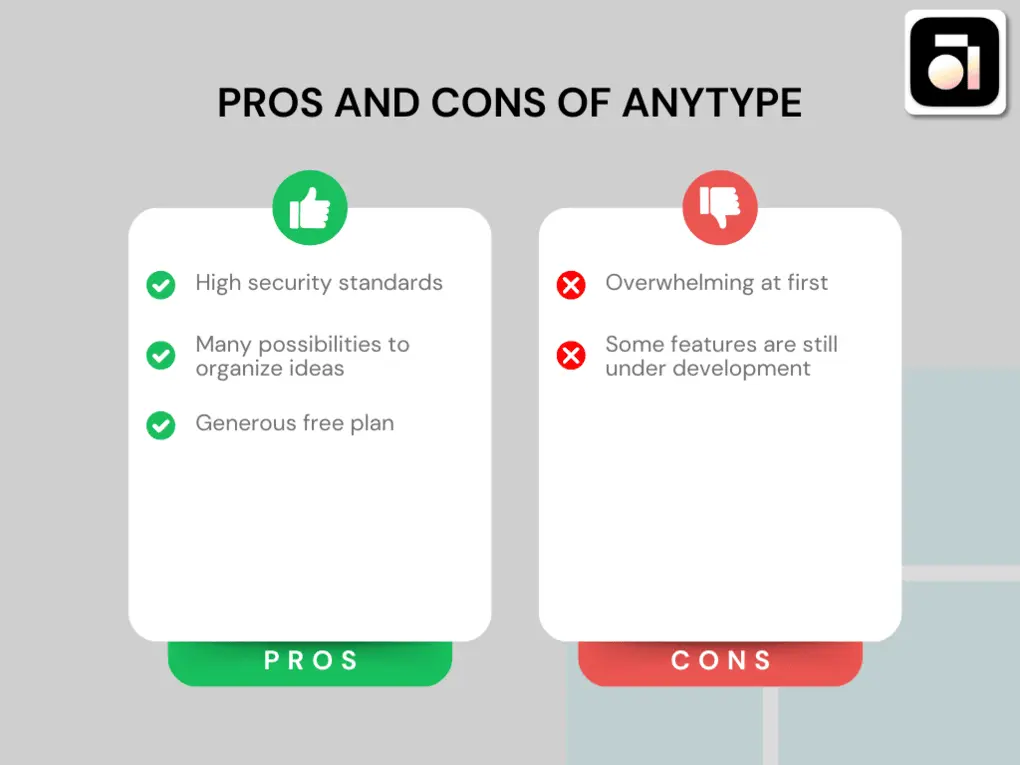
Anytype’s pros
Anytype stands out from a privacy perspective in the note-taking space. It is a local first note-taking app that has end-to-end encryption with high-security standards. This note-taking app offers full data sovereignty for the users.
It provides many possibilities to organize ideas and visualize your data in a single place.
The free plan is generous. It allows 3 space members per shared space, so you can work on your projects with others.
Anytype’s cons
Honestly, it is a complex app that can be overwhelming at first. It takes time and patience to learn and understand how this note-taking app works.
Also, it is quite new in the note-taking space, and there are still features that are under development.
Related articles:
- Notion Vs Obsidian: Which Note-Taking App Is Better For You?
- Obsidian vs Anytype: Side-by-Side Comparison (2026)
- Anytype Vs Notion: Side-by-Side Comparison (2026)
- Obsidian Review: What Nobody Tells You About This App (2026)
- Best 6 OneNote Alternatives In 2026 | 100+ Personally Tested Tools
Anytype alternatives
If you feel like this note-taking app is not for you, here are some Anytype alternatives you should check:
|
App |
Best for |
Description |
|---|---|---|
|
Xtiles |
Best for visual note-taking |
An easy-to-use note-taking app with visual boards. |
|
Notion |
Best all-in-one workspace |
An all-in-one app for data, task, project management, and note-taking. |
|
Taskade |
Best for notes + task management |
A simple but effective note-taking app ideal for more complex project management. |
|
Coda |
Best for doc-based workflows |
An all-in-one collaborative workspace with project, task management, and note-taking tools. |
|
NotebookLM |
Best for AI research notes |
A note-taking and research app with a fantastic podcast feature. |
|
Evernote |
Most popular note-taking app |
A popular, but expensive note-taking app. |
|
Obsidian |
Best for linked notes |
A powerful note-taking app with massive backlink functions. |
Compare Anytype vs alternatives



Obsidian VS Anytype

Anytype VS Notion
Wrap-up: Anytype review
Overall, Anytype is a great tool and a good combination of Notion and Obsidian. While some people love it, others find it too complex. It has a fantastic community behind this product, and it has a chance to become the best Notion alternative in the future.
However, if you prefer something simpler, tools like Evernote or Xtiles will feel much easier to use.
If you have any questions regarding Anytype, feel free to reach out to me or ask in the YouTube video’s comment section.
Looking for similar tools?
Visit the link to explore other apps we’ve reviewed in this space and how they compare.
Why you can trust our reviews
At thebusinessdive.com, our team tests, reviews, and compares hundreds of productivity apps every year — from project management tools to note-taking apps. We dive deep into real-world use cases to help you find the right tools that actually improve your workflow, not just add noise.
Our mission? No fluff, no shortcuts—just honest, hands-on insights from productivity pros.
Discover how we stay transparent, read our review methodology, and let us know about any tools we missed.
Frequently asked questions
Is Anytype really secure?
Anytype is one of the most secure note-taking apps. Only you have the encryption keys, and no one at Anytype can access your data. It also means that if you lose your keycode, they can not restore your access to your notes.
Does Anytype work offline?
Yes, Anytype can work offline, and you can access it from mobile devices as well.
Is Anytype completely free?
Anytype has a generous free plan, including 1 GB of network space, 3 shared spaces, and 3 space members per shared space. However, if you need more network space or shared spaces, you need to upgrade your plan.
Is Anytype the same as Notion?
Anytype is different from Notion. Anytype is great for building a knowledge library, as you can connect and visualize each object. On the other hand, Notion is an all-in-one app that allows you to easily add and organize different types of content. You can use it for project management, creating knowledge bases for you and your company, and so on.
Is Anytype among the best note-taking apps?
Anytype is an open-source note-taking tool, and it is definitely among the best note-taking apps. I love the idea of the local first note-taking app, and I appreciate that only you can access your data.

Hey there! I am Aron, the founder of Thebusinessdive. I have been testing productivity apps for almost three years now. I reach 25.000 -50.000 people monthly with the mission to help you find the perfect productivity apps. Subscribe to my YouTube channel, newsletter, and social media to hear more about the best productivity tools. Let’s dive in!