


Nutshell Review 2026 | Everything You Need to Know
If you’re looking for a CRM that saves your team time by keeping everything in one place, consider Nutshell.
It combines contact management, pipeline tracking, communication, and even some marketing features into a single tool. But with so many features, the real question is how well it all works in practice.
So I decided to test it myself, and in this Nutshell review I’ll walk you through what I found, including its key features, user interface, pricing, pros and cons, and my overall experience. I’ll also cover who it’s best for — and where it might not be the right fit.
Let’s dive in!
Verdict
Here’s the quick verdict if you don’t want to read the full review:
🎯 Best for: Small to mid-sized sales teams that want CRM, communication, and pipeline management in one place
🚫 Not ideal for: Teams looking for a very simple or lightweight CRM
⭐ Biggest strength: Strong all-in-one workflow with connected sales, communication, and reporting features
⚠️ Biggest weakness: Can be overwhelming at first
⚖️ Verdict: A solid all-in-one CRM that does a great job connecting sales, communication, and pipeline management, although the number of features can make the initial experience feel a bit heavy.
🏆 Score: 4.2 / 5
✅ Tested with our review & scoring methodology ✅ Real-world testing ✅ Unbiased evaluation
Nutshell
Summary
Nutshell is a well-rounded CRM that brings contact management, pipeline tracking, and communication tools into one place, making it a strong choice for small to mid-sized sales teams. It offers great value and usability, though it may not be the best fit for teams with complex needs.
|
|
Easy to create and manage contacts, leads, and pipelines
|
|
|
Everything is connected in one place
|
|
|
Flexible pipelines with automation, tasks, and customization
|
|
|
Built-in communication
|
|
|
Clean and easy-to-read reporting
|
|
|
Good level of customization
|
|
|
Built-in prospecting and lead capture
|
|
|
Can feel overwhelming at first
|
|
|
Pricing can increase with add-ons
|
|
|
Some users report performance issues
|
How We Test CRM Apps
To keep our reviews and final scores fair and consistent, we evaluate every CRM app using a standardized testing framework based on real-world sales workflows and hands-on testing.
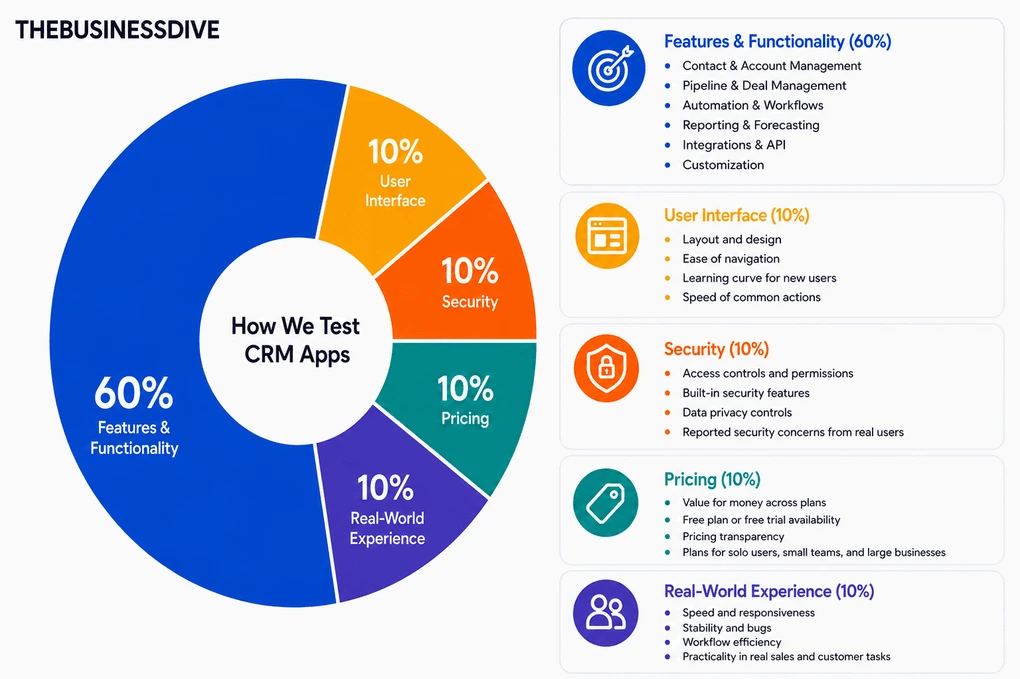
Our scoring breakdown after testing 10+ CRM apps:
🤖 Features & functionality — 60%
🖥️ User interface — 10%
💰 Pricing — 10%
🔐 Security — 10%
👥 Real-world experience — 10%
Want a detailed breakdown of how we test each category?
Learn exactly how we test tools → Review methodology
Short on time? Here’s a quick overview of Nutshell
What is Nutshell?
Nutshell CRM is a US-based CRM company founded in 2009. It started as a simple sales CRM and has gradually expanded into a broader platform that combines sales, marketing, and communication tools.
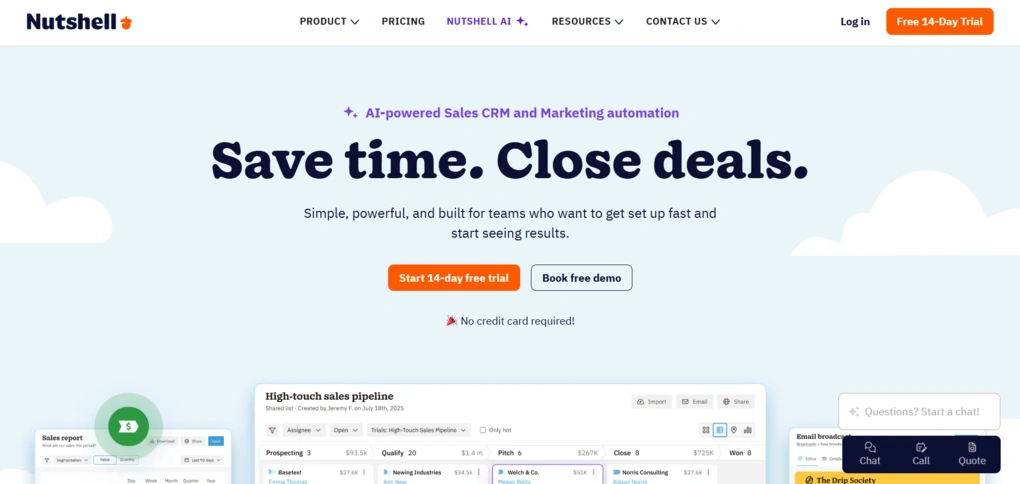
Today, Nutshell is mainly used by small to mid-sized B2B teams that want to manage contacts, track deals, and handle outreach in one place.
Compared to more specialized sales tools like Pipedrive, Nutshell offers a broader set of features beyond just pipeline management. At the same time, it’s still more focused and easier to use than larger all-in-one platforms like HubSpot.
Testing Nutshell: My experience
Honestly, when I started testing Nutshell, I found it a bit overwhelming.
There are a lot of features, and some things weren’t immediately obvious, especially around pipelines and setup.
But once I got past that initial phase, the core workflow clicked. What helped the most is that everything is connected.
At the same time, there are features I wouldn’t use unless I had a bigger team or a more structured sales process. I could see myself using it mainly for keeping track of deals and follow-ups, while ignoring a good part of the extra functionality.
Why did it get a 4.2 / 5?
Nutshell earned high scores for bringing contact management, pipeline tracking, communication, and reporting into one connected workflow. Once I got comfortable with the platform, the core experience was very smooth.
It also scored well for customization, built-in communication tools, and flexible pipelines with automation features.
It lost points because it was overwhelming at first, especially during setup, and some advanced features may be unnecessary for smaller teams with simpler workflows.
Who should use Nutshell
Who should consider alternatives
A closer look at Nutshell
Now, let’s go through the main features I tested during my Nutshell review and see how they actually work in practice.
Contact management
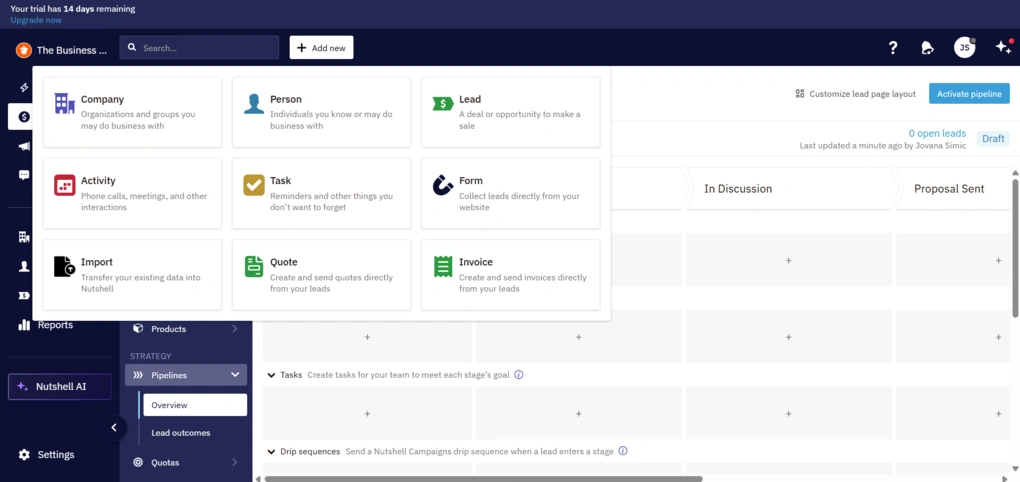
When you start using Nutshell CRM, adding contacts is one of the first things you’ll do. It’s also where you quickly get a feel for how intuitive the tool is.
In this case, getting started is simple. The “Add new” button is always visible, no matter where you are in the app. You click it and choose what you want to add. A person, a company, a lead, a task, etc. It works as a quick shortcut and saves time.
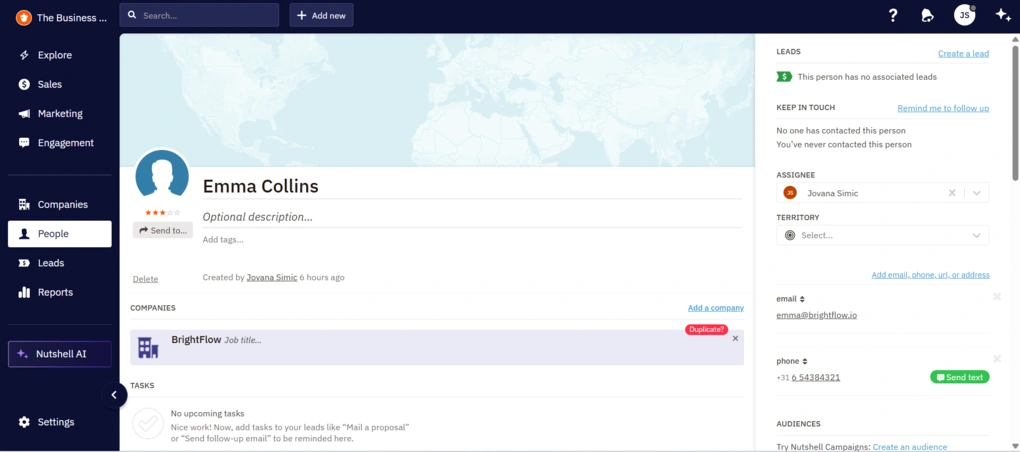
Adding a contact or a company is simple. You only need a name, and you can fill in the rest later. There are plenty of fields available, like email, phone number, company, address, website, and more. The fields are not fixed, though. You can choose which ones are visible, rearrange them, and create custom fields.
You can also skip this part and import contacts from other tools or spreadsheets. Another useful detail is that contacts and companies are connected by default. You can link people to companies and see all related activity in one place.
Once added, everything is organized into “People” and “Companies” tabs. Both are clean and easy to scan.
When you open a profile, you get a detailed view with things like activity history, notes, tasks, and a follow-up reminder. You can also create a lead directly from there. Editing information is just as simple.
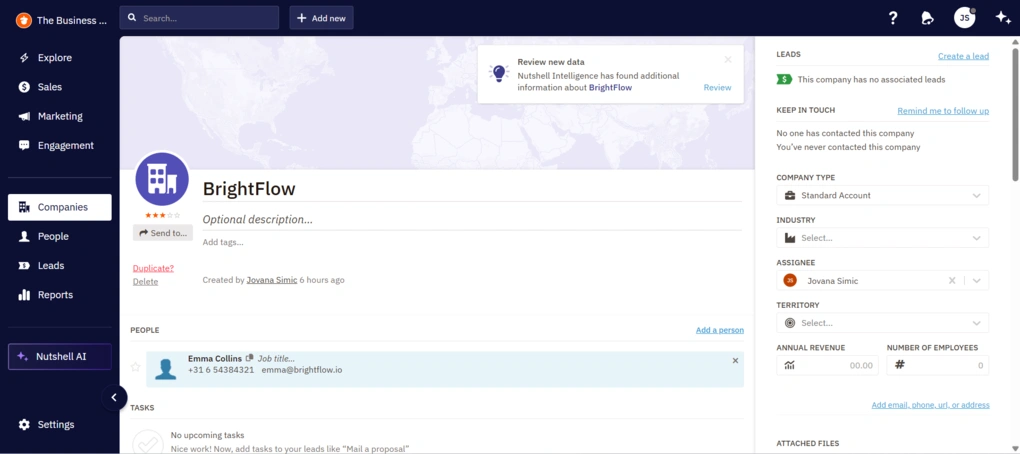
During testing, I also noticed that Nutshell’s AI automatically pulls in extra data for companies. When I accidentally used a real company name, it added details like revenue, address, and number of employees. It’s a useful addition, though not something I relied on.
Overall, this part of Nutshell leaves a good first impression.
Prospecting (ProspectorIQ)
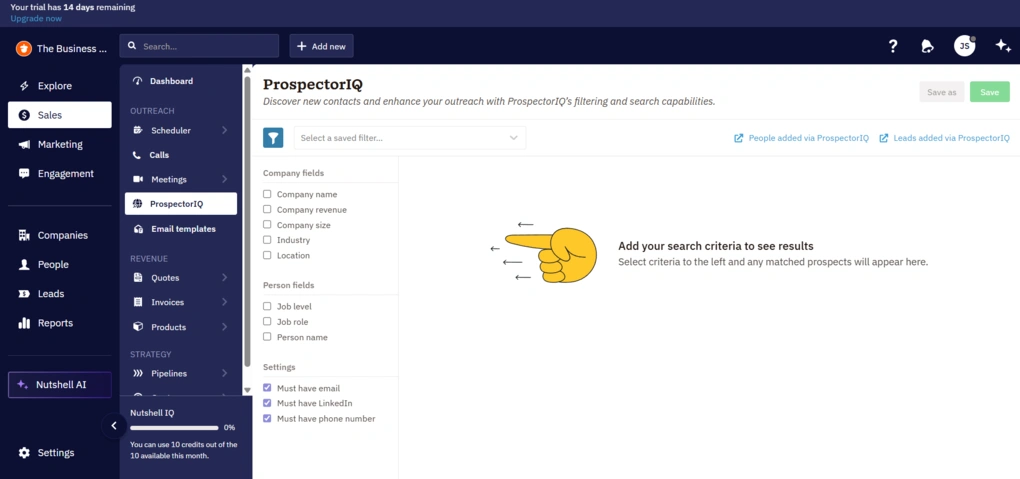
Nutshell doesn’t just let you manage contacts. It also gives you a way to find new ones with a built-in prospecting tool called ProspectorIQ.
This feature lets you search through a large database of companies and contacts based on filters like industry, job title, location, and company size. Once you find relevant prospects, you can add them as leads.
Lead capture
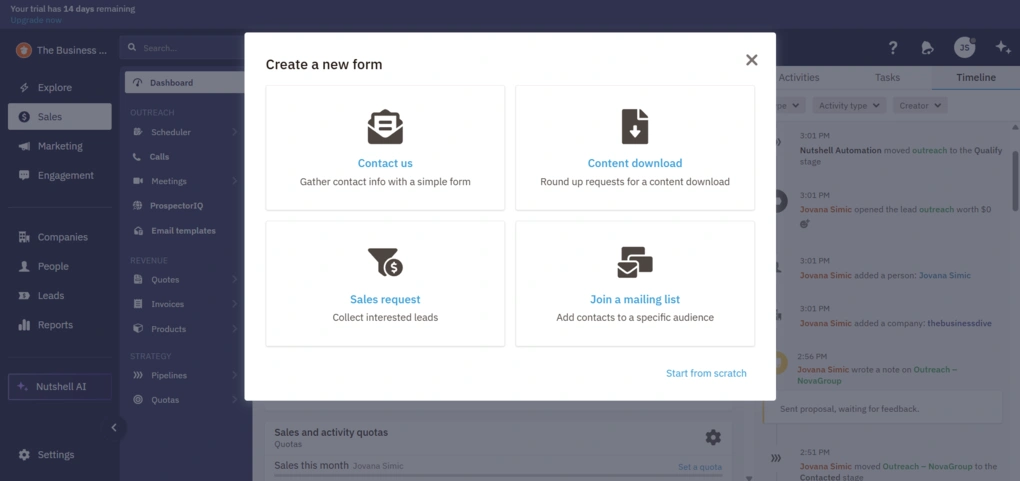
Nutshell also gives you a way to collect leads automatically through built-in forms.
You can create simple forms and embed them on your website to capture contact details. Once someone fills them out, they are automatically added to your CRM. You can set rules to automatically create a person, company, or lead, and define what happens next.
The form builder itself is fairly flexible. You can add different types of fields and basic layout elements. There are also small touches like spam protection and basic design settings, like colors and fonts, so the form can match your website.
There are a few ready-made templates as well, like contact forms, sales requests, or newsletter signups that you can use as a starting point.
Pipeline management
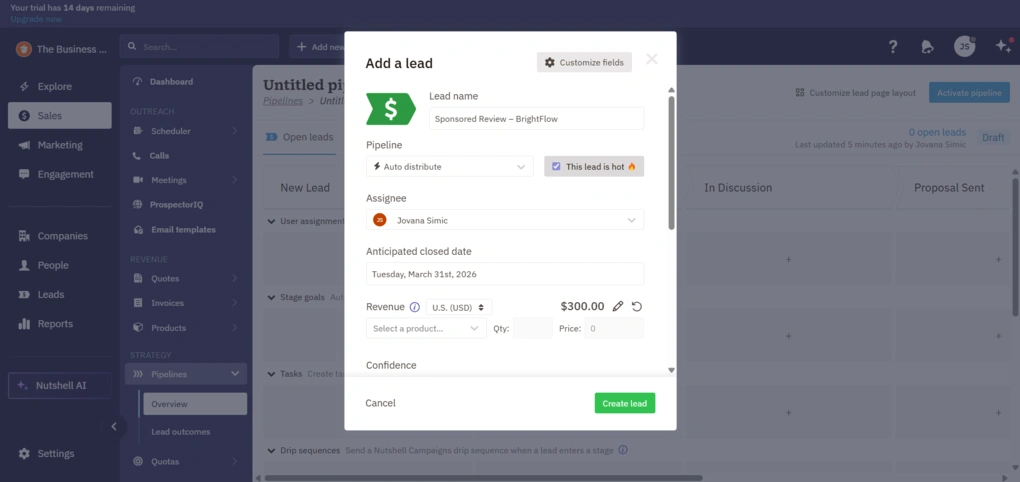
Before you even get to the pipeline, you’ll be working with leads. In Nutshell CRM, leads are essentially your deals.
You can create a lead from the “Add new” button or directly from a contact or company profile. When creating one, you define the lead name, assign it to a company or person, set a value, choose a pipeline, and place it in a specific stage. There are also additional options like assigning an owner, setting expected close dates, and adding notes or tasks right away.
Once leads are in place, the pipeline is where everything comes together. It’s a visual board with columns representing stages of your process, and this is where you actually track and move deals forward.
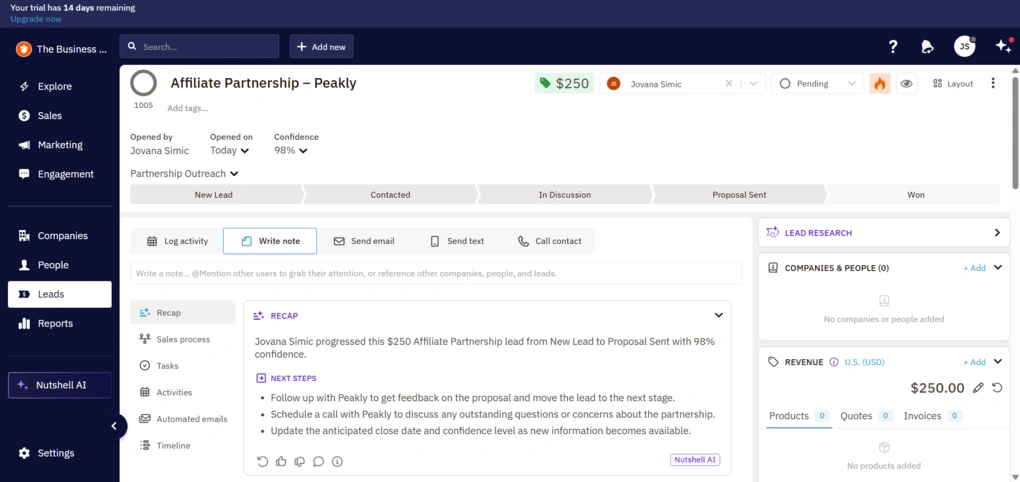
At first, this setup goes deeper than you might expect. When editing a stage, you’re immediately presented with options like setting confidence levels, marking leads as overdue, or automatically closing them after a certain time. There are also more advanced options tied to each stage, like assigning leads to users, setting stage goals that automatically move leads forward, and triggering actions.
For example, you can create tasks for each stage, send emails or drip sequences when a lead enters it, trigger text messages, or even send Slack notifications. These can be useful for more structured workflows, but they also add a layer of complexity early on.
To make things easier, Nutshell also offers pre-built pipeline templates. You can use them as a starting point and adjust them as you go instead of building everything from scratch.
Once everything is set up, the pipeline works well. You get a clear overview of all your leads, their value, and their current stage, and moving them between stages is done with drag and drop.
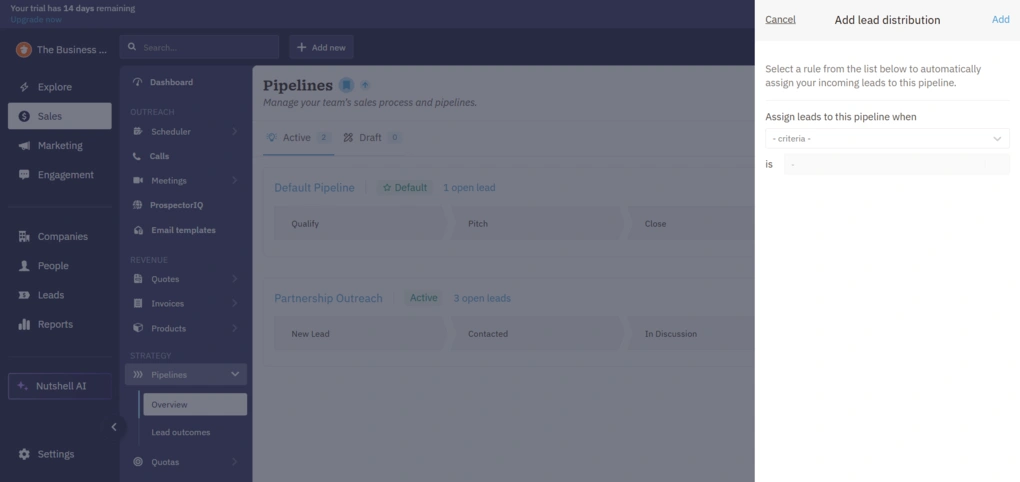
Another feature that fits into this flow is lead distribution. You can set rules to automatically assign incoming leads to a specific pipeline based on certain criteria, like where the lead comes from or what data it contains. In theory, this can save time if you’re dealing with a higher volume of leads, though it feels more like something you set up later rather than use from day one.
On top of that, you can create multiple pipelines for different use cases. For example, one for sales, another for partnerships, or onboarding. Each pipeline can have its own stages, which makes the tool flexible if you’re managing different types of workflows.
Overall, this is the strongest part of Nutshell based on my experience.
Built-in communication
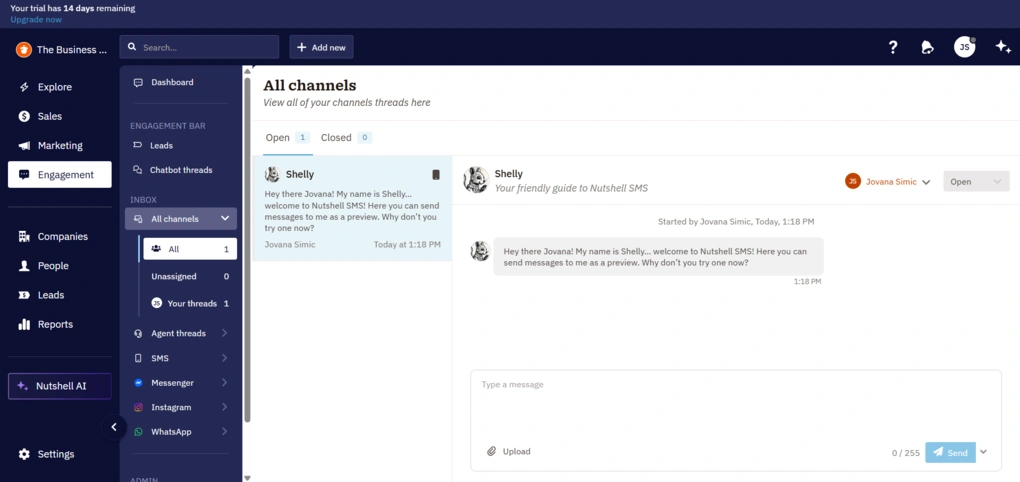
In Nutshell CRM, communication is built directly into the CRM. You can send messages, manage conversations, and track interactions without leaving it.
At the simplest level, you can send emails directly from a contact or lead. You can also create templates and reuse them. There’s also support for email sequences and campaigns. You can create drip campaigns, segment contacts, and track performance. This leans more toward marketing than pure sales.
Nutshell also includes an omni-channel inbox that brings different communication channels into one place. The inbox is organized like a shared workspace.
You can view all conversations, filter them, assign them to specific team members, and more. There are also separate threads for different channels like SMS, Messenger, Instagram, and WhatsApp, all accessible from the same sidebar.
Activity tracking
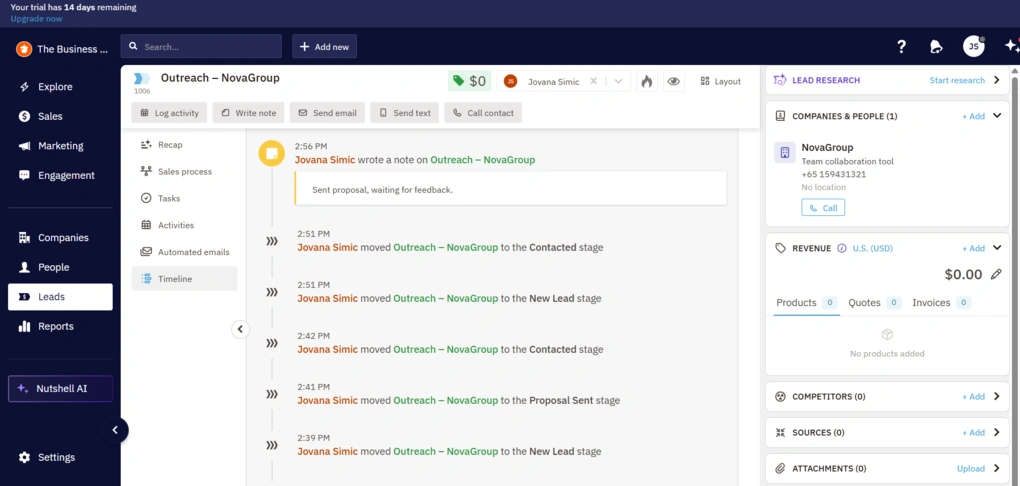
In Nutshell CRM, activity tracking is built around logging everything that happens with a lead. Calls, emails, meetings, notes, and tasks all end up in one place.
In practice, this shows up as a timeline inside each lead, contact, or company. You can see what happened, when it happened, and what the next step is.
Additionally, Nutshell uses AI to automatically log and summarize calls and meetings, so you don’t have to write everything.
Reporting
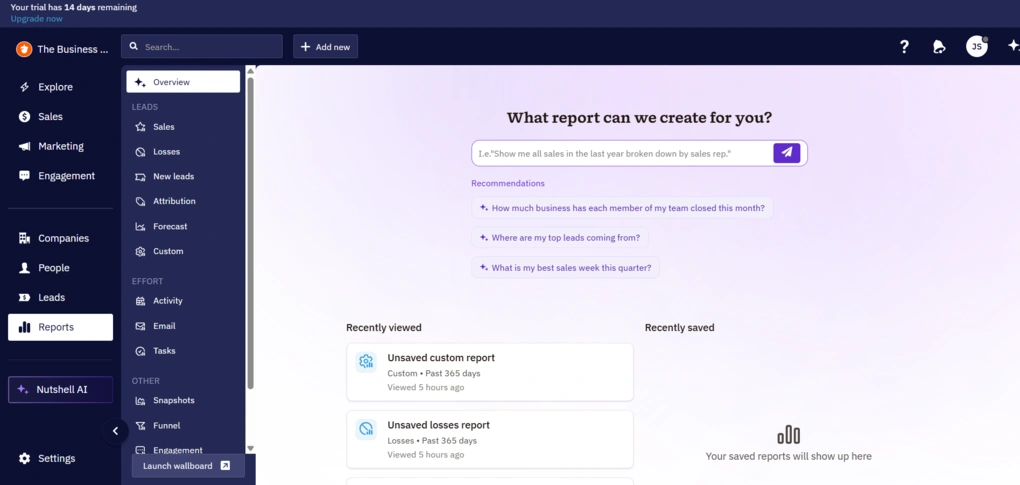
At a basic level, you get a set of built-in reports that cover the most important areas. Things like activities, emails, tasks, pipeline performance, and conversions. You can quickly see how many calls or meetings your team logs, how emails are performing, and whether tasks are being completed on time.
There’s also a funnel view that shows how leads move through your pipeline and where they drop off.
Most reports are visual and easy to read, with filters that let you break things down by user, pipeline, time period, or custom fields.
On the marketing side, reporting connects back to your campaigns. You can track email performance, form submissions, landing page traffic, and even website activity if you install their tracking pixel.
AI
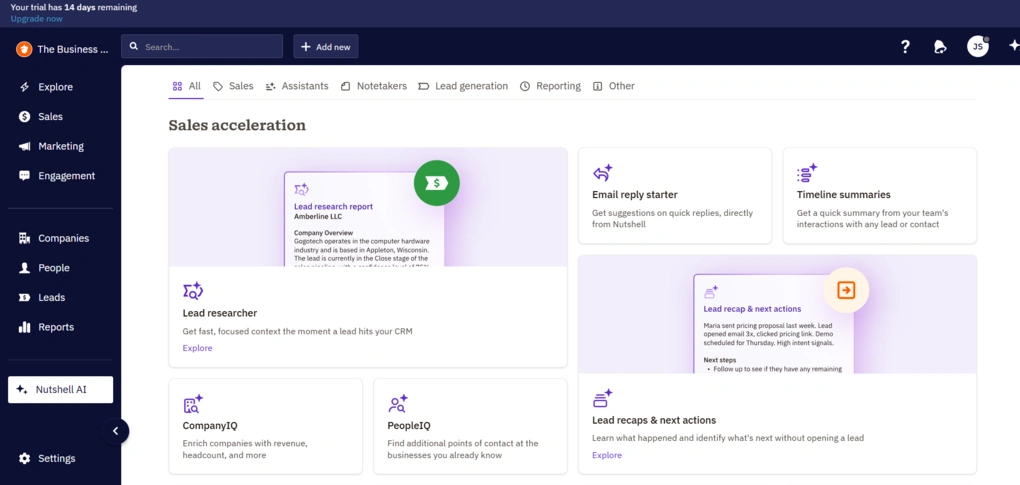
Last but not least is Nutshell’s AI.
One of its most useful parts is automatic summarization – a recap of the lead’s entire history, so you can quickly understand what’s going on. Plus, it can suggest next steps.
AI is also used for communication. You can generate email replies, build sequences, and even create full campaigns with a few prompts. Additionally, it can transcribe and summarize calls and meetings.
Finally, Nutshell is pushing AI further with AI agents. These are small, task-specific helpers that handle things like research, reporting, outreach, and pipeline suggestions in the background.
Nutshell integrations
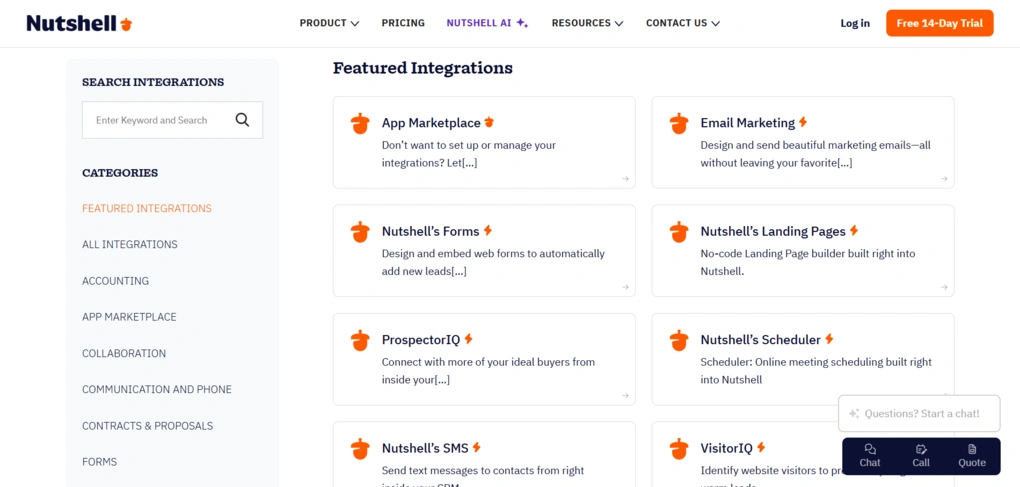
Nutshell includes dozens of native integrations across categories like email, communication, marketing, scheduling, and accounting. You can connect tools like Google Workspace and Microsoft 365 for email and calendar sync, Slack for team communication, and tools for tracking calls inside the CRM.
There’s also an App Marketplace with 50+ ready-to-use integrations, covering tools for marketing automation, forms, support, and more.
If that’s not enough, you can use Zapier to connect Nutshell with 8000+ other apps.
Nutshell user interface
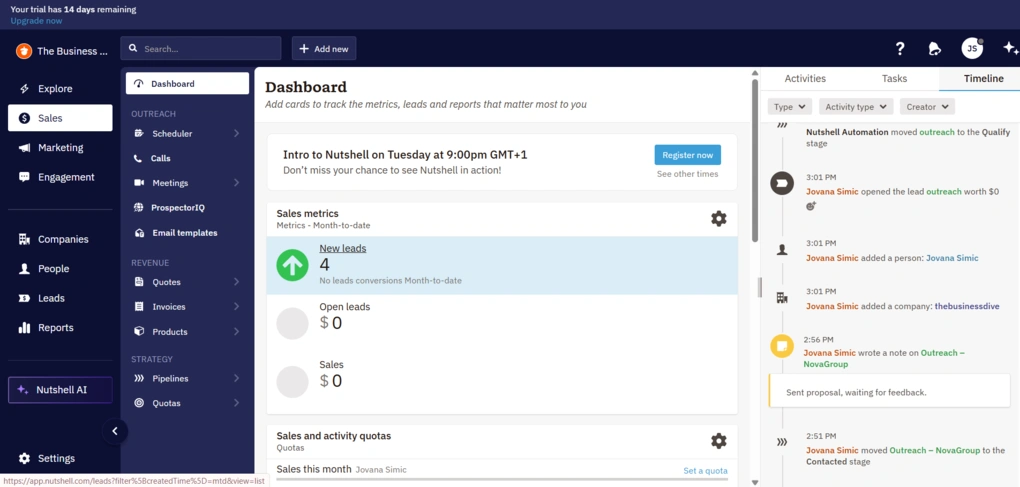
Nutshell has a lot going on, and you feel that right away. Because of that, it’s not always clear where things are or how everything connects at first.
That doesn’t mean the user interface is not good – I found it user-friendly, actually.
There’s also a decent amount of customization. You can adjust fields, pipelines, and views, and make the tool fit your workflow instead of the other way around.
Nutshell pricing plans
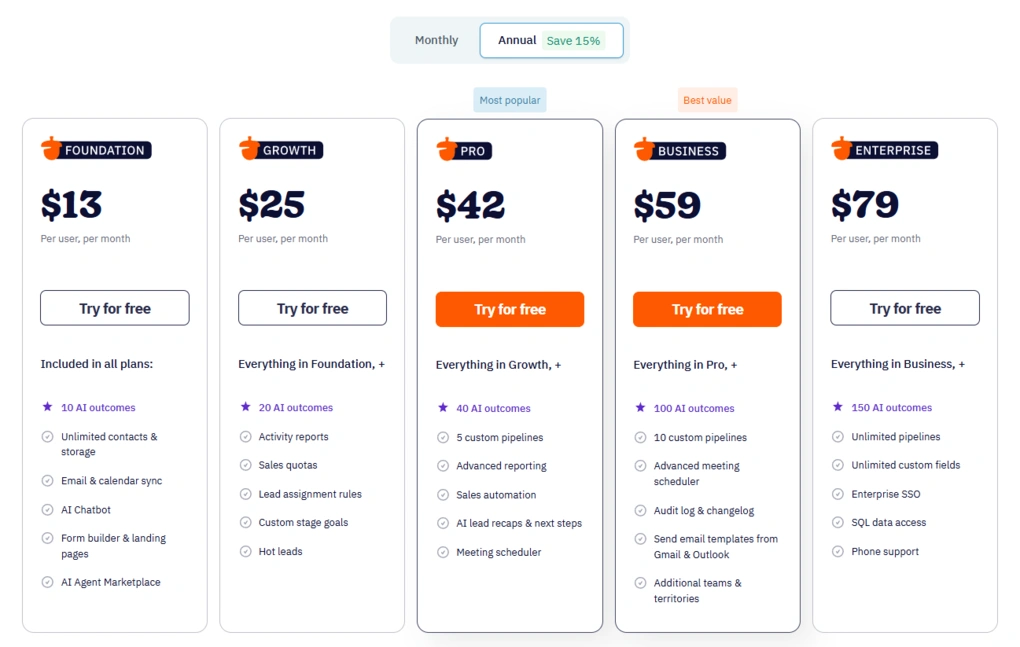
Nutshell doesn’t offer a free plan, but it does come with a 14-day free trial that gives you access to the full product.
After that, you can choose between five paid plans, starting with Foundation at $13 per user per month (billed annually), which covers the basics like contact management, email and calendar sync, and a single pipeline. The next tier is Growth at $25 per user per month, which adds reporting, quotas, and more control over lead management.
The Pro plan costs $42 per user per month and introduces more advanced features like sales automation, multiple pipelines, and AI summaries. Business is priced at $59 per user per month and focuses on more advanced customization, scheduling, and team features. The highest tier, Enterprise, costs $79 per user per month and includes unlimited pipelines and custom fields, along with more advanced access and support options.
On top of the base plans, there are also paid add-ons.
What Nutshell does well and where it falls short
After testing Nutshell, these are the biggest strengths and limitations that stood out to me.
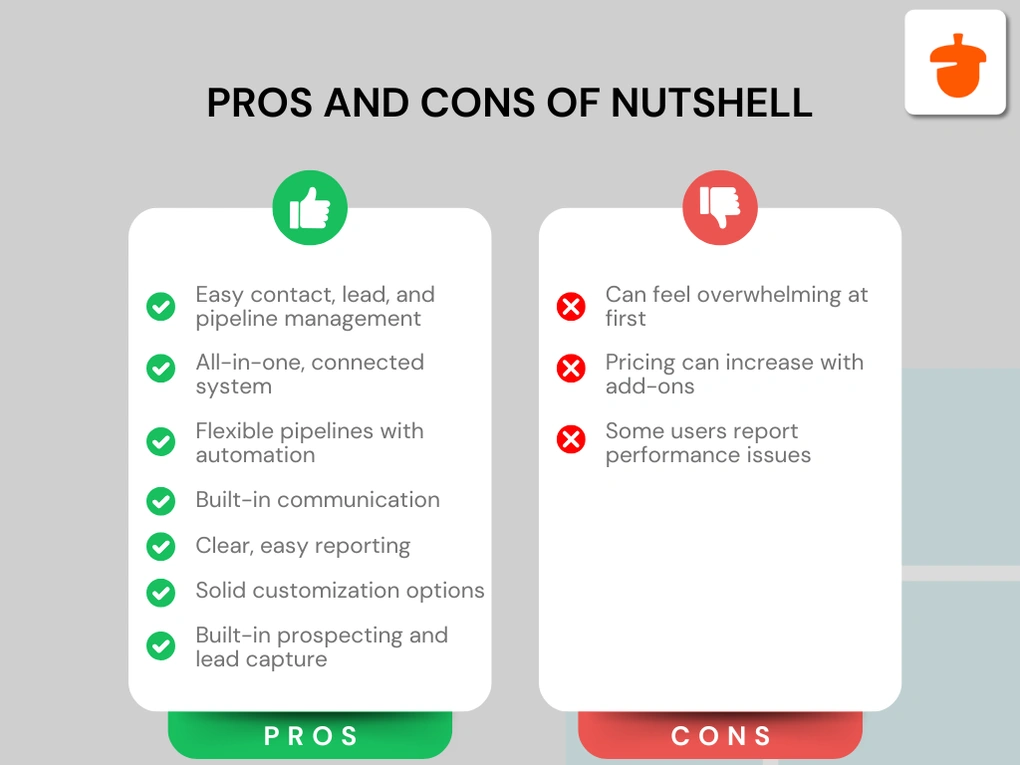
Strenghts
Limitations
Nutshell alternatives
If you’re still unsure whether this is the right CRM tool for you, we’ve got you! Here are some solid Nutshell alternatives worth considering:
|
App |
Best for |
Description |
|---|---|---|
|
Pipedrive |
Best for sales-focused teams |
Pipedrive is a sales-focused CRM built for managing deals and moving leads through a clear visual pipeline. |
|
HubSpot |
Best for all-in-one CRM |
HubSpot is an all-in-one CRM that combines sales, marketing, and automation in one platform, with a strong free plan and solid core features. |
|
Copper CRM |
Best for Google Workspace users |
Copper CRM is an easy-to-use CRM that works best for teams already using Google Workspace. |
|
Zoho CRM |
Best budget-friendly CRM |
A flexible CRM platform with a wide range of features, including automation, analytics, and customization options. Often used by businesses looking for a more affordable all-in-one solution. |
|
Salesforce |
Best for enterprise teams |
A highly customizable CRM designed for large organizations, offering advanced automation, reporting, and integration capabilities across complex business processes. |
|
Monday CRM |
Best for visual workflows |
A visual CRM built on a flexible workspace, allowing teams to manage pipelines, tasks, and processes in a highly customizable way. |
Wrap up: Nutshell Review 2026
We’ve come to the end of this review. I would wrap up by saying that Nutshell is a solid, all-in-one CRM that covers the full sales workflow from start to finish.
It’s not the simplest tool at first, but once you get used to it, the core features work well and feel connected. At the same time, not every feature will be relevant for every team.
Overall, it’s a good fit if you want structure and everything in one place, but less so if you’re looking for something minimal or highly specialized.
Explore our Apps directory
A curated directory of software tools we’ve independently reviewed, with links to full reviews, comparisons, and category guides.
Why you can trust our reviews
At thebusinessdive.com, our team tests, reviews, and compares hundreds of productivity apps every year — from project management tools to note-taking apps. We dive deep into real-world use cases to help you find the right tools that actually improve your workflow, not just add noise.
Our mission? No fluff, no shortcuts—just honest, hands-on insights from productivity pros.
Discover how we stay transparent, read our review methodology, and let us know about any tools we missed.
Frequently asked questions
Is Nutshell CRM easy to use?
Nutshell is relatively easy to use once you get past the initial setup. The interface can be overwhelming at first, but the core workflow becomes clear after some time.
Does Nutshell have a free plan?
No, Nutshell doesn’t offer a free plan. However, there is a 14-day free trial with full access to all features.
Is Nutshell good for small teams?
It can work well for small teams, but it might be too much if your needs are very simple. It’s a better fit for teams that have an active sales process and need structure.
Disclosure: I only recommend products I would use myself, and all opinions expressed here are our own. This post may contain affiliate links through which, at no additional cost to you, I may earn a small commission. Read the full privacy policy here.

Hey there! I am Aron, the founder of Thebusinessdive. I have been testing productivity apps for almost three years now. I reach 25.000 -50.000 people monthly with the mission to help you find the perfect productivity apps. Subscribe to my YouTube channel, newsletter, and social media to hear more about the best productivity tools. Let’s dive in!