


Cleanfox Review 2026 | Is It Safe for Your Privacy?
A free, eco-friendly app that promises to help you clean your inbox and reduce your carbon footprint sounds almost too good to question.
That is exactly the appeal of Cleanfox. It positions itself as a simple way to unsubscribe from unwanted email subscriptions while showing you how much CO2 you have saved in the process.
But there is another side to the story.
Cleanfox is free because it monetizes anonymized data extracted from transactional emails, which raises fair questions about how it handles user information.
In this Cleanfox review, I will share my personal experience with this app and whether the trade-off between convenience and data usage is worth it.
Let’s dive in!
Verdict
Here’s the quick verdict if you don’t want to read the full Cleanfox review:
🎯 Best for: Users who want a completely free, fast, and simple way to unsubscribe from newsletters and clean their inbox
🚫 Not ideal for: Privacy-focused users or those looking for advanced email management and automation features
⭐ Biggest strength: Extremely easy and fast unsubscribe experience with a fun, intuitive interface
⚠️ Biggest weakness: Relies on analyzing anonymized email data and lacks deeper inbox management features
⚖️ Verdict: A simple and effective free unsubscribe tool that makes inbox cleanup quick and enjoyable, but comes with clear limitations in features and a data-based business model.
🏆 Score: 3/5
✅ Tested with our review & scoring methodology ✅ Real-world testing ✅ Unbiased evaluation
Cleanfox review
Summary
Cleanfox is a free inbox cleaning app focused on fast subscription management and bulk email cleanup. It stands out for its simple interface, swipe-based actions, and eco-friendly angle, while relying on anonymized transactional data to fund the service. Best suited for users who want a quick, free way to clean their inbox and are comfortable with the data trade-off.
|
|
Completely free to use, with no subscriptions or hidden costs
|
|
|
Fast and simple unsubscribe workflow
|
|
|
Enjoyable card-based interface
|
|
|
Clear overview of newsletter activity and email volume
|
|
|
Transparent explanation of how the app makes money
|
|
|
Option to opt out of anonymized statistical analysis
|
|
|
Limited advanced controls
|
|
|
No long-term inbox management or automation features
|
|
|
Relies on analyzing anonymized transactional email data
|
How We Test Email Apps
To keep our reviews & final score for each email app fair and consistent, we evaluate every tool using the same testing framework based on real-world usage, feature depth, and overall value.
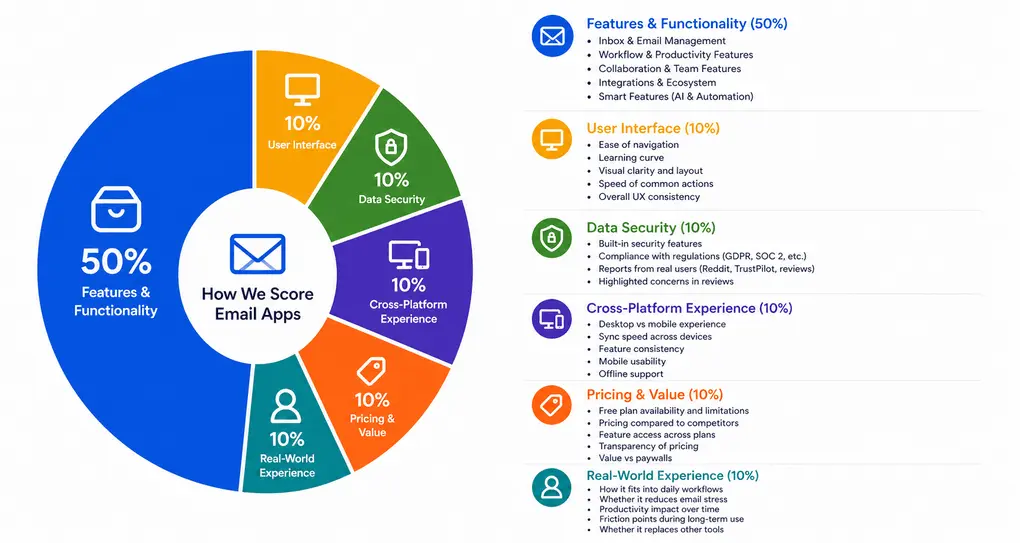
Our scoring breakdown after testing 10+ email apps:
⚙️ Features & functionality → 50%
🖥️ User interface → 10%
🛡️ Data security → 10%
📱 Cross-platform experience → 10%
💰 Pricing & value → 10%
👥 Real-world experience → 10%
Want a detailed breakdown of how we test each category?
Learn exactly how we test tools → Review methodology
Short on time? Here’s a quick overview of Cleanfox
What is Cleanfox?
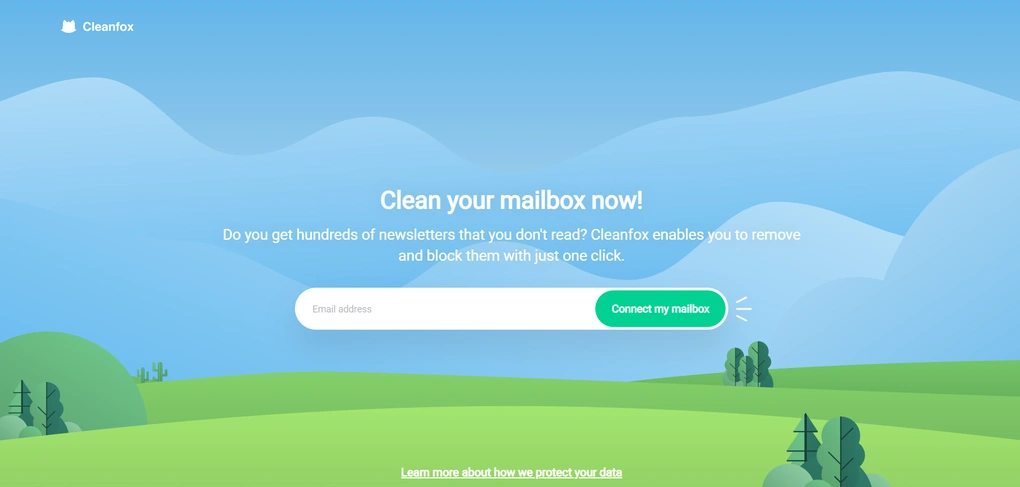
Cleanfox is a free inbox cleaning app created by Foxintelligence, a French market research company. The app was launched in 2016 and has since been downloaded more than 10 million times, maintaining an average rating of around 4.7 stars on app stores.
It is available for Gmail, Outlook, and Yahoo accounts, and positions itself as a simple solution for users who want to unsubscribe from unwanted email subscriptions and reduce inbox clutter quickly.
Cleanfox is GDPR compliant and states that it generates revenue through anonymized e-commerce data analysis rather than charging users.
According to the developers, Cleanfox has helped users delete over 30 million emails so far. When you look at how many spam emails the average person receives over the course of a few years, that number does not feel unrealistic.
How Cleanfox performed in my daily workflow
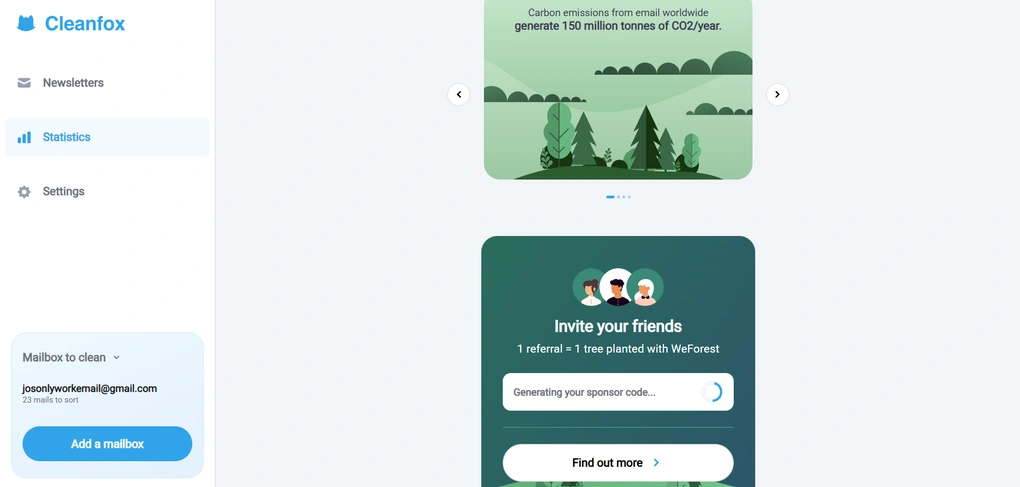
During my Cleanfox review, I liked that I could jump straight into cleaning without setting anything up, and the card-based sorting made it easy to move quickly through newsletters.
It’s not a tool I would keep running in the background long term, but for focused inbox cleanup sessions, it worked really well.
I also took the time to research the data privacy side before fully trusting the app. Based on what is publicly available, Cleanfox appears transparent about how it handles anonymized transactional data and operates under GDPR.
Still, this is something you should consciously take into account when using Cleanfox for sensitive emails.
Cleanfox’s score explained
Cleanfox received a low score because it lacks productivity, team collaboration, and smart/AI features, whereas some other alternatives offer such functionalities.
While it significantly impacted Cleanfox’s final score, if you don’t look for such features and instead look for a very simple unsubscribe app, that’s a different story.
Cleanfox’s focus on simplicity helped it earn high scores for inbox management, and it offers an excellent user interface and cross-platform support.
Ideal users for Cleanfox
Where Cleanfox falls short
If you are curious about how I came to these conclusions, scroll down for the key features, pricing, and more privacy information.
Key features
Now let’s take a closer look at the key features I tried during my Cleanfox review!
Smart inbox scan

When you connect your email account, Cleanfox scans your inbox and identifies recurring commercial senders. That includes newsletters, promotional emails, brand campaigns, and other marketing messages that keep showing up in your mailbox.
However, Cleanfox does not show you individual emails from a sender inside the app. You cannot open and read specific messages there. Instead, you see a sender-level overview. For each sender, the app displays how many emails you have received and how many you have opened. That is the core data you use to decide whether to unsubscribe, keep the subscription, or delete past emails.
During my Cleanfox review, this felt both helpful and slightly limiting. Helpful because it keeps the process fast and focused. You are making decisions based on patterns, not rereading old emails. Limiting because if you want to check a specific message before deciding, you have to go back to your actual inbox in Gmail, Outlook, or Yahoo to review it there.
So this email tool works as a decision layer on top of your mailbox, not as a full email client. It helps you manage recurring promotional traffic, but it does not replace your inbox or give you detailed control over individual mails.
List view and One-click actions

Once senders are identified, Cleanfox gives you two ways to move through them.
In list view, you can sort senders by open rate, by the number of mails received, or by date. If your goal is to get rid of subscriptions you barely open, sorting by least opened is the fastest way to clean your inbox. When you notice that you received 120 emails and opened maybe three, the decision almost makes itself.
If you want to tackle the biggest clutter first, sorting by volume makes that obvious immediately. The default order highlights the senders who have sent you the most emails.
From this view, you can select multiple senders and take action in bulk. With just one click, you can unsubscribe or delete large batches of old emails.
Card view
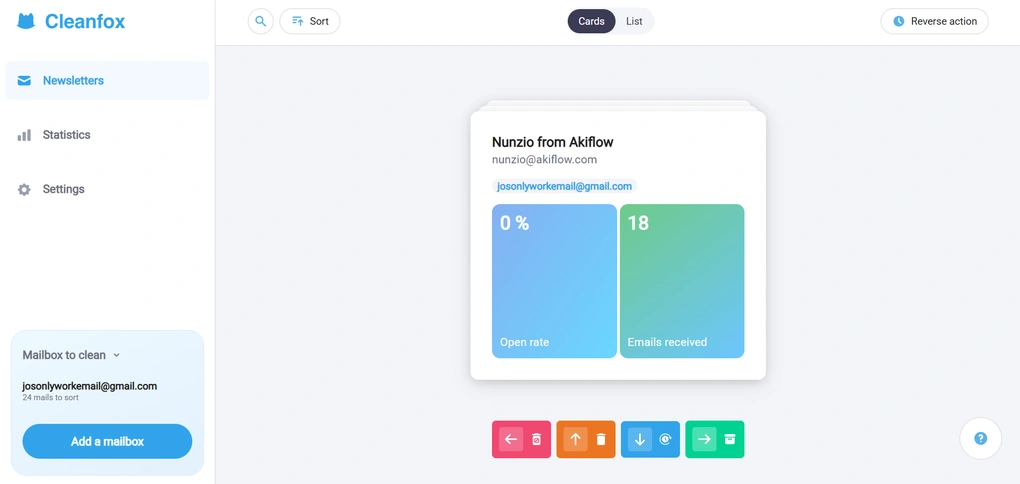
The second way to go through the detected promotional material is card view. Instead of looking at a structured list, you move through senders one by one. Each sender appears as a card, and you just have to swipe.
This is easily one of my favorite parts of Cleanfox. Swipe left to unsubscribe and delete past emails, swipe up to delete old mails but keep the subscription, swipe right to keep everything. Cleaning my inbox was like a game.
Reverse action
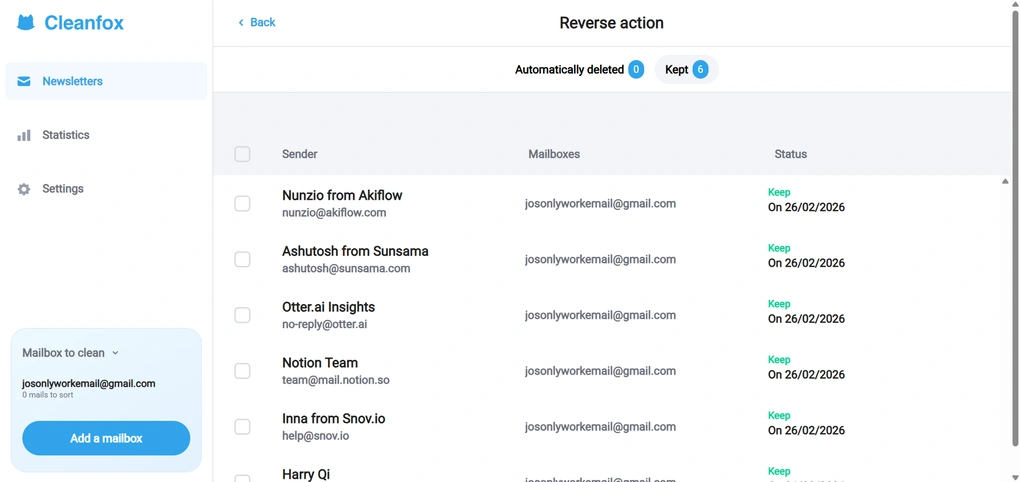
Whether you are using list view or swiping through cards, it is easy to move quickly and make a decision you did not fully think through. You might unsubscribe from the wrong sender or delete emails you meant to keep.
Cleanfox includes a reverse action option that allows you to undo those changes. The history keeps track of actions like automatically deleted and kept senders, so you can restore them if needed.
However, it does not save everything. Deleted emails do not appear in the history. Cleanfox cannot undo that action inside the app, but you can still recover those emails directly from the Trash section of your mailbox for a limited number of days.
Environmental impact tracking
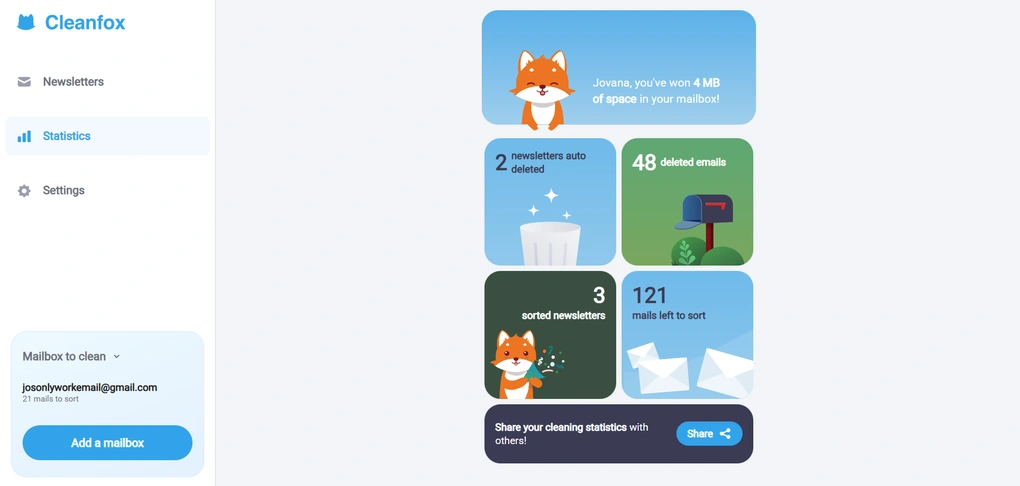
This is the feature that makes Cleanfox different from most alternatives. The eco-friendly angle genuinely matters to me, and I like the idea that cleaning up my inbox can also reduce unnecessary digital waste.
The app shows statistics about how much CO2 you save by cleaning your inbox. One email generates around 10 grams of CO2 per year. Considering that over 200 million emails are sent every minute globally, the environmental impact of unused subscriptions adds up quickly.
Cleanfox turns this into a small gamified element. You can see how much carbon you have saved and track your progress as you clean.
If you just want to unsubscribe and move on, you can ignore the environmental panel completely. But if you care about reducing digital waste, this feature becomes much more purposeful.
Data privacy

Cleanfox is free, and that is directly connected to how it handles data. The app scans your email account and processes commercial emails such as newsletters and purchase confirmations.
Its parent company, Foxintelligence, uses anonymized and aggregated transactional data for market research. Cleanfox states that it is GDPR compliant and does not sell personal data for ad targeting, but it does extract insights from email content to fund the service.
This is where the trade-off becomes clear. Cleanfox is not a privacy-first tool. It prioritizes convenience and zero cost over full data isolation. While there have not been major public regulatory scandals tied to Cleanfox, its business model still depends on analyzing inbox data.
If you have read our Unroll.Me review, you already know that Unroll.Me faced significant backlash in the past for sharing anonymized purchase data with third parties, which damaged user trust.
In that sense, both tools rely on inbox access to sustain a free model, even if the structure and transparency of their data usage differ. If data privacy is your top priority, a paid alternative that does not monetize inbox data may be the safer choice.
User interface
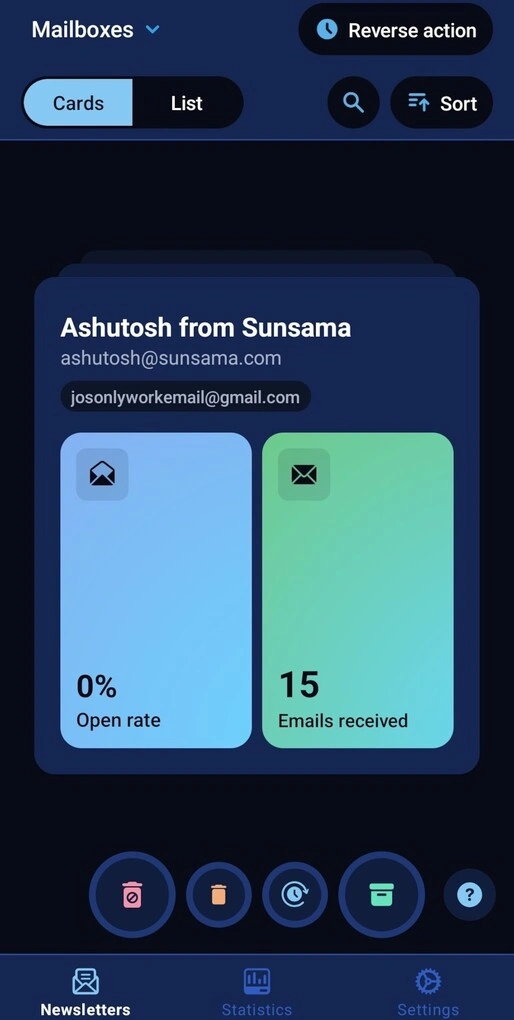
The Cleanfox interface is simple, playful, and easy to navigate.
I also tested the iOS app, and the experience was just as good. The layout is almost identical to the web version, but on mobile the swipe flow is more natural and fits the screen better.
Integrations
Cleanfox works with the most commonly used email services, including Gmail, Outlook, Yahoo Mail, and other IMAP-based accounts.
For Gmail users, there is one extra step. Because of changes in Google’s API policy, you need to enable IMAP, turn on two step verification, and create an app specific password to connect your account.
That means you are not entering your main Gmail password into Cleanfox, but generating a separate password only for this app.
If you ever want to remove access, you can simply revoke that app password in your Google account settings, and Cleanfox will immediately lose access to your mailbox.
Explore our Apps directory
A curated directory of software tools we’ve independently reviewed, with links to full reviews, comparisons, and category guides.
Cleanfox pricing
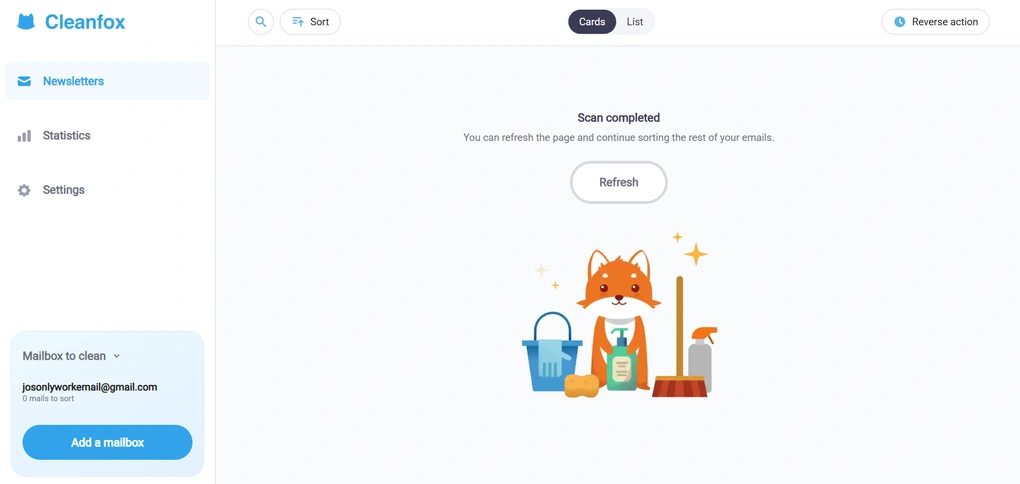
Cleanfox is completely free to use. There are no subscriptions, paid plans, or hidden costs, which naturally raises the question of how the app makes money.
According to Cleanfox’s FAQ, the app does not sell personal user data and does not share inbox content for advertising or profiling purposes. Instead, Cleanfox generates revenue through statistical analysis of anonymized e-commerce data as part of its parent company’s business model.
If you are not comfortable with this, Cleanfox allows you to opt out of the statistical panel directly in your account settings. This level of transparency is something I appreciated, especially when comparing it to other free tools like Unroll.me, where data usage is less intuitive.
Overall, Cleanfox remains a genuinely free unsubscribe tool, with a monetization model that is clearly explained and easy to opt out of if needed.
Pros and cons I discovered during my Cleanfox review
Now, let’s break down Cleanfox’s strengths and limitations.
Pros of Cleanfox
Cons of Cleanfox
Cleanfox alternatives
If you’re still unsure whether this is the right email management app for you, we’ve got you! Here are some solid Cleanfox alternatives worth considering:
|
App |
Best for |
Description |
|---|---|---|
|
Clean Email |
Best for inbox cleanup |
A reliable and transparent inbox management tool that gives you full control over email cleanup, but most advanced features require a paid plan. |
|
Unroll.me |
Best for unsubscribing |
One of the more popular free apps for unsubscribing from marketing emails. However, it monetizes user data, which may raise security concerns. |
|
Spark |
Best AI email client |
A popular email client with built-in AI features, smart inbox organization, and collaboration tools. Unlike Clean Email, Spark focuses more on AI assistance and email productivity than long-term inbox cleanup. |
|
Missive |
Best for team collaboration |
A collaborative email client designed for teams, with shared inboxes and task assignment. It’s more of a productivity workspace than a cleanup tool, but useful if you need collaboration plus email management. |
|
Sanebox |
Best for automatic email filtering |
An email organizer that filters unimportant messages into separate folders automatically. It works with any email provider and focuses on a clean inbox, though its feature set and pricing differ from Clean Email. |
|
Virtualworkforce.ai |
Best for automating email workflows with AI agents |
Virtualworkforce.ai is an AI agent platform that automates email workflows by handling replies, classification, knowledge retrieval, and data extraction from emails and documents. Full Virtualworkforce.ai review | Quick Virtualworkforce.ai overview |
Wrap up: Cleanfox review
Cleanfox adds an extra layer of meaning to inbox cleanup without getting in the way of actually doing the job. The eco-friendly perspective is there if it matters to you, but it never overshadows the core experience.
At the end of the day, Cleanfox works because it makes unsubscribing fast, intuitive, and low-effort, which is exactly what most people want when they decide it’s finally time to clean up their inbox.
Yes, it is free because it monetizes anonymized transactional data. But unlike some other free tools, Cleanfox is relatively transparent about that model and operates under GDPR. Compared to Unroll.Me, which faced public privacy controversies in the past, Cleanfox currently has a more stable reputation in that area.
Related articles:
- The 7 Best Unsubscribe Apps in 2026 | My Honest List
- 8 Best Email Apps in 2026 | My Thoughts After Testing +15 Apps
If you want a free inbox cleaning app and understand the data trade-off, Cleanfox is, at least for now, one of the more reasonable options.
Why you can trust our reviews
At thebusinessdive.com, our team tests, reviews, and compares hundreds of productivity apps every year — from project management tools to note-taking apps. We dive deep into real-world use cases to help you find the right tools that actually improve your workflow, not just add noise.
Our mission? No fluff, no shortcuts—just honest, hands-on insights from productivity pros.
Discover how we stay transparent, read our review methodology, and let us know about any tools we missed.
Frequently asked questions
Is Cleanfox really free and how does it make money?
Yes, the Cleanfox app is free to download and use. You can connect your Gmail, Outlook, or Yahoo email account and start to unsubscribe, delete, and clean your inbox without paying money. You do not need to sign up for a paid plan, and there is no hidden subscription.
However, Cleanfox is not free by accident. The app extracts transactional data from commercial emails in your mailbox and uses anonymized, aggregated insights for market research through its parent business.
Cleanfox claims it does not use data for ad targeting, but it does analyze inbox data to fund the service. This is why many users who are concerned about data privacy start looking for a paid alternative.
Does Cleanfox actually unsubscribe you from emails?
When you unsubscribe with Cleanfox, it often does not remove you from the mailing list at the source. Instead, future incoming emails from that sender are automatically moved to Trash.
In practice, that still helps you get rid of spam emails and clean your inbox quickly. But technically, the subscription may still exist in the background. If you want a tool that fully unsubscribes you at the source, some users prefer alternatives like Clean Email.
Cleanfox works well for fast cleanup, but it is important to understand how the unsubscribe process actually works.
Is Cleanfox safe to use with Gmail and other email services?
Cleanfox works with Gmail, Outlook, Yahoo, and other IMAP-based services. For Gmail, you need to create an app-specific10230000.0 password instead of entering your main password directly.
This means you can revoke access at any time from your Google account settings. If you delete your Cleanfox account in the app settings, access should also be removed.
From a technical security perspective, the app does not require your main password, and access can be controlled. The bigger question for most users is not basic security, but data usage.
Cleanfox scans your email account to manage subscriptions and unwanted senders, and that access is what allows it to function.
If you are comfortable with that trade-off, the app can be a helpful and efficient way to clean your inbox. If not, you may want to consider a paid alternative that limits how inbox data is processed.

Hey! I’m Jovana, a content writer who loves writing, researching, and testing new productivity apps. With a background in philosophy, I bring a thoughtful but no-bullshit approach to everything I do. Let’s connect on Linkedin!