



- Independently reviewed
- Hands-on evaluation
Quick Verdict
A convenient all-in-one PDF and business management platform, but most features require a paid subscription.
- Best for: Freelancers and small businesses combining PDF tools, invoicing, and expense tracking.
- Not ideal for: Users who need advanced PDF editing, accurate OCR, or sophisticated e-signature workflows.
- Pricing: Free & Paid Plans (-$12/user/month)
Lumr's strengths
- Combines PDF editing, invoicing, and expense tracking
- Automatic receipt scanning and expense markups
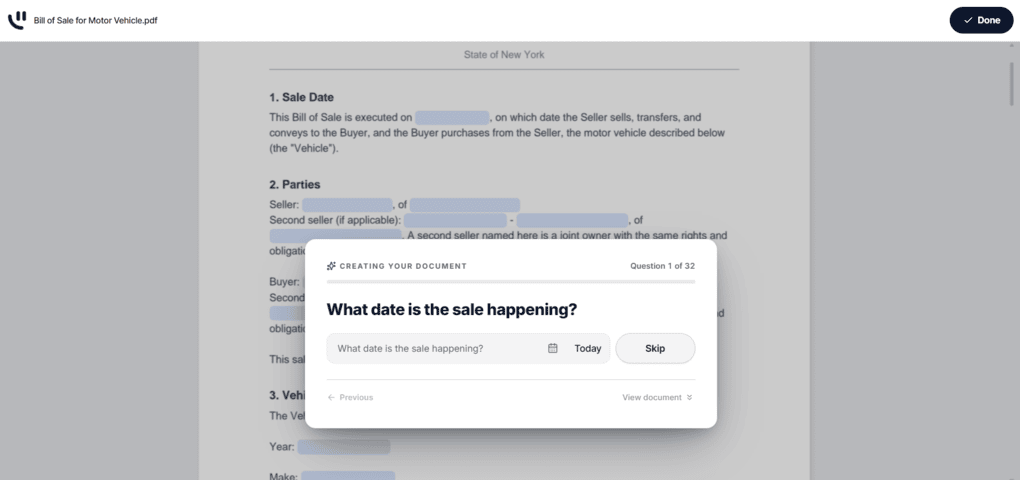
- Useful legal templates with guided document creation
- Includes useful invoice customization
Lumr's limitations
- PDF editing lacks advanced features
- Inconsistent OCR accuracy and limited scanned-text editing
- Basic e-signatures without multi-signer workflows n
- Most features require a paid subscription
Related guides and comparisons
November 10, 2026
October 14, 2026
September 28, 2026
Popular Lumr alternatives

PDF Editors
Foxit
Foxit is a feature-rich PDF editor built for advanced document control. It offers text editing, page management, and annotation tools.
Free

PDF Editors
Smallpdf
Smallpdf is a browser-based PDF editor that makes quick editing, converting, and signing PDFs simple and accessible.

PDF Editors
pdfFiller
pdfFiller is an all-in-one PDF editing and e-signature platform built for managing complete document workflows online.
You can also explore more tools in our complete apps library.
Related videos
Our Evaluation Process
Our Lumr evaluation is based on hands-on testing and comparison with other PDF editors.
