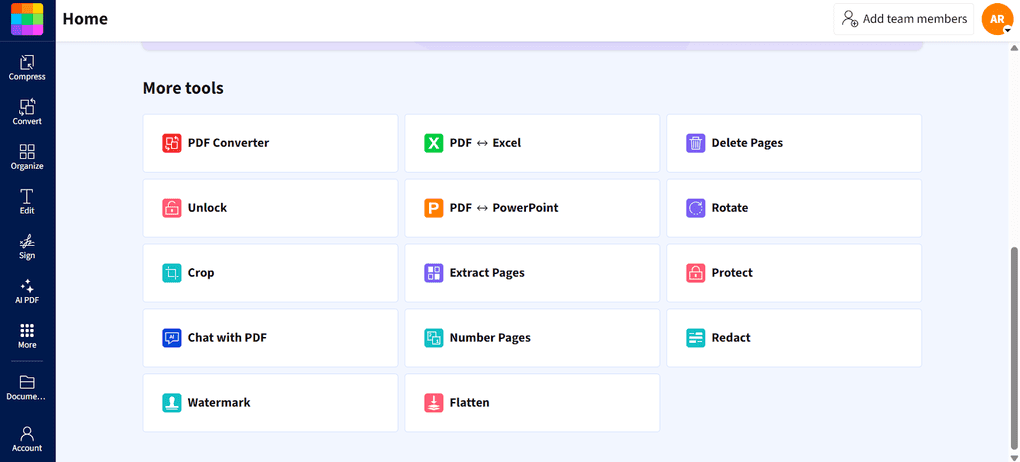
An online PDF app with numerous tools to convert, compress, and edit PDFs
- Independently reviewed
- Hands-on evaluation
Quick Verdict
Smallpdf is a fast, intuitive, and well-rounded PDF and document management tool that stands out with its strong AI features, integrations, organization and conversion tools.
- Best for: Teams & individuals who need a versatile online PDF editor
- Not ideal for: Users who need a desktop PDF editor
- Pricing: Free & Paid Plans ($79.9/user/year)
Smallpdf's strengths
- It has intuitive user interface
- Allows you to use it inside your Google Workspace and Dropbox
- Many free online PDF tools
- Excellent AI-powered features
- Efficient file conversion and compression
Smallpdf's limitations
- It does not have advanced annotation tools
- Does not support too many PDF reading functions
See Smallpdf review
An online PDF app with numerous tools to convert, compress, and edit PDFs
REVIEW
Related guides and comparisons
Popular Smallpdf alternatives
PDF Editors
PDF Expert
PDF Expert is a lightweight PDF editor built specifically for macOS and iOS. It delivers fast performance and a polished native experience.
PDF Editors
pdfFiller
pdfFiller is an all-in-one PDF editing and e-signature platform built for managing complete document workflows online.
PDF Editors
LightPDF
LightPDF is an AI-powered PDF editor that lets you edit, convert, OCR, sign, annotate, chat with PDFs, and more.
Related videos
Our Evaluation Process
Our Smallpdf evaluation is based on hands on testing and comparison with other PDF editors. This page may contain affiliate links that, at no additional cost to you, may earn a small commission.