



10 Best AI Scheduling Assistants To Maximize Your Time In 2026
Ever feel like you just lost control over your calendars and tasks? Believe me, I know the feeling when you have so many tasks on the table and do not know where to start. These are exactly the situations where an AI scheduling assistant app can change everything and give you the momentum you need.
If you are tired of constantly checking your calendars, scheduling tasks, and scanning time zones to not overlook a meeting, you want to give AI scheduling apps and assistants a chance. People using an AI scheduling assistant not only get more work done but also give them peace of mind that traditional calendars can not.
In this guide, I collected and reviewed the best AI scheduling assistants to help you find the one that helps you maximize your time.
Let’s dive into the ten best AI scheduling assistants in 2026!
Benefits of AI calendar apps
AI calendar apps utilize artificial intelligence, including machine learning algorithms and natural language processing, to schedule meetings and tasks and optimize your weekly schedule.
Scheduling meetings and tasks
An AI scheduler continuously learns and understands your work and scheduling habits. Based on your provided working hours, tasks, priorities, and feedback, the AI scheduler will craft a weekly schedule that suits you. AI calendars can automatically reschedule meetings and tasks if there is more urgent work.
You no longer need to ask, “Does this time work for you?” as an AI scheduling assistant will find the perfect time for you and other attendees based on your preferences. No more checking for time zones and available time slots, scheduling conflicts, or back-and-forths about timing.
Using an AI scheduling assistant will require almost zero manual scheduling from your side, and you can focus on more important matters.
Calendar management
AI scheduling assistants can make your calendar management smoother. AI calendar apps combine calendars like Google Calendar or Outlook Calendar into one view, so you can simultaneously see your personal and work calendars.
Instead of checking calendar events in several calendars, you will see every appointment, meeting, and task in your smart calendar in one place.
Analytics and tracking
Using AI scheduling tools can assist you in improving your and your team’s performance. Depending on the AI scheduling tool, you can access details about time spent on tasks, meetings, workload, or work-life balance metrics.
Overall, you can use these details to track productivity and plan future projects based on figures instead of gut feelings.
Task and project management
It is common to use AI scheduling tools for task and project management. You can integrate all your tasks from a project management app, or the AI calendar app has project and task management features.
The bottom line is that whether you use a separate project management app or the AI scheduling tool for project and task management, you can decide.
Best AI scheduling assistants ranked and reviewed
Now, let’s discover the best AI scheduling assistant in 2026!
Reclaim AI
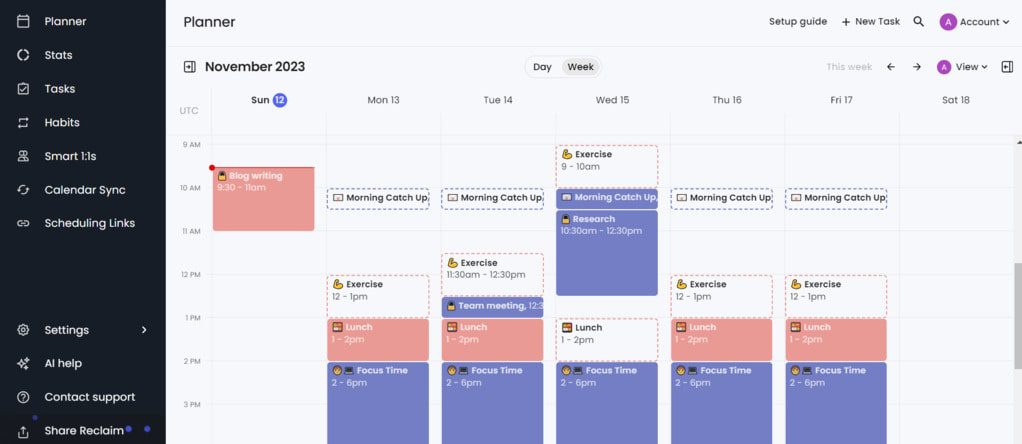
Reclaim is an AI scheduler that automatically finds the best time slots for tasks, meetings, habits, and breaks. Besides working as an AI scheduling app, it also has task management features, and you can integrate it with many project management apps.
They designed this app to help you manage your business and personal calendars and find work-life balance.
Key features
- Adaptive AI Scheduling: Besides time blocking of meetings and tasks, Reclaim AI will stay open to changes and automatically schedule your calendar based on priority level.
- Scheduling links: This feature helps you share availability links with others so they can book timeslots whenever it works for you.
- Calendar management: You can synchronize your Google Calendar with Reclaim AI and connect your iCloud or Outlook calendars indirectly through Google Calendar.
- To-do list sync: Reclaim lets you integrate your to-do list from project management tools, and it will seamlessly allocate time in your calendar.
- Time tracking and people analytics: You can track focus time, work-life balance trends, buffer time, meeting time, team performance, and more.
- Third-party integrations: Integration options with third-party apps.
User experience
Reclaim AI stands out for its user-friendly interface, offering an intuitive experience. The learning curve is swift, even if you are unfamiliar with similar scheduling tools.
The drag-and-drop functionality, customization options, details in its features, and sufficient integration possibilities make Reclaim a top choice for busy professionals.
Pricing
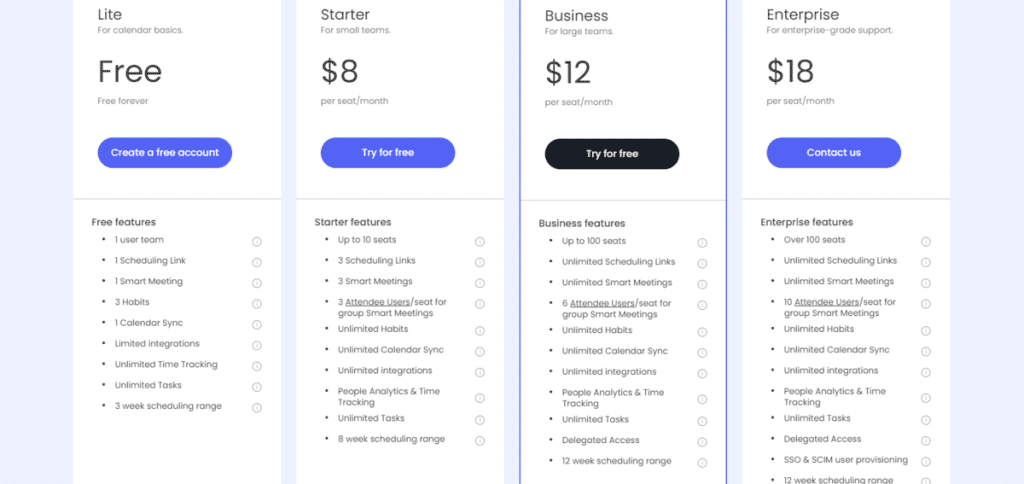
- Free plan: Available
- Starter plan: $8 per user/month
- Business plan: $12 per user/month
- Enterprise plans: Enterprise $18 per user/month
Pros and cons of Reclaim AI
Pros
- Automated scheduling organizes your weekly to-do list into a realistic schedule.
- You can effortlessly add tasks, habits, and meetings.
- The scheduling links feature completely eliminates the back-and-forth when setting up meetings.
- You can choose between normal and high-priority scheduling links, so if there is a crucial meeting, you can make it happen eve if there is a scheduling conflict.
- I love the way Reclaim helps to create a more balanced personal life.
- Reclaim regularly announces new updates.
Cons
- Direct integration with Outlook would be a valuable extra.
You can read the full review here: Honest Reclaim AI Review | An Unreal Advantage? (2026)
Motion
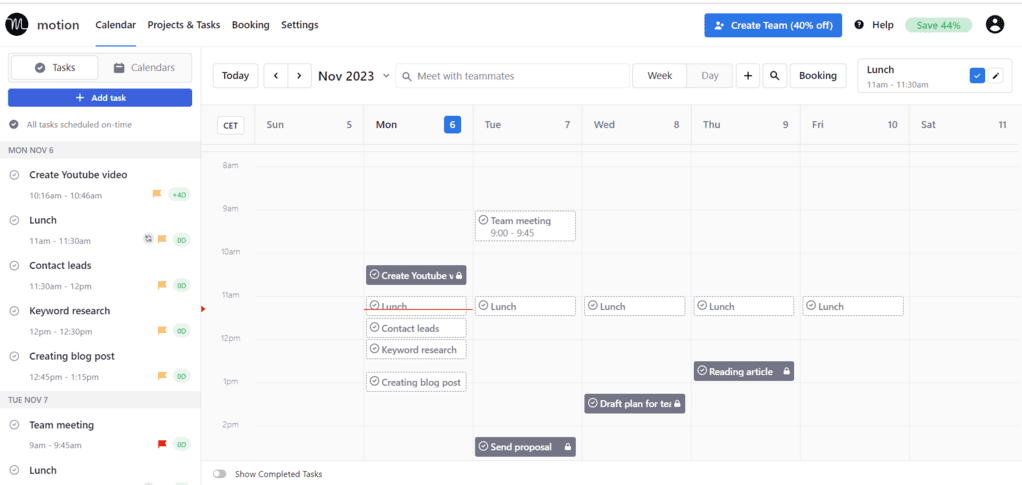
Motion leverages artificial intelligence to plan your schedule so you can manage your projects and tasks effectively. It is more than just an AI scheduling assistant. It is also an excellent task manager app that can help you to stay focused and organized.
Motion is a great way to overcome procrastination, relieving the stress of planning your week. It is available on web app, desktop, and mobile as well.
Key features
- AI calendar integration: The AI calendar feature allows you to sync your personal and work calendars to see all your appointments in one place.
- Personalized AI Scheduling: Motion builds a personalized weekly schedule based on your priorities, preferences, and due dates.
- Custom booking page: You can customize your booking page to share your availability based on your preferred meeting times.
- Task management: This feature provides an efficient way to assign tasks and keep track of progress.
- Automated project management: Motion takes the burden of project planning off your shoulders by automatically scheduling tasks and sub-tasks to ensure timely completion.
- Motion 3.0: This update included faster task creation, an improved mobile app, new project management functions, and a connection to Apple iCloud Calendars.
User experience
The first thing that comes up during the Motion app review is how intuitive the user interface is. While the navigation was pretty straightforward, Motion helps with additional tutorial videos to ensure you know all the features. I enjoyed the customizable options and how smoothly the task management feature works.
Pricing
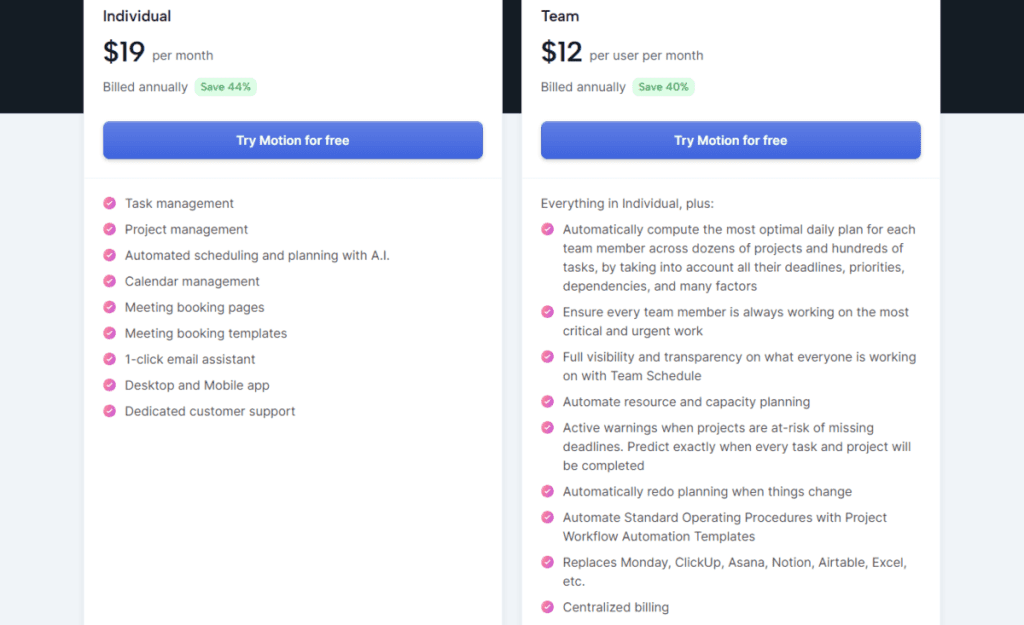
- Individual plan: $19 per user/month
- Team plan: $12 per user/month
Pros and cons of Motion
Pros
- Straightforward user interface and easy navigation.
- Effortlessly divide projects into tasks and tasks into sub-tasks.
- The warning message is a nice feature that lets you know if you will complete it by the due date.
- Easy to handle task manager functions.
- It is not too comprehensive, but it has solid project management functions.
- Customizable visualization.
- 7-day free trial.
Cons
- No free plan.
- The monthly plan is pricey.
- Lack of integration options.
Full review here: Motion App Review: My $228 Experience and Why I Don’t Regret It
Vizzy by Sintra AI
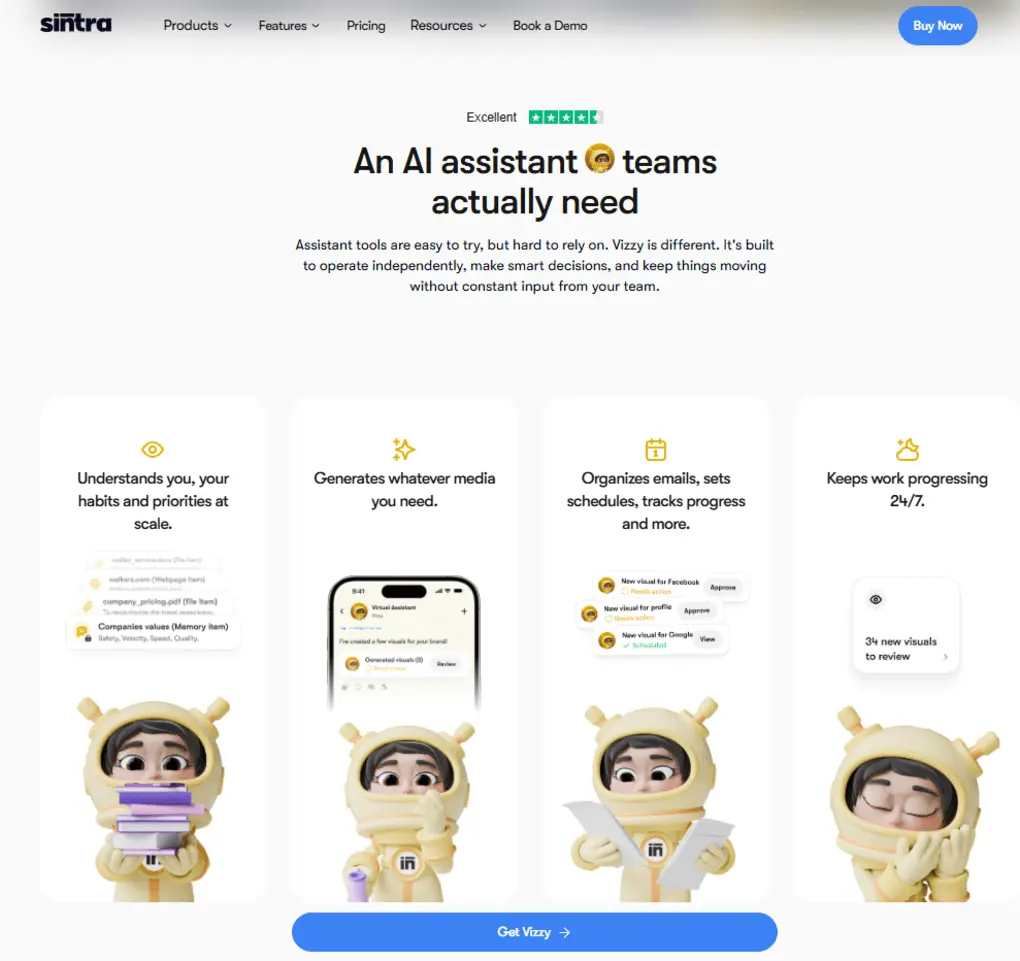
Vizzy is an AI virtual assistant built for people who want help coordinating meetings, managing calendars, and keeping day-to-day work moving without so much manual back-and-forth.
It is positioned as more than a simple booking tool, with scheduling support that sits inside a broader AI work assistant experience.
The strongest fit for this roundup is Vizzy’s scheduling angle: it can help organize meetings, coordinate availability, create events in chat, and support calendar workflows tied to Google Calendar or Outlook-focused use cases.
Sintra also presents Vizzy as useful for meeting notetaker, agendas, and general work coordination, which makes it a reasonable option for professionals who want scheduling plus light admin support in one assistant.
Vizzy looks most appealing for users who do not want a scheduling tool that only solves one narrow problem. Compared with classic calendar assistants, its pitch is broader: schedule meetings, manage inbox and calendar-related tasks, and support follow-up work from the same assistant layer.
That broader scope could be useful for founders, operators, and busy professionals who handle a mix of meetings and admin throughout the week.
Key features
- AI meeting scheduling and coordination
- Create calendar events
- Scheduling workflows for Google Calendar and Outlook-related use cases
- Meeting prep support, including agendas and minutes
- Broader admin support across inbox, meetings, and routine work
User experience
Vizzy is designed around a chat-style workflow where you describe what you need, then let the assistant help coordinate the task. Sintra’s scheduling pages emphasize quick setup, conversational input, and handling scheduling without leaving the assistant flow.
Pricing
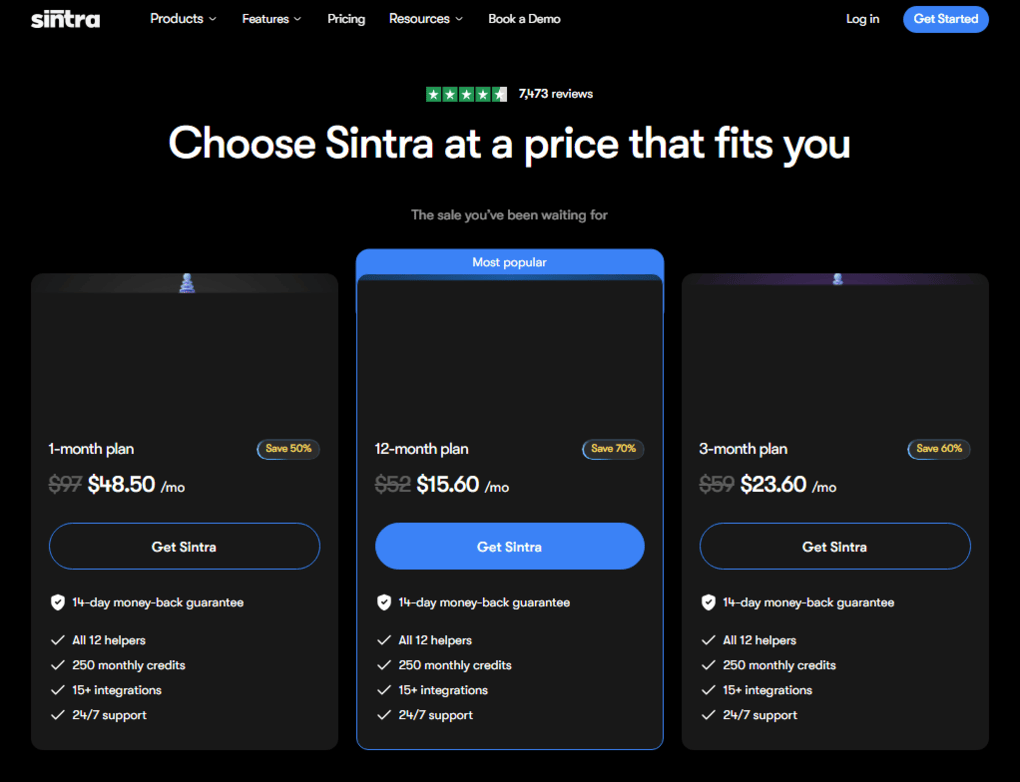
- 1-month plan: $48.50/mo
- 3-month plan: $23.60/mo
- 12-month plan: $15.60/mo
Pros and cons of Sintra AI
Pros
- You don’t need the traditional prompting
- Offers a centralized workspace
- It provides personalized outputs based on information about your business
Cons
- Lacks native integrations
- Pricey
Timehero
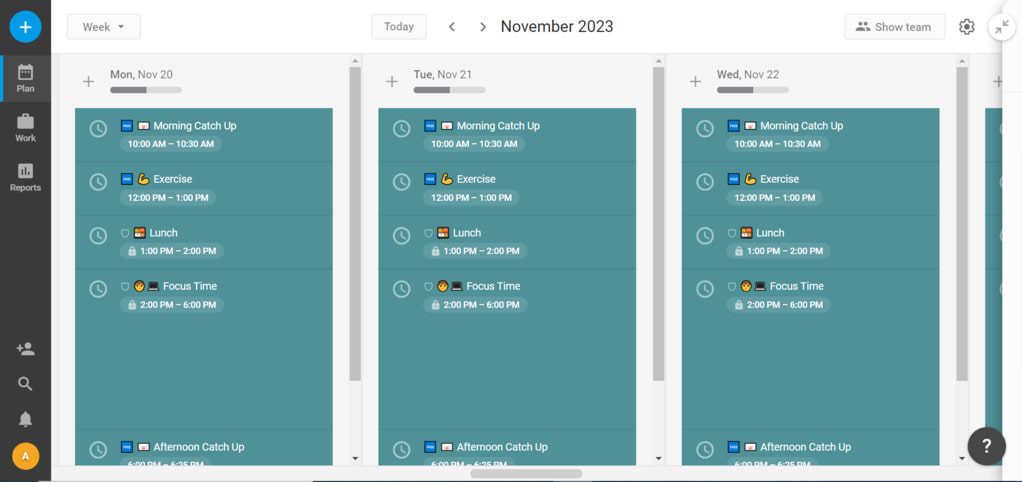
Timehero is a powerful AI scheduling assistant with solid task management features. It automatically plans your tasks around your availability and uses timers to measure the actual and estimated time spent on specific tasks.
Timehero excels in team scheduling and collaboration. Features like workload tracking, risk detection, timesheets, and plan forecasting make Timehero a complete AI scheduling assistant for individuals and teams.
Key features
- Automated scheduling: Timehero automatically builds a weekly action plan based on your tasks and availability.
- Workload management: It allows you to track your team’s workload so you can make better decisions when planning future projects.
- Smart workflow builder: You can create templates based on past projects’ tasks and do not need to add the tasks to similar projects manually.
- Scheduling tasks from Gmail: Using Timehero, you can schedule tasks directly from Gmail.
- Integration: Connect Timehero with more than 1500 apps.
- Organized folders: You can add files and comments in a shared folder under each project.
User experience
Timehero is fantastic for organizing your projects and tasks in one place. Adding tasks, making changes, and tracking your time is easy.
What sets Timehero apart from other scheduling apps is its focus on enhancing team collaboration. With features like folders, workflow management, and unlimited team members per project, Timehero can make collaboration smoother.
Pricing
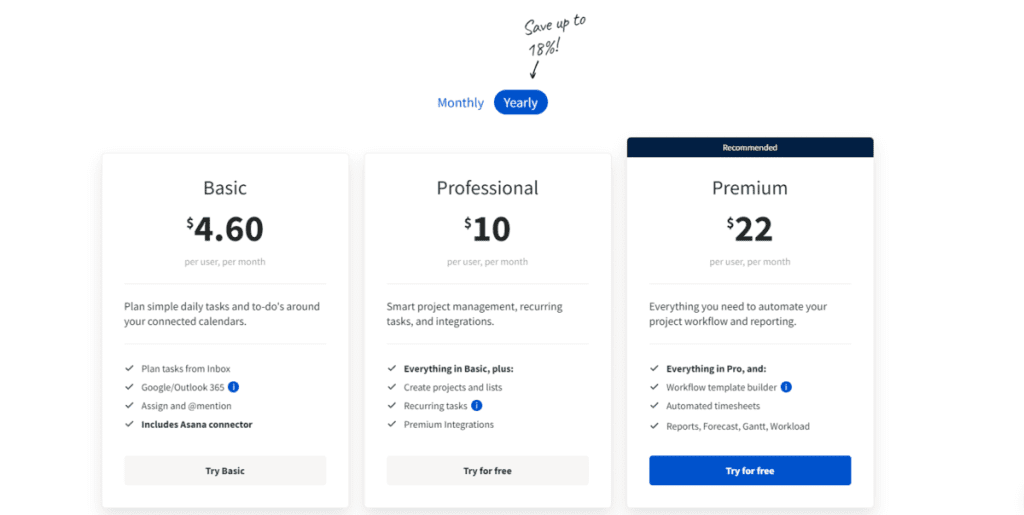
- Basic plan: $4.6 per user/month
- Professional plan: $10 per user/month
- Premium plan: $22per user/month
Pros and cons of Timehero
Pros
- Simple and easy-to-use tool.
- Timehero provides a good overview of your projects and tasks.
- Workload management is valuable if you work with a team to optimize task allocation.
- Easy to add, assign, and change tasks.
- You can create projects much faster when using templates.
- Wide range of integration options with third-party apps, including Asana, Google Calendar, Google Drive, Slack, etc.
Cons
- No free plan.
- Finding tasks is sometimes difficult.
- The basic plan has limited features.
Clockwise
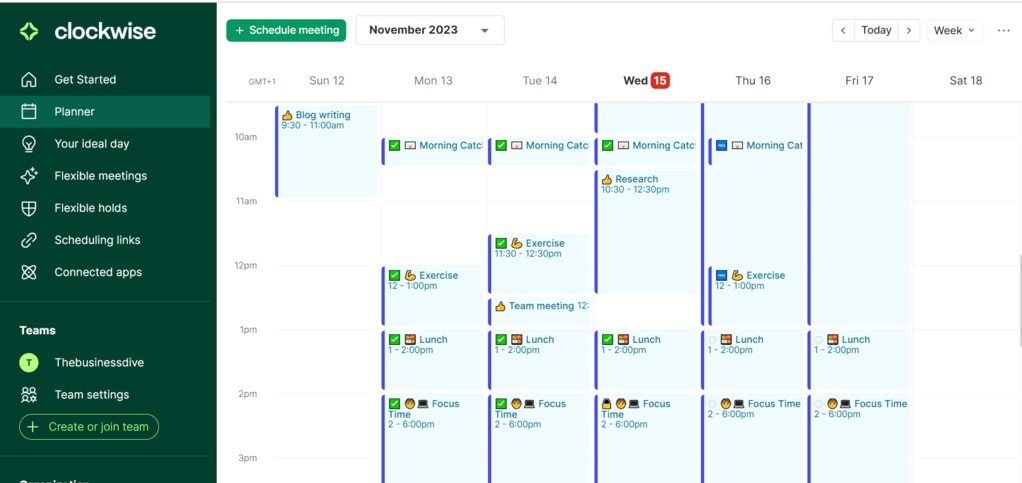
Clockwise is an AI-powered calendar that optimizes your day to ensure you have time for focused work, lunch, meetings, and personal appointments. Its main aim is to build sustainable workdays with smart scheduling.
Key features
- AI meeting scheduler: Clockwise’s meeting scheduling automatically finds the best time while maintaining the required focus time.
- Focus time blocking: It understands your schedule, and using your preferences Clockwise will free up time for deep work.
- Flexible holds: By adding your preferences, Clockwise will craft your ideal day and find time for recurring routines.
- Scheduling links: You share your availability so others can book time slots whenever is perfect for you.
- Integrations: You can integrate Clockwise with Asana, Google, Microsoft 365, Slack, and Zoom.
User experience
While some said navigating through Clockwise is confusing, it was a delightful experience for me. I appreciated the flexibility to design my ideal day, including travel time, lunch breaks, deep work time, and regular working hours. With its user-friendly design and robust features, Clockwise stands out as a seamless AI tool for efficient meeting scheduling.
Pricing
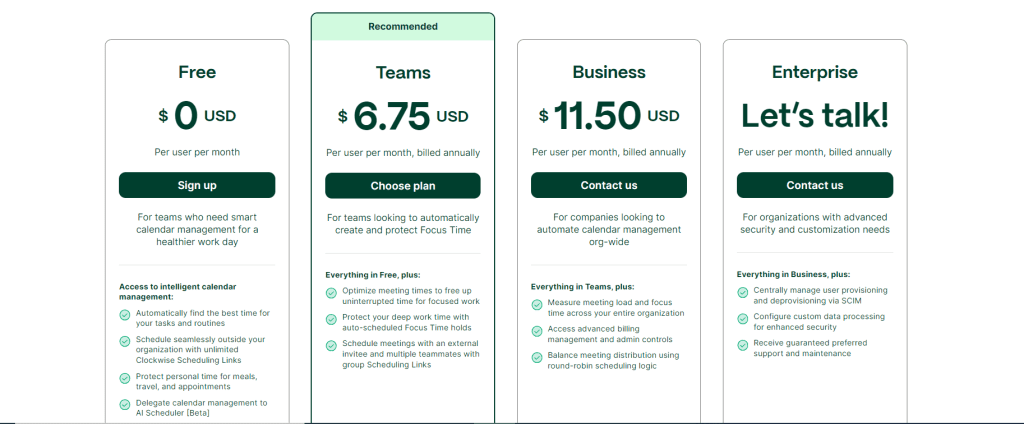
- Free plan: Available
- Pro plan: $6.75 per user/month
- Business plan: $11.50 per user/month
- Enterprise plans: Contact for pricing
Pros and cons of Clockwise
Pros
- Easy time management tool to use.
- Weekly reports, including how you spent your time.
- Schedule meetings with teammates are smooth, given the scheduling links feature.
- Broad visualization possibilities.
- Minimizing distractions during deep work hours is a valuable addition.
Cons
- Lack of integration options.
Trevor AI
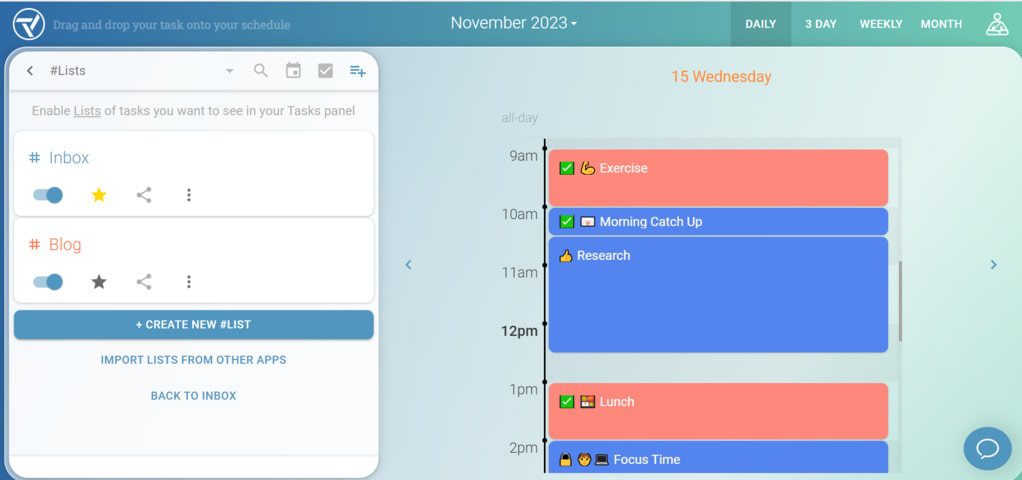
Trevor AI is a simple AI calendar that aims to help you with prioritizing and scheduling day-to-day tasks. Using Trevor AI’s time-blocking technology gives back control over your week and heps you to stay focused despite a busy schedule.
Key features
- Trevor’s Assistance: Trevor AI uses AI scheduling algorithms to automatically find the best time for meetings and tasks. The prediction accuracy is highly improved if you choose the pro plan.
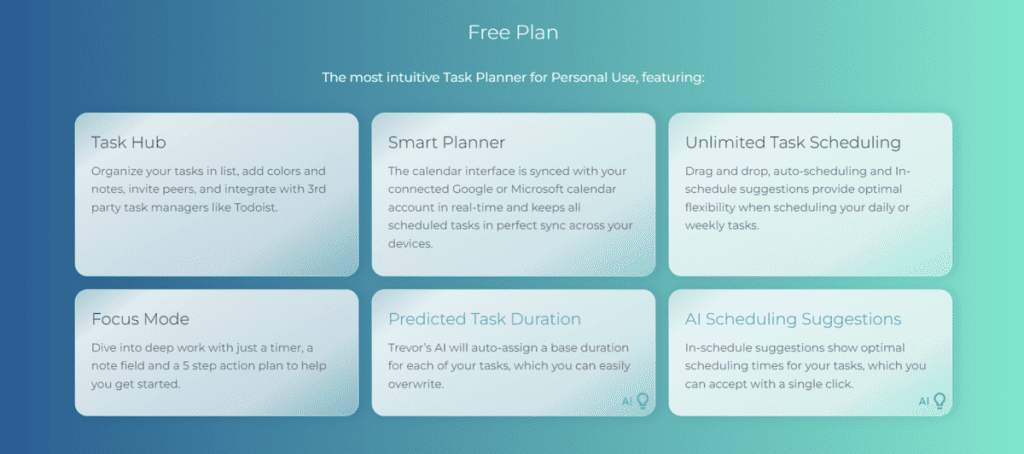
- Unlimited task scheduling: You can schedule unlimited tasks using the free plan.
- Task Hub: With Trevor AI, you can organize all your tasks in one place.
- Integrations: You can integrate Trevor AI with Todoist, Native Tasks & Calendar, Google Calendar, and Microsoft Calendar.
- My Progress Dashboard: You gain insights into how you spend your time.
User experience
It was easy to implement, and I started using it the everyday. Although Trevor AI has few features compared to other AI scheduling tools, the ones it has are really simple. Trevor AI is a great AI calendar tool for small teams and individuals who already use a task management app.
Pricing
This is what Trevor AI’s free plan looks like:
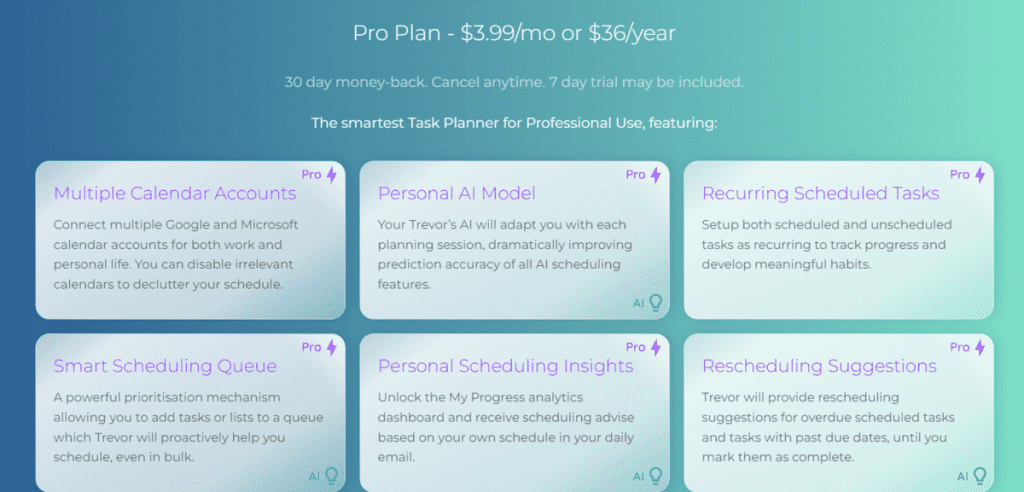
The Pro plan includes the followings:
- Free plan: Available
- Pro plan: $3.99 per user/month
Pros and cons of Trevor AI
Pros
- An excellent alternative for integration if you use Todoist for task management.
- Cheap option.
- You can quickly move tasks by using the drag-and-drop function.
- Simple to use.
Cons
- Limited free plan.
- Multiple calendar accounts are only available in the Pro plan.
- Lack of team collaboration features.
Readywhen.ai
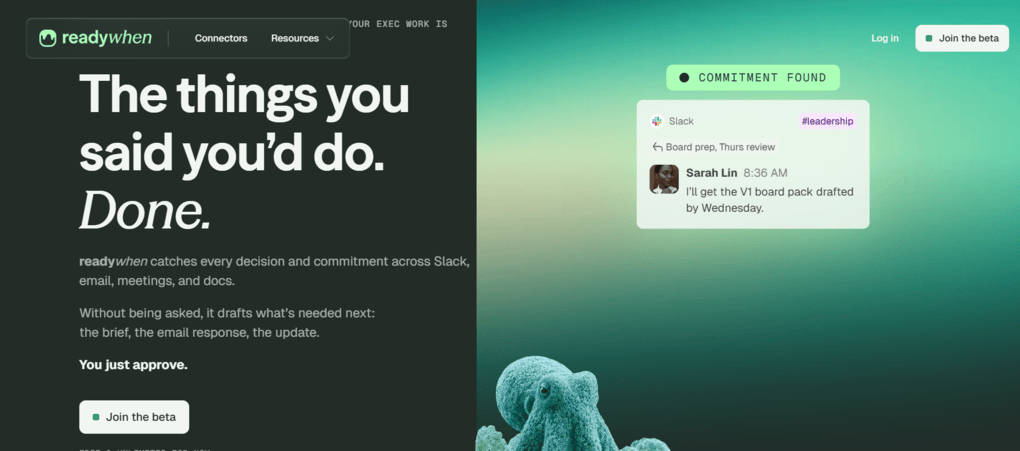
Readywhen.ai is an AI executive assistant built to help busy professionals organize their schedules, prioritize work, and reduce the manual effort involved in day-to-day planning. Rather than focusing only on booking meetings, it combines scheduling assistance with task prioritization, meeting preparation, and workflow coordination to help users stay productive throughout the day.
The platform is particularly useful for founders, executives, consultants, and knowledge workers who manage multiple priorities. By automatically organizing tasks, surfacing important information before meetings, and helping users decide what to work on next, Readywhen.ai acts more like an AI chief of staff than a traditional calendar assistant.
Key features
- AI-powered task prioritization and daily planning.
- Intelligent meeting preparation with contextual information.
- Calendar and workflow coordination across existing productivity tools.
- Automated reminders and follow-up recommendations.
- AI assistance for organizing work and reducing administrative overhead.
User experience
Readywhen.ai focuses on a simple, conversational experience that helps users stay organized without constantly managing their calendars manually. Its proactive recommendations and daily planning assistance make it particularly valuable for professionals balancing meetings, projects, and strategic work.
Pricing
- Personal: Free forever (includes 50 actions per month).
- Business: $49/month (includes 200 actions per month).
- Business Pro: $99/month (includes 500 actions per month).
- Overage: Additional Action Packs available at $25 per 100 extra actions.
- Annual billing offers approximately