


Best 6 Task Tracker Apps For 2026
Keeping every task, project, due date, or priority in mind is challenging. Personally, sometimes I am not sure where to start, and other times, I feel anxious just thinking about all the tasks ahead of me. The mere thought of constantly considering my next move as I forget where I left off yesterday can cause anxiety and stress. If you sometimes find yourself in similar situations, a task tracker app can also be a lifesaver for you.
In this guide, I show you how to take your task management to the next level and be more productive than ever. Let’s get it started!
What is a task tracker app?
A task tracker app helps you monitor and manage your tasks, deadlines, and projects. This tool enables you to organize your work and prioritize your tasks in a way that suits you best.
With a task tracker app, you can create to-do lists, set reminders, and assign tasks to a team member. Furthermore, depending on the task management app, they offer various additional features for collaboration and streamlining workflows. For example, it has templates for meeting summaries, investor updates, recruitment tracking, and many other ways to automate your workflows.
Task tracker apps are generally easy-to-use tools with many integration options with third-party apps. Thanks to the advancement of AI, many task management apps have started to implement AI solutions into their tools to automate as many workflows as possible.
Task tracker apps provide a simple and effective way to manage your workload, reduce stress, and stay on top of your daily tasks. There are many task tracker apps available, and choosing the right one can make a significant difference in your productivity levels.
Best task tracker apps in 2026
Let’s dive into the best task tracker apps!
Todoist
Best to-do-list app
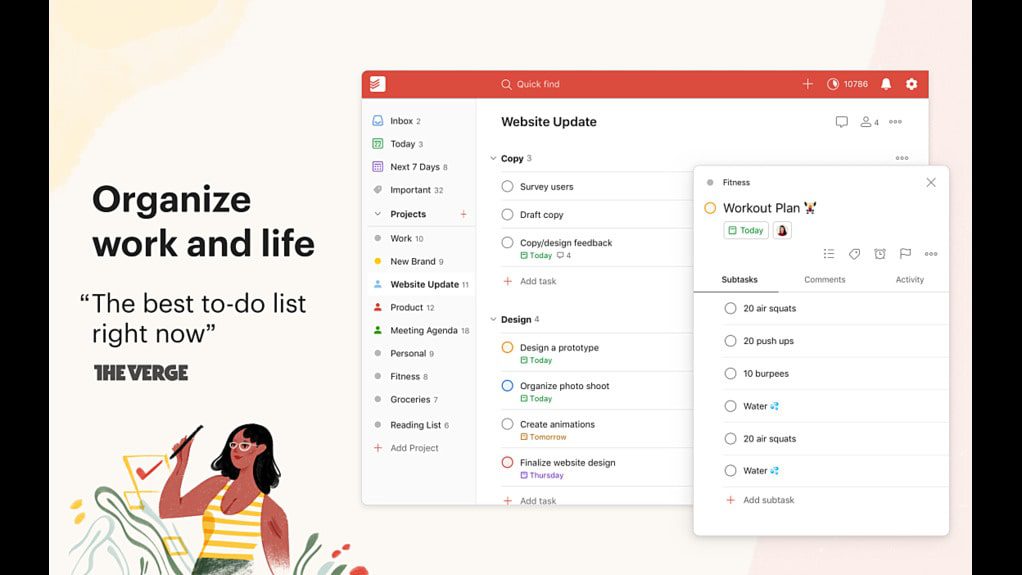
Todoist is the #1 task management app that more than 40 million people use. It is a simple solution for teams and individuals to simplify task tracking and managing. Todoist is accessible to users across various platforms, including desktop, mobile, and web.
Key features
- You can easily create tasks, add due dates, and set reminders with a few clicks.
- Todoist allows you to organize and track tasks using priorities, labels, and sub-tasks.
- With Todoist, you can choose from versatile lists, calendars, and board views to oversee upcoming tasks.
- Its collaboration features enable you to assign tasks, share projects, and add comments.
- Todoist provides you with productivity visualizations by week and month to ensure you achieve your goals.
- There are numerous templates for work and life.
- You can integrate Todoist with over 80 apps, including Google Calendar, Jira, Trello, Time Doctor, and Alexa.
Pricing
- Free plan: Available
- Pro: $4/month
- Business: $6/month per member
Reviews
- G2: 4.4/5 (750+ reviews)
- ProductHunt: 4.8/5 (170+ reviews)
🔎 Read my full review: My Honest Todoist Review After 3 Years & 1,400 Tasks
Short on time? Here’s a quick overview of Todoist
Notion
A versatile task management app with many other features
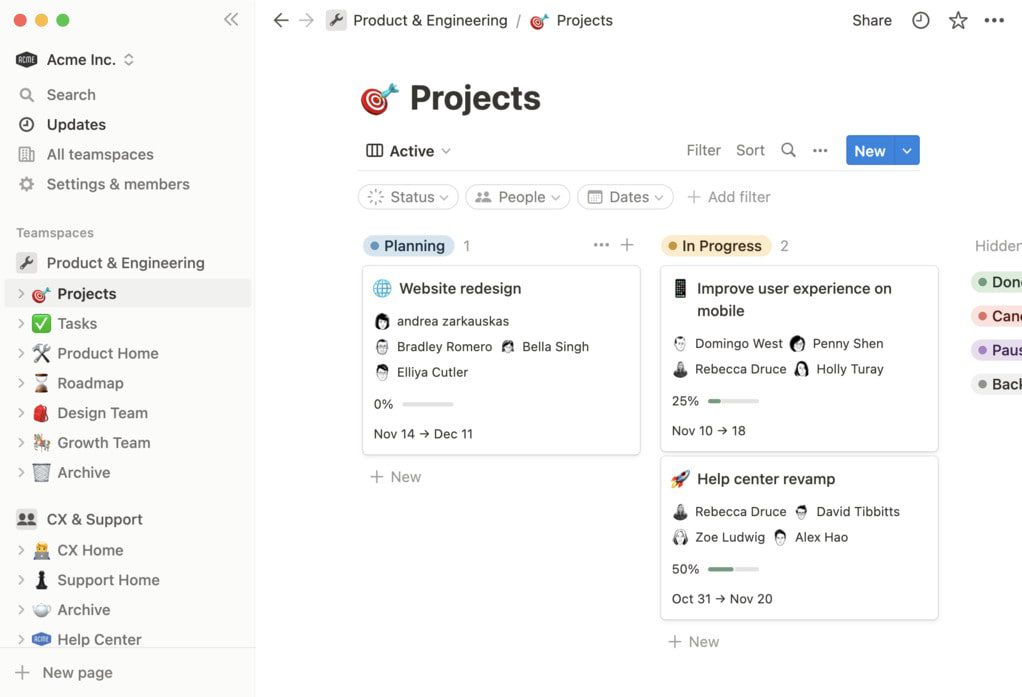
Notion is like a Swiss Army Knife. It is a space where you can think, write, and plan in your own way. However, thanks to the numerous collaboration features, it offers a centralized workspace for your whole team.
This task tracker provides an efficient solution for many other workflows besides task management. You can use Notion for project planning, creating databases, improving your writing, and more. I have also been an enthusiastic Notion user for a while and still do not know all the features.
Key features
- Notion provides an all-in-one workspace for note-taking, task tracking, wikis, etc.
- It is a versatile task-tracking tool with multiple views.
- You can access templates for to-do lists, meeting summaries, investor updates, recruiting trackers, and more.
- With Notion, you can leverage AI to create content, improve your writing, make it shorter or longer, and summarize the notes.
- Notion is full of collaboration features, for example, sharing pages with others or setting up spaces.
- You can download Notion on your iOS or Android devices, as well as the desktop version.
- Notion puts a great emphasis on data privacy and security when it comes to transmitting and storing data.
- You can connect Notion to many other tools you use.
Pricing
- Free plan: Available
- Plus plan: $10/month per user
- Business plan: $20/month per user
- Enterprise plan: Contact for pricing
Reviews
- G2: 4.7/5 (5200+ reviews)
- ProductHunt: 4.8/5 (2400+ reviews)
🔎 Read my full review: My Honest Notion Review After Using It For +2 Years (2026)