


9 Best Lead Generation Tools in 2026 (REAL Experience)
If you work in sales, marketing, or business development, chances are you’re already using at least one lead generation tool. But if you’re reading this article, it probably means you’re either not fully happy with what you’re using now, or you’re trying to figure out which tool actually makes sense for your workflow.
That’s not surprising. The market is full of lead generation tools, and realistically, you don’t have the time or budget to test them all. To save you that effort, I’ve tried quite a few of them myself and put together this list.
Each tool on this list is good at something different. My goal is simple: to help you find the best lead generation tools for different use cases, based on my own testing in my own business.
Let’s dive in!
What are the lead generator tools?
If you’re already using lead generation tools, you probably know the basics. Still, it helps to quickly clarify what we’re actually talking about, because not all lead generation tools do the same job.
In simple terms, lead generation tools help you capture leads, organize lead data, and move potential customers closer to becoming qualified leads. Some tools focus on outbound lead generation, like finding contact details and supporting targeted outreach. Others support inbound lead generation by turning website visitors into subscribers, demo requests, or booked calls.
What’s important is that not every tool covers the full lead generation process. Some are complete lead generation software platforms, while others are designed to handle just one step really well, such as lead capture, lead management, sales pipeline tracking, or email marketing.
That’s why the “best” lead generation tool depends heavily on what part of the process you’re trying to improve.
Best lead generation software in 2026
When preparing my list of best lead generation tools, I considered their lead generation capabilities, how they fit into different lead generation workflows, overall usability, pricing, user interface, and how well they help sales and marketing teams generate leads and manage leads.
I also paid attention to practical things that affect lead generation efforts, like data quality (contact data, verified contact data), lead scoring, lead tracking, and whether the tool supports the full sales funnel or only one part of it.
Using these criteria, here are my 9 best lead generation tools in 2026:
|
Best lead generation tools |
My Experience |
|
|---|---|---|
 |
Best lead generation tool overall |
|
 |
Best lead generation tool for content marketing |
|
 |
Best lead generation tool for email marketing |
|
 |
Best lead generation tool for inbound marketing |
|
 |
Best lead generation tool for finding email addresses |
|
 |
Best lead generation tool for sales pipelines |
|
 |
Best lead generation tool for website lead capture |
|
 |
Best lead generation tool for large teams and enterprises |
|
 |
Best lead generation tool for booking meetings |
9 best lead generation tools in 2026
Now, let’s see a more detailed breakdown of the best lead generation tools in 2026!
Snov.io
Best lead generation tool overall
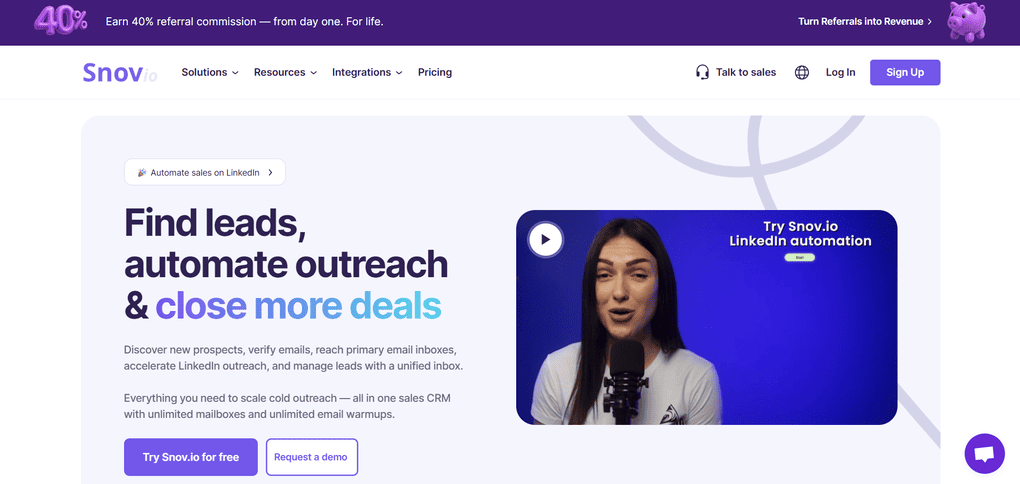
As mentioned earlier, most lead generation tools focus on just one part of the process. Snov.io stands out because it brings several key steps of outbound lead generation together. That’s why, in my opinion, it’s the best lead generation tool overall on this list.
It covers prospect search, person-based email finding, email verification, and basic outreach. Everything lives inside the same platform, so you can move smoothly from finding leads to actually contacting them.
Overall, Snov.io offers a solid balance of features, usability, and pricing, which makes it a strong all-around option for sales teams and agencies.
Snov.io key features
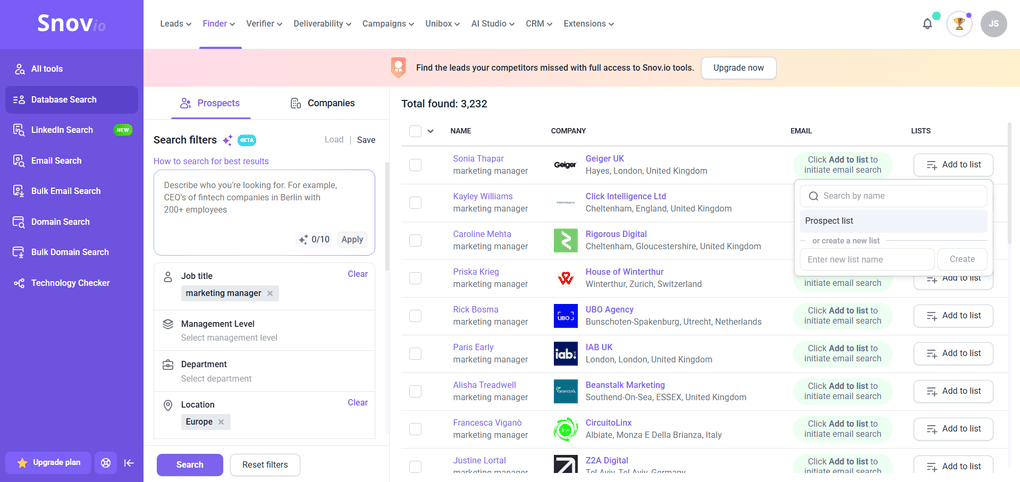
Prospect database search: You can search for potential leads by job title, industry, location, and company details. The results can be narrowed down quickly to the roles you actually want to reach. I mostly used this to get a realistic sense of how large and relevant the lead pool is before going any further.
Person-based email finder: The email finder works by combining a person’s name with a company domain. It returns possible email patterns and shows a confidence level for each result, which helps you judge how reliable the data is. This feels much more intentional than working with large, generic email lists.
Domain and company search: By entering a company domain, you can see related contacts along with basic company information. Snov.io pulls publicly available data tied to that domain and organizes it by roles and teams. I found this useful for understanding the company structure before deciding who to reach out to.
Email verification: Snov.io includes a built-in email verification feature for both single emails and bulk lists. Each address goes through a multi-step check and is labeled as valid, risky, or invalid. You also get visibility into which checks passed or failed, which makes it easier to avoid bounce rates and protect sender reputation.
Basic email outreach campaigns: You can create simple outreach sequences directly inside Snov.io, with a few steps and follow-ups. It’s not meant to replace advanced sales engagement platforms, but it’s enough to handle basic cold outreach once leads are found and verified.
CRM-style lead management: Once leads are found, Snov.io lets you save, organize, and manage them inside the platform. You can group leads into lists, track their status, and move them through a basic outreach flow. This helps keep lead data in one place instead of exporting everything immediately.
Integrations and exports: Snov.io integrates with common CRM and outreach tools and also supports easy exports. This makes it practical for sales and marketing teams that want to use Snov.io mainly for prospecting and verification, then push qualified leads into another system for follow-up.
Snov.io pricing
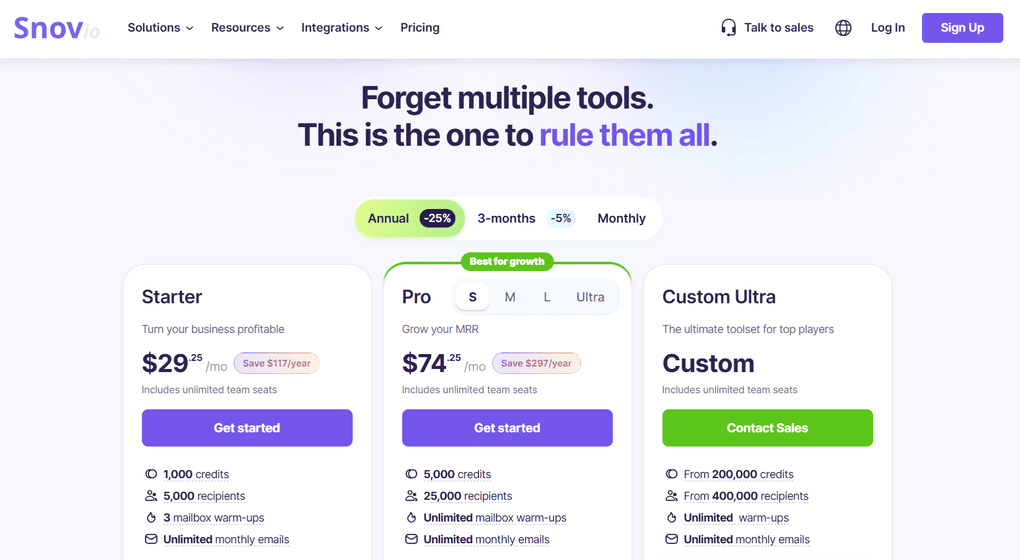
Snov.io works on a credit-based system, where different actions use a certain number of credits.
There is a free plan that comes with 50 credits that renew on a monthly basis. That is a relatively small amount, so it’s best suited for light testing or occasional lookups.
Snov.io also offers two paid plans and a Custom option with custom pricing. The Starter plan costs $29.25 per month and includes 1,000 credits, while the Pro plan starts at $74.25 per month and comes with 5,000 credits.
My experience with Snov.io
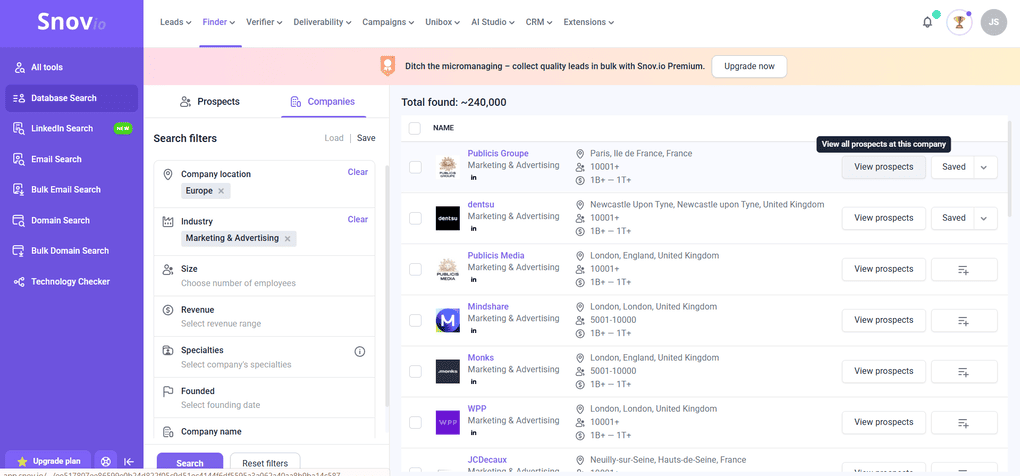
While using Snov.io, I spent most of my time on lead search and the email finder, because that’s what I’d realistically use for day-to-day outreach.
What made the biggest difference for me is the person-based approach. Instead of pulling massive lists, you start with a company and narrow down to specific roles or people. That alone makes the results feel more usable for actual outreach.
Overall, I liked that I could stay inside one tool instead of switching between a lead finder, verifier, and outreach tool. It made the whole process much faster.
Snov.io pros and cons
Pros of Snov.io:
Cons of Snov.io:
Why is it the best lead generation tool overall?
Snov.io is at the top of this list because it covers multiple outbound steps in one place. I usually use it when I am doing outbound. The process is straightforward and easy to follow, and saves me a lot of time.
SurferSEO
Best lead generation tool for content marketing
Don’t get me wrong, SurferSEO isn’t a traditional lead generation tool. However, it plays an important role in content-driven lead generation. Instead of collecting leads directly, it helps create SEO-optimized content that attracts organic traffic, which can later be converted into new leads.
In other words, SurferSEO supports a more long-term, inbound approach to lead generation through content marketing by helping content rank better and match search intent.
SurferSEO key features
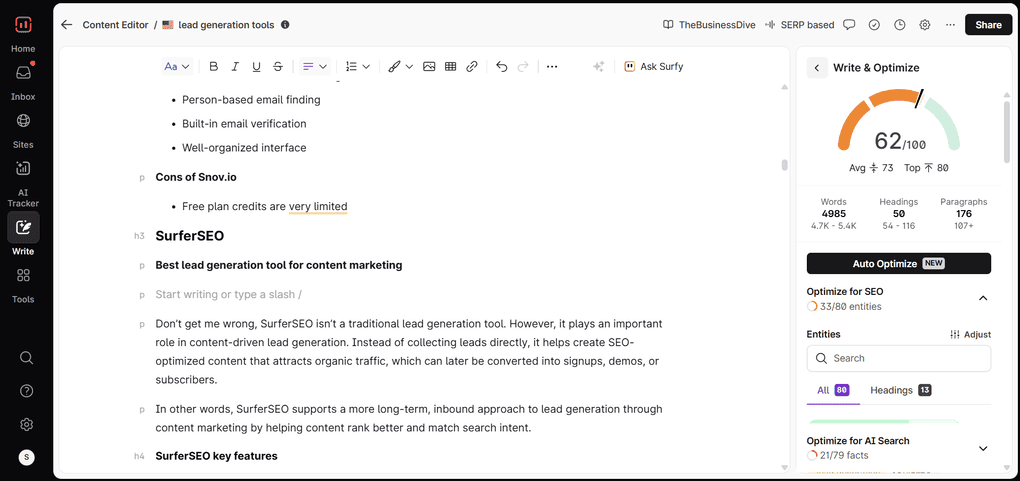
Content editor with real-time guidelines: SurferSEO’s content editor shows keyword usage, structure, and topic coverage as you write. This means that you don’t have to optimize content after, but while you’re creating it.
Keyword suggestions: This feature highlights words and subtopics that frequently appear in content already ranking for your target keyword. In practice, it helps you spot gaps and make sure you’re covering what readers (and search engines) expect to see.
Content structure: Based on ranking pages, SurferSEO suggests heading structure, content length, and overall layout. This gives you a clearer sense of whether a topic needs a short explanation or a detailed article.
SERP-based content analysis: SurferSEO analyzes top-ranking pages for a given keyword and turns that data into practical content recommendations. Since Google favors different content formats for different queries, this helps you understand what kind of content actually performs best.
AI Tracker: Beyond traditional rankings, SurferSEO lets you track how your content appears in AI-generated answers, such as Google AI Overviews. This shows whether your pages are being referenced by AI systems, not just ranked in classic search results.
AI facts: AI facts are insights pulled directly from SERP analysis that show what types of information, sections, and entities Google expects for a specific topic. They help you align content with the informational signals that influence visibility and conversions, not just keywords.
SERP monitoring and updates: SurferSEO doesn’t stop at one-time optimization. It continuously tracks changes in search results. If competitors update their content or SERP patterns shift, recommendations adjust to that.
Audit tool: The audit feature compares your published pages with competing search results. It’s especially useful for improving older articles that already bring in traffic but aren’t converting as well as they could.
SurferSEO pricing
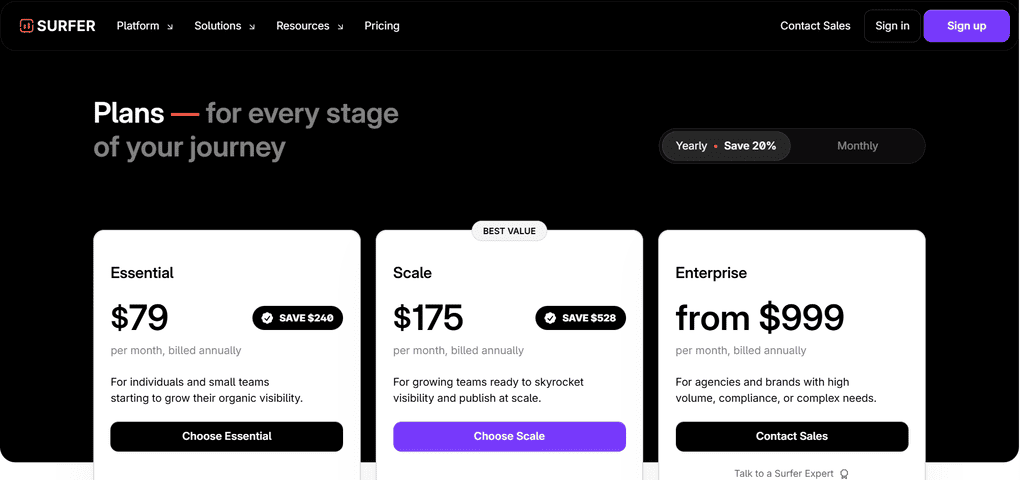
SurferSEO doesn’t have a free plan, but it offers a free trial so you can test it before committing.
If you decide to upgrade, there are three pricing plans. The Essential plan starts at $79 per month and is best for individuals and small teams. The Scale plan costs $175 per month and is most useful to growing teams.
There’s also a custom Enterprise option starting at $999 per month for larger brands or agencies.
My experience with SurferSEO
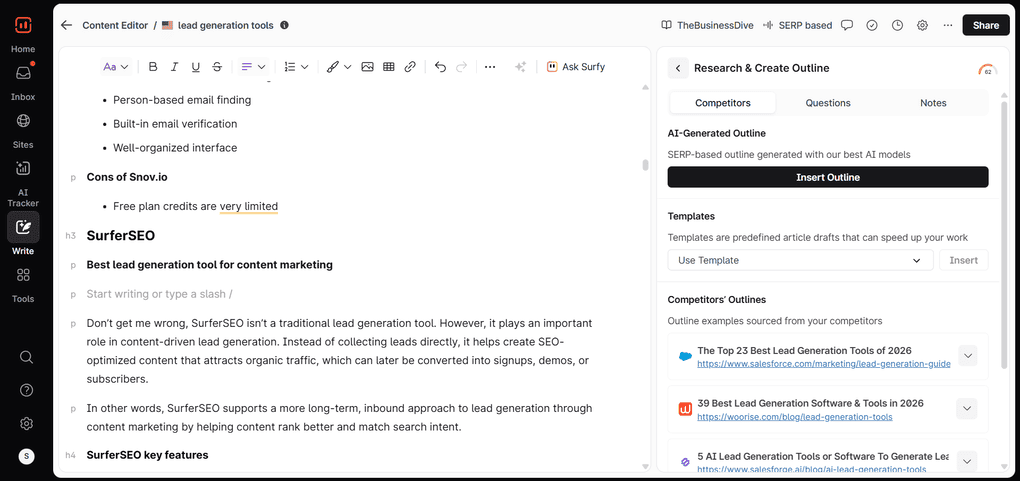
SurferSEO is one of the tools I’ve consistently used the most over the past few years, and I still rely on it regularly, so I’m probably a bit biased at this point.
That said, it has become a natural part of my content workflow, especially when content creation and SEO are closely tied to lead generation goals.
In my experience, SurferSEO is best suited for teams that rely on website & AI searches to bring in qualified visitors and turn them into leads. Since AI searches are on the rise, SurferSEO will be even more vital for marketing and sales teams in the future.
With all that being said, if organic traffic is a core channel for your lead generation strategy and content is something you publish consistently, SurferSEO is a strong fit.
SurferSEO pros and cons
Pros of SurferSEO:
Cons of SurferSEO:
Why is it the best lead generation tool for content marketing?
On TheBusinessDive, content has to be genuinely useful for readers, but it also has to rank. SurferSEO helps me to balance those two things, so articles are strong on quality, but also properly optimized for search. That’s what brings steady organic traffic and leads that actually make sense.
Kit
Best lead generation tool for email marketing
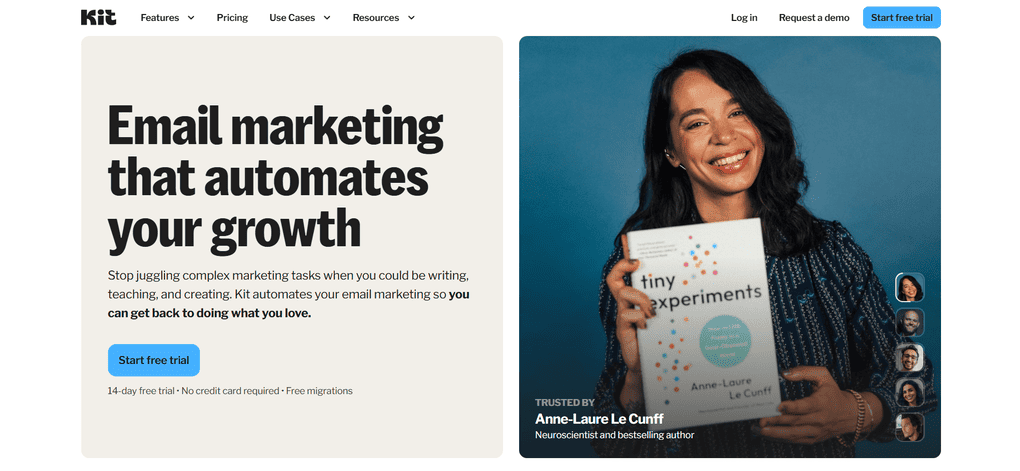
Kit is essentially an email marketing platform built around turning visitors into subscribers and subscribers into customers. Instead of trying to cover every part of the sales funnel, it focuses on email as the main channel for lead generation and nurturing.
The whole idea behind Kit is simple: once someone joins your email list, you can stay in touch through newsletters and automated email sequences. This makes it especially useful for creators, brands, and small teams that rely on email as their primary way of generating and converting leads.
Kit’s key features
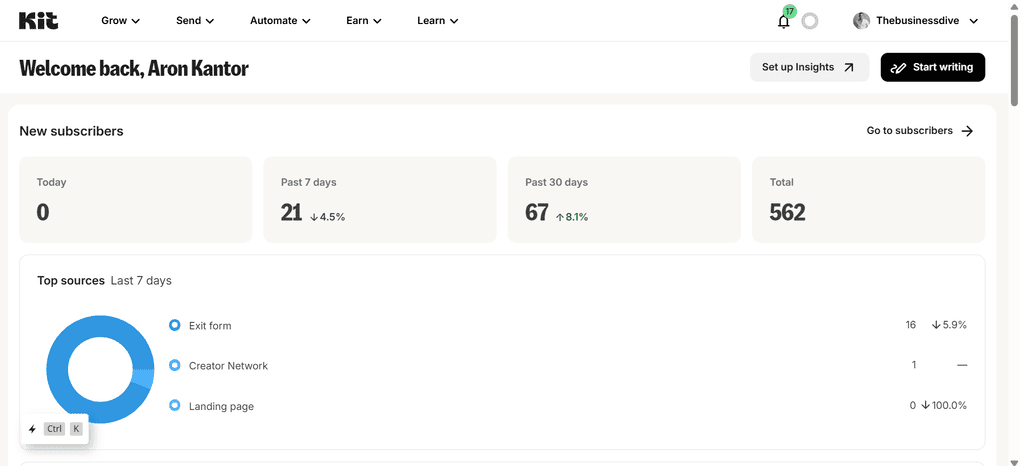
Email broadcasts: I mainly use Kit to send email broadcasts, which are basically newsletters sent to my entire list or specific segments. It feels like sending a normal email, just not to one person but to hundreds of subscribers at once, with clear stats on opens and clicks.
Email sequences: Sequences are the feature I use the most. I write all the emails upfront, and once someone subscribes, Kit automatically sends them every few days without me having to do anything manually.
Automated subscriber flow: When someone joins my newsletter, the whole follow-up process is handled automatically. This is how I usually move people from the top of the funnel toward conversions, especially when email is the main channel.
Visual automations: I use Kit’s visual automations to connect forms, sequences, and simple rules. For example, when someone subscribes, they immediately get a welcome sequence, and from there, I can route them into different flows if needed.
Landing pages and forms: Most subscribers come in through landing pages and forms. I often use exit-intent forms on the website, so when someone is about to leave, they can quickly drop their email and subscribe. Creating landing pages is fast and easy.
Subscriber filters and tagging: I separate subscribers based on where they signed up or what they were promised when they subscribed. This way, people coming from different sources can receive different emails and offers, instead of everyone getting the same content.
Kit’s pricing
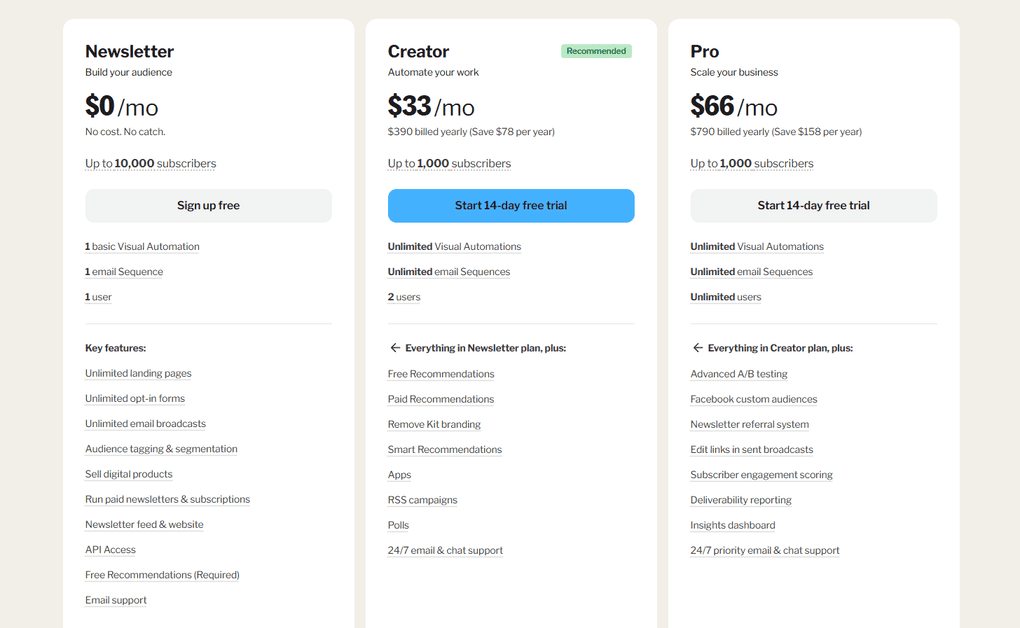
Kit offers a generous free plan that supports up to 10,000 subscribers and includes core features like email broadcasts, basic automations, and landing pages. It is more than enough to get started with email marketing and lead generation.
Paid plans start at $33 per month, with pricing scaling based on the size of your email list. Higher-tier plans unlock more advanced automation, reporting, and customization options.
Overall, Kit’s pricing is fairly approachable and scales gradually, making it a good fit for creators and small teams who want to grow their email list without a high upfront cost.
My experience with Kit
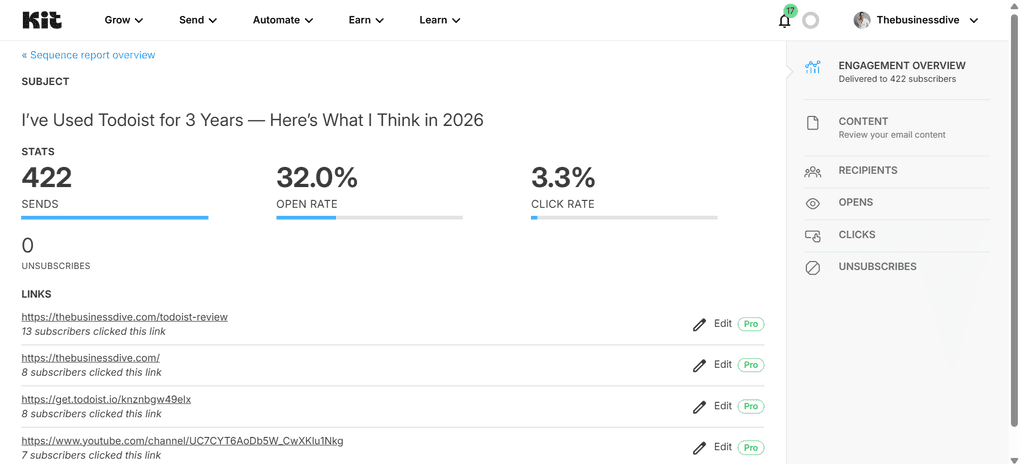
From my experience, Kit works best when email is the main channel for lead generation and conversion.
Once someone subscribes, the whole process moves into email, where broadcasts and sequences are used to stay in touch and gradually guide subscribers toward an offer.
What really stands out is how much of the work happens automatically through sequences.
Emails are written upfront, and new subscribers receive them over time without any manual follow-up, which makes it easier to move people from the top of the funnel toward actual conversions.
Overall, Kit feels like a very focused tool for brands and creators who use email to turn visitors into subscribers and subscribers into customers. If you are thinking about email marketing, Kit is one of the best marketing automation platforms.
Kit’s pros and cons
Pros of Kit:
Cons of Kit:
Why is it the best lead generation tool for email marketing?
I use Kit when email is the main way I turn traffic into leads. Once someone subscribes, everything moves into email, where newsletters and sequences do the real work. It’s simple, reliable, and easy to manage without turning email marketing into a full-time job.
HubSpot
Best lead generation tool for inbound marketing
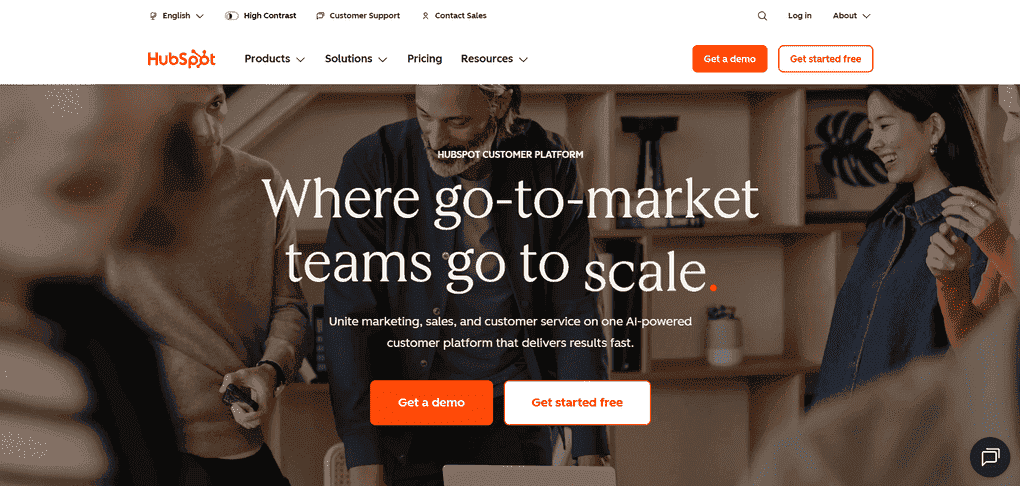
HubSpot is a leading cloud-based customer relationship management platform designed to help marketing, customer service and sales teams.
While tools like Snov.io focus on outbound lead generation, HubSpot is built around inbound marketing. This means that, instead of searching for leads or optimizing content to attract them, HubSpot captures, manages, and nurtures leads once they show interest.
HubSpot’s key features
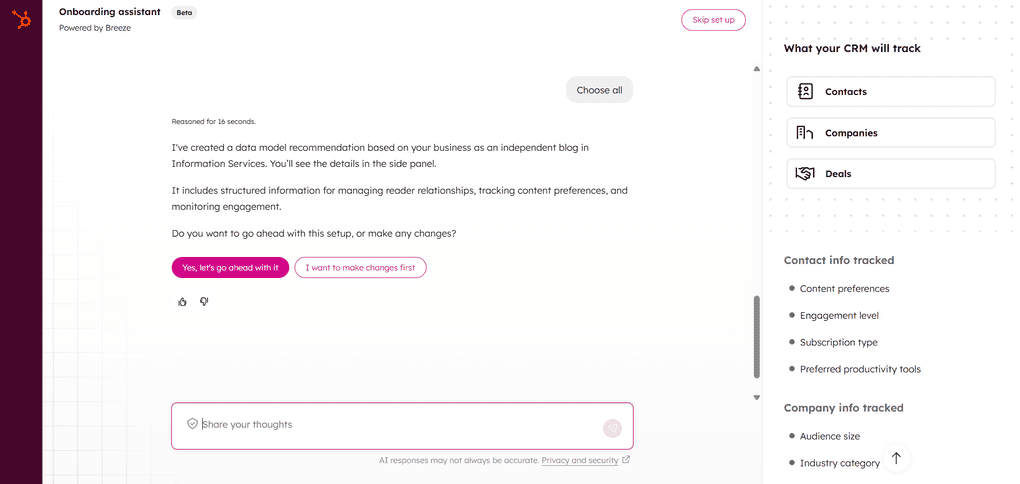
Lead capture forms and landing pages: In HubSpot, you can create forms and landing pages to collect leads from blog posts, ads, and campaigns. These are usually the first touchpoints once someone shows interest in your content or offer.
Built-in CRM for lead management: Once a lead is captured, it is automatically stored in HubSpot’s CRM. From there, you can see contact details, activity history, and where each lead is in the funnel in one place.
Email marketing and automation: After that, HubSpot’s email tools help you stay in touch through newsletters, follow-ups, and simple automated sequences. It works well when you want to keep communication consistent, not just send one email.
Lead tracking and activity insights: As leads interact with your emails, pages, and forms, HubSpot tracks those actions in the background. You can track how leads interact with your emails, pages, and forms, and see what’s working and which leads are showing stronger intent. This kind of insight is gold.
Lead scoring and segmentation: Based on those interactions and customer behavior, you can group leads and see who’s more engaged. In practice, this helps you see who’s actually engaged and who probably needs more time.
HubSpot’s pricing
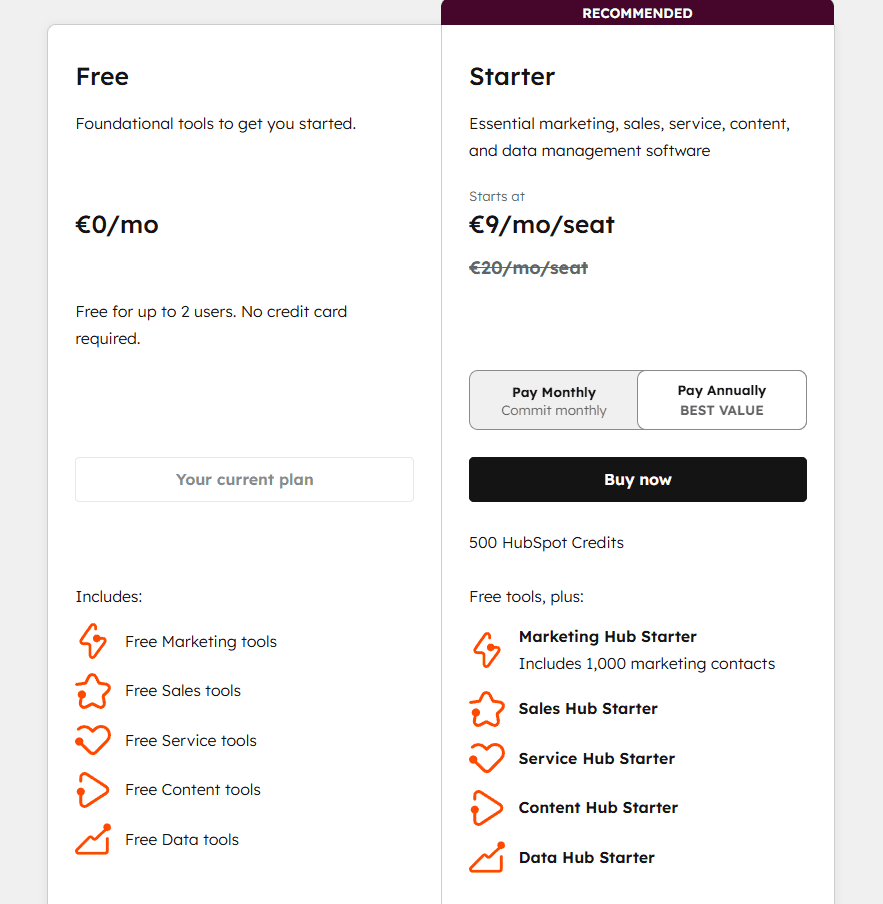
HubSpot offers a free plan that includes basic CRM, marketing, sales, service, content, and data tools. Paid plans start with the Starter plan, priced at €9 per month per seat with annual billing.
However, keep in mind that HubSpot’s pricing can vary depending on your setup. The final cost depends on the number of seats, which hubs you use, and the number of contacts in your database. As your team grows or your contact list expands, pricing scales accordingly.
My experience with HubSpot
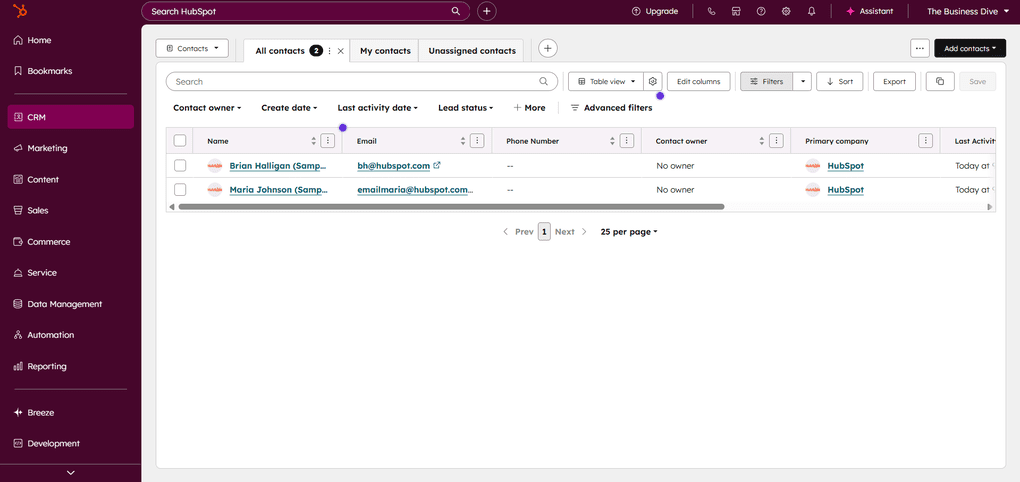
In my experience, HubSpot works best when lead generation is built around inbound traffic rather than direct outreach.
I found it especially useful for teams that rely on campaigns, content, and long-term lead nurturing, where leads need to be tracked and followed over time instead of contacted immediately.
HubSpot’s pros and cons
Pros of HubSpot:
Cons of HubSpot:
Why is it the best lead generation tool for inbound marketing?
I see HubSpot as the best choice when inbound is the core strategy. It makes the most sense if leads are coming in through content, forms, and campaigns, and you need a clear system to track and nurture them over time. It’s not the lightest tool on this list, but for teams that take inbound seriously, it gives you structure and visibility that’s hard to replace.
If you want a deeper take, read this full review: HubSpot Review 2026 | I Tested It — Here’s the Truth
Hunter.io
Best lead generation tool for finding email addresses
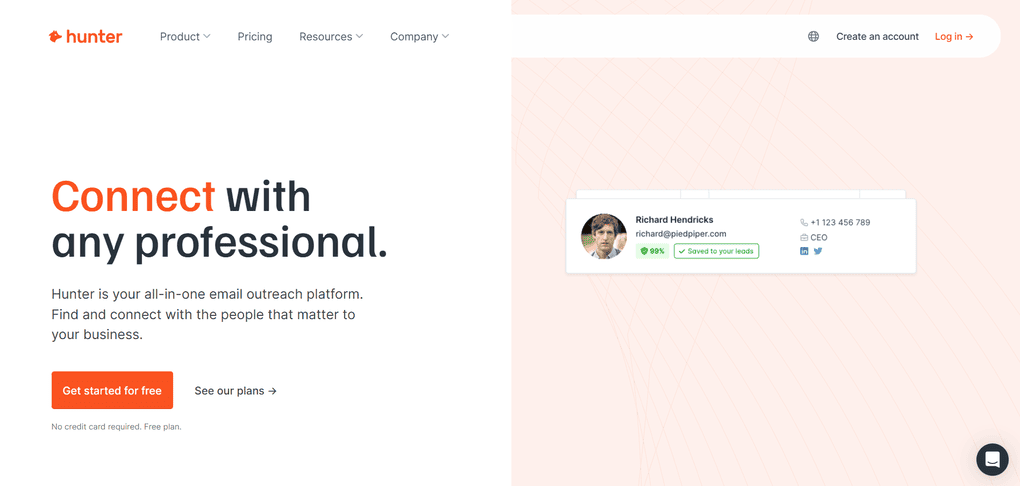
Hunter.io is a very straightforward tool built specifically for finding email addresses of people working at certain companies. Instead of covering full outreach workflows, it focuses on quick prospecting and helping you identify the right person to contact.
Hunter.io’s key features
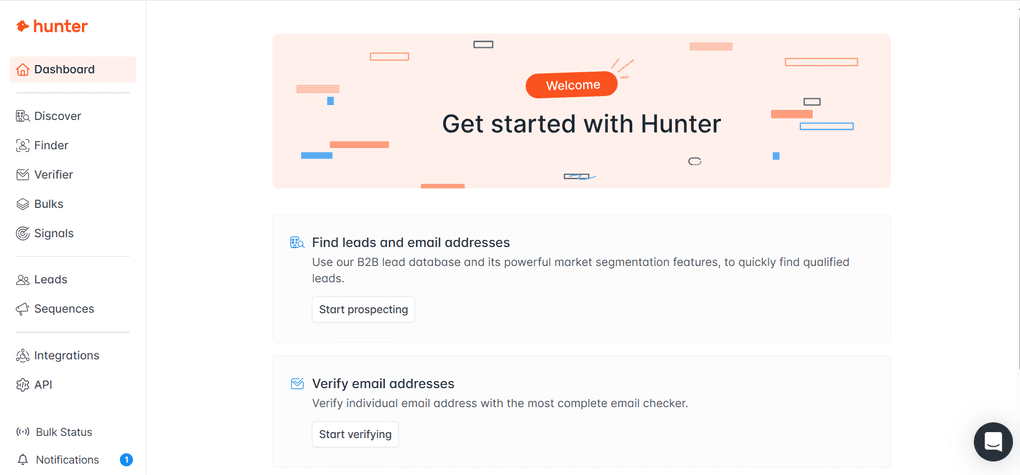
Company-based email search: This feature is usually the starting point when you know the brand you want to reach, but don’t know who the right contact is. So you just search for a company, and Hunter.io lets you instantly see people working there along with their email addresses.
Filtering by department and role: Once you see the list of people, you can filter by role or department to find decision-makers. Therefore, Hunter.io is a great tool for B2B lead generation.
Individual email finder: If you already have a specific person in mind, you can use the email finder by entering their name and company. Hunter.io then looks for the most likely email address linked to that person.
Email verification: Hunter.io includes built-in email verification for the addresses it finds. Each email is checked for deliverability and flagged as valid or risky based on different verification signals.
Simple and fast prospecting workflow: The tool is very easy to use and doesn’t require much setup or learning time. It’s designed for quick searches and straightforward email finding, without extra features getting in the way.
Hunter.io’s pricing
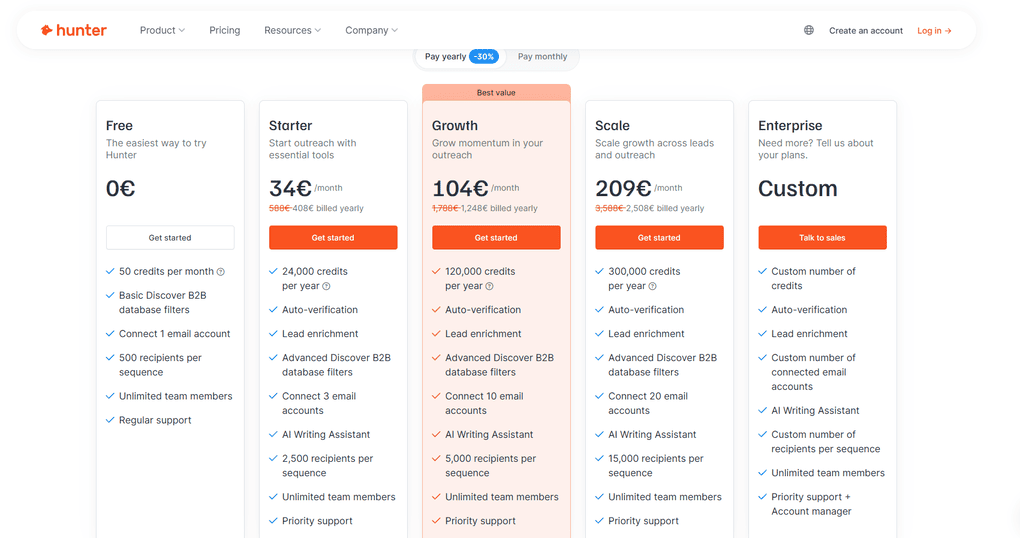
Hunter.io works on a credit-based system, where different actions like searching or verifying emails use up credits each month.
There is a free plan that includes 50 monthly credits. If you decide to go with a paid plan, pricing starts at €34 per month. Higher plans offer more credits per month and additional capabilities, with pricing increasing as your monthly usage needs grow.
Because credits reset monthly, the overall cost depends on how actively you use Hunter.io for finding and verifying email addresses.
My experience with Hunter.io
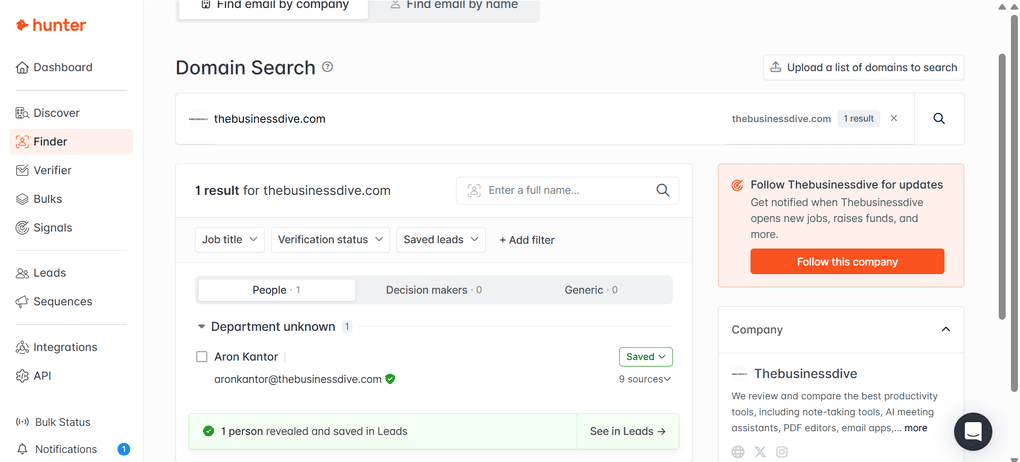
From my experience, Hunter.io is a tool I mostly use when I already know which company I want to contact and just need to see who works there and who makes sense to reach out to.
What I like is how fast and simple the process is. You search for a brand, filter by department or role, and very quickly end up with a short list of relevant people.
Overall, Hunter.io feels like a practical, no-fluff tool for finding high-quality prospects.
Hunter.io’s pros and cons
Pros of Hunter.io:
Cons of Hunter.io:
Why is it the best lead generation tool for finding email addresses?
I use Hunter when I already know the company, but not the right person. A quick domain search and a few filters usually get me to relevant contacts fast. It does one job, and it does it well.
Pipedrive
Best lead generation tool for sales pipelines
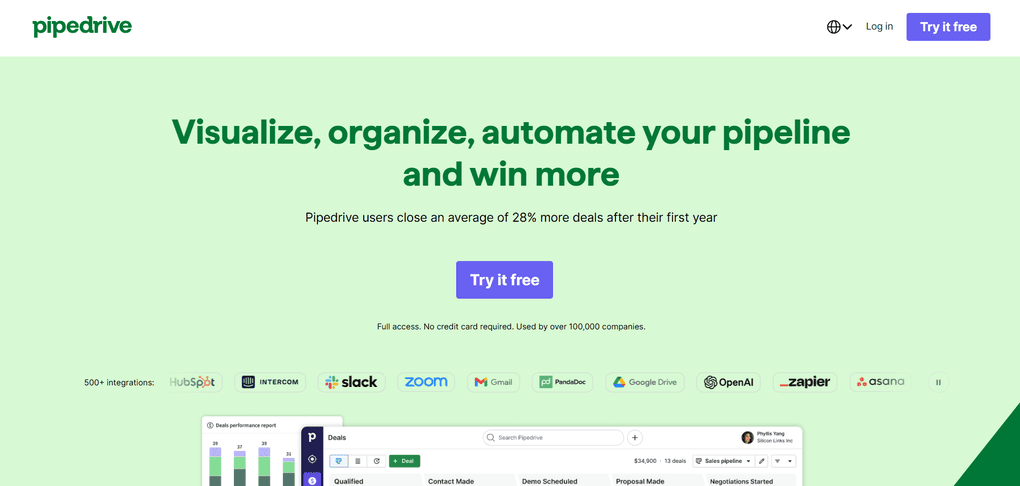
Pipedrive is designed to manage leads once they enter the sales process. It’s a sales-focused CRM and lead generation platform that helps teams track deals, conversations, and follow-ups through a clear, visual pipeline.
Instead of concentrating on lead capture or content-driven traffic, Pipedrive puts the emphasis on moving leads forward and closing deals. This makes it a strong fit for sales teams that already have leads coming in and need a structured way to manage and convert them.
Pipedrive’s key features
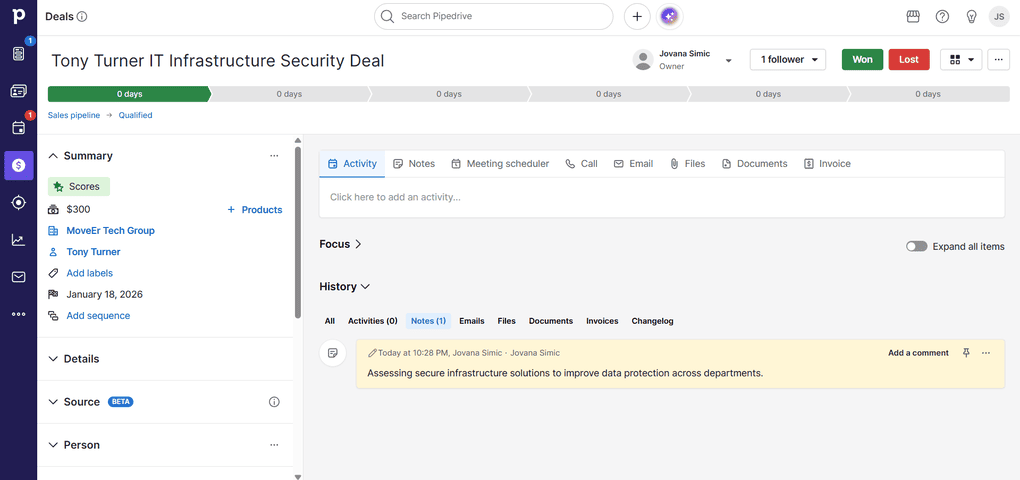
Visual sales pipelines: Pipedrive is built around visual sales pipelines, where every deal is represented as a card you move from stage to stage. Seeing the entire sales process laid out like this feels intuitive and gives you a quick sense of what’s moving forward and what needs attention.
Deal and activity tracking: Each deal has its own space where emails, calls, notes, and meetings are logged over time. Having everything in one place makes it much easier to follow the full conversation with a lead and pick up where you left off.
Activity reminders and follow-ups: Pipedrive puts a strong emphasis on activities like calls and meetings, not just deal stages. I found this especially helpful for staying on top of follow-ups when several leads are in progress at the same time.
Lead inbox and deal creation: Leads can be added manually, imported, or captured through forms and integrations. Turning a lead into an active deal is quick and straightforward.
Integrations with sales and marketing tools: Pipedrive connects smoothly with email, calendars, and common lead sources. It fits naturally into an existing sales workflow.
Pipedrive’s pricing
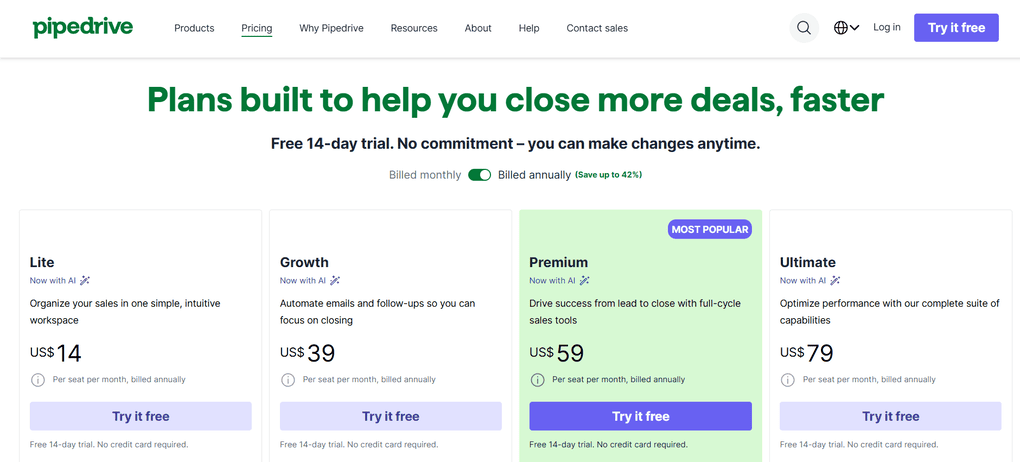
Pipedrive doesn’t offer a free plan, but it does come with a 14-day free trial. Paid plans start with the Lite plan at $14 per user per month, which covers basic pipeline and activity management.
From there, the Growth plan at $39/month per user adds features like email integration and automation, while the Premium plan at $59/month per user and Ultimate at $79/month per user tiers bring more customization, reporting, and team-focused tools.
My experience with Pipedrive
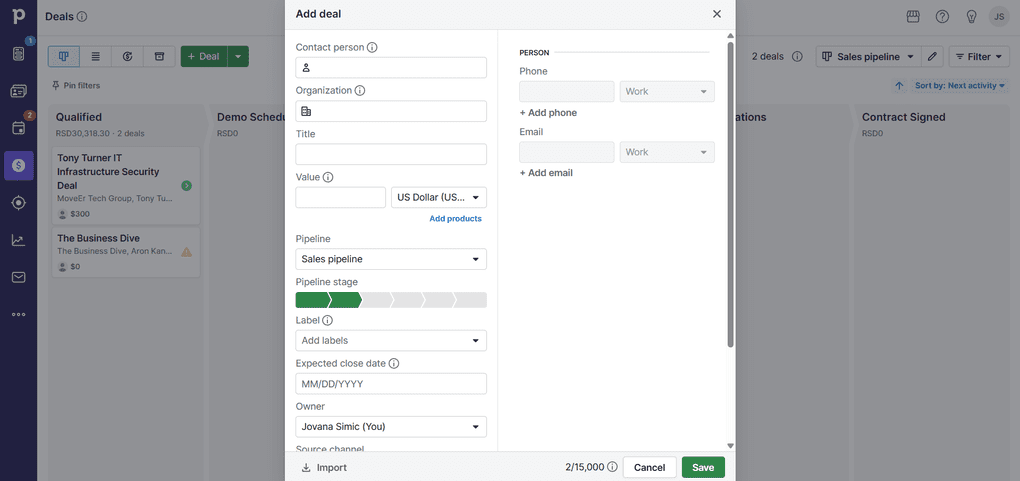
While using Pipedrive, I mostly focused on how it handles day-to-day deal tracking and follow-ups.
The visual pipeline felt very intuitive, and it was easy to see where each lead stood right away.
I also liked how much emphasis Pipedrive puts on activities, which helped keep follow-ups visible and organized. Overall, it’s a practical tool for sales teams that already have leads coming in and need a clear way to manage conversations and move deals forward.
Pipedrive’s pros and cons
Pros of Pipedrive:
Cons of Pipedrive:
Why is it the best lead generation tool for sales pipelines?
Pipedrive is useful once leads are already in the system. The visual pipeline makes it easy to see where each deal stands. It is a good fit for teams that rely heavily on follow-ups.
If you want a deeper take, read this full review: Pipedrive Review 2026: Tested Firsthand — Here’s the Truth
OptinMonster
Best lead generation tool for website lead capture
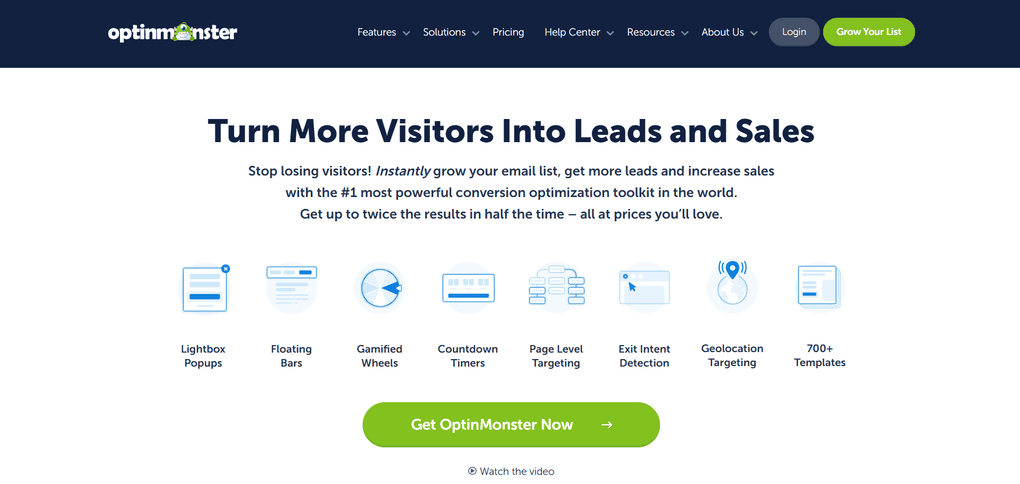
OptinMonster is a website lead generation tool that helps collect leads directly on your website. Instead of emails or CRMs, it focuses on what happens directly on your site, right before someone leaves or clicks away.
You can use it to show popups, forms, and small on-site messages at specific moments. This works well for blogs and content-heavy websites where traffic is already there, but visitors might otherwise leave without signing up.
OptinMonster’s key features
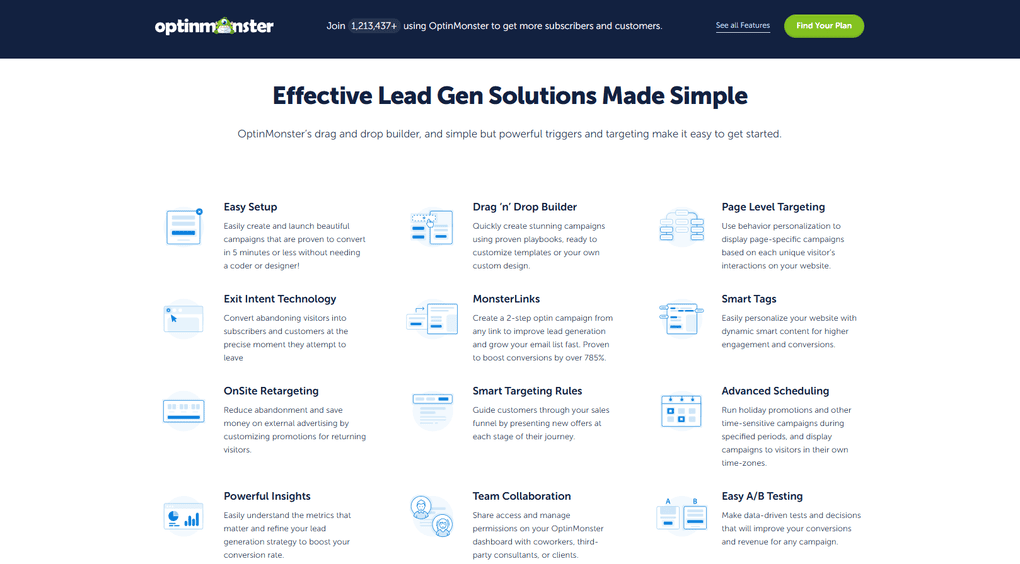
Exit-intent popups: OptinMonster is best known for its exit-intent popups, which appear when a visitor is about to leave the site. This is often used to capture an email address at the last moment instead of losing the visitor entirely.
On-site forms and campaigns: You can create different types of forms, including popups, slide-ins, floating bars, and inline forms. These can be placed across blog posts, landing pages, or specific sections of a website.
Targeting and display rules: OptinMonster lets you control when and where forms appear based on visitor behavior. For example, you can show different messages to new visitors, returning users, or people coming from specific pages.
A/B testing for forms: You can run A/B tests to compare different headlines, designs, or offers. This helps fine-tune what actually works.
Integrations with email tools: OptinMonster connects with most email marketing platforms and CRMs. Once someone signs up, their email can be automatically sent to your email tool or workflow.
OptinMonster’s pricing
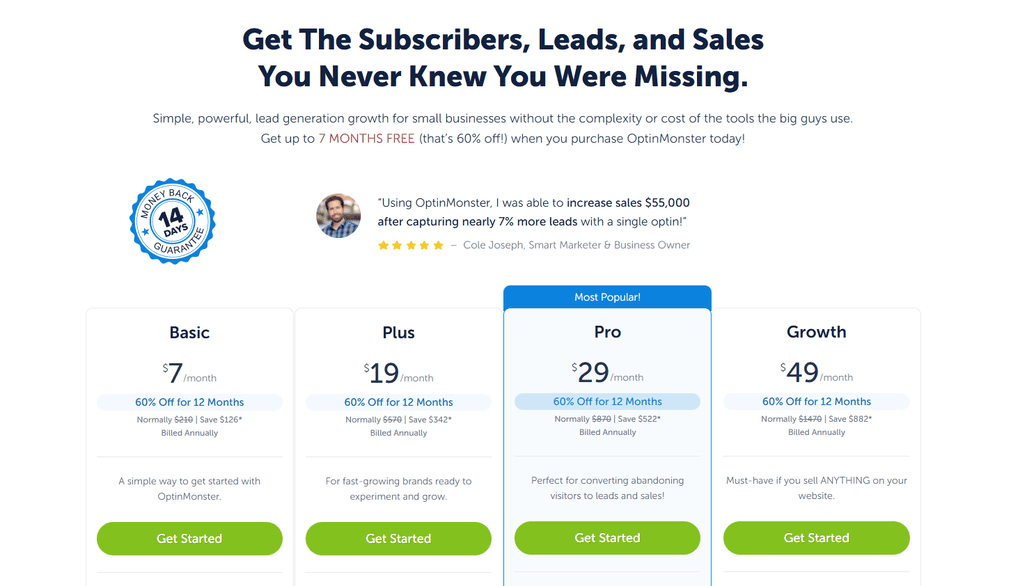
OptinMonster doesn’t offer a free plan or a free trial, but pricing is relatively affordable compared to other lead generation tools.
Plans start at $7 per month for basic on-site forms and pop-ups on a single website. As you move to higher plans, pricing goes up to $19, $29, and $49 per month, depending on the features you need. More advanced plans unlock exit-intent campaigns, A/B testing, more detailed targeting rules, and support for multiple websites.
Overall, OptinMonster’s pricing makes sense for websites that rely heavily on traffic and want to convert more visitors into leads without committing to a full CRM or marketing platform
My experience with OptinMonster
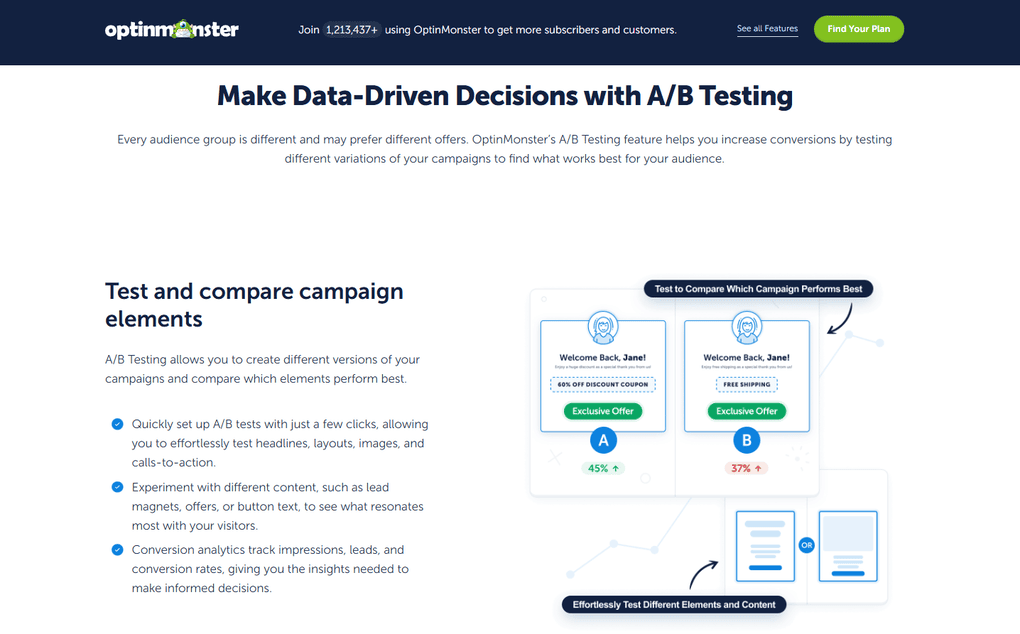
From my experience, OptinMonster works best when you already have traffic and want to get more out of it. Instead of bringing in new visitors, it focuses on capturing emails from people who are already on your site.
What stood out to me is how much control you get over when and where forms appear. Exit-intent popups, in particular, feel useful when you want to catch visitors right before they leave, without interrupting the rest of the browsing experience.
Overall, OptinMonster feels like a practical add-on for content sites and blogs that want to turn passive traffic into actual leads, without changing their existing marketing setup.
OptinMonster’s pros and cons
Pros of OptinMonster:
Cons of OptinMonster:
Why is it the best lead generation tool for website lead capture?
OptinMonster works best if you already have traffic. It does not bring visitors in, but it helps turn them into subscribers. Exit popups, in particular, are a simple way to capture leads that would otherwise leave.
Salesforce
Best lead generation tool for large teams and enterprises
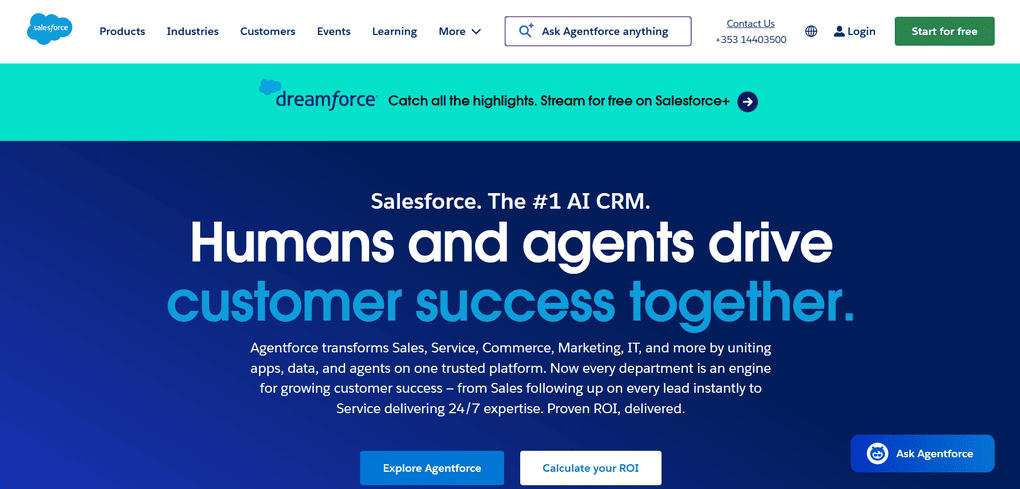
While tools like HubSpot and Pipedrive focus on simpler or mid-sized setups, so small businesses can also use them, it’s not the case for Salesforce.
Salesforce is built for much larger and more complex sales environments. It’s a powerful CRM platform designed to handle high lead volumes, long sales cycles, and detailed tracking across multiple teams.
Salesforce doesn’t just focus on capturing leads, but on managing them at scale. Because of its flexibility and depth, it’s best suited for enterprises and larger organizations that need full control over how leads move through their sales process.
Salesforce’s key features
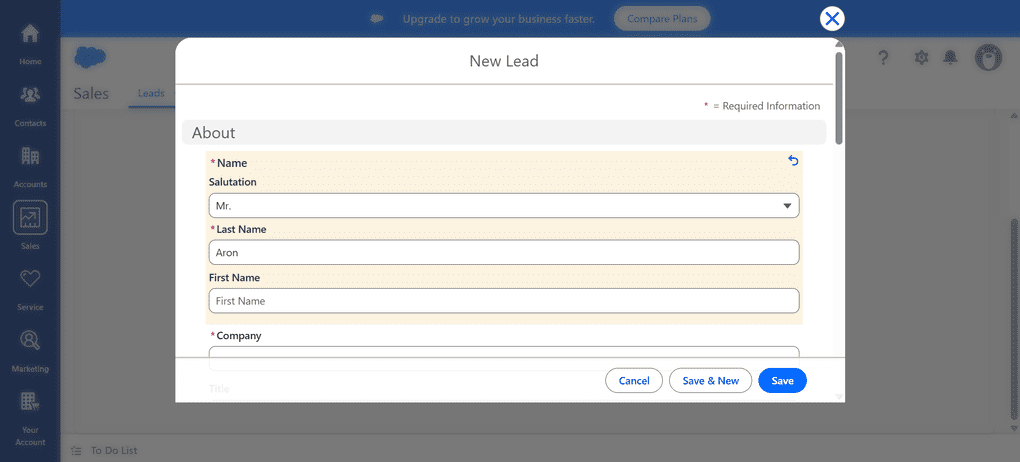
Advanced lead and contact management: Salesforce lets you handle large volumes of leads and contacts with detailed fields, custom stages, and clear ownership across teams.
This works well in setups where multiple people touch the same lead throughout a long sales cycle.
Highly customizable sales pipelines: Pipelines in Salesforce can be fully customized to match complex sales processes. It’s a good fit when a simple, linear pipeline isn’t enough, and different teams need different stages or rules.
Lead scoring and automation: Salesforce supports advanced lead scoring and automated workflows based on rules and behavior. This helps larger teams prioritize leads and reduce manual work as lead volume grows.
Reporting and analytics: The platform offers deep reporting and dashboards that show how leads move through the funnel. It’s especially useful for teams that rely on data to track performance and forecast sales.
Integrations and ecosystem: Salesforce connects with a wide range of marketing, sales, and customer data tools. Its large app ecosystem makes it possible to build very tailored lead generation and sales setups.
Salesforce’s pricing
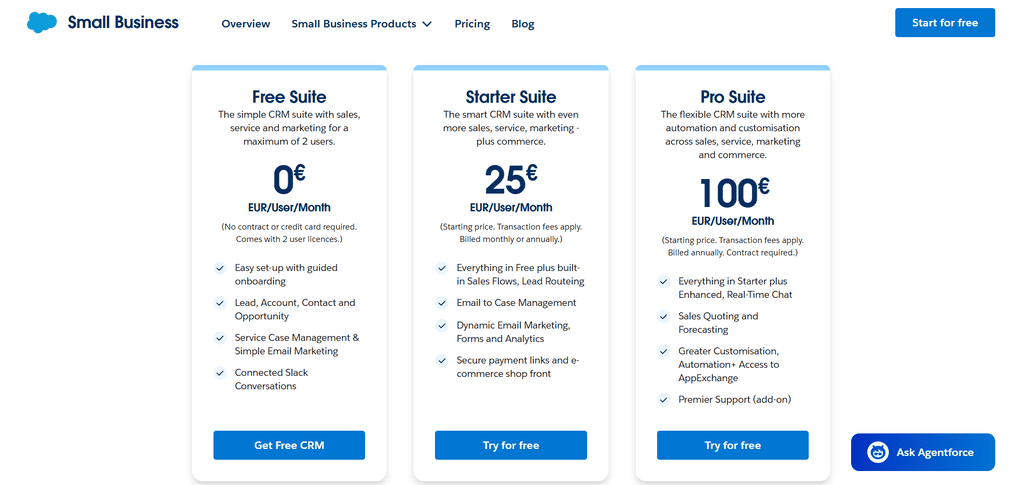
Salesforce pricing is built around per-user monthly plans, and it quickly becomes clear that this is not a low-budget tool. There’s no permanent free plan, but you do get a free trial to see how the platform works.
Prices start at €25 per user per month for basic CRM and lead management features. As you move toward more advanced plans with deeper automation, reporting, and customization, pricing goes up to €€100 per user per month.
Because costs increase with team size and added functionality, Salesforce can become expensive fast. For that reason, it’s best suited for larger teams and enterprises that need a high level of control and are ready to invest in a long-term CRM setup.
My experience with Salesforce
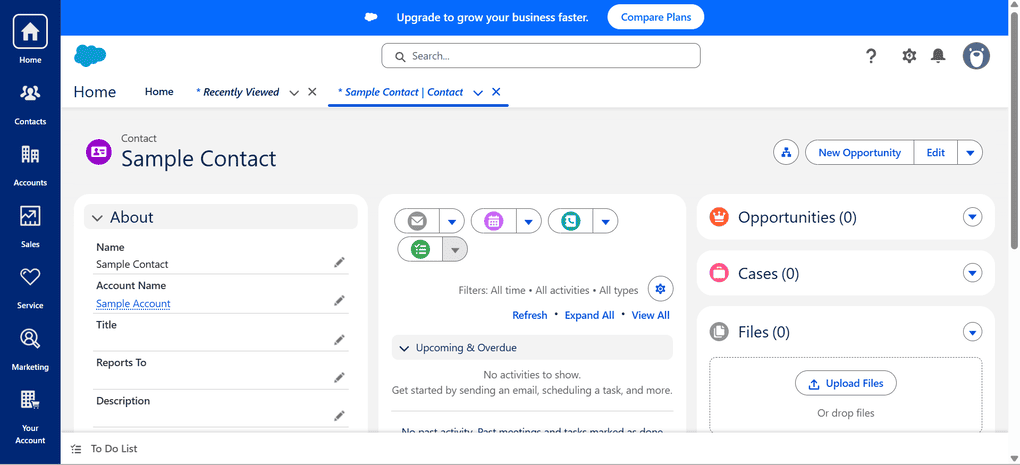
While exploring Salesforce, I focused mostly on how it handles lead and deal management at scale. It’s immediately clear that the platform is built for complex setups, with a lot of options, fields, and workflows available from the start.
At the same time, Salesforce isn’t a tool you just “jump into.” There’s a learning curve, and it takes time to shape the system around your sales process, especially compared to simpler CRMs.
Overall, Salesforce felt powerful but demanding. It makes the most sense for larger teams that need flexibility and control, and are willing to invest time into setting everything up properly.
Salesforce’s pros and cons
Pros of Salesforce:
Cons of Salesforce:
Why is it the best lead generation tool for large teams and enterprises?
Salesforce is not lightweight, but it is powerful. It fits large teams with complex sales processes and long cycles. If you need deep customization and full control, it earns its place.
Calendly
Best lead generation tool for booking meetings
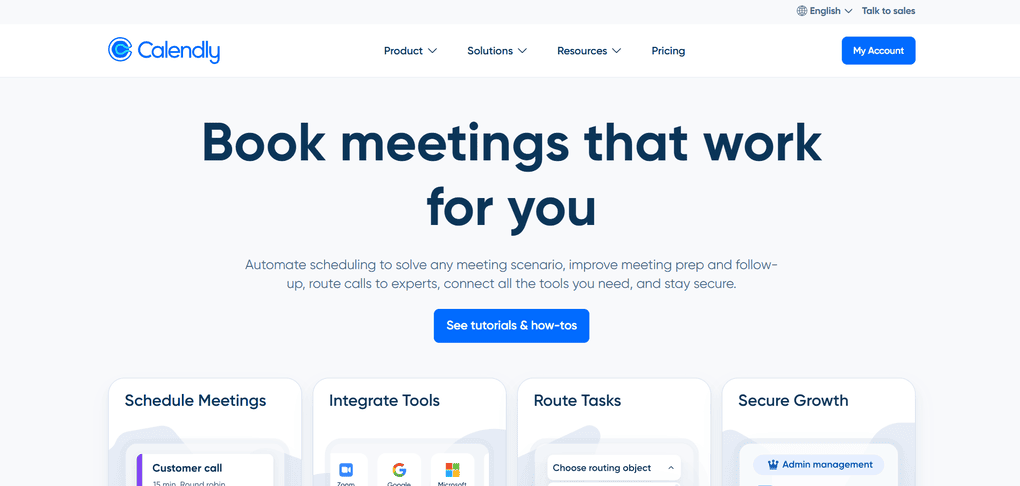
Calendly is used to turn interested leads into scheduled meetings. Instead of exchanging emails back and forth, you simply share a booking link and let people pick a time that works for them. It’s especially useful once a lead is already warm.
Calendly’s key features
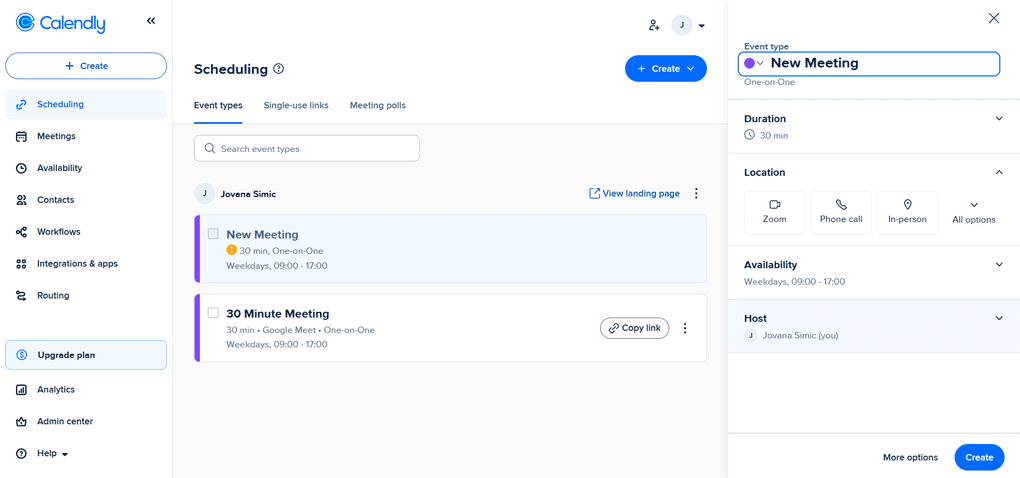
Booking links: Calendly gives you a simple link you can send to someone when they want to book a call. They open it, see your availability, and pick a time themselves, without any back-and-forth emails. This works especially well when someone is already interested and just wants to move things forward.
Calendar sync: The tool connects to your existing calendar and only shows time slots that are actually free. This helps avoid double bookings and keeps everything in sync automatically. Once it’s set up, you don’t really have to think about it again.
Availability and time rules: You can control when meetings can be booked, add buffers between calls, or limit how many meetings happen in a day. It’s useful if you don’t want your calendar to get overloaded. This part makes Calendly feel flexible rather than restrictive.
Automatic confirmations and reminders: Once a meeting is booked, Calendly handles confirmations and reminders on its own. This cuts down on forgotten meetings without you having to follow up manually. In practice, it saves a surprising amount of small admin work.
Different meeting types: You can set up different meeting options, like short intro calls, longer sales calls, or team meetings. Each one gets its own booking link, so people book exactly what you intend. It’s a simple way to keep calls structured without explaining everything over email.
Calendly’s pricing
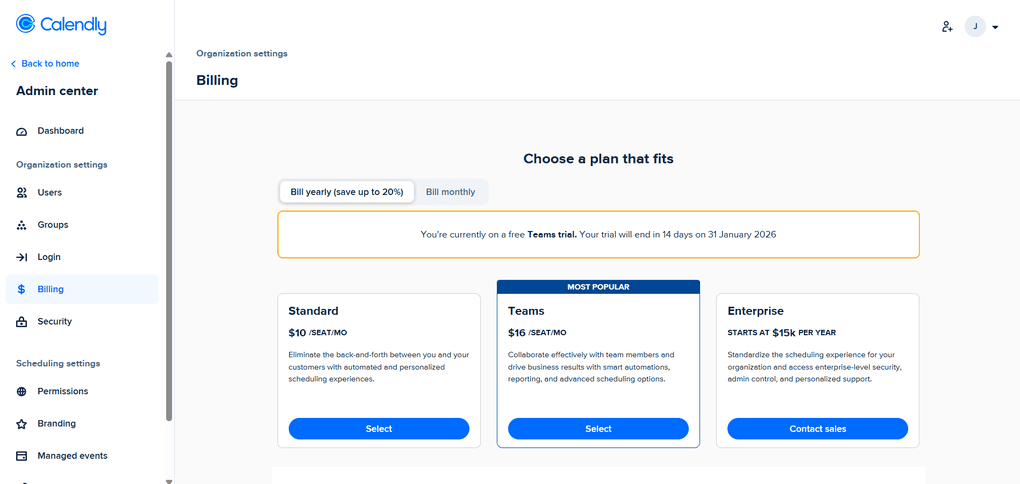
Calendly offers a free plan that covers basic scheduling, one event type, and one connected calendar. This is usually enough for simple one-on-one meeting bookings.
If you need more flexibility, paid plans start at $10 per user per month and add features like multiple calendars, more event types, and basic customization.
Overall, Calendly’s pricing is straightforward and predictable, and I recommend it to individuals and teams that rely on booked calls as the final step of their lead generation process
My experience with Calendly
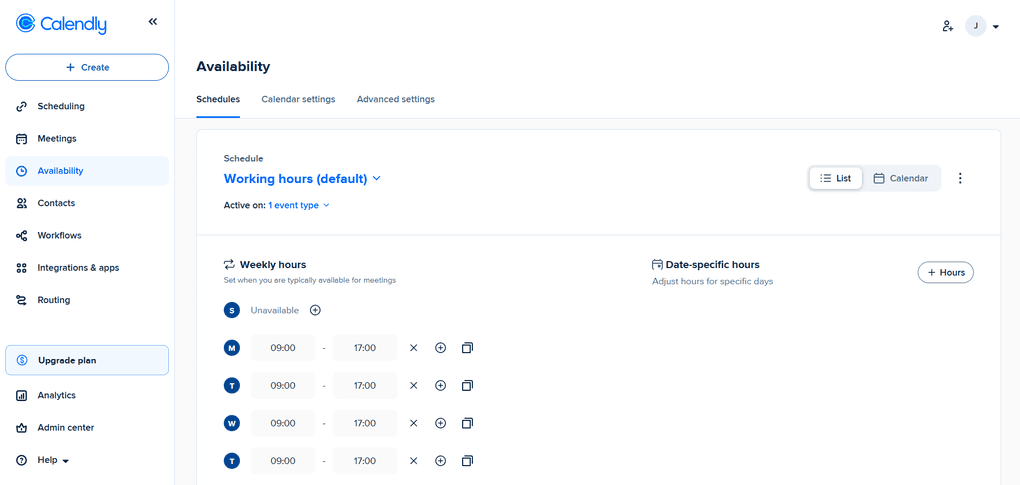
From my experience, Calendly works best at the very end of the lead generation process, once someone is already interested and ready to talk.
What I liked most is how little attention it needs once it’s set up. Availability rules, calendar syncing, and reminders all run quietly in the background, so meetings just happen without extra coordination.
Overall, Calendly feels less like a lead generation tool on its own and more like a finishing touch.
If your goal is to turn warm leads into booked calls or demos with as little friction as possible, it fits naturally into that role.
Calendly’s pros and cons
Pros of Calendly:
Cons of Calendly:
Why is it the best lead generation tool for booking meetings?
Last, but not least, I use Calendly at the very end of the process. When someone is ready to talk, I send a link, and the meeting is booked. No back-and-forth, just a clean handoff.
Summary: The best lead generation tools in 2026
By this point, you’ve probably already gone through the tools on this list. But if you mostly skimmed (which is totally fair), here’s a quick TL;DR:
Snov.io is the best fit for outbound lead generation when you want prospecting, email finding, verification, and outreach in one place. HubSpot works best for inbound-focused teams that rely on campaigns and long-term nurturing, while SurferSEO is ideal if SEO and content are your main lead sources.
Related articles:
- 18 Best Slack Integrations You Are MISSING In 2026
- Best 24 AI Productivity Tools That Will Change The Way You Work
- 7 Best Productivity Apps I Use In 2026 | 100+ Tools Tested
- 15 Best AI Tools | 200+ Apps Tested By A Skeptical (2026)
Kit is a solid choice for email-first lead generation, OptinMonster for capturing leads directly from website traffic, and Calendly for turning warm leads into booked calls. Salesforce is built for large teams with complex sales processes, Pipedrive suits sales teams that need a clear pipeline, and Hunter.io is useful when the goal is simply to find email addresses fast and start outreach.
Hopefully, you’ve found at least one tool on this list that fits the way you work. I tried to include a mix of different lead generation approaches, so there should be something here whether you focus on outbound, inbound, content, or email.
I’ll keep updating this article as tools evolve, and I’d love to hear your thoughts or experiences in the comments.
Why you can trust our reviews
At thebusinessdive.com, our team tests, reviews, and compares hundreds of productivity apps every year — from project management tools to note-taking apps. We dive deep into real-world use cases to help you find the right tools that actually improve your workflow, not just add noise.
Our mission? No fluff, no shortcuts—just honest, hands-on insights from productivity pros.
Discover how we stay transparent, read our review methodology, and let us know about any tools we missed.
Frequently asked questions
What are lead generation tools?
Lead generation tools are software solutions that help businesses find potential customers, capture leads, and turn them into qualified leads. Depending on the tool, this can include lead capture forms, email marketing, contact data, lead tracking, or full lead management inside a CRM.
What is the best lead generation software for sales teams?
If you’re doing outbound, the best lead generation software is usually something that gives you contact details, verification, and a clean workflow for targeted outreach. Tools like Snov.io and Hunter.io focus on contact data and prospecting, while CRMs like Pipedrive help sales reps manage leads once they enter the sales pipeline.
How do lead generation tools help improve lead quality?
The best lead gen tools help you filter and prioritize leads using signals like engagement, lead scoring, and sometimes intent data. In practice, this helps separate high-value prospects from low-intent contacts, so sales and marketing teams spend time on the most promising leads.
Are AI-powered lead generation tools worth it in 2026?
AI-powered lead generation tools are useful when they save time on repetitive work like follow-ups, lead sorting, and data entry. In many cases, AI helps analyze large datasets to spot patterns humans would miss, and it can support more consistent lead scoring and automated workflows across the lead generation process.
Which tools are best for inbound lead generation?
For inbound lead generation, you’ll usually want a mix: something for lead capture (OptinMonster or HubSpot forms/landing pages), something for email marketing to nurture leads (Kit), and a way to book calls (Calendly). If content is your main channel, SurferSEO helps improve rankings so you can attract more website visitors and generate leads over time.
Disclosure: I only recommend products I would use myself, and all opinions expressed here are our own. This post may contain affiliate links that, at no additional cost to you, I may earn a small commission. Read the full privacy policy here.

Hey! I’m Jovana, a content writer who loves writing, researching, and testing new productivity apps. With a background in philosophy, I bring a thoughtful but no-bullshit approach to everything I do. Let’s connect on Linkedin!