Powerful OCR-Focused PDF Tool with Strong Layout Detection and Workflow
- Independently reviewed
- Hands-on evaluation
Quick Verdict
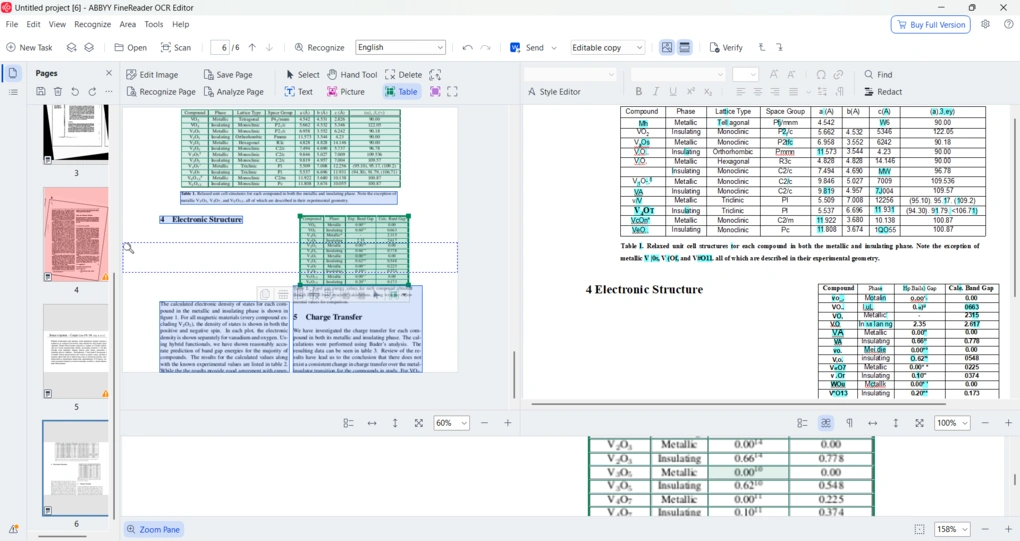
A powerful OCR-focused PDF tool with strong layout detection, flexible conversion, and an efficient workflow. However, its OCR accuracy is not flawless in more complex or lower-quality documents.
- Best for: Professionals working with scanned documents
- Not ideal for: Casual users with basic PDF needs
- Pricing: Paid Plans (-€16/user/month)
ABBYY FineReader's strengths
-
Strong OCR for standard scans in 200+ languages
-
Excellent layout and formatting preservation
-
Batch processing, automation, and large-volume handling
- Flexible conversion with multiple output modes
- User-friendly workflow with solid security and redaction
ABBYY FineReader's limitations
- No free plan (only a limited free trial)
- Mac version is more limited and lacks some advanced features availabl
- Not the most budget-friendly option for casual users
See ABBYY FineReader review
Powerful OCR-Focused PDF Tool with Strong Layout Detection and Workflow
REVIEW

Related guides and comparisons
January 4, 2026
January 4, 2026
November 24, 2025
September 23, 2025
Popular ABBYY FineReader alternatives
Top pick
PDF Editors
Tenorshare PDNob
PDNob is an easy-to-use, AI-powered PDF editor for reading, editing, organizing, and annotating PDF documents.
Top pick
PDF Editors
EaseUS PDF Editor
EaseUS PDF Editor is an affordable PDF solution for editing, annotating, converting, and managing PDFs on Windows and Mac.
Free
PDF Editors
PDFgear
PDFgear is a completely free, offline PDF editor with solid editing, OCR, conversion, and AI tools.
Related videos
Our Evaluation Process
Our ABBYY FineReader evaluation is based on hands-on testing and comparison with other leading PDF editors.