


Why Email Is Still the Biggest Productivity Killer—and What to Do About It
The email remains the bedrock of business communications, the channel that most rely on to complete projects, manage client relationships, share documents, and distribute advertising campaigns.
But while email keeps business moving, it can also become one of the biggest productivity drains. From overflowing inboxes to repetitive replies and constant notifications, managing email efficiently requires more than simply checking messages throughout the day.
In this guide, you’ll learn practical strategies for managing your inbox more effectively, reducing distractions, using AI to handle repetitive tasks, choosing the right productivity tools, and building habits that help you stay on top of your email without letting it take over your workday.
Why email management matters?
Email has become much more than a communication channel—it’s a core part of how modern businesses collaborate, make decisions, and keep work moving.
Professional communications are best handled via email, with the global business environment regarding this medium as the standard channel to negotiate with vendors and establish a professional reputation.
There’s also the fact that the email has the potential to establish a paper trail that provides transparency and accountability for everyone involved in a certain task.
Both internal and external operations are handled via email, with international conglomerates relying on the fact that emails operate regardless of time zone. Internally, emails are used to assign tasks, schedule meetings, and distribute HR announcements.
However, despite the fact that emails have so many benefits, there are some drawbacks as well, the most notable being that it can take a lot of time to go through every single one in a workday.
Depending on the company and the job, a single employee can deal with hundreds of emails in a single day, meaning that a big chunk of the entire week will be spent reading and going through these messages.
This becomes a problem when there’s no time left for other important tasks, and the employees are forced to work overtime or during the weekends in order to meet deadlines.
If you’ve begun to notice that emails are piling up for you as well and there’s no end in sight when it comes to this problem, here are a few of the strategies you can consider in order to increase productivity levels and make sure you get everything done with no hassle.
Strategies to improve email management and productivity
The strategies below combine simple productivity techniques with practical tools that can make email easier to manage every day.
Start with the basics
Schedule dedicated email time
In order to maximize productivity, the best thing you can do is create designated times during which you’re processing emails.
Quick-win tasks, high-impact actions that don’t take a lot of effort to complete, can be handled right away, after which you should disable desktop notifications and move everything else to a to-do list in order to maintain focus.
The emails that you should deal with immediately are the ones that wouldn’t take more than 2 minutes to solve.
Use templates and write with clarity
If you need to send the same or very similar responses to many different emails, it helps to have a template that you can slightly adjust instead of typing the same response dozens of times.
Keep emails short and easy to read on mobile devices. Stating the purpose clearly, as well as the rationale, and mentioning the call-to-action in the first few lines will help you get faster responses and expedite processes as well.
Treat your inbox as a communication hub, not a to-do list
In some cases, changing your mindset can be very helpful as well. Instead of treating the inbox as a to-do list, you can identify the action each email requires and add it to your project management system.
Look through the rules of your inbox in order to automatically route newsletters, updates, and notifications into their own specific folders so that they don’t end up cluttering your main inbox.
Practical strategies
Use AI to automate repetitive tasks
Repetitive or extraneous email tasks end up taking a lot of the time that you could have been using for something else.
Using Gemini or Copilot on Google Workspace and Microsoft 365 to deal with them can free up a large chunk of your workload. Create custom instructions for templates in the case of recurring emails, such as invoices or status updates, and save prompts for repeated outreach.
Many tools can be used in order to create conversational and highly creative emails, as well as make the ones that are very research-heavy much more streamlined and easier to navigate.
Always review AI-generated content
While AI tools generally follow the guidelines you provide, they still require occasional adjustments. Make sure to review important details and verify that the information is accurate and up to date before sending an email.
Generating tailored responses based on bullet points is also possible, and the tone can be refined depending on the recipient. Some AI assistants can even pull relevant information from connected cloud storage, making it easier to answer emails that require details from previous documents.
Design a triage system
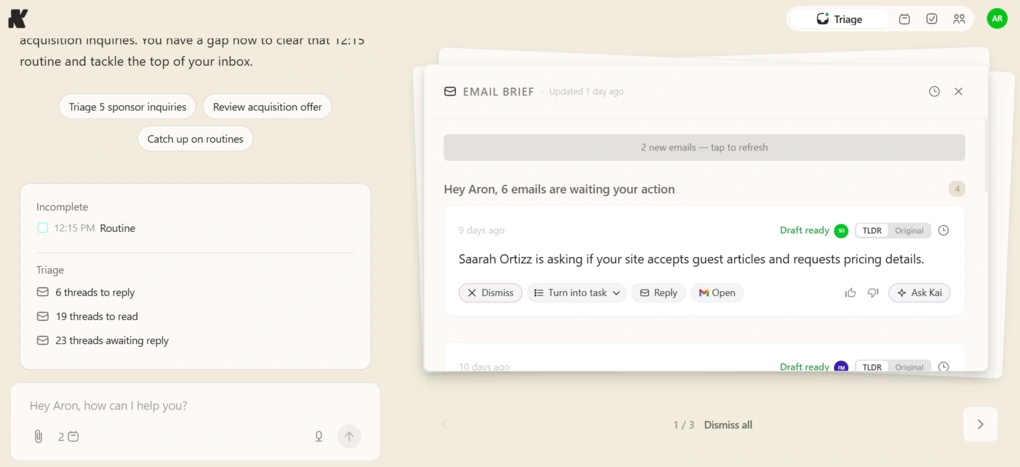
An efficient triage system for your emails ensures that the messages won’t end up overwhelming your inbox, making it impossible for you to know where to get started. Having a system is a good idea regardless of whether you’re dealing with an individual inbox or a larger team helpdesk.
Typically, you shouldn’t need more than four main folders in order to sort all your emails. The first is for the emails that need an immediate decision, a meeting, or a thoughtful reply. Then there are the ones that aren’t urgent, or that require someone else’s input before you can proceed to the next task.
Newsletters, automated reports, or informational threads can be placed into a “Read Later” folder most of the time. The ones that were resolved without your input can be deleted or archived, which goes for CC’d threads too.
Lastly, all messages that were solved without any action needed from you are the ones that can be archived or deleted right away, depending on the case.
My favorite tool to automate the email triage system was Kai, which helped me save 90 minutes daily.
Work with the appropriate tools
The email is simple yet complex at the same time due to how its accessibility pairs with the many ways in which it is used and all the corporate procedures in which it is helpful.
Adding the right tools to the mix will only serve to supercharge your workflow with specialized solutions that help you stay efficient and meet deadlines.
Different tools solve different email-related challenges. AI assistants like ChatGPT, Google Gemini, and Microsoft Copilot can help draft, summarize, and refine emails.
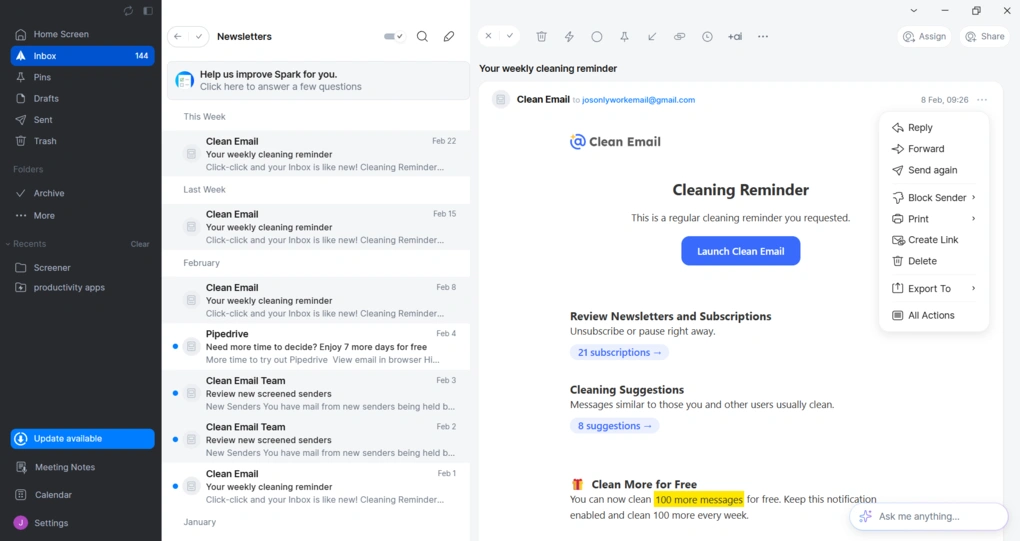
Inbox management tools such as Spark or SaneBox help reduce clutter and prioritize important messages, while collaboration platforms like Microsoft Teams or Slack keep day-to-day conversations out of your inbox.
For businesses that rely on email marketing, choosing the right platform is equally important.
Email marketing tools are vital because they provide direct access to your audience, a high ROI, and the ability to offer hyper-personalization. There are many options out there, with some being more suitable for beginners while others provide more advanced features and automation capabilities.
GetResponse is a well-known mailchimp alternative due to its clean dashboard, unlimited email sends on all its paid plans, and the fact that it only charges for active subscribers. It also includes webinar tools, push notifications, and conversion funnels. Moreover, if you don’t want to deal with third-party plugins or overly complex automation rules, GetResponse is a strong option to consider.
Beyond email marketing, other solutions can further improve your workflow through AI drafting and summarization, inbox filtering, and integrated document collaboration. Choosing tools that match your specific needs will help you spend less time managing emails and more time focusing on meaningful work.
Keep the inbox organized
Keeping your inbox organized can be quite challenging if you receive a lot of emails on a daily basis, but it’s an absolute must for a streamlined workflow.
Take action immediately
Having an action-based approach is very important, so start by turning off all your notifications. If you have to open an email, make sure it is either deleted, completed immediately, deferred, or delegated, depending on the case.
Never leave it on standby and tell yourself you’ll just get back to it later. That’s the way they pile up and start to become a problem.
Reduce unnecessary email clutter
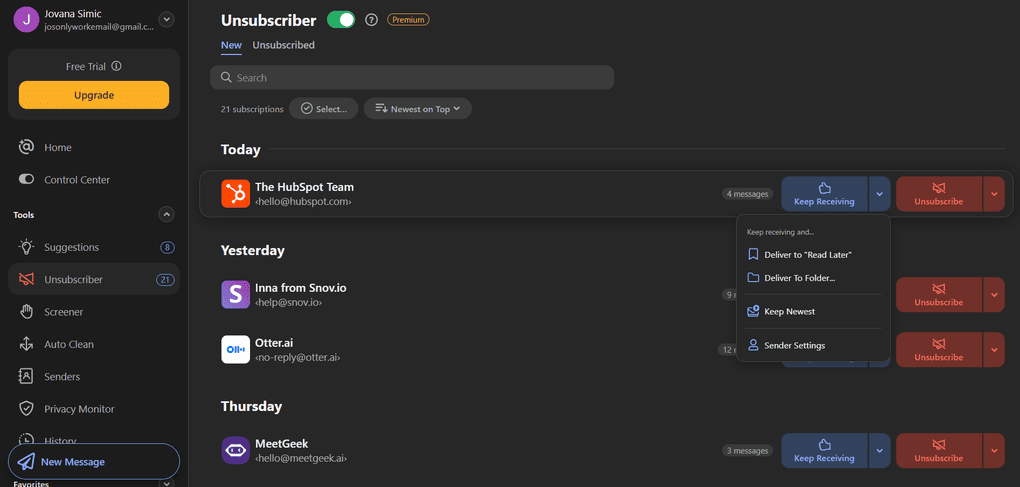
If you’re subscribed to several promotional lists, try to remove at least a few of them. If you need to be subscribed for a while, try to unsubscribe the moment that said subscription isn’t necessary anymore.
The goal is to have nothing left in your inbox at the end of the day, meaning that every single message you received should have been archived or delegated. Archiving everything that you solved is crucial since it preserves the information and ensures that it remains retrievable, but removes all the clutter from your immediate view.
If manually unsubscribing from dozens of newsletters feels overwhelming, dedicated tools such as SaneBox, Clean Email, Leave Me Alone, or Unroll.Me can help identify unwanted subscriptions, unsubscribe in bulk, and keep promotional emails from taking over your inbox.
Move conversations to the right channels
Checking your inbox at scheduled times every day is also something that many employees choose to do in order to make things easier for themselves. Decreasing the volume of emails is needed in some cases.
For example, you should make sure that conversational updates are kept to communication and collaboration platforms such as Teams instead of being shared in their own unique emails.
Likewise, task-specific discussions are often easier to manage in project management platforms like Asana, ClickUp, or Trello, where updates remain tied to the work itself instead of getting buried in inboxes.
Stopping back-and-forth threads will also reduce the number of emails you’re dealing with, so group multiple questions or thoughts into a single email.
In conclusion
Business emails remain the backbone of communication in modern organizations, supporting collaboration, transparency, and long-term record keeping. However, staying productive isn’t about spending more time in your inbox—it’s about managing it more effectively.
By adopting better email habits, organizing your inbox, using AI for repetitive tasks, and choosing the right tools for your workflow, you can save time, improve communication, and focus on higher-value work.

Hey! I’m Jovana, a content writer who loves writing, researching, and testing new productivity apps. With a background in philosophy, I bring a thoughtful but no-bullshit approach to everything I do. Let’s connect on Linkedin!