


13 Best Collaboration Tools For Remote Teams In 2026
Remote collaboration is rising globally, offering a great way to connect with others and find the best colleagues, regardless of location. However, remote work comes with challenges, including time management issues, team communication, and unproductive workdays. Staying focused is crucial during such times, and having the right remote team collaboration tools can make all the difference.
While many apps exist, finding the best collaboration tools for remote teams is challenging. In this guide, I collected the best remote collaboration tools to maximize team productivity and make every minute count.
Let’s dive in!
The best collaboration tools for remote teams
- ClickUp: Best project management tool.
- Fireflies AI: Best app to automate meeting notes.
- Motion: Best scheduling app to keep your calendar organized.
- Notion: Best remote collaboration software to help you write, brainstorm, edit, summarize, and more in one structured workspace.
- Geekbot: The best tool to automate standups, surveys and workflows.
- Krisp: The best app to eliminate background voice.
- Dropbox: Best tool for file sharing and document management.
- Slack: Best team communication tool for remote and hybrid teams.
In this video, you can see additional collaboration tools that I did not include in the list above.
What to consider when choosing remote collaboration tools?
Before deciding which collaboration tools to try out, it makes sense to consider the following aspects:
- Features: Collaboration tools offer a wide range of features. While some may be useful for remote workers, others are not that valuable. Evaluate the features before making a decision.
- Cost: Cost and features go hand in hand. The more features one collaboration tool offers, the higher the price is. To make a cost-effective decision, make sure the pricing fits your budget and you can utilize all the collaboration software features.
- Integrations: Ensure that the collaboration tool seamlessly integrates with your other apps.
- User experience: Opt for tools with an intuitive and user-friendly interface to enhance overall productivity.
- Security: Prioritize tools with solid security measures, along with secure access options like a decentralized VPN, to safeguard sensitive information and maintain data integrity.
Best project management tools for remote teams
ClickUp
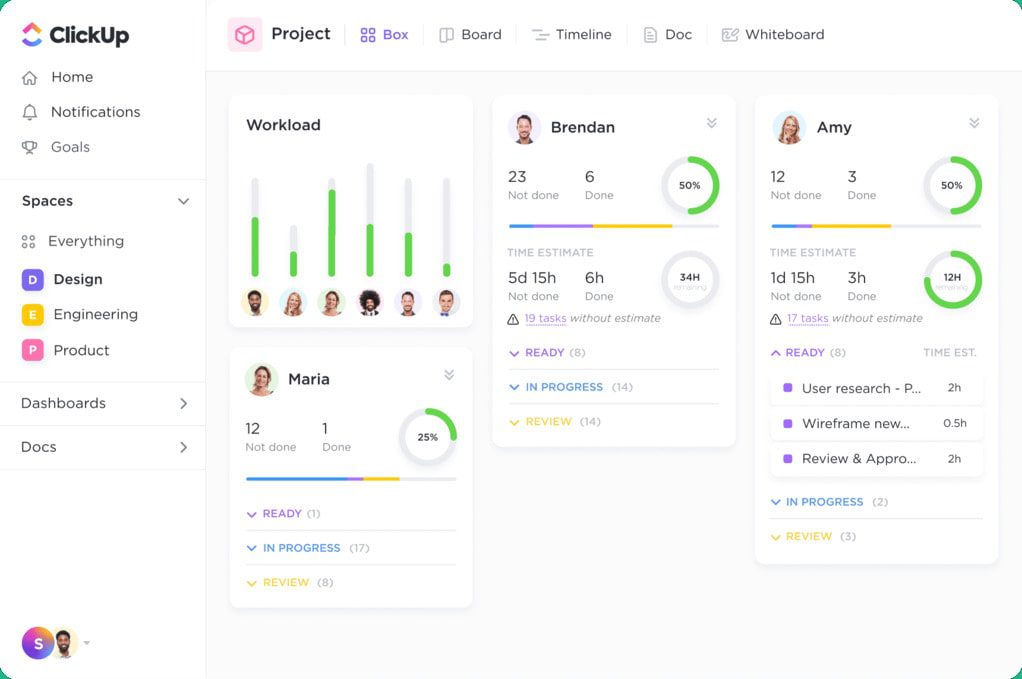
ClickUp is considered one of the best remote collaboration tools available for project management. It is an incredibly versatile app and can work as a central hub for project coordination.
Key features
- Unique customization: ClickUp’s extensive customization options allow you to tailor your workflows and dashboard to your specific needs.
- Effortless collaboration: ClickUp simplifies team management by enabling you to assign tasks, share feedback, and attach files to each project, all in one place.
- Virtual whiteboard: ClickUp provides a virtual whiteboard where you can collaborate with your teammates.
- Shared workspace: You can build documents or tag others with comments, assign them action items, and convert text into trackable tasks.
- Goals: ClickUp allows you to track progress and targets, whether numerical, monetary, or true/false milestones.
- Instant Communication: ClickUp’s real-time chat function ensures immediate and responsive collaboration with teammates, enhancing productivity and efficiency.
Pricing:
- Free plan: Available
- Team: $7/month per user
- Business: $12/month per user
- Enterprise: Contact for pricing
Pros and cons of ClickUp:
Pros:
- Intuitive and very flexible task management tool.
- Foster teamwork through features like comments, mentions, and real-time editing.
- You can smoothly create projects and tasks in no time.
- Helpful customer support.
- Integration with many third-party apps.
- You can set goals for projects and track the progress.
Cons:
- The free plan provides only 60MB of storage.
- New users might encounter a challenging learning curve.
You can read the full review here: My Honest ClickUp Review After Using It For +3 Months (2026)
Wrike
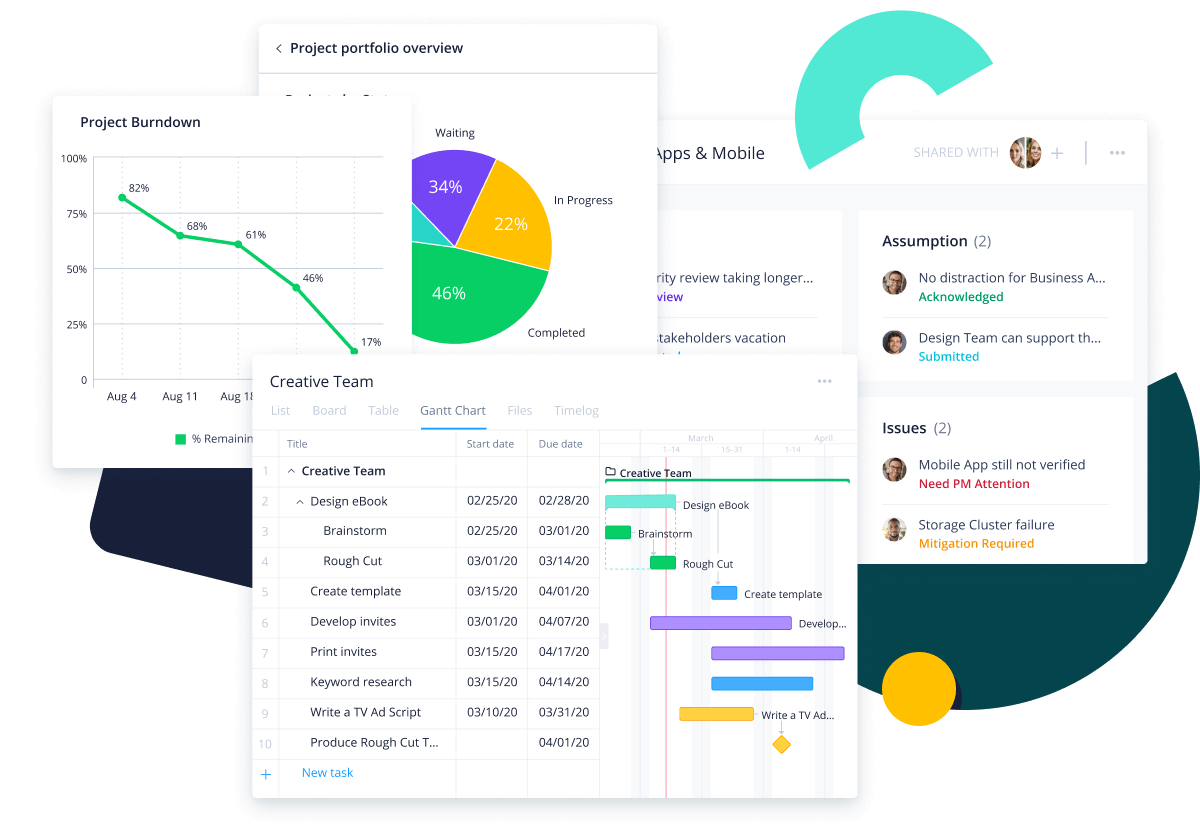
Wrike is a top choice when it comes to project management. You can integrate Wrike with over 400 apps, and its features help you handle every aspect of project management.
Key features
- Resource management: Using the resource management feature, Wrike can assist in budgeting, time tracking, and workload optimization.
- Personalized dashboard: The customizable dashboard allows you to monitor plans, progress, and tasks effectively.
- Workflow categorization: You can categorize all the workflows using the cross-tagging feature across tasks, subtasks, folders, milestones, phases, and projects.
- Gantt charts: You will have access to a complete overview of project details, tasks, and timelines using Gantt charts.
- Automated requests: Wrike has building forms that include checkboxes, dropdowns, priority, due dates, etc, so you can make requests quickly.
Pricing
- Free plan: Available
- Team plan: $9.8/month per user
- Business plan: $24.8/month per user
- Enterprise plan: Contact for pricing
- Pinnacle plan: Contact for pricing
Pros and cons of Wrike
Pros
- Effortless collaboration with other team members with comments, mentions, and approval functions.
- You can create tasks that you can only see on your dashboard.
- The personalized dashboard allows you to overview the workflows of remote team members.
- The customer service is top-notch.
- You can effectively track workload, budget, and time spent on a project.
- Integration possibility with more than 400 apps.
Cons
- You can access more advanced features only if you use higher-tier paid plans.
- The user interface could be more beginner-friendly.
nTask
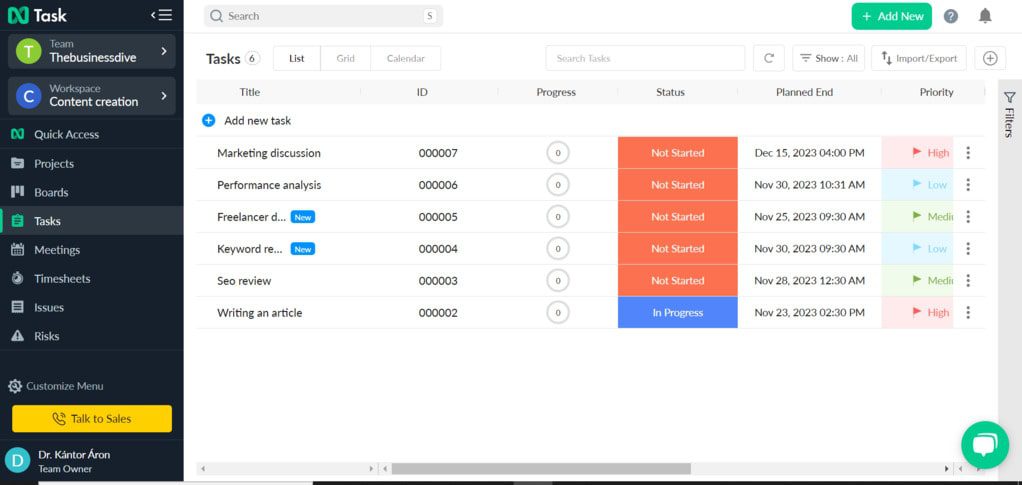
If you are looking for project management software that helps simplify work management, nTask could be your top pick. nTask has all the essential features that might be needed for managing projects remotely.
Key features
- Extensive project management tool: It has many project management features supporting remote teams, including budgeting, resource allocation, work capacity tracker, etc.
- Task manager: This tool assists remote employees in planning, creating, and managing tasks simply by utilizing features like time tracking, collaboration features, smooth file sharing, interactive Gantt charts, and more.
- Kanban boards: Creating Kanban boards helps you organize and customize workflows to avoid missing any crucial details.
- Gantt Chart: You can easily plan, manage timelines, and visualize projects.
- Team management: nTask fosters team collaboration by adding functions like team chat, roles, and document management.
- Timesheet: This feature lets you track and report your time with projects.
- Meeting management: Using nTask, you can provide agendas, action items, and links to tasks to make remote working and meetings more effortless.
Pricing
- Free forever plan: Available
- Premium plan: $3/month per user
- Business plan: $8/month per user
- Enterprise plan: Contact for pricing
Pros and cons of nTask
Pros
- It has an intuitive user interface.
- The comprehensive feature set can cover all aspects of managing projects.
- With its affordable pricing, it offers excellent value for money.
- Advanced visualization options.
- You can use the free version for up to five team members.
Cons
- Some users reported poor customer service.
- The free version does not include the Kanban feature.
Taskade
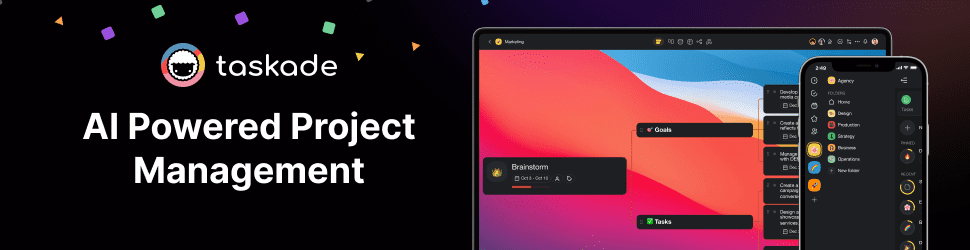
Taskade is an AI-powered collaboration software focusing on task management. Using Taskade, you can effectively create and assign tasks with due dates and upload related files.
Taskade’s main selling point, among other remote collaboration tools, is its extensive templates for your work and personal life. So, you do not have to prepare a budget planning, mind plan, or personal finance tracker; Taskade will do it for you.
Key features
- Automate tasks: Using Taskade, you can easily assign tasks and add due dates to a team member.
- Easy-to-use platform: You can create task lists, mind maps, review lists, and custom workflows with one click.
- Templates: Taskade has more than 1000 templates for every possible scenario.
- Visualization: You can visualize your project in various ways: lists, kanban boards, calendars, mind maps, org charts, and action views.
- AI chatbot: You can employ Taskade’s AI chatbot to generate task lists and notes, summarize text, or write content.
Pricing
- Free plan: Available
- Starter plan: $6 per month/user
- Pro plan: $16 per month/user
- Business plan: $40 per month/user
- Enterprise plan: Custom pricing
Pros and cons of Taskade
Pros
Cons
Related article: Taskade Review: Features, Pricing, Pros & Cons (2026)
Best apps to automate meeting notes
Fireflies AI
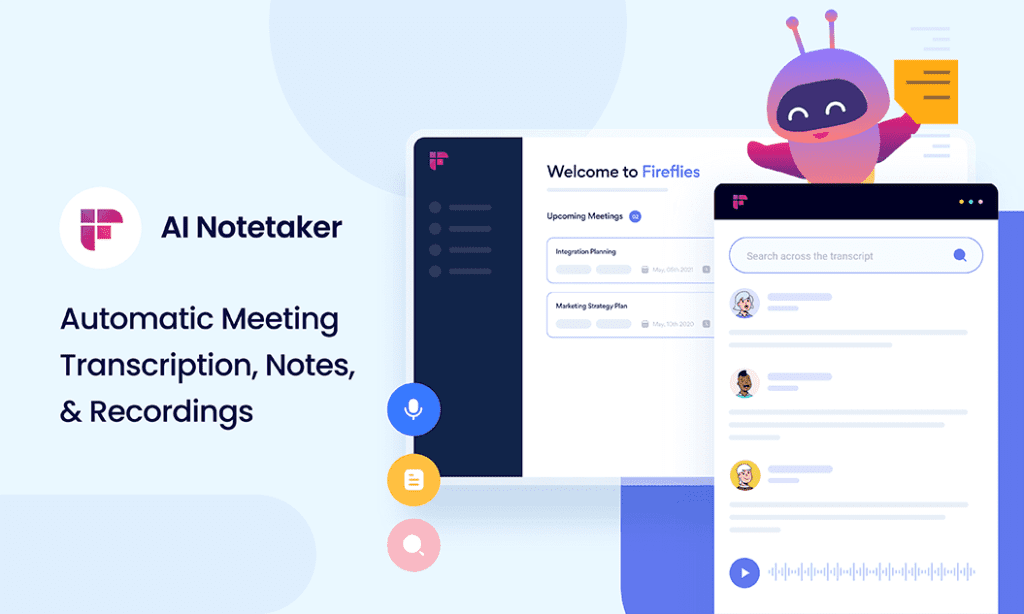
Fireflies AI is a meeting assistant tool powered by artificial intelligence. It can transcribe, summarize, record, and analyze video calls automatically. Utilizing an AI assistant like Fireflies AI, you can focus your full attention on the video meetings, and the AI assistant will handle the rest.
Fireflies AI works well with many video conferencing platforms, including Zoom, Google Meet, and Microsoft Teams. I picked Fireflies AI in the first place because of its ability to transcribe meetings in more than 100 languages.
Fireflies AI is a must-have collaboration tool for remote employees to ensure they dedicate their full attention to other meeting participants.
Key features
- Meeting automation: Fireflies AI transcribes and records conversations automatically.
- AI-powered searching: You can easily find any crucial details in meeting notes using Fireflies AI’s search capabilities.
- Meeting analysis: It provides insights about speakers, topics, and sentiments.
- Live Assist: It also helps during meetings by summarizing key points in real time, highlighting action items, and catching up if you join late.
- Collaboration: You can leave comments and pins at different parts of calls and easily share the meeting notes on Slack, Notion, and more.
- Extensive integration: Fireflies AI allows integration with multiple tools.
- Language support: This remote collaboration tool supports live transcription in 100+ different languages.
Pricing
- Free plan: Available
- Pro plan: $10/month per user
- Business plan: $19/month per user
- Enterprise plan: $39/month per user
Pros and cons of Fireflies AI
Pros
- You can fully automate your online meetings.
- Fireflies AI supports a lot of languages compared to similar tools.
- Receiving insights about your meeting performance is helpful.
- Smart search and topic tracking can save a lot of time.
- You can integrate Fireflies AI with many third-party applications.
Cons
- If you have meetings in different languages, you must manually switch to the next call’s language before joining.
- Sometimes, it can not transcribe accents correctly.
- Limited storage even if you choose the Pro plan.
Related article: Fireflies AI Review: Why is EVERYONE using it for meeting notes?
tl;dv
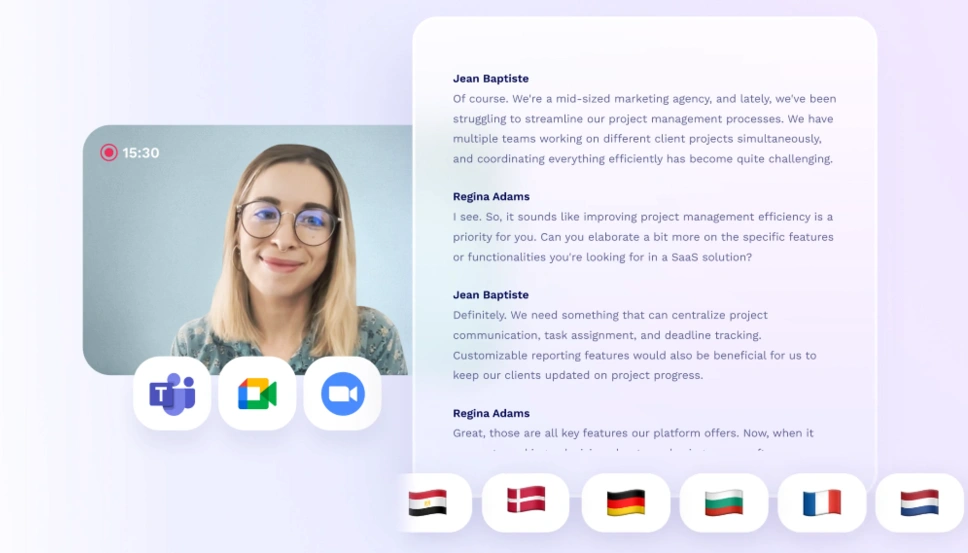
Tl dv, or “too long; didn’t view,” is a free AI note taker that automatically records and transcribes Google Meet and Zoom meetings in more than 30 languages. It is one of the most popular AI note takers with a user base of more than a million users and provides many valuable features.
Key features
- Automated note-taking, recordings and summaries: It records, transcribes and summarizes audio and video meetings in more than 30 languages.
- Clips: Tl dv can create clips or reels so you can share these moments with others.
- AI-generated takeaways: It automatically summarize the parts you pinpoint during a meeting.
- Recording speed: Tl dv allows you to play the meeting recording at 1.5 or 2x speed.
Pricing
- Free plan: Available
- Pro plan: starts at $18/recording user/month
Pros and cons of tl;dv
Pros
Cons